Network cables are the physical medium that carries data signals between devices, and choosing the wrong type costs you speed, compliance, and money. The three main types of network cables are copper twisted pair, coaxial, and fiber optic. Each category follows specific standards, including ANSI/TIA-568, which defines bandwidth, crosstalk limits, and signal integrity benchmarks. Whether you are wiring a home office, upgrading a commercial building, or planning a data center run, the right cable type determines your network’s ceiling. Lowvoltagecorp installs and maintains all three cable families across residential and commercial properties.
What are the main types of network cables?
Network cables split into three broad families: copper twisted pair, coaxial, and fiber optic. Each family has distinct construction, performance limits, and ideal environments. Understanding these differences before purchasing or installing saves significant rework costs.
Copper twisted pair is the dominant choice for access links. It comes in two forms:
- UTP (Unshielded Twisted Pair): Standard for most office and home endpoint connections. Affordable and easy to terminate.
- STP (Shielded Twisted Pair): Adds a foil or braided shield around the conductors. STP cables protect against electromagnetic interference, making them the right call in industrial environments, near heavy machinery, or alongside power conduits.
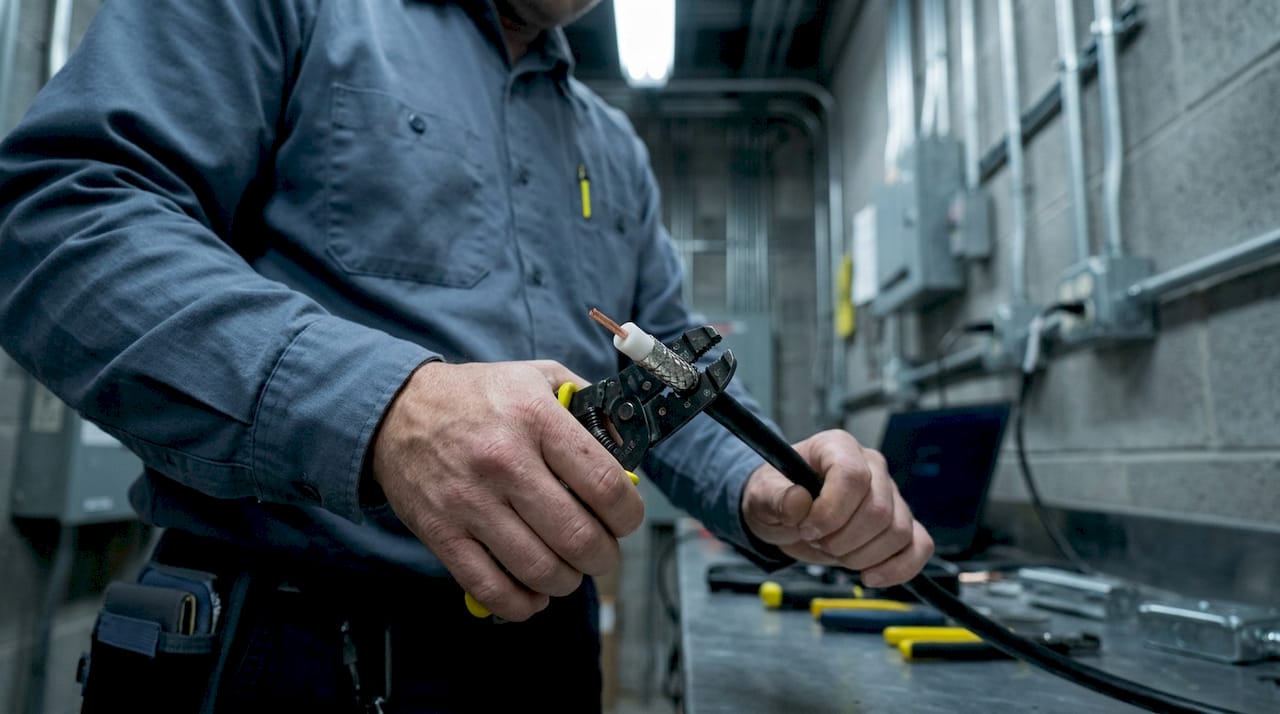
Coaxial cables use a single copper conductor surrounded by insulation, a metallic shield, and an outer jacket. They carry signals with low loss over moderate distances and still appear in cable TV infrastructure, DOCSIS broadband, and some legacy network segments.
Fiber optic cables transmit data as pulses of light rather than electrical signals. They are immune to EMI and provide electrical isolation, which makes them the only practical choice for long runs or high-interference environments.
One critical construction detail most installers overlook: plenum rating. Plenum-rated (CMP) cables produce significantly less smoke and toxic fumes than standard PVC jackets. Fire codes require them in air-handling spaces, including dropped ceilings and raised floors used for HVAC airflow. Skipping plenum-rated cable in those spaces is a code violation, not just a preference.
Pro Tip: Always confirm whether your cable run passes through a plenum space before ordering. Swapping cable after the walls are closed costs far more than the price difference between PVC and CMP jackets.
1. Cat5e: the entry-level standard still worth knowing
Cat5e is the minimum viable cable for modern networks. It supports 1 Gbps over 100 meters and operates at 100 MHz bandwidth. Most residential buildings installed before 2015 still have Cat5e in the walls.
Cat5e handles everyday browsing, streaming, and VoIP without issue. The problem appears when multiple users run simultaneous high-bandwidth tasks or when you need to future-proof the run. For any new installation, Cat5e is the floor, not the target.
2. Cat6: the practical upgrade for gigabit networks
Cat6 doubles the bandwidth of Cat5e to 250 MHz and reliably delivers 1 Gbps over 100 meters. It also supports 10 Gbps, but only up to 55 meters. That 55-meter ceiling makes Cat6 a poor choice for longer horizontal runs in commercial buildings.
Cat6 cables include a physical separator (a spline) between wire pairs to reduce crosstalk. This construction makes termination slightly more involved than Cat5e, but the performance gain is worth the extra effort for most office deployments.
3. Cat6a: the current best choice for most installations
Cat6a sustains 10 Gbps at the full 100-meter standard distance with 500 MHz bandwidth. That is the key difference from Cat6. It eliminates the distance penalty and gives you a full-length run at 10 Gbps, which covers virtually every current and near-future office or home network demand.
Cat6a comes in both UTP and shielded (F/UTP or S/FTP) variants. The shielded versions are bulkier and require proper grounding, but they perform better in high-density cable trays. For most horizontal runs, unshielded Cat6a is the practical choice.
Pro Tip: When wiring a new building or renovation, install Cat6a as the default. The cost difference over Cat6 is small, and you avoid a full recabling project when 10 Gbps becomes standard at the desktop.
4. Cat7: why you should skip it
Cat7 is not officially recognized by TIA/EIA. Most consumer Cat7 cables are misbranded Cat6a with modified connectors that are incompatible with standard RJ45 ports. This creates real compatibility problems in the field.
Cat7 uses GG45 or TERA connectors, which require matching jacks and patch panels. Almost no enterprise switching equipment ships with those ports. Choosing Cat7 for a new install locks you into proprietary hardware with no performance advantage over properly installed Cat6a. Avoid it.
5. Cat8: built for data centers, not offices
Cat8 operates at 25–40 Gbps but only over 30-meter runs. That distance limit is by design. Cat8 targets data center top-of-rack switch-to-server connections, where cable runs are short and speed requirements are extreme.
Cat8 is not practical for office or home horizontal cabling. A 30-meter ceiling rules out most building runs, and the cost per foot is significantly higher than Cat6a. If you are not connecting servers in a rack, Cat8 adds cost without benefit.
6. Coaxial cables and their role in modern networks
Coaxial cable construction places a single copper conductor at the center, surrounded by a dielectric insulator, a metallic shield, and an outer jacket. This design gives coaxial cables strong resistance to signal loss and external interference over moderate distances.
Coaxial cables remain relevant in specific scenarios:
- DOCSIS broadband: Cable internet service providers use coaxial as the last-mile medium into homes and businesses.
- CCTV and analog security cameras: Many legacy surveillance systems run on RG59 or RG6 coaxial.
- Satellite and antenna feeds: Coaxial handles RF signals from antennas to receivers with low loss.
Coaxial is not a replacement for twisted pair in modern LAN environments. Its connectors (BNC, F-type) are not compatible with standard Ethernet switching equipment. Use it where the infrastructure already exists or where RF signal transmission is the requirement.
7. Single-mode fiber: the long-distance standard
Single-mode fiber (OS2) uses a very small core (typically 9 microns) that carries a single ray of light. This design eliminates modal dispersion and allows transmission over 10+ kilometers at 100 Gbps and beyond. Some deployments push single-mode runs past 80 kilometers with appropriate optics.
Single-mode fiber is the right choice for campus backbones, WAN connections, and any run that exceeds 400 meters. The cable itself is not expensive. The cost comes from the transceivers and optics, which require laser-based transmitters rather than the LED sources used in multimode systems.
| Fiber Type | Core Size | Max Distance | Typical Speed |
|---|---|---|---|
| OM3 Multimode | 50 microns | 300 meters | 10 Gbps |
| OM4 Multimode | 50 microns | 400 meters | 10 Gbps |
| OS2 Single-Mode | 9 microns | 10+ km | 100 Gbps+ |
Pro Tip: Do not let fiber’s reputation for high cost stop you from specifying it for backbone runs. The cost of fiber optics is primarily in the optics, not the cable. A single-mode cable run costs only slightly more than copper, but it eliminates every distance and EMI constraint.
8. Multimode fiber: the in-building backbone choice
Multimode fiber uses a larger core (50 or 62.5 microns) that carries multiple light rays simultaneously. OM3 and OM4 multimode support 10 Gbps up to 300–400 meters, making them cost-effective for in-building backbone runs between floors or between IDF and MDF closets.
Multimode transceivers use lower-cost LED or VCSEL light sources, which brings the total system cost down compared to single-mode. For any in-building run under 400 meters where you need more than copper can deliver, OM4 multimode is the standard recommendation. You get the EMI immunity and electrical isolation of fiber without the premium optics cost.
The practical rule for cable type selection is straightforward: copper for runs under 100 meters, multimode fiber for in-building uplinks up to a few hundred meters, and single-mode fiber for long-haul connections. This framework covers the vast majority of real-world installations.
Key takeaways
Choosing the right network cable type requires matching construction, bandwidth, and distance to the specific run. Cat6a and multimode fiber cover the majority of modern installation needs.
| Point | Details |
|---|---|
| Cat6a is the default choice | It sustains 10 Gbps at 100 meters and future-proofs most office and home runs. |
| Avoid Cat7 for new installs | Cat7 lacks TIA/EIA recognition and uses connectors incompatible with standard RJ45 ports. |
| Cat8 belongs in data centers | Its 30-meter limit makes it impractical for horizontal office or home cabling. |
| Plenum rating is a code requirement | Use CMP-rated cable in air-handling spaces to meet fire safety codes. |
| Fiber beats copper beyond 100 meters | Use OM4 multimode for in-building backbones and OS2 single-mode for campus or WAN runs. |
What I’ve learned from wiring hundreds of network runs
The biggest mistake I see on job sites is over-specifying in the wrong direction. Installers either run Cat5e in a building that will need 10 Gbps within three years, or they spec Cat8 for a 60-meter office run because the marketing materials sound impressive.
Cat7 is the one that frustrates me most. I have pulled cable from buildings where the previous contractor installed “Cat7” throughout, only to find GG45 connectors that nobody’s switching gear could use. The whole run had to be redone. That is a direct result of selecting cables based on marketing tiers rather than verified standards.
My actual recommendation for 2026: default to Cat6a for every copper horizontal run, specify OM4 multimode for any in-building backbone, and use OS2 single-mode the moment a run leaves the building. That combination handles every realistic scenario without overspending.
The other thing most people underestimate is EMI planning. Neglecting interference during network design leads to data corruption that shows up as intermittent drops and mysterious slowdowns. In industrial spaces, near elevators, or alongside electrical conduit, shielded cable or fiber is not optional. It is the only way to get a stable link.
Plenum compliance is non-negotiable. I have seen property managers push back on the cost difference between PVC and CMP cable. The conversation ends when I explain that a code violation in an air-handling space is a liability issue, not a budget line item. Always check the plenum rating requirements before the cable order goes in.
— Aaron
Lowvoltagecorp can handle your network cabling project
Picking the right cable is only half the job. Proper termination, testing, and code compliance determine whether the installation actually performs at spec.

Lowvoltagecorp installs and maintains wired and wireless networks across residential and commercial properties, with full attention to ANSI/TIA-568 standards and local fire code requirements. Whether you need a wired network setup for a new build, a cable upgrade for an existing office, or a fiber backbone between buildings, the team brings the right materials and the right process. If you are also dealing with security cameras, motorized gates, or cell booster coverage alongside your network project, Lowvoltagecorp handles all of it under one contract. Reach out at lowvoltagecorp.com to get a consultation.
FAQ
What is the best network cable for a home or office in 2026?
Cat6a is the best choice for most home and office installations. It delivers 10 Gbps over the full 100-meter standard distance at 500 MHz bandwidth, covering current and near-future demands.
What is the difference between UTP and STP cables?
UTP (Unshielded Twisted Pair) is standard for most office and home runs. STP (Shielded Twisted Pair) adds a foil or braid shield that blocks electromagnetic interference, making it the right choice in industrial or high-EMI environments.
When should I use fiber optic instead of copper?
Use fiber optic for any run beyond 100 meters. Copper twisted pair is the standard for access links under 100 meters; multimode fiber covers in-building backbones, and single-mode fiber handles campus or WAN distances.
Is Cat7 worth installing?
Cat7 is not recommended for new installations. It lacks official TIA/EIA recognition, uses connectors incompatible with standard RJ45 ports, and offers no real performance advantage over properly installed Cat6a.
What does plenum-rated cable mean?
Plenum-rated (CMP) cable produces significantly less smoke and toxic fumes than standard PVC cable when exposed to fire. Building codes require it in air-handling spaces such as dropped ceilings and raised floors used for HVAC airflow.