A wired network is a system that connects devices through physical cables, delivering data faster, more securely, and more reliably than wireless alternatives. Ethernet cables, fiber optic lines, and coaxial cables all qualify as wired connections. The industry standard term for this technology is Ethernet networking, though “wired network” covers the full category. Cisco recognizes wired networks as the gold standard for low-jitter, high-reliability performance, even as Wi-Fi 7 continues to improve. For homeowners, businesses, and property managers who need consistent connectivity, understanding what a wired network delivers is the first step toward making the right infrastructure choice.
What is a wired network and how does it work?
A wired network transmits data through physical cables that run between devices, switches, routers, and modems. Each device gets a dedicated physical path for its data. That path does not share radio spectrum with neighbors, nearby appliances, or other devices in the building. The result is predictable throughput that wireless networks cannot fully replicate because wireless suffers from interference, congestion, and signal fading.
The core hardware in a wired network includes network interface cards (NICs) inside each device, Ethernet cables, and a switch or router to direct traffic. Data travels as electrical signals through copper cables or as light pulses through fiber optic cables. Switches manage traffic between multiple devices on the same network. Routers connect that local network to the internet.
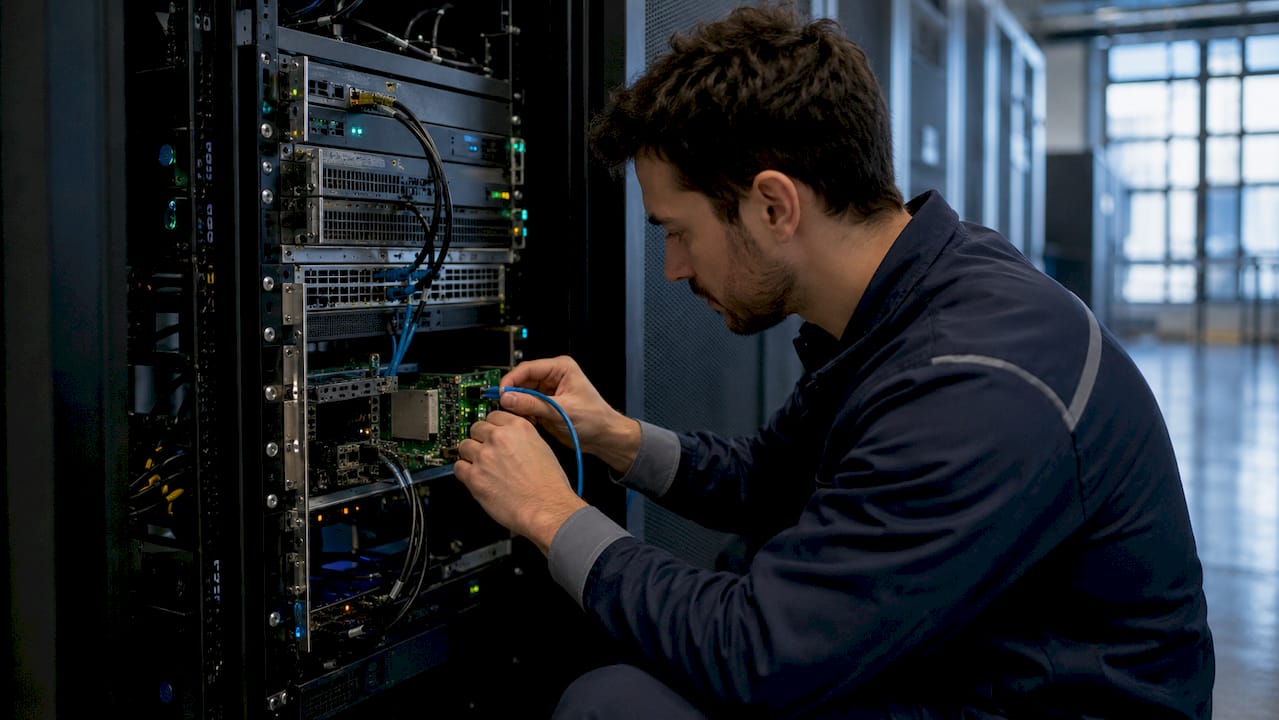
Ethernet is the dominant wired networking standard today. It governs how data packets are formatted, transmitted, and received across the physical cable. Modern Ethernet supports speeds from 1 Gbps on standard Cat5e cable up to 40 Gbps on Cat8, with fiber optic installations exceeding those figures significantly.
What types of wired networks and cables are there?
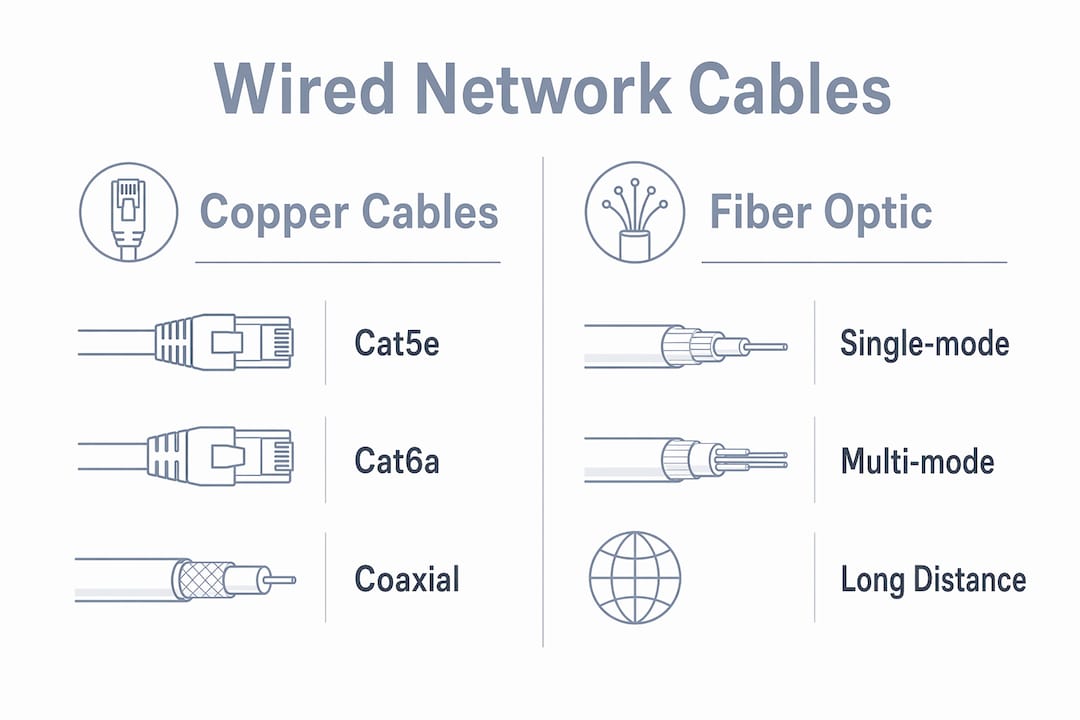
Wired networks use three main cable types: twisted-pair copper, fiber optic, and coaxial. Each serves different speed requirements, distances, and budgets. Choosing the wrong cable for your application means paying to recable sooner than you should.
Twisted-pair copper cables are the most common choice for homes and offices. Cat5e handles up to 1 Gbps and works for most residential setups. Cat6a pushes that to 10 Gbps and is the recommended choice for new business installations. Cat8 reaches 40 Gbps but is designed for short runs inside data centers, not across a building.
Fiber optic cables use light pulses to carry data, enabling speeds exceeding 100 Gbps over long distances with minimal signal loss. Fiber is the right call for connecting buildings, running cable between floors in a large facility, or any application where distance and bandwidth both matter. The tradeoff is higher installation cost and the need for specialized connectors and tools.
Coaxial cable is largely a legacy medium in networking, though it still appears in cable internet service connections from the street to your building. Inside a modern network, coaxial has been replaced by twisted-pair or fiber.
| Cable type | Max speed | Typical distance | Best use case |
|---|---|---|---|
| Cat5e | 1 Gbps | 100 meters | Residential, small office |
| Cat6 | 1 Gbps (10 Gbps short runs) | 100 meters | General business use |
| Cat6a | 10 Gbps | 100 meters | New business installations |
| Cat8 | 40 Gbps | 30 meters | Data centers, server rooms |
| Fiber optic | 100+ Gbps | Several kilometers | Campus, ISP backbone, long runs |
| Coaxial | Varies | Varies | Legacy, ISP last-mile only |
For a deeper look at low voltage cable options for South Florida properties, Lowvoltagecorp has a dedicated guide covering real-world material choices.
What are the key benefits of wired networks?
Wired connections deliver advantages that wireless networks cannot fully match: higher bandwidth, minimal signal loss, lower latency, and consistent performance over time. Each of those qualities matters in specific situations, and together they make wired the right choice for any application where failure is not acceptable.
Security is one of the most underrated benefits. A wired network’s physical connection reduces the risk of unauthorized access because an attacker must physically reach the cable to intercept data. Wireless signals travel through walls and can be captured from a parking lot. A cable cannot be eavesdropped on without direct physical access to the line.
Latency is the other major factor. Wired connections are less susceptible to interference and deliver lower latency, which is critical for video conferencing, VoIP calls, and online gaming. A wireless connection that looks fast on a speed test can still produce choppy video calls because of inconsistent latency spikes. Wired connections eliminate that problem.
Key benefits at a glance:
- Speed: Cat6a delivers 10 Gbps; fiber exceeds 100 Gbps
- Stability: No interference from neighboring Wi-Fi networks or appliances
- Security: Physical access required to intercept data
- Low latency: Consistent response times for real-time applications
- Reliability: No signal fading, no dead zones, no congestion
Pro Tip: When running new cable, install Cat6a even if you only need Cat5e speeds today. The labor cost to pull cable is the same, but Cat6a gives you 10 Gbps capacity for future upgrades without recabling.
Property managers in South Florida can review wired network advantages specific to their region, including how wired infrastructure supports security camera systems and access control.
Wired vs wireless networks: which one fits your situation?
Wired and wireless networks are not competitors. They are complementary tools, and most modern buildings use both. The question is which tasks belong on each type of connection.
Hybrid network environments that combine wired and wireless connectivity optimize both performance and user mobility. Desktops, servers, security cameras, smart TVs, and gaming consoles belong on wired connections. Smartphones, tablets, and laptops that move around the building belong on Wi-Fi.
| Factor | Wired | Wireless |
|---|---|---|
| Speed | Up to 100+ Gbps (fiber) | Up to 9.6 Gbps (Wi-Fi 7) |
| Latency | Very low, consistent | Variable, higher under load |
| Security | High (physical access required) | Lower (signal is broadcast) |
| Mobility | None (cable required) | Full mobility |
| Interference | None | Susceptible to congestion |
| Setup cost | Higher upfront | Lower upfront |
| Long-term reliability | Excellent | Good, degrades with congestion |
The common misconception is that fast Wi-Fi makes wired connections unnecessary. Wi-Fi 7 is genuinely fast in ideal conditions. But ideal conditions rarely exist in a busy office, an apartment building with dozens of competing networks, or a property with thick concrete walls. Wired connections deliver the same performance at 2 a.m. and at 2 p.m. on a Monday.
For businesses running point-of-sale systems, video surveillance, or VoIP phones, wired is not optional. Those systems require the kind of reliability that only a physical cable provides.
How to set up and troubleshoot a wired network
Setting up a wired network follows a clear sequence. Skipping steps creates problems that are frustrating to diagnose later.
- Plan your cable runs. Map every device location before buying cable. Measure actual run lengths, not straight-line distances. Add 10–15% for slack and routing around obstacles.
- Choose the right cable category. Cat6a is the right choice for most new installations in 2026. Selecting the right cable category during installation avoids costly recabling as bandwidth demands grow.
- Install connectors and patch panels. Use RJ-45 connectors for copper cable. Terminate cables at a patch panel in a central location for clean cable management.
- Connect your switch and router. Run patch cables from the panel to your switch. Connect the switch to your router, and the router to your modem or ISP connection.
- Test every run. Use a cable tester to verify continuity and wiring order on every cable before closing walls. A fluke in one cable can take hours to find after drywall goes up.
- Label everything. Label both ends of every cable with the same identifier. This saves significant time during any future wired network troubleshooting.
Common wired network issues include cable damage, loose RJ-45 connections, incorrect wiring order, and misconfigured switch ports. Start troubleshooting at the physical layer. Reseat the cable at both ends. Swap the patch cable with a known-good one. Check the switch port indicator light. If the light is off, the switch is not detecting a physical link, which points to a cable or connector problem rather than a software issue.
For testing existing connections, a cable tester confirms whether the physical link is good. For more advanced diagnostics, tools like Fluke Networks’ LinkIQ or a simple ping test from a laptop can isolate whether the problem is physical or configuration-related. Lowvoltagecorp also has a guide on testing wired connections written specifically for property owners who want to verify their network before calling a technician.
Pro Tip: Document your cable runs with photos before closing walls. A simple photo showing where each cable runs saves hours of guesswork during any future renovation or repair.
Key Takeaways
A wired network outperforms wireless in speed, security, and reliability, making it the right foundation for any property or business that cannot afford downtime.
| Point | Details |
|---|---|
| Core definition | A wired network connects devices through physical cables for stable, secure data transmission. |
| Cable choice matters | Cat6a is the recommended standard for new installations in 2026, supporting 10 Gbps. |
| Security advantage | Physical cables require direct access to intercept, making wired networks harder to breach than wireless. |
| Wired and wireless work together | Use wired for fixed devices and servers; use wireless for mobile devices and flexibility. |
| Troubleshoot from the physical layer | Most wired network problems trace back to cable damage, loose connectors, or mislabeled runs. |
Why I still run cable first on every property
Every year, someone asks me whether Wi-Fi has finally made wired networks obsolete. My answer is the same: not even close. I have worked on properties where the Wi-Fi looked great on paper and failed under real load. The moment you add security cameras, a VoIP system, and a dozen employees on video calls, wireless congestion shows up fast.
The properties that never call me back for performance complaints are the ones where we ran Cat6a to every fixed device during the original build. The ones that call back are the ones that skipped the cabling to save money upfront. Recabling a finished building costs three to five times what it costs during construction. That math never changes.
Fiber is worth the conversation for any property with long cable runs or plans to expand. The cost gap between fiber and copper has narrowed, and the performance ceiling is dramatically higher. For most residential and small commercial jobs, Cat6a is still the right call. But if you are building a multi-unit property or a facility with a server room, fiber between floors is money well spent.
The hybrid approach is what I recommend to every client. Wire the backbone. Wire the fixed devices. Let wireless handle the phones and tablets. That combination gives you the reliability of a physical network and the convenience of Wi-Fi without sacrificing either.
— Aaron
Wired network installation and support from Lowvoltagecorp
A properly installed wired network is the foundation of every other system on your property, from security cameras to access control to VoIP phones.

Lowvoltagecorp installs, repairs, and maintains wired and wireless networks across South Florida. Whether you are building out a new property, upgrading aging cable infrastructure, or chasing down a connectivity problem that keeps coming back, the team handles it from cable selection through final testing. Explore wired network benefits for property managers or get help with low voltage issues fast across gates, cameras, and networks. Professional installation saves time, prevents rework, and gives you a network that performs when it matters.
FAQ
What is the difference between a wired and wireless network?
A wired network uses physical cables to connect devices, while a wireless network uses radio signals. Wired connections deliver lower latency, higher security, and more consistent speeds.
What cable should I use for a new wired network in 2026?
Cat6a is the recommended choice for most new installations. It supports 10 Gbps over 100 meters and future-proofs your network without requiring recabling as bandwidth demands grow.
Are wired networks more secure than wireless?
Yes. A wired network requires physical access to the cable to intercept data, making unauthorized access significantly harder than with a wireless signal that broadcasts through walls.
Can I use both wired and wireless on the same network?
Yes. Most modern networks use both. Fixed devices like desktops, servers, and cameras connect via cable. Mobile devices connect via Wi-Fi. This hybrid setup delivers the best of both systems.
How do I troubleshoot a wired network connection that is not working?
Start at the physical layer. Reseat the cable at both ends, swap the patch cable, and check the switch port indicator light. If the light is off, the problem is in the cable or connector, not the software configuration.