CCTV (Closed-Circuit Television) is a video surveillance system where camera feeds are transmitted to a limited set of monitors or recorders rather than broadcast publicly. In the United States, most people call these systems “security cameras,” and that label now covers everything from legacy analog setups to modern IP networks. This page gives you a working A–Z glossary of CCTV terms, quick-reference groups by category, an installer-level wiring glossary, and short FAQ answers — all US-focused, covering standards like ONVIF, H.264/H.265, and PoE. Use the section links below to jump straight to what you need, or read through for a full picture of how these systems work.
Table of Contents
- CCTV terminology explained: the A–Z glossary
- How CCTV terms group by function
- What installers mean by wiring and low-voltage terms
- Common questions about CCTV systems
- Key Takeaways
- What the spec sheet won’t tell you
- Lowvoltagecorp handles the installation so you don’t have to guess
- Useful sources and further reading
CCTV terminology explained: the A–Z glossary
The entries below are alphabetically ordered. Each one gives you a plain definition and a short note on why it matters in practice. Where a term connects to wiring or installation, you’ll see a pointer to the installer section.
Analog camera — A camera that transmits video as a continuous electrical signal over coaxial cable (typically RG59 or RG6) to a DVR. Analog systems are simpler to wire but cap out at lower resolutions than IP cameras.
Backlight compensation (BLC) — A processing feature that adjusts exposure when a bright background (a window, for example) would otherwise silhouette the subject. BLC is a basic version of what WDR does more thoroughly.
Bandwidth — The amount of network capacity a camera stream consumes, measured in megabits per second (Mbps). Higher resolution and frame rates demand more bandwidth; H.265 compression cuts that demand roughly in half compared to H.264.
Bitrate — The volume of video data transmitted per second. A higher bitrate means better image quality but larger storage requirements. Variable bitrate (VBR) adjusts automatically based on scene activity; constant bitrate (CBR) holds a fixed value regardless of motion.
BNC connector — A bayonet-style coaxial connector used on analog camera cables and DVRs. BNC is the standard termination for RG59 and RG6 runs. See the wiring section for crimp vs. twist-on options.
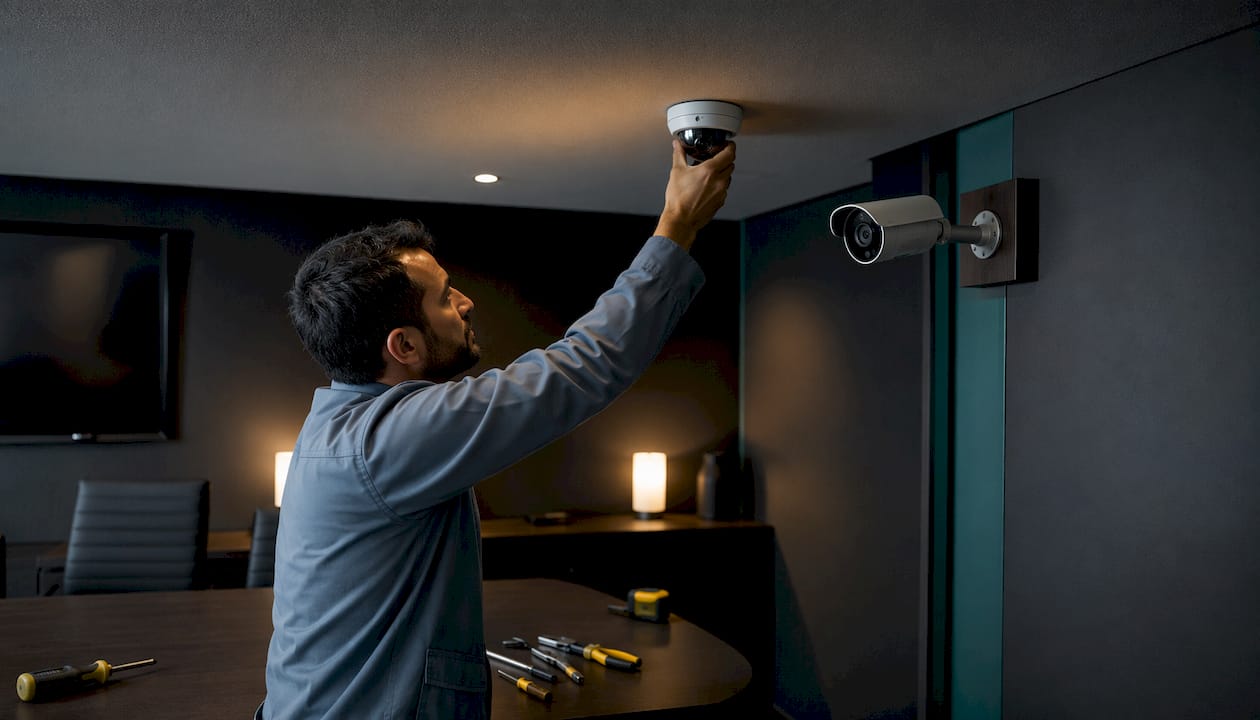
Bullet camera — A cylindrical, fixed-direction camera typically mounted on a wall or ceiling bracket. The form factor is visible and acts as a deterrent; it suits perimeter and parking-lot coverage.
CAT5e / CAT6 — Twisted-pair Ethernet cables used for IP cameras and PoE power delivery. CAT6 supports higher bandwidth and is preferred for runs near the 100-meter limit. See the wiring section for distance details.
CCD (Charge-Coupled Device) — An older image sensor technology once dominant in surveillance cameras. CCD sensors have been broadly replaced by CMOS in most modern cameras, though some specialty low-light cameras still use them.
CCTV (Closed-Circuit Television) — The umbrella term for video surveillance systems where feeds go to a defined set of displays or recorders. In the US, “security cameras” is used interchangeably with CCTV even when the system runs on an IP network rather than a closed analog loop.
Channel — One camera input slot on a DVR or NVR. A 16-channel NVR supports up to 16 cameras. Channels determine scalability — buying a recorder with headroom means adding cameras later without replacing the unit.
CMOS (Complementary Metal-Oxide Semiconductor) — The image sensor type used in virtually all modern IP cameras. CMOS sensors offer lower power draw, faster readout speeds, and competitive low-light performance compared to CCD.
Codec — Software that compresses and decompresses video. H.264 and H.265 are the two dominant codecs in surveillance. H.265 (also called HEVC) cuts file size by roughly half at equivalent quality, which matters for storage budgets.
Dome camera — A camera housed in a dome-shaped enclosure, typically ceiling-mounted. The housing makes it harder to tell which direction the lens points, which is useful in retail and lobby environments.
Dual-streaming — A recorder or camera feature that produces two simultaneous streams: a high-resolution stream for recording and a lower-resolution stream for live remote viewing. This reduces bandwidth consumption without sacrificing recorded quality.
DVR (Digital Video Recorder) — A recorder that accepts analog camera signals over coaxial cable, converts them to digital, and stores the footage. DVRs are the backbone of traditional analog CCTV systems.
Dynamic range — The ratio between the brightest and darkest areas a camera can capture simultaneously. Wide Dynamic Range (WDR) is the feature that extends this ratio for challenging lighting conditions.
Fisheye camera — A camera with an ultra-wide lens (typically 180° or 360°) that captures a panoramic view. Software dewarps the distorted image into a usable flat or PTZ-style view. One fisheye can replace several fixed cameras in an open area.
Focal length — The distance (in millimeters) between the lens and the image sensor, which determines how wide or narrow the field of view is. A 2.8mm lens gives a wide angle; a 12mm lens gives a narrow, zoomed-in view.
FOV (Field of View) — The angular area a camera can see, expressed in degrees. FOV is determined by focal length and sensor size. Always verify degrees of view rather than relying on a zoom multiplier alone — two cameras marketed as “30X zoom” can have very different fields of view depending on their minimum focal length.
FPS (Frames Per Second) — How many individual images the camera captures each second. Standard surveillance runs at 15–30 FPS; lower rates save storage but can miss fast motion. 30 FPS is the practical minimum for license plate capture.
H.264 (AVC) — The most widely supported video compression standard in surveillance. Balances quality and file size well; compatible with virtually every VMS and recorder on the market.
H.265 (HEVC) — The successor to H.264, offering equivalent quality at roughly half the file size. Requires compatible hardware on both the camera and recorder side. Worth specifying for new installations where storage costs are a concern.
IP camera — A camera that digitizes video internally and transmits it over an Ethernet network (CAT5e/CAT6). IP cameras support higher resolutions than analog, integrate with VMS software, and can receive power via PoE.
IP rating — An IEC standard (e.g., IP66, IP67) indicating a camera’s resistance to dust and water. The first digit is dust protection (6 = fully dustproof); the second is water protection (6 = powerful jets, 7 = temporary immersion). Outdoor cameras in South Florida should be rated at minimum IP66.
IR (Infrared) — LEDs built into a camera that illuminate a scene in near-infrared light, invisible to the human eye but visible to the sensor. IR range is rated in feet or meters; actual performance depends on reflectivity of surfaces and IR design choices.
Low-light / Starlight — A camera classification indicating the sensor can produce usable color images in near-darkness without IR. Starlight cameras typically operate at 0.001 lux or lower. They cost more but eliminate the flat, black-and-white IR look in dimly lit areas.
Megapixel (MP) — A measure of camera resolution equal to one million pixels. 2MP = 1080p; 4MP = 1440p; 8MP = 4K. More megapixels help identify faces and plates at distance but require more storage and bandwidth.
Motion detection — A camera or recorder feature that triggers recording or an alert when pixels in the frame change beyond a set threshold. Basic motion detection generates false positives from trees, shadows, and headlights; analytics-based detection is more precise.
NVR (Network Video Recorder) — A recorder that receives pre-encoded video streams from IP cameras over a network. Unlike a DVR, the NVR does no analog-to-digital conversion — the camera handles encoding. NVRs pair with IP cameras; DVRs pair with analog cameras.
ONVIF (Open Network Video Interface Forum) — An industry standard that defines how IP cameras, recorders, and VMS software communicate. ONVIF and RTSP are the two protocols that allow multi-vendor systems to interoperate. ONVIF Profile S covers basic streaming; Profile T adds H.265 and metadata support.
PoE (Power over Ethernet) — A method of delivering power and data over a single Ethernet cable. 802.3af delivers up to 15.4W per port; 802.3at (PoE+) delivers up to 30W; 802.3bt (PoE++) delivers up to 90W. PTZ cameras and heaters typically require 802.3at or higher.
PTZ camera (Pan-Tilt-Zoom) — A motorized camera that can pan (rotate horizontally), tilt (rotate vertically), and zoom optically. PTZ cameras can follow moving subjects, cover large areas, and be controlled remotely via a VMS or joystick.
Resolution (TVL) — Television Lines is the analog-era resolution metric: the number of horizontal lines a camera can resolve. Higher TVL means sharper analog video. Modern HD-over-coax formats (TVI, CVI, AHD) have largely replaced TVL as the primary spec for analog systems.
RTSP (Real-Time Streaming Protocol) — A network protocol that lets a client request and control a live video stream from a camera or server. Most IP cameras expose an RTSP URL that VMS software uses to pull the stream.
SD card / local storage — An onboard memory card slot in some cameras that stores footage locally without a recorder. Useful as a backup when network connectivity fails, but not a substitute for a centralized NVR or DVR.
Thermal camera — A camera that detects heat signatures rather than visible light. Thermal cameras can detect people and vehicles in complete darkness and through smoke or fog. They are used for perimeter security and critical infrastructure protection.
Turret camera — A ball-and-socket camera design that allows the lens to be repositioned within its housing after mounting. Turrets are harder to reposition than PTZ cameras but easier than fixed bullet cameras; they are a popular choice for indoor and covered outdoor use.
TVL (Television Lines) — See Resolution (TVL) above.
Varifocal lens — A lens with an adjustable focal length, allowing the installer to set the field of view during installation without changing the lens. Manual varifocal lenses require physical adjustment; motorized varifocal lenses can be adjusted remotely via the VMS.
VMS (Video Management System) — Software that manages IP cameras, live viewing, recording schedules, playback, and analytics across a network. Enterprise VMS platforms (such as Milestone or Genetec) support thousands of cameras; smaller NVR-based systems have built-in VMS functionality.
WDR (Wide Dynamic Range) — A camera feature that captures multiple exposures simultaneously and combines them to produce a balanced image in scenes with extreme contrast (a bright exterior visible through a dark lobby, for example). True WDR uses dual-sensor or multi-exposure processing; digital WDR is a software approximation.
Zoom ratio — A marketing figure calculated by dividing maximum focal length by minimum focal length (e.g., 4.3mm–129mm = 30X). Zoom ratio can be misleading because two cameras with identical “30X” specs can have very different fields of view depending on their starting focal length. Always compare actual FOV degrees.
| Term | Type | Key Distinction |
|---|---|---|
| DVR | Recorder | Accepts analog/coax signals; converts to digital on-device |
| NVR | Recorder | Accepts pre-encoded IP streams over Ethernet |
| H.264 | Codec | Widely compatible; larger file sizes than H.265 |
| H.265 | Codec | ~50% smaller files; requires compatible hardware |
| PoE 802.3af | Power standard | Up to 15.4W per port; suits most fixed IP cameras |
| PoE+ 802.3at | Power standard | Up to 30W per port; suits PTZ and multi-sensor cameras |
| ONVIF Profile S | Interoperability | Basic streaming and PTZ control across vendors |
| ONVIF Profile T | Interoperability | Adds metadata and advanced analytics support |
How CCTV terms group by function
Understanding individual definitions is useful. Seeing how terms cluster by function is more useful — it shows you which specs actually talk to each other when you’re evaluating a system.
Camera types
The physical form factor of a camera affects coverage angle, deterrence value, and installation method. Bullet cameras are visible and directional, suited for parking lots and perimeters. Dome cameras obscure lens direction, making them popular in retail. Turret cameras split the difference: repositionable but compact. PTZ cameras cover large open areas by moving on command. Fisheye cameras replace multiple fixed cameras in open spaces. Thermal cameras detect heat rather than light, useful for perimeter detection in complete darkness. Varifocal refers to the lens, not the body style, but it affects which of these camera types you specify.
Recording and storage
Every camera feeds into a storage decision. DVR systems record analog signals from coaxial-wired cameras. NVR systems record digital streams from IP cameras over Ethernet. Channels tell you how many cameras a recorder supports. Bitrate and codec (H.264 vs. H.265) determine how fast storage fills up. Dual-streaming lets you record at full resolution while streaming a lighter feed remotely. SD card storage is a local backup, not a primary solution for multi-camera properties.
Networking and power
IP cameras run on the same infrastructure as your data network. CAT5e and CAT6 carry both data and power via PoE. The PoE standard (802.3af, 802.3at, 802.3bt) sets how much power each port delivers, which limits which cameras you can run. ONVIF and RTSP are the protocols that let cameras from different manufacturers talk to the same VMS. Bandwidth and bitrate are the network-side constraints that determine how many cameras a switch and internet connection can handle simultaneously.
Optics and imaging
Focal length and FOV determine what the camera actually sees. Megapixels determine how much detail it captures within that view. WDR and BLC handle difficult lighting. IR and Starlight ratings determine low-light performance. Good lighting design for surveillance reduces false positives and extends the useful range of any camera’s IR system. IP rating determines whether the camera survives outdoor conditions.
Analytics and features
Motion detection is the baseline trigger for recording and alerts. People detection and line crossing are analytics features that use AI to distinguish humans from vehicles, animals, or environmental movement. These reduce false alarms significantly. Dual-streaming supports remote viewing without taxing the network. PTZ auto-tracking uses analytics to keep a moving subject centered in frame automatically.
What installers mean by wiring and low-voltage terms
Property managers who review bids regularly encounter wiring terminology that isn’t explained in any camera spec sheet. Here’s what the key terms mean and the practical limits that matter.
Cable types and their roles
RG59 is the standard coaxial cable for analog CCTV systems. It carries video signal and, in Siamese configurations, a parallel 18/2 power wire. RG59 is the typical coax for analog/BNC systems; RG6 has lower signal loss and suits longer runs or higher-frequency HD-over-coax formats. Neither carries data.
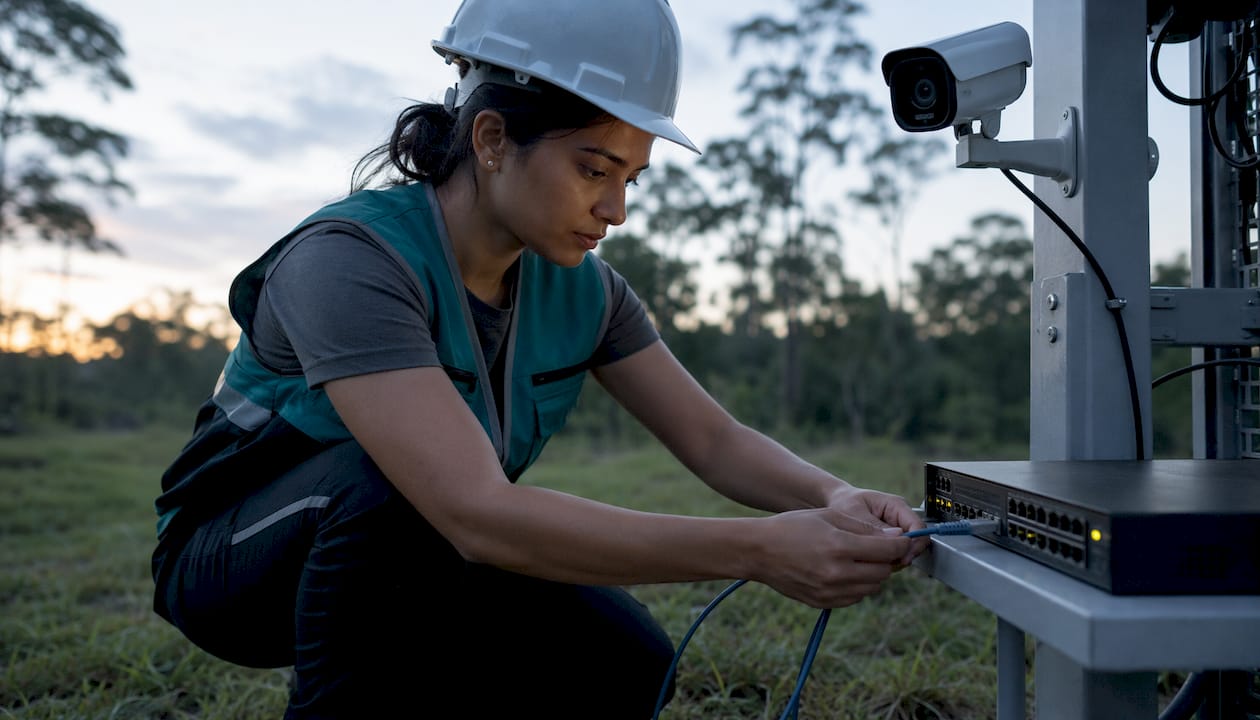
CAT5e and CAT6 are twisted-pair Ethernet cables used for IP cameras. CAT6 handles higher bandwidth and is the better choice for runs approaching the 100-meter limit. Both support PoE, meaning a single cable delivers data and power to the camera. Runs beyond 100 meters require a PoE extender, a midspan injector, or a switch to fiber.
Singlemode fiber eliminates distance constraints for long runs (hundreds of meters to kilometers) but requires media converters or cameras with SFP modules at each end. It’s the right call for inter-building runs on large commercial properties.
Pro Tip: When sizing a PoE switch, add up the wattage of every camera on the switch and compare it to the switch’s total power budget — not just the per-port rating. A 16-port switch rated at 30W per port may have a total budget of 200W, which limits you to roughly 13 cameras at 15W each. Budget the switch before you buy the cameras.
Connectors and termination
BNC (Bayonet Neill-Concelman) is the standard connector for coaxial cable in analog CCTV. Crimp-style BNC connectors require a crimping tool and produce a more reliable connection than twist-on types; twist-on connectors are faster but prone to signal loss over time. For permanent installations, crimp is the professional standard.
UTP (Unshielded Twisted Pair) is standard CAT5e/CAT6 without a metallic shield. STP (Shielded Twisted Pair) adds a foil or braid shield to reduce electromagnetic interference. In environments with heavy electrical equipment (industrial sites, elevator shafts), STP reduces noise artifacts in the video feed.
Practical distance limits
| Cable type | Typical max run | Connector | Common use |
|---|---|---|---|
| RG59 coax | — | BNC | Analog cameras, DVR systems |
| RG6 coax | — | BNC / F-type | HD-over-coax, longer analog runs |
| CAT5e | 100 meters | — | IP cameras with PoE |
| CAT6 | 100 meters | — | IP cameras, higher bandwidth |
| Singlemode fiber | — | LC / SC | Inter-building, long-distance IP |
Surge protection and grounding matter more in South Florida than in most US markets. Lightning-prone environments require surge protectors on coaxial runs and proper grounding at the DVR/NVR to prevent equipment damage. An ungrounded system is a liability, not just a performance issue.
For a full breakdown of cable selection and installation methods, the security camera wiring guide from Lowvoltagecorp covers the practical steps in detail.
Common questions about CCTV systems
What are the 5 main parts of a CCTV system?
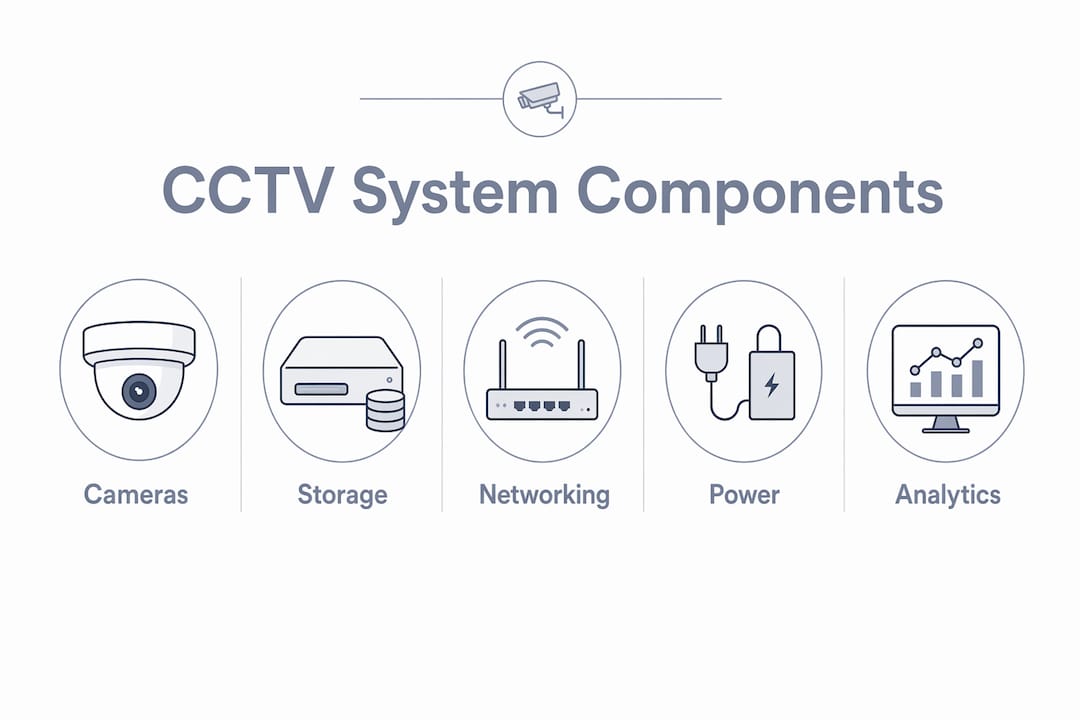
The five core components are: cameras (capture the image), cables or network infrastructure (transmit the signal), a DVR or NVR (record and store footage), a monitor (display live or recorded video), and a power supply (which in PoE systems is integrated into the network switch).
What do Americans call CCTV?
Most Americans say “security cameras” rather than CCTV. The term CCTV is technically accurate for closed-loop analog systems, but US usage applies it broadly to IP-based systems as well. Both terms refer to the same category of surveillance equipment.
What are the main types of CCTV cameras?
The most common types are bullet, dome, turret, PTZ (pan-tilt-zoom), fisheye, thermal, and box cameras. Some sources also list covert cameras and license plate recognition (LPR) cameras as distinct categories, bringing the count to nine or more depending on classification.
What does “number of channels” mean on a DVR or NVR?
Channels refer to the number of camera inputs the recorder supports. A 4-channel NVR records up to 4 cameras simultaneously. Buying a recorder with more channels than you currently need gives you room to expand without replacing the unit.
My camera shows no video — what should I check first?
Start with power: confirm the PoE port is active or the power adapter is seated. Then check the cable connection at both ends. If the camera appears in the NVR’s device list but shows no image, the issue is usually a codec mismatch or a failed lens. A structured camera repair workflow covers the diagnostic steps in order.
What causes false motion alerts?
False positives most often come from IR reflection off shiny surfaces, moving foliage, insects flying near the lens at night, or a sensitivity threshold set too high. Switching from pixel-based motion detection to people-detection analytics eliminates most of these triggers.
Key Takeaways
Understanding CCTV terminology gives property managers the vocabulary to evaluate bids accurately, specify the right equipment, and avoid the most common installation mistakes.
| Point | Details |
|---|---|
| CCTV vs. security cameras | Both terms describe the same systems in US usage; modern installations almost always run on IP networks. |
| DVR vs. NVR | DVRs record analog coax signals; NVRs record digital IP streams — the camera type determines which recorder you need. |
| PoE standards matter | 802.3af (15.4W), 802.3at (30W), and 802.3bt (90W) set per-port limits; always check total switch power budget before specifying cameras. |
| FOV over megapixels | Lens focal length and field of view determine coverage; megapixels only add value when the FOV is already correct. |
| Lowvoltagecorp for South Florida | Lowvoltagecorp installs, repairs, and maintains IP and analog camera systems for property and facility managers across South Florida. |
What the spec sheet won’t tell you
Most buyers walk into a camera purchase focused on megapixels. That’s the wrong starting point. A 4K camera with a mismatched lens covering the wrong angle, pointed into a backlit scene with no WDR, will produce worse usable footage than a 2MP camera installed correctly with proper lighting.
The specs that actually determine whether a system works are FOV (does the camera see what you need it to see?), lighting (does the scene have enough illumination for the sensor to function?), and PoE budgeting (does the switch have enough power to run every camera at full load?). Megapixels matter only after those three are right.
ONVIF compatibility is the other thing buyers routinely skip. A system built with cameras from one vendor and a VMS from another will only interoperate reliably if both support the same ONVIF profile. Profile S is the baseline; Profile T is what you want for H.265 and analytics metadata. Ask for it in writing before signing a purchase order.
The zoom ratio marketing number deserves specific skepticism. A “30X optical zoom” spec tells you the ratio of maximum to minimum focal length, not the actual field of view you’ll get. Two cameras with identical 30X specs can see very different angles depending on where their zoom range starts. Verify degrees of view, not the multiplier.
Lowvoltagecorp handles the installation so you don’t have to guess
Property managers in South Florida deal with enough variables without having to decode camera specs mid-bid. Lowvoltagecorp installs, repairs, and maintains security camera systems for commercial and residential properties, with specific expertise in PoE infrastructure, wiring and cable selection, and lighting design for surveillance environments.

The team handles everything from initial site assessment and camera placement to DVR/NVR configuration, ONVIF compatibility checks, and ongoing maintenance contracts. If your system is throwing alerts you can’t interpret, cameras that drop offline, or footage that’s too dark to be useful, those are solvable problems. For South Florida property and facility managers ready to get a quote or schedule a site visit, contact Lowvoltagecorp directly at lowvoltagecorp.com.
Useful sources and further reading
Surveillance Guides — Security Camera & Surveillance Glossary
A broad consumer-facing glossary covering US terminology, camera types, and recording concepts. Useful for verifying definitions and understanding how the industry uses terms like “CCTV” and “channels” in a US context.
surveillanceguides.com/glossary
IPVM — Glossary / Acronyms for Video Surveillance
An industry-level technical glossary from one of the most cited surveillance research organizations. Covers codecs, sensor types, zoom ratio, ONVIF profiles, and acronyms in depth. Recommended for anyone evaluating enterprise systems or writing specifications.
ipvm.com/reports/glossary-acronyms
Lowvoltagecorp — Security Camera Wiring: A Complete Installation Guide
Practical wiring guidance covering RG59, CAT5e/CAT6, PoE considerations, and installer best practices for South Florida properties. The go-to reference for understanding cable selection and distance limits.
lowvoltagecorp.com/security-camera-wiring-a-complete-installation-guide
Lowvoltagecorp — Lighting Considerations for Surveillance: A Pro Guide
Explains how illumination, IR design, and WDR affect camera performance and analytics accuracy. Useful for anyone specifying cameras for low-light or high-contrast environments.
lowvoltagecorp.com/lighting-considerations-for-surveillance-a-pro-guide
Lowvoltagecorp — Security Camera Repair Workflow for Property Managers
A structured diagnostic workflow for common camera failures, including no-video conditions, cameras dropping offline, and false alert patterns. Practical for facility managers managing existing systems.
lowvoltagecorp.com/security-camera-repair-workflow-for-property-managers
Lowvoltagecorp — Security System Checklist for Homeowners & Managers
A pre-installation and pre-quote checklist that helps property managers prepare for site visits and vendor conversations.
lowvoltagecorp.com/security-system-checklist