Choose wired PoE cameras for anything permanent and mission-critical: main entrances, parking structures, 24/7 coverage that has to hold up in court. Choose wireless for fast installs, rental units, or spots where running cable is a nightmare. Power over Ethernet (PoE) sends power and data over one cable, and modern wired systems often use H.265 compression to keep footage sharp without eating your storage alive.
Most properties that Lowvoltagecorp installs for end up somewhere in the middle.
- A wired backbone covers doors, eaves, and high-value areas.
- Wireless units fill gaps at detached structures or temporary sites.
Key Takeaways
Wired PoE cameras deliver the most reliable, cost-effective coverage for permanent and critical areas, while wireless cameras win on install speed and flexibility for temporary or rental spots.
| Point | Details |
|---|---|
| Wired wins long-term | Lower 5-year ownership cost and no recurring battery maintenance once installed. |
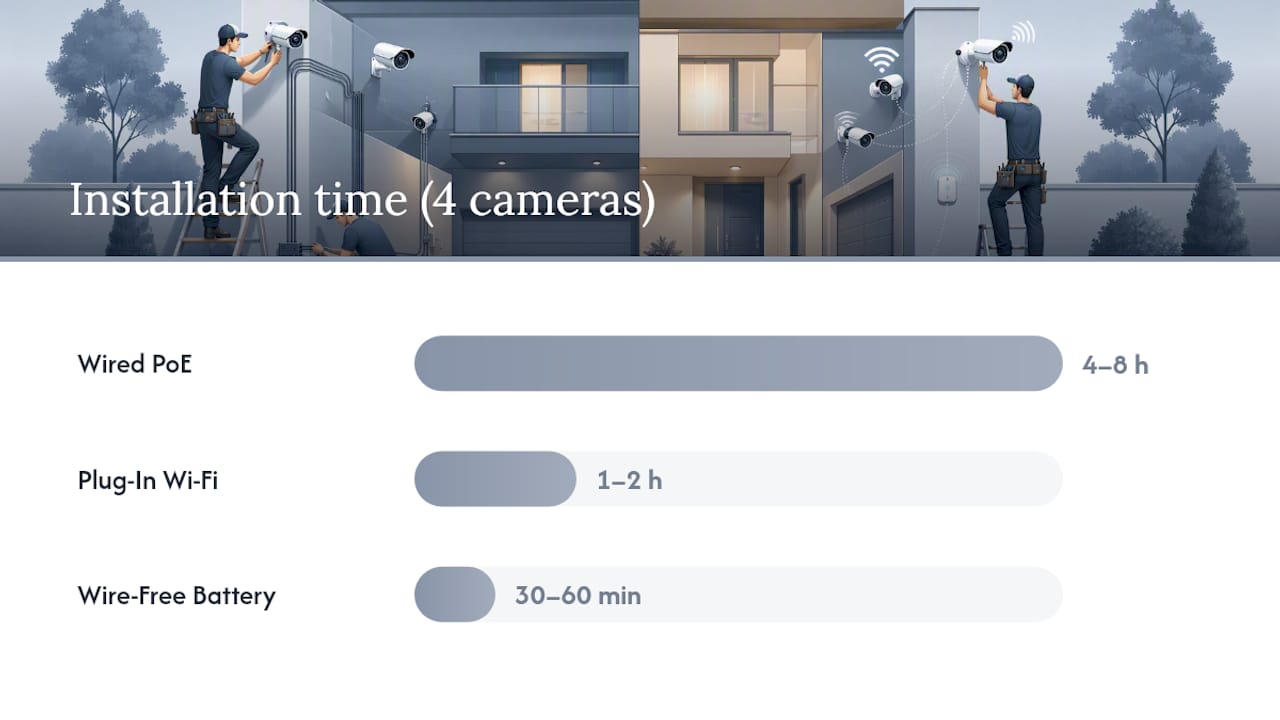
| Wireless wins on speed | A 4-camera wire-free install takes 30–60 minutes versus 4–8 hours for wired PoE. |
| Battery upkeep matters | Wire-free cameras need charging or replacement every 2 to 6 months to avoid downtime. |
| Hybrid is common | Wired backbone for doors and perimeters, wireless for detached or temporary spots. |
| Professional install reduces risk | Lowvoltagecorp handles concealed wiring, VLAN setup, and UPS-backed NVRs for critical coverage. |
Table of Contents
- What’s the Difference Between Wired and Wireless Cameras?
- Wired vs Wireless: How Do the Key Specs Compare?
- Pros and Cons of Wired vs Wireless Cameras
- How Long Does Installation and Maintenance Actually Take?
- Are Wireless Cameras a Security Risk?
- When Does a Hybrid Wired-Wireless System Make Sense?
- 8 Questions to Decide Wired or Wireless for Each Camera
- What Do Installers See in the Field That Homeowners Miss?
- Get Professional Help With Wired or Wireless Camera Installation
- Frequently Asked Questions
- Sources
What’s the Difference Between Wired and Wireless Cameras?
A wired camera sends both power and video over a physical cable, usually Ethernet with PoE or older coaxial setups. One cable, no batteries, no signal drop from a thick wall. A wired security system is built around this simplicity, and it’s why PoE cameras remain the most consistent option for continuous 24/7 recording.
“Wireless” is actually an umbrella covering three different setups, not one. Plug-in Wi-Fi cameras still need an AC outlet; only the video signal travels wirelessly. Wire-free models run on battery or solar and skip cables entirely. A smaller group uses proprietary RF instead of Wi-Fi, trading some range and bandwidth for a dedicated frequency less prone to home network congestion.
- Power: PoE, AC plug, battery, or solar
- Data: Ethernet, standard Wi-Fi, or proprietary RF
A “Wi-Fi camera” specifically means one using your home or business 2.4/5 GHz network. Not every wireless camera is a Wi-Fi camera, and that distinction trips up a lot of buyers at the store shelf.
Wired vs Wireless: How Do the Key Specs Compare?
Here’s how the three main setups stack up across the dimensions that actually determine whether a system works for your property.
| Dimension | Wired PoE | Plug-In Wi-Fi | Wire-Free Battery |
|---|---|---|---|
| Install time (4 cameras) | 4–8 hours | 1–2 hours | 30–60 minutes |
| Power source | PoE via Ethernet | AC outlet | Battery or solar |
| Connectivity | Ethernet | Home Wi-Fi | Wi-Fi or proprietary RF |
| Works during power outage | Yes, with UPS backup | No | Yes, until battery drains |
| Resolution / low-light | Strongest, larger sensors | Good | Limited by battery draw |
| Bandwidth impact on network | None, isolated on switch | Moderate | Moderate to high |
| Storage | Continuous local NVR/DVR | Cloud clips or microSD | Motion-triggered cloud/microSD |
| Upfront vs 5-year cost | Higher upfront, lower long-term | Moderate both ways | Lower upfront, ongoing subscription/battery cost |
| Maintenance frequency | Low, occasional firmware | Low | Battery swap every 2–6 months |
A few conclusions jump out immediately:
- If you own the property and need 24/7 recording, wired PoE is the default.
- If you’re renting or need coverage in under an hour, wire-free wins.
- Wired systems hold up better during network congestion because they don’t compete with phones and laptops for bandwidth.
Pros and Cons of Wired vs Wireless Cameras
Wired advantages: Rock-solid reliability, no battery anxiety, better sensors and low-light performance since power isn’t rationed, and lower long-term cost once the cable is in the wall.
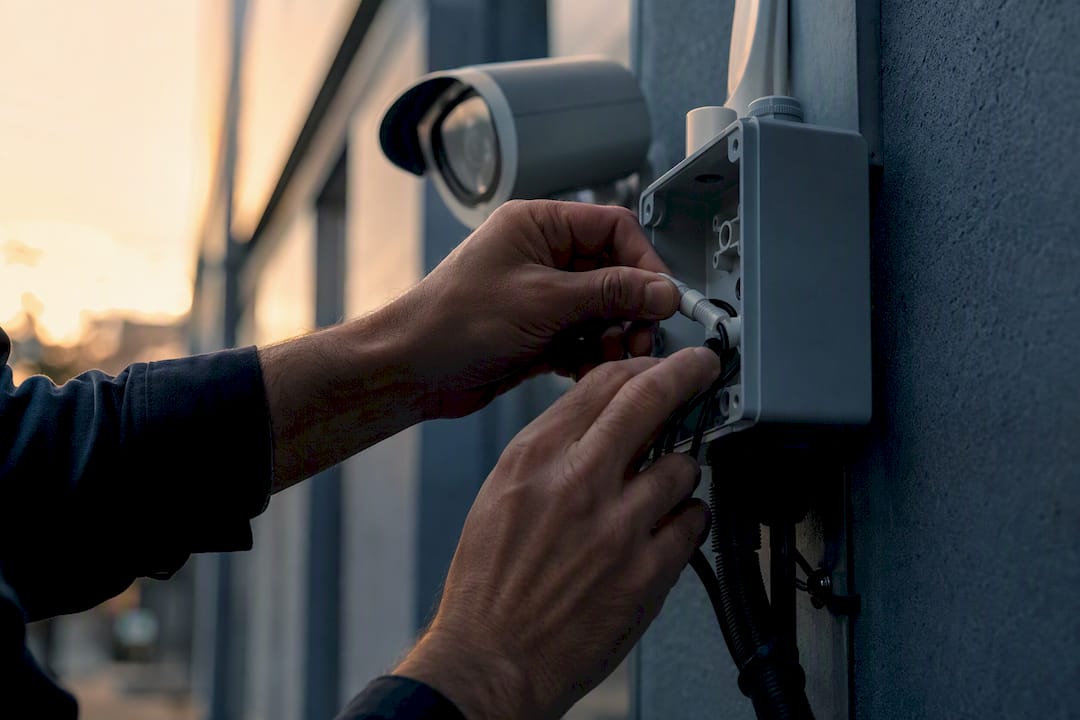
Wired drawbacks: Higher labor cost, harder to relocate, and running conduit through finished walls or stucco isn’t a weekend hobby project for most homeowners.
Wireless advantages: Fast setup, easy to move, no drilling required, and ideal for rental properties. Popular wire-free models from brands like Arlo, Ring, Wyze, and Eufy illustrate the category well: compact, app-driven, battery-powered.
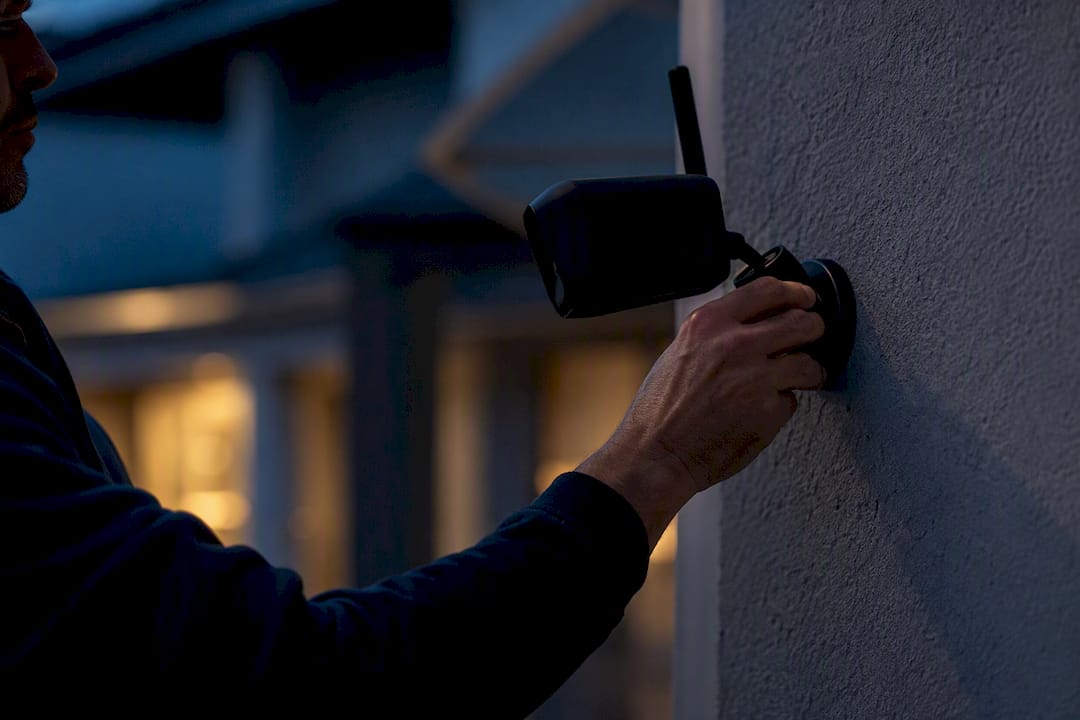
Wireless drawbacks: Smaller sensors and tighter power budgets mean weaker night vision on many models, plus the recurring chore of charging or swapping batteries.
How Long Does Installation and Maintenance Actually Take?
For a typical 4-camera residential or small business job:
- Wireless (wire-free): Mount brackets, pair each camera to the app, confirm Wi-Fi signal strength. Usually 30 to 60 minutes total.
- Wired PoE: Run cable through attic or soffits, drill entry points, terminate connectors, mount cameras, configure the NVR and PoE switch. Expect 4 to 8 hours for a moderately skilled DIYer, less for a professional crew.
Ongoing maintenance splits the same way:
- Wire-free cameras need battery recharging or replacement roughly every 2 to 6 months, and skipping this is the top cause of wireless downtime.
- Wired systems are closer to “set it and forget it,” with occasional firmware updates and hard drive health checks.
- A UPS backup for your NVR keeps wired systems recording through a power outage, something no battery camera can promise indefinitely.
Cost-wise, wired usually costs more upfront for cable and labor but tends to win over a 5-year ownership window once you factor in replacement batteries and cloud storage subscriptions on the wireless side.
Are Wireless Cameras a Security Risk?
Radio-based transmission gives an attacker more to work with than a sealed cable ever will. Wireless cameras on standard Wi-Fi networks carry more exposure to interception, especially with weak router passwords or outdated firmware. Wired footage traveling over shielded Ethernet to a local recorder is much harder to intercept without physical access to the cable itself.
Hardening either system comes down to a short checklist:
- Put cameras on their own VLAN, separate from computers and phones.
- Use WPA3 (or WPA2 at minimum) with a unique password per device, not the factory default.
- Update firmware on cameras, NVRs, and routers on a schedule, not “whenever.”
- Encrypt video streams where the manufacturer supports it.
- Physically conceal or armor exposed cabling on wired runs.
- Add UPS backup so recording doesn’t stop the moment power does.
Pro Tip: Set a recurring calendar reminder to check battery and signal-strength alerts on wire-free cameras monthly. Most missed footage isn’t a hack. It’s a dead battery nobody noticed for three weeks.
When Does a Hybrid Wired-Wireless System Make Sense?
Most working installs aren’t purely one or the other. A wired backbone covers doors, eaves, and main perimeter lines where 24/7 recording matters most, while wire-free units patch coverage at a detached garage, a back gate, or a temporary event setup.
- Size the NVR and switch ports for the wired backbone first, then add wireless cameras into the same app or management console.
- Confirm the wireless units won’t overload your home Wi-Fi channel if you’re running several high-resolution feeds at once.
- Skip hybrid entirely for a single-camera install. One camera at the front door rarely justifies running new cable.
8 Questions to Decide Wired or Wireless for Each Camera
Walk each mounting point through these before buying anything:
- Can you physically run a cable to this spot without major demolition?
- Do you need continuous 24/7 recording here, or is motion-triggered enough?
- Is Wi-Fi signal strong and stable at this exact mount point?
- Do you own the property, or are you renting?
- Is this coverage permanent or temporary (event, seasonal, construction)?
- Is there an AC outlet within reach, or would you need battery power?
- How many cameras total will share the network at this location?
- Is this a high-value target where downtime is unacceptable?
Red flags pointing to wired: many cameras, legal-grade 24/7 requirements, or spotty Wi-Fi. Red flags pointing to wireless: renters, short-term coverage, or no power source nearby.
- Document your answer per camera position before calling anyone.
- When a location clearly needs a wired backbone, bring in a professional for the cable run rather than guessing at conduit paths.
What Do Installers See in the Field That Homeowners Miss?
The rule of thumb after enough jobs: wired backbone for anything you can’t afford to lose footage of, wireless for everything else. That split lines up with what industry comparisons consistently find: wired wins on reliability and long-term cost, wireless wins on speed and flexibility.
| Metric | Typical Figure |
|---|---|
| Wired install time (4 cameras) | 4–8 hours |
| Wireless install time (4 cameras) | 30–60 minutes |
| Wireless battery service interval | Every 2–6 months |
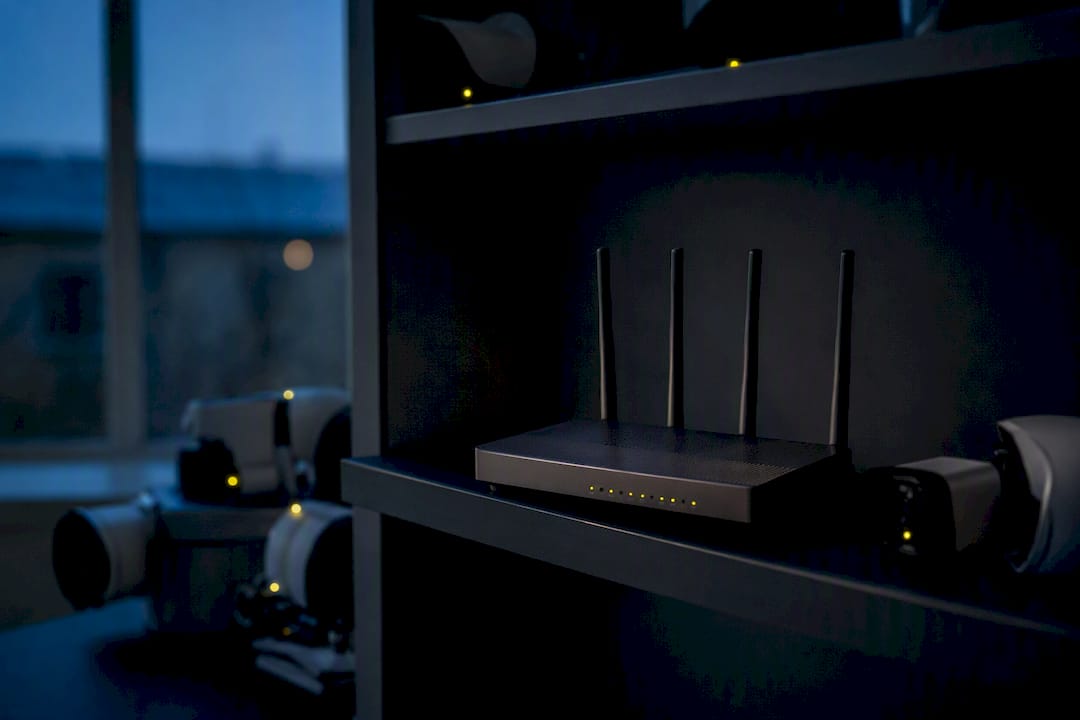
A non-obvious failure point worth knowing: several high-resolution Wi-Fi cameras streaming at once can bog down a home network, since wired PoE cameras sit on their own dedicated switch path instead of fighting phones and laptops for the same bandwidth.
An Installer’s Honest Take on Common Mistakes
The same three mistakes show up on almost every service call: cameras mounted where Wi-Fi barely reaches, batteries nobody checks until the footage gap shows up, and NVRs sitting exposed with no UPS backup. Start with a free site assessment before buying anything.
Get Professional Help With Wired or Wireless Camera Installation
Once you’ve mapped out which mounting points need wired coverage and which can run wire-free, the harder part is execution: fishing cable through walls without tearing up drywall, keeping your camera traffic off the same network as everything else, and making sure a power blip doesn’t wipe out your recording. Lowvoltagecorp handles the parts homeowners and property managers usually get stuck on: concealed cable runs, NVR setup with UPS backup, VLAN segmentation to keep cameras isolated from your main network, and ongoing maintenance contracts so nobody’s relying on a dead battery to catch an incident.

If your property needs a wired backbone for critical areas, the security camera wiring and installation guide walks through exactly what a professional run looks like, and it’s the fastest way to get a real quote instead of a guess. Reach out to Lowvoltagecorp to schedule an assessment for your property in South Florida.
Frequently Asked Questions
Can a camera be both wired and wireless?
Yes. Plug-in Wi-Fi cameras use a wired power source but transmit data wirelessly, which is a hybrid of both categories by design.
Which lasts longer, wired or wireless cameras?
Wired cameras generally have a longer service life since there’s no battery to degrade, though sensor and firmware lifespan varies by manufacturer and usage.
Do wireless cameras still work during a power outage?
Wire-free battery models keep recording until the battery drains. Plug-in Wi-Fi cameras stop working immediately when power cuts out, same as most wired cameras without a UPS.
Is wired or wireless better for a small business?
For continuous, court-admissible footage of entrances and cash areas, wired PoE is the safer choice. Wireless works fine for supplemental coverage of low-risk areas like storage sheds.
How much bandwidth do wireless cameras use?
It depends on resolution and how many cameras share the network, but several high-resolution Wi-Fi units running simultaneously can noticeably slow other devices on the same connection.
Sources
- Wired vs Wireless Security Cameras | ConsumerAffairs
- Wired vs Wireless Security Cameras | Forbes
- Wireless vs Wired Security Cameras 2026: Which Is Better? | PVRBlog
- Wired vs Wireless Security Cameras | Reolink
- Wired vs Wireless Security Cameras: How to choose | CNET