Most security camera systems last somewhere between 5 and 10 years, though that range hides a wide spread. A cheap consumer camera mounted outdoors in South Florida might fail in two years. A professionally installed IP dome camera, properly maintained, can run reliably for a decade or more. The two triggers that should actually drive your replacement decision are: (1) the system no longer meets your performance requirements, and (2) a component has failed and repair costs more than it’s worth.
Quick reference by component:
- Consumer indoor cameras: 3–5 years typical
- Consumer outdoor cameras: 2–3 years, often less in harsh climates
- Professional fixed IP cameras (dome/bullet): 7–10+ years with maintenance
- PTZ cameras: 5–8 years (motor wear is the limiting factor)
- DVR/NVR recorders: 5–7 years before storage or firmware obsolescence
- Surveillance HDDs: 3–5 years; plan replacement at the 3-year mark
- PoE switches and power supplies: 5–8 years
- Battery-backed units: 2–4 years before capacity degrades meaningfully
Field-oriented sources confirm consumer-grade cameras often last 2–3 years while professional installations commonly reach 7+ years under proper installation and maintenance. That gap is not marketing. It reflects real differences in component quality, weatherproofing, and how the system was installed in the first place.
Key Takeaways
A well-maintained professional camera system typically lasts 7–10 years, while consumer-grade outdoor cameras often fail within 2–3 years without proper protection and scheduled maintenance.
| Point | Details |
|---|---|
| Lifespan ranges by type | Consumer outdoor: 2–3 years; professional IP cameras: 7–10+ years with maintenance. |
| Two replacement triggers | Replace when repair exceeds 50% of replacement cost, or when the system no longer meets performance requirements. |
| Top maintenance actions | Clean lenses, update firmware, and verify storage export quarterly to prevent avoidable failures. |
| Repair vs. replace rule | Repair if cost is below 40–50% of replacement and firmware support continues; otherwise replace. |
| Lowvoltagecorp | Provides scheduled maintenance, repair, and installation for South Florida properties to reduce lifecycle cost and downtime. |
Table of Contents
- What is the typical camera system lifespan by type?
- What factors actually shorten or extend how long cameras last?
- How do you know when it’s time to replace a camera or system?
- How to extend your camera system’s life with a maintenance plan
- When should you repair vs. upgrade a camera system?
- A field-ready maintenance workflow for property managers
- What technical specs actually predict how long a camera will last?
- What does it cost to replace or maintain a camera system?
- What an installer actually focuses on when planning for system lifespan
- Lowvoltagecorp keeps your camera system running longer
- Sources
What is the typical camera system lifespan by type?
Not all cameras age the same way, and the component that fails first is rarely the one you expect.
Cameras by category
| Camera type | Expected lifespan | Primary limiting factor |
|---|---|---|
| Consumer indoor | 3–5 years | Sensor degradation, firmware abandonment |
| Consumer outdoor | 2–3 years | UV exposure, water ingress, poor seals |
| Professional fixed IP (dome/bullet) | 7–10+ years | Lens coating wear, IR illuminator life |
| PTZ (pan-tilt-zoom) | 5–8 years | Motor and gear wear from continuous movement |
| Thermal/specialty | 8–10 years | Detector calibration drift |
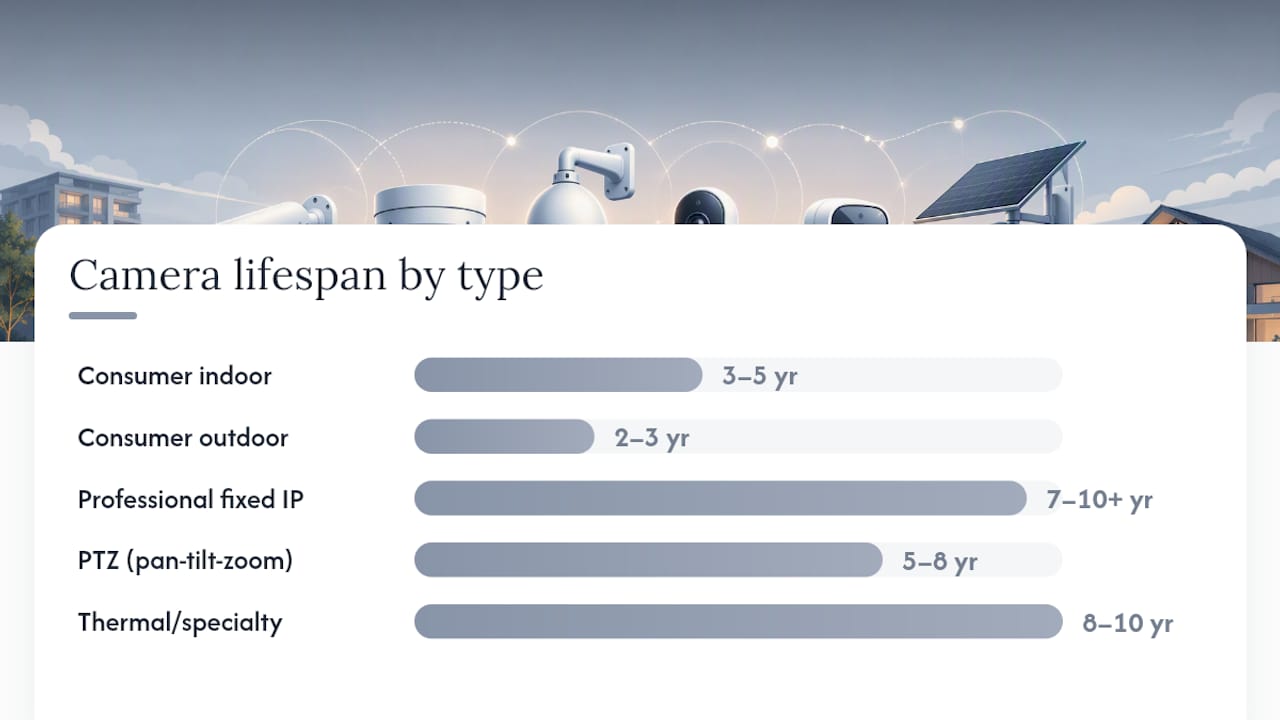
Practical industry guidance places the overall range at roughly 5–10 years, with outdoor cameras consistently landing at the lower end unless they carry a meaningful IP rating and are installed with protection from direct sun and standing water.
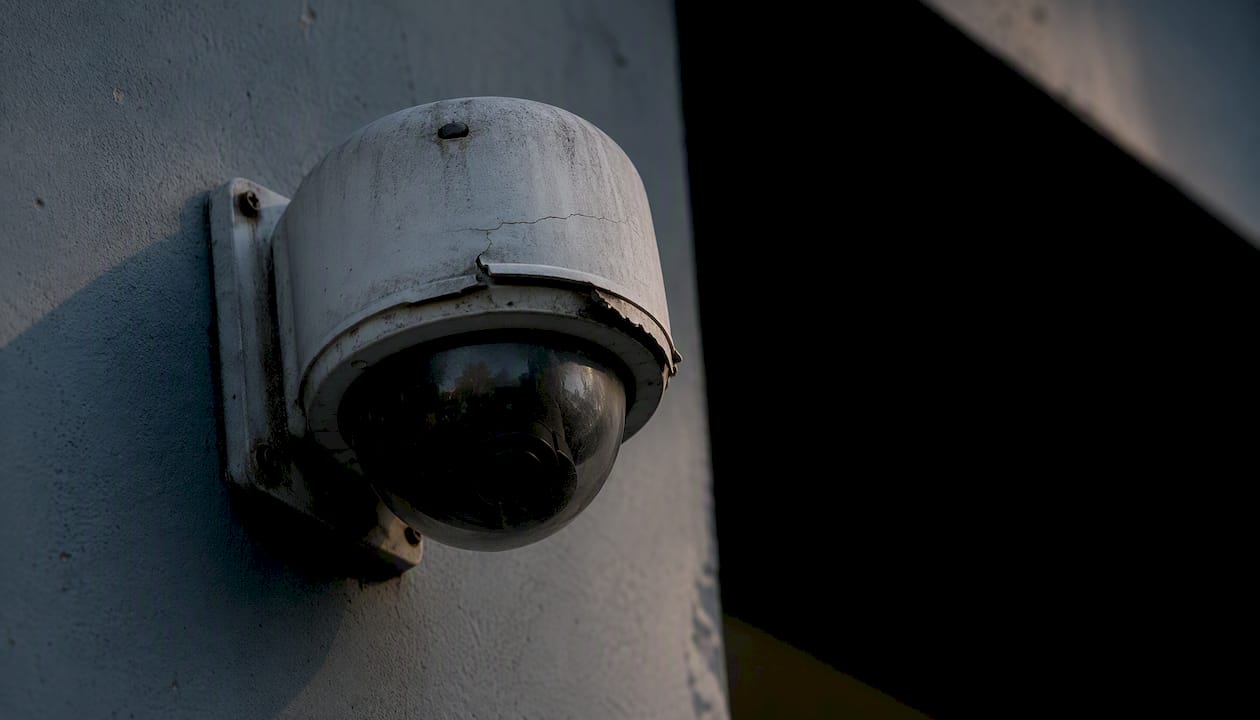
Consumer outdoor cameras are where most property owners get burned. A $60 camera mounted on a south-facing wall in direct sun, with no housing or sunshield, is not a 5-year camera. It is a 2-year camera, maybe less. The UV alone degrades the plastic housing and the seal around the lens within 18 months in high-heat climates.
Storage media and recorders
Surveillance HDDs are purpose-built for continuous write cycles, but they still wear out. Most manufacturers rate surveillance drives for 3–5 years of continuous operation. The practical guidance is to plan a drive swap at the 3-year mark for high-write environments (24/7 recording, multiple cameras) and at 4–5 years for lighter loads. SSDs used as cache or edge storage last longer per write cycle but carry a finite total bytes written (TBW) rating. Once a drive exceeds its TBW, data integrity becomes unpredictable.
DVR and NVR units themselves typically last 5–7 years before the combination of firmware obsolescence, storage capacity limits, and hardware failure makes replacement the rational choice.
What factors actually shorten or extend how long cameras last?
The lifespan gap between a 2-year failure and a 10-year installation comes down to a handful of controllable and uncontrollable variables.
Primary factors:
- Build quality and components: Cameras with metal housings, quality image sensors, and sealed connectors outlast plastic-bodied units with exposed terminals. This is the single biggest predictor of longevity.
- UV and sun exposure: Direct sunlight degrades housing materials, seal integrity, and IR filter coatings. A sunshield or overhang can add years to an outdoor camera’s life.
- Salt air and humidity: Coastal and marine environments accelerate corrosion on connectors, PCBs, and housing seams. Field observations from marine deployments confirm that cheap cameras often fail within a few years due to water ingress, poor thermal design, and inferior connectors.
- Temperature swings: Repeated expansion and contraction from thermal cycling stresses seals and solder joints. Cameras in unheated attics or on rooftops in climates with wide temperature ranges fail faster than those in climate-controlled spaces.
- Power quality: Voltage spikes and surges degrade power supply components and, over time, the camera’s internal board. A single unprotected surge can end a camera’s life instantly.
- Mechanical stress: Cameras that vibrate (near HVAC units, on gates, on vehicles) experience accelerated connector and mount wear.
- Firmware and software support: A camera that stops receiving firmware updates becomes a security liability before it becomes a hardware failure. CISA advisories show firmware vulnerabilities can create urgent lifecycle risks requiring patches or, in some cases, full replacement.
- IR illuminator life: Built-in IR LEDs degrade over time. Night image quality often deteriorates well before the camera itself fails.
- Storage wear: Continuous recording to a failing or near-capacity drive creates corrupted footage and can trigger false system alarms.
The top environmental risks for South Florida properties: salt air, sustained high humidity, direct UV exposure, and afternoon heat spikes above 100°F inside enclosures. Any one of these shortens camera life. All four together, on an unprotected consumer camera, is a recipe for annual replacements.
Manufacturer durability testing typically includes staged dust, spray, temperature cycling, and humidity exposure to validate IP ratings. Those tests are a useful proxy for real-world survival, but verify with field reports for your specific deployment conditions before assuming a rating translates directly to your site.
How do you know when it’s time to replace a camera or system?
Some failures are obvious. Others creep up slowly enough that you adapt to degraded performance without realizing the system has stopped doing its job.
Observable signs a camera needs replacement:
- Intermittent video loss that persists after power cycling and cable checks
- Persistent image blur, color shift, or washed-out exposure that cleaning does not fix
- Visible corrosion on the housing, connector, or mount
- Overheating (camera restarts on its own, housing is hot to the touch)
- Physical damage to the lens, dome cover, or housing that compromises the seal
- IR illuminators that no longer light up or produce uneven night coverage
Performance-based triggers:
- Resolution or frame rate no longer meets your requirements (a 1MP camera in a zone that now needs license plate capture, for example)
- The camera cannot integrate with your current VMS or NVR firmware
- Analytics features you need (motion zones, person detection) are unavailable on the existing hardware
- The manufacturer has discontinued firmware support, leaving known vulnerabilities unpatched
Repair vs. replace threshold:
- Estimate the repair cost including labor.
- Get a replacement quote for a comparable or better unit.
- If repair costs more than 50% of replacement, replace.
- If the system is more than 7 years old and firmware support has ended, replace regardless of repair cost.
- If a single camera fails on a system where most others are the same age, budget for a phased replacement of the full set rather than a one-off repair.
NIST recommends defining performance parameters first and using those requirements to drive replacement planning, not just reacting to hardware failure. That framing matters: a camera that still powers on but can no longer meet your image quality or retention requirements is effectively at end of life, even if it has not failed outright.
How to extend your camera system’s life with a maintenance plan
Reactive maintenance costs more than scheduled maintenance, every time. A system that gets quarterly attention will consistently outlast one that only gets touched when something breaks.
Core maintenance checklist:
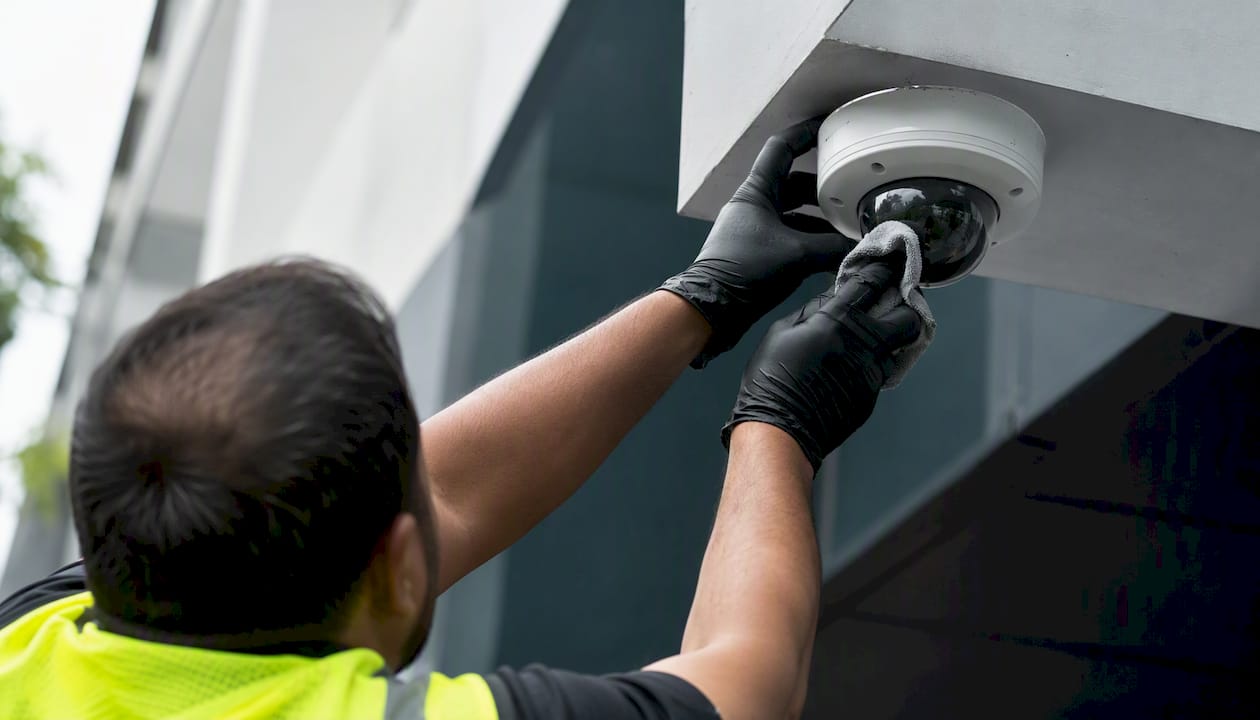
- Clean camera lenses and dome covers with a soft microfiber cloth and appropriate lens cleaner.
- Inspect housing seals and gaskets for cracking, compression set, or visible gaps.
- Check all cable connections and conduit entry points for moisture intrusion or corrosion.
- Verify IR illuminators are functioning and producing even coverage at night.
- Confirm camera mounts are tight and cameras have not shifted from their original aim.
- Test PoE injectors and power supplies for correct voltage output.
- Check surge protectors and replace any that have absorbed a strike (indicator light or test button).
- Update firmware on cameras, NVR/DVR, and PoE switches.
- Run a storage integrity check and verify recorded footage can be played back and exported.
- Review retention settings to confirm the system is recording the correct number of days.
Recommended maintenance schedule:
| Task | Residential | Commercial | Coastal/Harsh |
|---|---|---|---|
| Lens and dome cleaning | Quarterly | Monthly | Monthly |
| Housing and seal inspection | Twice yearly | Quarterly | Monthly |
| Firmware updates | Twice yearly | Quarterly | Quarterly |
| Storage integrity check | Quarterly | Monthly | Monthly |
| Surge protector inspection | Annually | Twice yearly | Twice yearly |
| Full system test (playback, export) | Annually | Quarterly | Quarterly |
| Mount and cable inspection | Annually | Twice yearly | Quarterly |
Pro Tip: The most commonly skipped maintenance step is verifying the export and replay pipeline. A camera can record continuously for months while the storage drive is silently corrupting data. NIST guidance on CCTV digital video export profiles specifically addresses this: test that recordings can actually be retrieved and exported, not just that the camera shows a live feed. A functioning camera attached to an unreadable drive is operationally useless.
A practical maintenance guide covers the full procedure set for property owners who want a step-by-step reference.
When should you repair vs. upgrade a camera system?
The repair-or-replace question has a simple framework once you stop treating it as a purely emotional decision about sunk cost.
Decision flow:
- Identify the fault. Is it a single camera, the recorder, the storage, or the network?
- Estimate repair cost and downtime. Include labor, parts, and any coverage gap during repair.
- Check the feature gap. Does the repaired system still meet your current requirements for resolution, analytics, and integration?
- Check support status. Is firmware still being issued? Are replacement parts available?
- Apply the threshold rule. Repair if the cost is below 40–50% of replacement and the system remains supported. Otherwise, replace.
When partial upgrades make sense:
- Cameras are failing but the NVR is recent and compatible with modern IP cameras: replace cameras only.
- Storage is the bottleneck (drive failures, capacity limits) but cameras and recorder are healthy: swap drives or add a NAS.
- A single zone needs higher resolution for a new requirement (license plate, facial recognition): upgrade that camera only, keep the rest.
When a full system refresh is the right call:
- The recorder is more than 7 years old and cannot accept current camera resolutions.
- Firmware support has ended across the majority of the system.
- Repair costs across multiple failing components are approaching the cost of a new system.
- You are adding significant new coverage zones that require a network redesign anyway.
Lighting conditions also affect whether a camera upgrade alone solves your image quality problem — sometimes the camera is fine and the environment is the issue.
A field-ready maintenance workflow for property managers
This is the workflow Lowvoltagecorp uses on service visits. Property managers can hand this directly to their on-site staff or use it to verify what a contractor has done.
Step-by-step service workflow:
- Schedule and notify. Confirm the maintenance window with the property manager. Note any zones with known issues from the previous visit log.
- Pre-check (remote). Log into the VMS or NVR remotely. Confirm all cameras show live feeds. Flag any offline or degraded channels before arriving on site.
- On-site physical inspection. Work camera by camera through the checklist: housing, seal, mount, cable, connector, lens, IR.
- Functional testing. Trigger motion detection on each camera. Verify alerts fire correctly. Test PTZ movement through full range if applicable.
- Firmware and software update. Push available updates to cameras, recorder, and switches. Reboot and confirm all channels return online.
- Storage and export verification. Pull a clip from each camera. Confirm playback is clean and the file exports correctly. Check drive health status in the NVR interface.
- Post-maintenance documentation. Complete the service log. Note any cameras flagged for follow-up or replacement.
Service log template:
- Date of service
- Technician name
- Camera ID / location label
- Current firmware version
- Findings (pass / flag / fail per inspection item)
- Actions taken
- Parts replaced
- Next scheduled service date
Troubleshooting quick reference:
- No power to camera: Check PoE switch port, cable continuity, and camera power draw. Swap port before replacing camera.
- Intermittent video loss: Test cable with a cable tester. Check connector crimp. Swap to a known-good port on the switch.
- IR failure at night: Inspect IR LEDs visually. Check IR cut filter operation. If LEDs are dim or uneven, the illuminator is at end of life.
- Corrupted or missing recordings: Run drive health check immediately. Verify retention settings. Test export on a different clip date range to isolate whether the issue is drive-wide or zone-specific.
Pro Tip: Keep a running service log in a shared document or property management platform, not just on paper. When a camera fails, the log tells you immediately whether it has had repeated issues, which turns a repair decision into a 30-second call instead of a guessing game. The security camera repair workflow from Lowvoltagecorp includes a ready-to-use log template.
What technical specs actually predict how long a camera will last?
Buying on price alone is how property managers end up replacing cameras every two years. These are the specs that actually matter for longevity.
IP and IK ratings:
- IP65: Dust-tight, protected against low-pressure water jets. Minimum for any outdoor camera.
- IP66: Dust-tight, protected against powerful water jets. Recommended for exposed locations.
- IP67/IP68: Dust-tight, protected against temporary or continuous immersion. Required for ground-level or flood-prone locations.
- IK08/IK10: Impact resistance ratings. IK10 is the highest, rated for 20 joules of impact. Specify IK10 for any camera in a publicly accessible area.
IP and NEMA ratings are assigned after standardized testing and indicate the level of protection from solids and water. A camera without a published IP rating is effectively rated for indoor use only.
Operating temperature:
- Standard cameras: typically rated 14°F to 122°F (–10°C to 50°C).
- Wide-temp models: –40°F to 140°F (–40°C to 60°C). Required for unheated attics, rooftops, and refrigerated spaces.
- South Florida note: enclosure temperatures on a south-facing wall in direct sun can exceed 140°F even when ambient air is 90°F. A sunshield is not optional in that scenario.
Recommended specs by scenario:
- Outdoor general (covered): IP65, standard temp range, IK08 minimum
- Coastal/salt air: IP66 or higher, marine-grade connectors, stainless hardware
- Unheated attic or rooftop: IP66, wide-temp rating, sunshield
- Refrigerated or cold storage: IP66, wide-temp, heater/blower housing
Power quality:
Surge protection on every camera circuit is not optional. A single lightning strike or grid surge can destroy an entire camera run. Use inline surge protectors on coax or twisted-pair runs, and verify PoE switch surge ratings. Clean, stable power extends the life of every component downstream.
Storage media guidance:
Surveillance HDDs are rated for continuous operation and high write loads, but they still carry finite MTBF (mean time between failures) ratings, typically in the range of 1–2 million hours for enterprise-class drives. That sounds like a long time, but in a multi-camera, 24/7 recording environment, drive wear accumulates fast. Plan replacement at 3 years for high-write systems, 4–5 years for lighter loads, and never ignore SMART data warnings from the NVR interface.
Environmental ratings and recommended maintenance practices consistently point to layered protection at the system level, not just reliance on a camera’s IP rating alone. A housing, a sunshield, and a surge protector together extend service life far more than any single spec on the camera’s data sheet.
What does it cost to replace or maintain a camera system?
Budget planning is where most property managers underestimate camera system ownership. The purchase price is the smallest part of the total cost.
Typical cost ranges (materials and labor combined):
- Consumer camera replacement (single unit, existing mount): $150–$400
- Professional IP camera replacement (single unit, existing infrastructure): $400–$1,200
- DVR/NVR refresh (unit only, no rewiring): $500–$2,000 depending on channel count
- Storage drive replacement (per drive, labor included): $150–$350
- Full system refresh (cameras, recorder, cabling, labor): $3,000–$15,000+ depending on camera count and site complexity
- Routine maintenance visit (inspection, cleaning, firmware update, report): $200–$600 per visit
Realistic timelines:
- Single camera swap on existing mount: 1–2 hours
- NVR replacement with existing cameras: half a day
- Full system refresh with new cabling: 1–5 days depending on camera count and site access
- Custom mount fabrication or conduit rework: add 1–3 days
Security and surveillance technology market data shows consistent product turnover driven by resolution and analytics improvements, which means waiting too long to upgrade often means the replacement equipment is no longer compatible with aging infrastructure.
Budgeting guideline: Treat camera systems like HVAC. Set aside a replacement reserve based on the age and count of your cameras. A property with 20 professional cameras installed 5 years ago should be budgeting for a phased refresh starting now, not waiting for failures to force the issue. Spreading replacements across 2–3 years is far less disruptive and expensive than an emergency full-system replacement.
A security system checklist can help you audit your current system age and prioritize which zones to address first.
What an installer actually focuses on when planning for system lifespan
The property owners who get the most out of their camera systems are the ones who define what “working” means before installation, not after the first failure. That means setting image quality standards, retention requirements, and coverage zones in writing, then selecting equipment that meets those specs with margin to spare.
From an installer’s perspective, maintainability matters as much as the hardware itself. Cameras mounted in accessible locations, with labeled cables and documented IP addresses, cost a fraction of the time to service compared to systems where every visit starts with a 30-minute scavenger hunt. A qualified low-voltage contractor should hand you a complete system map, a service log, and a firmware inventory on day one.
Lowvoltagecorp keeps your camera system running longer
Replacing cameras reactively costs two to three times more than maintaining them on a schedule. Lowvoltagecorp provides installation, repair, and maintenance for security camera systems across South Florida, with service contracts designed around your property type and camera count.

A maintenance contract with Lowvoltagecorp covers scheduled inspections, firmware updates, storage integrity checks, and priority response when something does fail. Property managers get predictable costs, documented service logs, and a contractor who already knows the system. For properties where downtime is not an option, that continuity is worth more than the service fee.
Ready to stop reacting and start planning? Review the security camera repair workflow or contact Lowvoltagecorp directly to schedule an inspection and get a maintenance plan built around your property.
Sources
- Video Surveillance Equipment Selection and Application Guide | NIST
- CISA advisory ICSA-24-214-07
- Security and surveillance technology | Statista
- How OM Digital torture-tests its weatherproof cameras | PetaPixel
- How Long Do Security Cameras Typically Last? | XLR Security