South Florida property managers are caught between two pressures that only grow more intense each year: utility bills that climb every summer and tenants who expect tight, visible security at all times. Letting either one slide costs you money. The good news is that upgrading your security infrastructure and cutting energy consumption are no longer competing goals. The right combination of efficient lighting, smart cameras, and integrated building controls lets you run a safer property while actually lowering your monthly operating costs. This article walks you through exactly how to do it.
Table of Contents
- Assess energy use to set your security baseline
- Upgrade to power-efficient LEDs with smart controls
- Optimize lighting for safety without excess energy use
- Adopt energy-smart security camera and access systems
- Integrate security with building systems for true efficiency
- Our perspective: stop treating security and efficiency as a tradeoff
- Ready to upgrade your property’s security systems?
- Frequently asked questions
Key Takeaways
| Point | Details |
|---|---|
| Benchmark energy use | Track your current energy consumption to find the most effective opportunities for cost-cutting security upgrades. |
| Switch to smart LEDs | Modern LED lighting with controls significantly cuts energy expenses without sacrificing nighttime safety. |
| Prioritize maintained lighting | Plan lighting for long-term performance, not just initial brightness, to avoid dark spots and wasted energy. |
| Leverage integrated controls | Automating security with building management systems enhances savings and property operation. |
| Adopt efficient devices | Choose power-saving cameras and networked access solutions to trim hidden costs across your property. |
Assess energy use to set your security baseline
Before making any upgrades, it’s essential to understand where your current energy dollars are going.
Most facility managers are surprised when they actually break down the numbers. Security-related loads, things like exterior lighting, camera systems, access control panels, and gate operators, can account for a significant share of a property’s total energy consumption. Yet these systems often run on aging schedules, original hardware settings, and assumptions that were never revisited after installation.
Start by pulling your utility data and matching it against your system inventory. Here’s a practical sequence to follow:
- Audit your lighting inventory. List every exterior fixture type, wattage, and average daily run time. Include parking structures, pathways, entry points, and common areas. Old metal halide or HPS fixtures burning 400 watts each will stand out immediately.
- Document camera and access system power draws. Pull the spec sheets for your DVRs, NVRs, cameras, and access control hardware. Note which units run 24/7 versus on schedules.
- Map underused areas and always-on zones. Storage corridors, seldom-used stairwells, and perimeter fence lines often have lights running at full power around the clock with zero occupancy.
- Calculate monthly costs per zone. Multiply wattage by run hours, divide by 1,000 for kilowatt-hours, and multiply by your local rate. This makes the case for upgrades concrete and budget-friendly.
“Benchmarking and continuous measurement are recommended stepping stones for property managers seeking energy-cost reductions.”
Pro Tip: Don’t just do a one-time audit. Set up a monthly tracking sheet that logs energy use per zone. When you make an upgrade, the before-and-after comparison becomes your ROI proof for ownership or asset managers. It also makes future capital requests significantly easier to approve.
The data you collect here is not just for saving money. It’s your strategic map. Properties in South Florida face high cooling loads, intense UV degradation on fixtures, and extended hours of darkness in winter months. These regional factors influence exactly where your biggest efficiency gains are hiding.
Upgrade to power-efficient LEDs with smart controls
With a clear energy baseline, the simplest and most impactful upgrade is modernizing your lighting infrastructure.
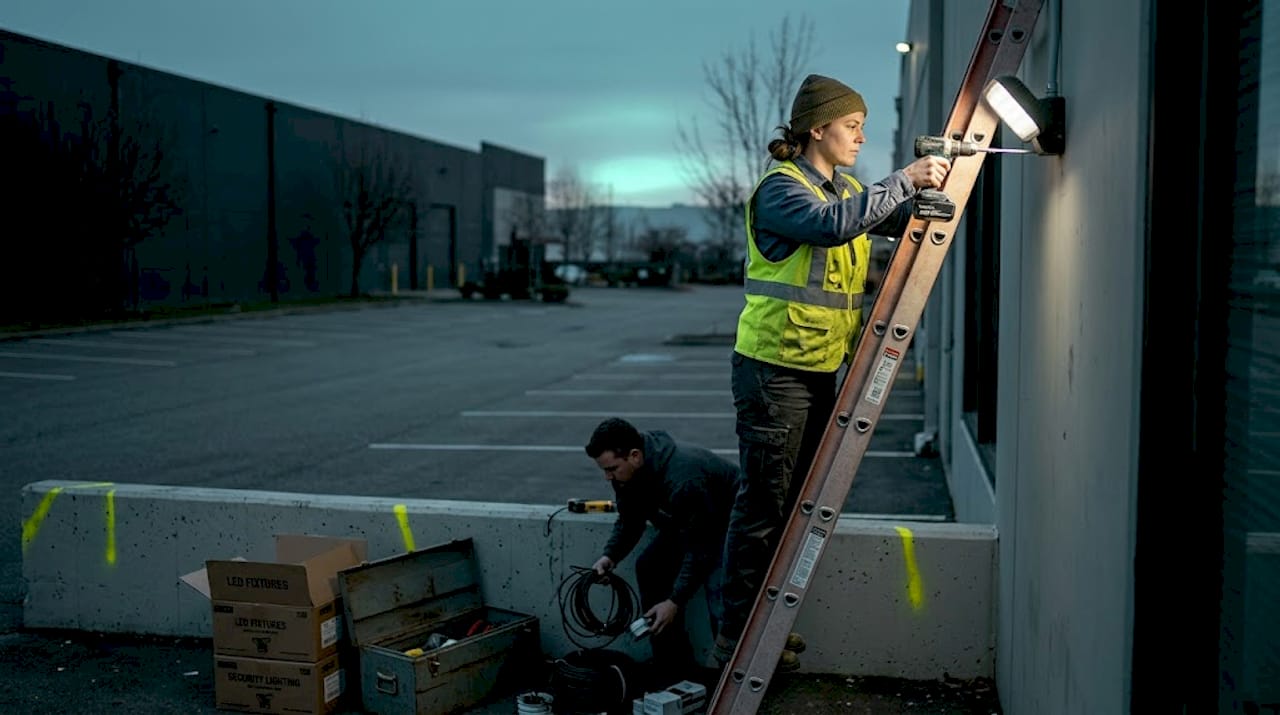
If your property still runs metal halide, high-pressure sodium, or fluorescent fixtures in any security-sensitive area, you’re burning money every night. The evidence is overwhelming. Efficient lighting and controls like timers and dimmers save electricity, and LEDs use up to 90% less energy than incandescents. For commercial parking lots and perimeter lighting running eight to twelve hours per night, that difference compounds fast.
But swapping bulbs is just the start. The real savings come from layering controls on top of the hardware:
- Motion and occupancy sensing keeps lights at reduced output (around 30% to 50%) during low-traffic hours, then ramps to full brightness when movement is detected. This is ideal for parking garages, stairwells, and secondary access points.
- Daylight harvesting uses photosensors to dim or shut off fixtures when ambient outdoor light is sufficient. For South Florida’s long sunny days, this feature alone can eliminate several hours of unnecessary run time daily.
- Scheduling controls let you program different output levels by time of night. A property entrance might run at 100% from dusk until midnight, then drop to 70% until dawn. Tenants and visitors see consistent lighting; you burn less power.
- Networked lighting controls take it further by giving facility managers remote access, automated alerts for failed fixtures, and more flexible scheduling and integration with other building systems compared to basic time clocks.
Lighting control strategies for energy efficiency, including scheduling, daylight harvesting, dimming, and occupancy sensing, are well established and increasingly affordable to implement at the commercial scale.
Commercial-grade LEDs also last 50,000 to 100,000 hours under normal operation. For a fixture burning 12 hours per night, that’s over 11 years before replacement. Maintenance labor, lifts, and lamp replacement costs drop dramatically, and that’s a real operational savings that rarely shows up in the initial energy calculation but matters enormously for facility budgets.
Pro Tip: Don’t rely on just one control strategy. The strongest results come from layering motion sensing with daylight harvesting. A fixture that responds to both occupancy and available sunlight can reduce energy use by 60% to 80% beyond the LED hardware savings alone.
Optimize lighting for safety without excess energy use
Having installed efficient lighting systems, fine-tuning their configuration ensures energy isn’t wasted and safety isn’t compromised.
One mistake facility managers make after upgrading to LEDs is assuming the new fixtures will always deliver what the spec sheet promised. They won’t, at least not indefinitely. Security lighting should be specified using maintained light levels that account for lumen depreciation and light loss factors, not only initial lumens, to avoid under-lighting over time.
Here’s what that means in practice: a fixture rated at 5,000 lumens on day one may deliver only 3,500 lumens after three years of South Florida heat, humidity, and dust accumulation. If your lighting plan was designed around peak output, your security zones could be operating below safe illumination levels long before anyone notices.
| Condition | Initial illuminance | Maintained illuminance | Security impact |
|---|---|---|---|
| New LED fixture, clean lens | 20 foot-candles | 20 foot-candles | Optimal coverage |
| 2 years, moderate soiling | 20 foot-candles | 14 foot-candles | Reduced camera clarity |
| 5 years, no maintenance | 20 foot-candles | 9 foot-candles | Significant security gaps |
| Regular cleaning and upkeep | 20 foot-candles | 17 to 18 foot-candles | Near-optimal maintained |
The table above illustrates why routine maintenance is not optional. It’s a security function.
Key practices to keep your lighting performing at spec:
- Clean fixture lenses quarterly. In South Florida, salt air, humidity, and pollen create a film on lenses faster than in dry climates. A simple wipe-down recovers 10% to 15% of lost output.
- Re-aim fixtures annually. Vibration from traffic, wind, and maintenance activity can shift fixture aim over time. A misaligned fixture might be lighting a wall instead of your parking aisle.
- Recalibrate occupancy sensors seasonally. Coverage areas shift with landscaping changes and tenant buildouts.
Improperly configured sensors create the illusion of energy savings while creating real security gaps. A motion sensor that trips too slowly or covers too narrow an angle leaves a camera-monitored zone in the dark at exactly the wrong moment.
The safest approach is to work with a lighting professional who calculates maintained illuminance from the start, builds in a maintenance factor, and schedules your cleaning and recalibration cycles into the property management calendar.
Adopt energy-smart security camera and access systems
Lighting isn’t the only place for energy gains. Your cameras and access systems are often overlooked sources of savings.
Traditional analog camera installations required separate power runs to every camera, often using dedicated electrical circuits with transformers and conduit. Each camera drew power independently, panels stayed on 24/7, and the infrastructure was expensive to expand. Modern systems solve most of these problems at once.
PoE (Power over Ethernet) can simplify electrical provisioning and shift power design toward PoE power budgeting, eliminating the need for dedicated power outlets at each camera location. A single Cat6 cable delivers both data and power. The practical benefits for South Florida properties are real and measurable.
| System type | Cameras | Per-camera power draw | Monthly energy cost (estimate) |
|---|---|---|---|
| Traditional AC analog | 16 | 15 to 25 watts | $18 to $30 |
| PoE IP cameras | 16 | 7 to 13 watts | $8 to $15 |
| PoE with smart scheduling | 16 | 3 to 8 watts active | $4 to $9 |
The savings scale quickly across larger properties. A 64-camera system switching from traditional AC to PoE with smart scheduling can cut camera-related energy costs by more than 60% annually. That’s before accounting for the reduced wiring labor and simplified troubleshooting.
For access control, the transition to cloud-managed systems offers similar benefits:
- Cloud-based controllers replace always-on local servers with managed infrastructure, reducing the number of powered devices on-site.
- Smart credential readers go into low-power standby between access events, unlike older systems that run hardware at full draw around the clock.
- Scheduled lockdown modes allow access hardware to reduce power consumption during low-activity periods, such as overnight on weekends, without disabling emergency egress.
- Remote diagnostics let your team identify and address failing equipment before it becomes a full outage, reducing energy waste from malfunctioning hardware that draws power without functioning properly.
Explore the benefits of Power over Ethernet infrastructure for your next camera upgrade or system expansion. The combination of simplified installation and ongoing energy savings makes it the right choice for most South Florida commercial properties.
Pro Tip: Combine PoE camera infrastructure with smart scheduling to power down non-critical cameras during closed hours while keeping entry and exit points fully active. Many modern NVR systems support camera-level power schedules through software alone, no hardware changes required.
Integrate security with building systems for true efficiency
Maximizing energy savings means connecting your security systems with other building technologies for real-time optimization.
The most efficient properties in South Florida aren’t just running better hardware. They’re running hardware that talks to each other. When your access control system, security cameras, and building management system (BMS) share data, the whole property responds to what’s actually happening rather than running on assumptions.
Consider what sharing occupancy and access events with building systems can accomplish: lighting and HVAC respond to actual usage instead of pre-programmed schedules that may no longer reflect real tenant behavior.
Practical examples that work in South Florida commercial and multifamily properties:
- Entry-triggered HVAC. When an access control event registers at a tenant suite, the BMS activates cooling for that zone. When no access events occur for 90 minutes, the system reverts to setback temperature. In Florida’s climate, this alone can cut cooling costs for common areas and office suites significantly.
- Camera-triggered lighting. Video analytics detect motion in a camera zone and signal the lighting controller to raise output. When the zone clears, lights return to a reduced level. No motion sensor wiring required.
- Occupancy-based elevator management. Access data shows which floors are active at any given time. Elevators park near active floors and avoid unnecessary travel, reducing motor energy consumption.
- Security alerts that trigger HVAC shutdowns. A forced entry or after-hours access event can automatically lock out HVAC controls to prevent damage or unauthorized use of building systems.
Pro Tip: Don’t attempt a full BMS integration across an entire property at once. Pick one high-traffic, high-cost area, like a lobby or parking structure, and run a 90-day pilot. The energy and operational data you collect from a single zone will build the business case for a property-wide rollout far more convincingly than any vendor presentation.
Integration does require upfront coordination between your security vendor, your HVAC contractor, and your BMS platform. But in a market like South Florida where both energy costs and security demands are high, properties that make this investment see measurable returns within the first year of operation.
Our perspective: stop treating security and efficiency as a tradeoff
The most persistent myth we encounter when working with South Florida facility managers is this: better security requires more energy. That assumption was true twenty years ago when motion sensors were unreliable, cameras needed bright floodlights to produce usable images, and access systems ran on dedicated always-on hardware. None of that is true today.
Modern security equipment is engineered for efficiency. PoE cameras consume a fraction of what analog systems required. LED fixtures with smart controls maintain security coverage while cutting lighting energy by 70% or more. Integrated systems coordinate energy use across the property in real time. The tools are there.
What holds most properties back isn’t technology. It’s the habit of managing security and energy as separate budget lines with separate vendors and separate maintenance cycles. When those conversations stay siloed, neither side sees the full picture, and properties end up spending more on both.
The facility managers we work with who see the fastest ROI are the ones who treat security infrastructure as part of the building’s operating efficiency, not separate from it. They benchmark before they upgrade, layer their controls, maintain their fixtures on schedule, and push toward integration with their BMS. The savings are real, the security improves, and the sustainability numbers that increasingly matter to tenants and investors move in the right direction.
South Florida properties face unique pressures, the climate, the utility rates, the liability exposure from inadequate perimeter security. That environment makes the case for energy-smart security even stronger. There’s no good reason to run inefficient systems when the alternatives pay for themselves.
Ready to upgrade your property’s security systems?
If this article gave you a clearer picture of where your property’s security and energy costs can improve, the next step is getting the right installation and integration team involved early.
At Low Voltage Electrician, we specialize in the installation, repair, and maintenance of security cameras, motorized gates, wired and wireless networks, and cell boosters across South Florida commercial and multifamily properties. Our team understands both the technical requirements of modern security infrastructure and the practical realities of managing operating costs. Whether you’re starting with a camera upgrade, migrating to PoE, or working toward a fully integrated building system, we’re set up to help you do it right the first time. Visit lowvoltagecorp.com to schedule a consultation and find out what’s possible for your property.
Frequently asked questions
How much can switching to LED security lighting save on energy bills?
Switching to LED security lighting can reduce energy costs by up to 90% compared to traditional incandescent lighting, with additional savings available through smart controls.
Do networked lighting controls really make a difference in security and savings?
Yes. Networked lighting controls allow more flexible scheduling and integration with other building management systems, reducing energy waste while keeping critical areas lit on demand.
What is maintained illuminance, and why does it matter?
Maintained illuminance accounts for lumen depreciation and light loss over time, ensuring your security lighting levels stay effective and compliant well after installation, not just at initial startup.
How can access control systems help improve building energy efficiency?
Access control systems can share occupancy data with building management platforms to automatically adjust lighting and HVAC based on actual usage rather than fixed schedules, cutting waste across the facility.