For most properties with two or more structures, the right setup is a hybrid gateway: local recording in each building, with a cloud-managed VMS layer tying every feed into one dashboard. Full cloud-native works too if connectivity is strong and budget allows skipping local hardware. Either way, the mix of central visibility and local buffering is what keeps footage available when a link drops. Start by scheduling a site survey.
TL;DR:
- Reliable inter-building links are crucial, with fiber being ideal for long distances, and wireless bridges needing line-of-sight and weather planning.
- Hybrid gateway architectures are most common, balancing local storage with cloud management, especially when connectivity varies between sites.
- Proper network segmentation, encryption, and role-based access control significantly reduce security risks in multi-site CCTV systems.
- A comprehensive site survey should prioritize physical fieldwork over platform choice, ensuring surge protection, proper grounding, and accurate cabling.
- External partnerships like Low Voltage Corp can streamline installation, maintenance, and support by managing all aspects under a single contract.
Table of Contents
- Choosing the Right Multi Building CCTV Network Architecture
- What Are the Best Ways to Connect Multiple Buildings?
- How Do You Secure a Distributed CCTV Network?
- Deployment Steps and Timeline for a Multi-Site CCTV Rollout
- Sizing Bandwidth and Storage Across Buildings
- Keeping a Multi-Site Camera Network Running
- Aaron’s Practitioner Checklist for Multi-Building Installs
- Connecting Multi-Building CCTV to Facility Management Systems
- Power Supply and Backup for Inter-Building Connectivity Devices
- Privacy Laws and Data Protection for Multi-Building CCTV
- What Property Managers Get Wrong About Multi-Building CCTV
- Multi Building CCTV Network Services From Low Voltage Corp
- Sources
Choosing the Right Multi Building CCTV Network Architecture
Three architectures cover almost every real-world deployment, and the right one depends less on camera count than on how reliable your inter-building links are.
Cloud-native works best when every building has strong, symmetric internet and you want one login, one interface, and zero on-site servers. Camera streams go straight to the cloud provider, which handles storage, redundancy, and remote access. It’s the lowest-maintenance option, but it lives and dies on your ISP uptime, and continuous high-resolution streaming from several buildings can get expensive in monthly egress fees.
Hybrid gateway architecture keeps a network video recorder in each building for local storage, while a cloud layer manages user permissions, alerts, and remote viewing. Hybrid gateways let organizations manage every location from one dashboard while still supporting bandwidth-aware sync so a building with a shaky connection only pushes flagged events, not raw footage. This is the model most facility managers land on, because it survives a fiber cut without losing evidence.
Centralized on-prem aggregation routes every building’s video back to one main server closet, usually over fiber. It’s common in campuses that already have inter-building fiber for data, but it concentrates risk. If that comms room floods or loses power, you lose visibility everywhere at once.
Decision guidance:
- Two or three buildings with solid fiber already in the ground: on-prem aggregation or hybrid.
- Four or more buildings, mixed connectivity, or a lean IT staff: hybrid gateway.
- New construction or a distributed portfolio you manage remotely: cloud-native.
What Are the Best Ways to Connect Multiple Buildings?
Connectivity is where most multi-site projects succeed or fail, and the choice usually comes down to distance, line of sight, and how much you’re willing to trench.
Buried or aerial fiber is the gold standard for distances beyond a few hundred feet. It handles high bandwidth without interference, but plan for grounding and surge protection at both ends, especially on aerial runs exposed to lightning. A media converter at each building translates that fiber back to Ethernet, feeding a PoE switch that powers and connects your cameras.
PoE switches with midspan injectors let you skip running separate power to each camera. Budget your switch capacity carefully. A dozen 4K cameras can draw more wattage than a typical 24-port switch supports out of the box.
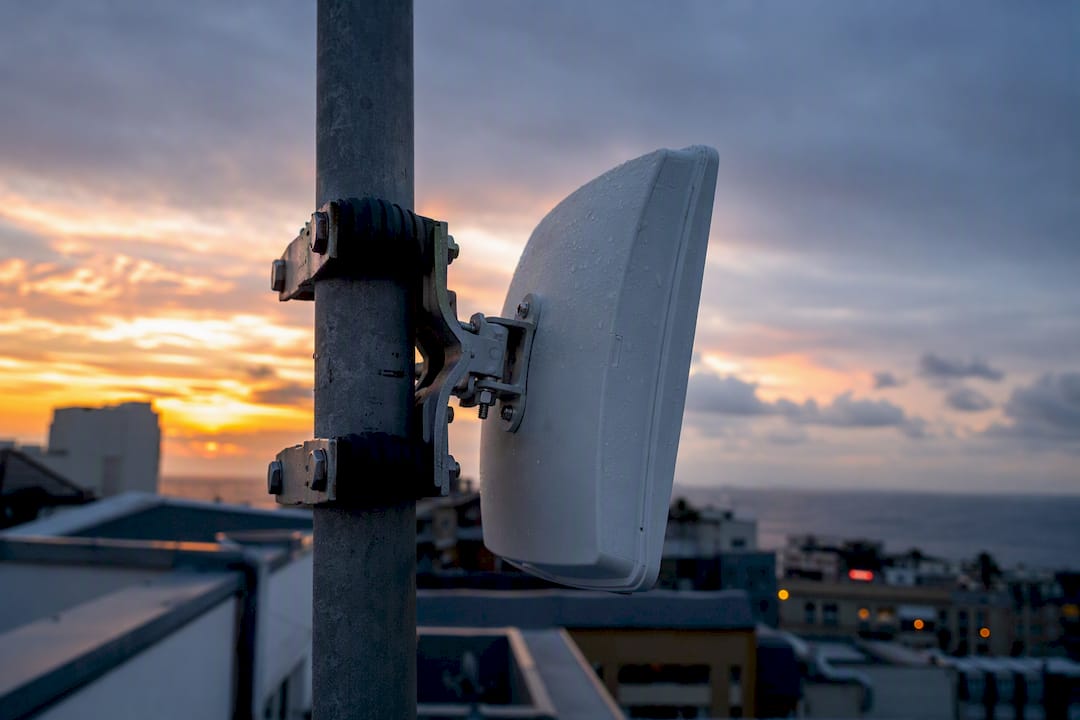
Wireless point-to-point bridges are a legitimate stand-in for fiber when trenching isn’t an option. Point-to-point wireless bridges require careful antenna alignment and weather planning, and they need a clean line of sight between buildings, mounted on stable, vibration-damped poles. Fog and heavy rain degrade signal strength, so coastal or humid sites should use higher-gain antennas and conservative link margins rather than the manufacturer’s best-case numbers.
Cellular failover (4G or 5G) won’t carry your primary video load, but it’s a solid backup path for alerts and low-resolution snapshots if your main link goes down. Route it through a VPN or secure tunnel, never an open connection.
Pro Tip: Set your wireless bridge link margin at least 20% above the calculated minimum. That buffer is what separates a system that survives a summer storm from one that drops out every time it rains.
How Do You Secure a Distributed CCTV Network?
A camera network spanning multiple buildings is only as strong as its weakest VLAN, and flat networks are the single most common mistake facility teams make.
Segment cameras onto their own VLAN, separate from office traffic and separate again from the management VLAN used to administer switches and recorders. This isolation limits what an attacker can reach even if one device is compromised. Layer on QoS prioritization so video traffic gets guaranteed bandwidth during peak hours instead of competing with someone’s video call.
Encryption isn’t optional at this scale. Multi-site deployments should standardize on AES-256 for stored footage and HTTPS/SRTP for streams in transit, with multi-factor authentication locked onto every admin account. Pair that with role-based access control (RBAC) so a site guard sees only their building’s cameras while a regional manager sees the portfolio. Experienced designers scope access this granularly specifically to cut down on both privacy risk and operator fatigue from watching feeds that aren’t theirs.
Device hygiene checklist:
- Change every default password and username before a camera goes live.
- Schedule automated firmware updates instead of relying on manual checks.
- Confirm ONVIF compatibility across brands so you’re not locked into one manufacturer.
- Keep an audit trail of configuration changes for every device on the network.
A meaningful share of multi-site security incidents trace back to unpatched firmware or a leftover default credential on a camera nobody remembered was on the network. Standardized policy templates pushed from a central console close that gap faster than manually touching each device.
Deployment Steps and Timeline for a Multi-Site CCTV Rollout
A structured rollout keeps a multi-building install from turning into a scheduling mess across trades and buildings.
- Pre-install audit. Inventory existing cabling, pull floor plans, check PoE switch capacity, and get permits and stakeholder sign-off before any truck rolls.
- Site survey. Walk every building for camera sightlines, confirm line-of-sight for any planned wireless bridge, inspect comms room readiness, and check grounding and surge protection needs.
- Cabling and mounting. Run fiber or Ethernet, mount cameras and bridge antennas, and terminate all runs before powering anything on.
- Provisioning. Configure VLANs, apply camera templates, set retention policies, and push RBAC roles from the central console.
- Testing and QA. Verify every camera stream, tune motion analytics to cut false alerts, and confirm failover paths actually fail over.
- Handoff. Deliver documentation, credentials, and a maintenance contact to facilities and IT.
For a site with connectivity already in place, new-building provisioning commonly completes in one to two business days once cameras are physically installed. Larger buildings or ones needing new fiber runs stretch to a week or more per building, mostly due to cabling labor rather than the network configuration itself.
Sizing Bandwidth and Storage Across Buildings
A 4K camera streaming continuously can push 8 to 16 Mbps depending on compression and scene complexity, while a 1080p camera on motion-triggered recording might average under 1 Mbps. Multiply your camera count by realistic per-camera bitrate, then add 20% headroom for bursts and firmware traffic. Twenty cameras averaging 4 Mbps each means roughly 80 Mbps of sustained upstream, not counting failover buffer.
- Continuous recording eats storage fast; a single 4K camera can consume several hundred gigabytes over a 30-day retention window.
- Event-driven recording cuts that dramatically, since only motion or line-crossing triggers get saved.
- Local buffering with hybrid sync lets each building record locally and only push flagged events to the cloud, which is the core mechanism that keeps egress costs manageable at scale.
Most facility managers land between 14 and 30 days of retention, driven by insurance requirements or lease terms rather than technical limits.
Keeping a Multi-Site Camera Network Running
Ongoing health checks matter more than the install itself, since a camera that silently drops offline for three weeks defeats the entire purpose of the system.
- Monitor camera uptime, link quality on wireless bridges, and storage utilization, with alerts set well before drives fill up.
- Maintain on a schedule: daily automated health checks, weekly review of flagged events, and quarterly firmware audits.
- Plan redundancy with a UPS on every comms closet and switch, local recording as a buffer, and a documented failover path if the primary uplink dies.
Pro Tip: Automating firmware updates and keeping a live device inventory with health telemetry eliminates a large share of the routine service tickets that eat up a facilities team’s week.
Aaron’s Practitioner Checklist for Multi-Building Installs
Route cable away from fluorescent ballasts and motor lines to avoid interference, ground every outdoor enclosure, and use weatherproof-rated (IP66 or better) housings on any camera facing open weather. The three mistakes Aaron sees most often: undersized PoE budgets that starve cameras of power, no local recording fallback when the cloud link drops, and wireless bridges aimed without a proper line-of-sight survey. For handoff, leave IT with a network diagram, device naming convention, credential list, and a direct maintenance contact.
Connecting Multi-Building CCTV to Facility Management Systems
Integration works best as a layered rollout rather than a single cutover, since most properties already run access control, fire alarm monitoring, or a building automation platform that shouldn’t be disrupted.
Start by mapping existing systems: which platform handles access control, whether there’s an existing building automation system (BAS), and what network backbone already connects your buildings. Confirm ONVIF compatibility on new cameras so they can talk to third-party access control or analytics software without a proprietary bridge.
Next, integrate at the event level before attempting full platform merges. Most modern VMS platforms can trigger a camera recording or a push alert when a door badge fails or a fire panel trips. That event-linking gives your facilities team one alert stream instead of three separate dashboards to babysit.
Once event integration is stable, move to unified dashboards. Cloud-managed VMS platforms typically offer API or plugin support for common building management software, letting a facility manager see camera status alongside HVAC and access logs in one place. Test this integration in a single building before rolling it across the portfolio. A misconfigured API call that floods your BAS with camera health pings is a real, avoidable headache.
Finally, document the integration map for your IT team: which system owns which data, where credentials live, and who gets notified first when something breaks. That documentation is what turns a clever integration into one your team can actually maintain after the installer leaves.
Power Supply and Backup for Inter-Building Connectivity Devices
Every device between buildings, switches, media converters, wireless bridge radios, needs power that survives longer than the building’s main outage window, because a camera network that goes dark during a storm is the exact moment you need it most.
PoE switches should sit on a dedicated UPS sized for at least 30 to 60 minutes of runtime, enough to ride out a brief outage or trigger a graceful shutdown rather than a hard power loss that can corrupt storage. For buildings prone to longer outages, a UPS paired with a generator transfer switch keeps the network alive well past typical utility restoration windows.
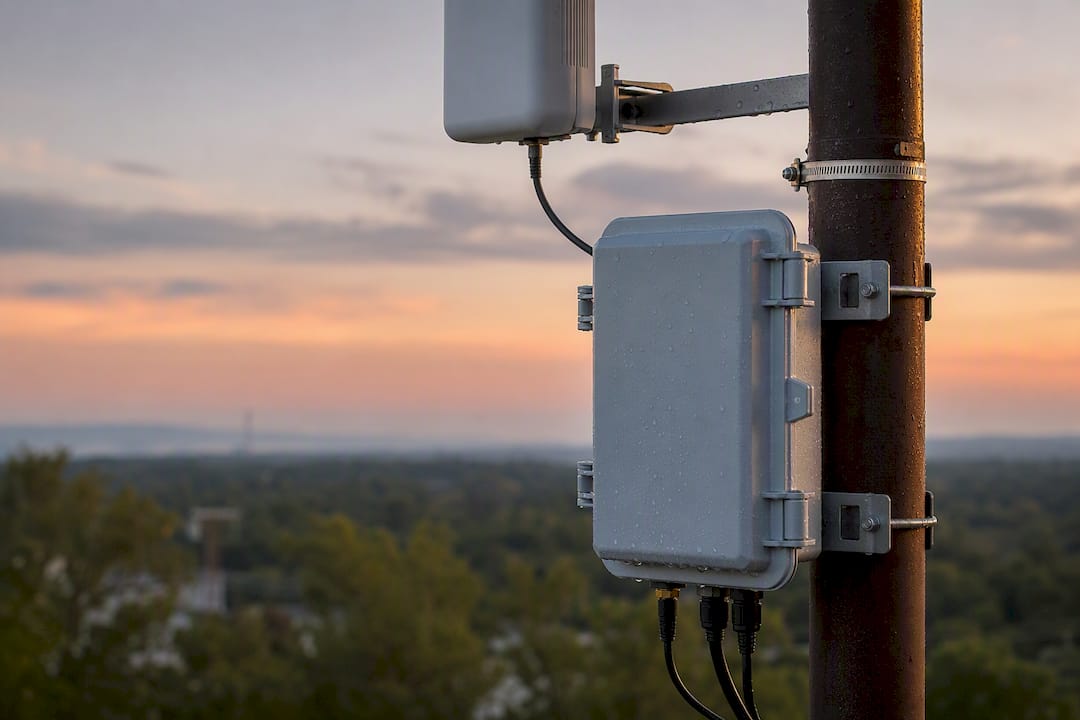
Wireless bridge radios mounted outdoors need weatherproof, sealed power enclosures with surge protection at both the radio and the switch end. A single lightning strike near an aerial fiber run or exposed Ethernet cable can take out a switch port and everything downstream. Fiber runs sidestep electrical surge risk entirely between buildings, which is one more argument for fiber over copper on longer inter-building spans.
Comms closets housing your core switches and NVRs deserve the same UPS treatment as any server room, sized to the load and tested twice a year, not installed once and forgotten. Battery health degrades quietly, and a UPS that’s been silently dead for a year is worse than no UPS at all, since it gives false confidence.
For sites with frequent grid instability, a small backup generator with automatic transfer is worth the cost against the alternative: losing footage during exactly the kind of event, a break-in during a storm, a power-related incident, that the cameras exist to capture.
Privacy Laws and Data Protection for Multi-Building CCTV
Recording across multiple buildings on one property usually means recording common areas, parking structures, and sometimes areas shared by different tenants, which raises real data protection questions beyond simple camera placement.
Most US jurisdictions allow recording in areas without a reasonable expectation of privacy, common hallways, lobbies, parking lots, but restrict or ban cameras in restrooms, locker rooms, and similar private spaces regardless of property type. Audio recording carries separate and often stricter rules than video alone, since many states require consent from all parties to record conversations. Confirm your local requirements before enabling microphones on any camera.
In mixed-tenant properties, footage governance gets more complicated. Multi-tenant properties should enforce tenant-scoped access control and keep an auditable access log so a subject access request from one tenant doesn’t expose footage of another tenant’s space. That’s the same RBAC principle used for operational scoping, applied here for legal compliance rather than convenience.
Retention policy matters for compliance as much as storage cost. Some states and insurance contracts set minimum retention windows for commercial CCTV footage, while data minimization principles argue for not holding footage longer than a legitimate business need requires. Document your retention policy in writing, and make sure whoever handles access requests actually knows where footage lives and how to pull it.
Posting visible signage where recording occurs isn’t just courtesy. In several jurisdictions, it’s a legal requirement tied to notice obligations under state privacy statutes.
What Property Managers Get Wrong About Multi-Building CCTV
The conventional advice on this topic treats architecture as the hard part. It isn’t. Picking between hybrid gateway and cloud-native is a straightforward decision once you know your connectivity and building count. The part that actually derails projects is almost always physical: a wireless bridge aimed without a real line-of-sight survey, a PoE switch sized for the camera count on paper instead of the cameras actually installed, or a comms closet with no UPS that takes the whole system down during the first bad storm.
Most guides oversell the platform choice and undersell the fieldwork. RBAC, encryption standards, ONVIF compatibility, these matter, but they’re largely solved problems once you pick a reasonably modern platform. What isn’t solved automatically is whether your fiber run has surge protection, whether your retention policy matches your state’s rules, or whether the person who installed your bridges tested them across a full weather cycle before calling the job done.
If you’re planning a rollout, prioritize the site survey over the platform comparison. A mediocre VMS on a well-surveyed, properly grounded network will outperform a premium platform layered on top of guesswork every time.
— Aaron
Multi Building CCTV Network Services From Low Voltage Corp
Lowvoltagecorp is the direct alternative to piecing together a multi-building camera network yourself, one contractor for cabling, another for the platform, and a third when something breaks six months later. Lowvoltagecorp handles the full scope under one contract: site surveys, fiber and PoE installation, hybrid VMS provisioning, and ongoing maintenance agreements, so your network diagram, credentials, and support contact all trace back to one team that already knows your buildings.

Before requesting a quote, pull together your floor plans, a rough camera count per building, and notes on any existing backbone (fiber, coax, or Ethernet already in place). That prep shortens the survey and gets you a more accurate scope on the first pass. If you’re staring down a wiring decision already, the security camera wiring installation guide walks through what a professional install actually involves before you commit.
Ready to move past the planning stage? Request a site survey and get a real scope for your property instead of a guess.
Sources
- SiteOwl — Multi-site video surveillance management
- iFovea — Multi-site cloud surveillance management
- CCTV Camera Pros — how-to video on wireless camera connections