For commercial and multi-unit residential properties in South Florida, specify controller-managed Wi-Fi 6E access points, enterprise PoE+/PoE++ switches, VLAN-aware controllers with RADIUS support, outdoor-rated APs with coastal corrosion protection, and managed wireless bridges for backhaul. Those five device classes cover every procurement scenario from high-rise MDU common areas to outdoor pool decks.
Your RFP shortlist: minimum requirements:
- Wi-Fi 6E access points (indoor and outdoor-rated) with controller compatibility confirmed
- PoE++ switches (IEEE 802.3bt) sized to the full AP power budget, not just port count
- Cloud or on-premises WLAN controller with VLAN/RADIUS support and firmware SLA
- Outdoor APs with UV-rated enclosures, corrosion-resistant coatings, and surge protection
- Managed wireless bridges for buildings where fiber or Cat6A runs are not feasible
Before you issue a single RFP, book an Ekahau-certified site survey. Ekahau-certified pre-deployment surveys can significantly reduce AP count and labor costs; skipping one is the single most common reason commercial wireless underperforms and requires expensive remediation months later. Contact Lowvoltagecorp to schedule yours.
Table of Contents
- What are the enterprise wireless device classes you need to know?
- Cloud-managed vs. on-premises controllers: which should you specify?
- How to choose devices and what to write into your RFP
- Which enterprise vendors should you name in an RFP?
- PoE, cabling, and South Florida installation factors
- Security, compliance, and firmware lifecycle
- What do enterprise wireless deployments actually cost?
- What must your installation and maintenance contract include?
- When should you repair vs. replace wireless hardware?
- What are the recommended next steps for procurement?
- Key Takeaways
- Why consumer gear in commercial properties is a costly mistake
- Lowvoltagecorp serves South Florida properties from survey to maintenance
- Useful sources and references
What are the enterprise wireless device classes you need to know?
Enterprise wireless networks are designed to support hundreds to thousands of concurrent connections managed centrally, not as isolated consumer routers. Each device class plays a distinct role.
- Commercial access points (indoor): Wall- or ceiling-mounted radios that serve client devices. Rated by client density and throughput, not just coverage radius.
- Outdoor/coastal APs: Same function, but built with IP67 or IP68 enclosures, UV-stable housings, and corrosion-resistant hardware for pool decks, parking structures, and building exteriors.
- PoE switches: The backbone that powers APs over the data cable. Enterprise-grade switches materially improve both wireless performance and security by providing clean, managed power and VLAN segmentation at the port level.
- WLAN controllers (cloud or on-premises): The management plane. Controllers handle roaming, security policies, traffic shaping, and bulk firmware updates across every AP in the installation.
- Wireless bridges/backhaul: Point-to-point or point-to-multipoint links that connect buildings or floors where running new cable is cost-prohibitive.
- Directional antennas: Used with outdoor APs or bridges to focus signal across parking lots, courtyards, or between structures.
For MDU common areas and amenity spaces, indoor high-density APs are the priority. Outdoor pool and parking coverage calls for coastal-rated outdoor units. Large campuses or multi-building properties often add wireless bridges to avoid trenching costs.
Cloud-managed vs. on-premises controllers: which should you specify?
For multi-site or multi-unit properties, cloud-managed architecture is the stronger default. It handles security policies, traffic shaping, roaming optimization, and bulk firmware updates without requiring an on-site server. The operational difference between the two models shows up in day-to-day management cost, not just upfront price.
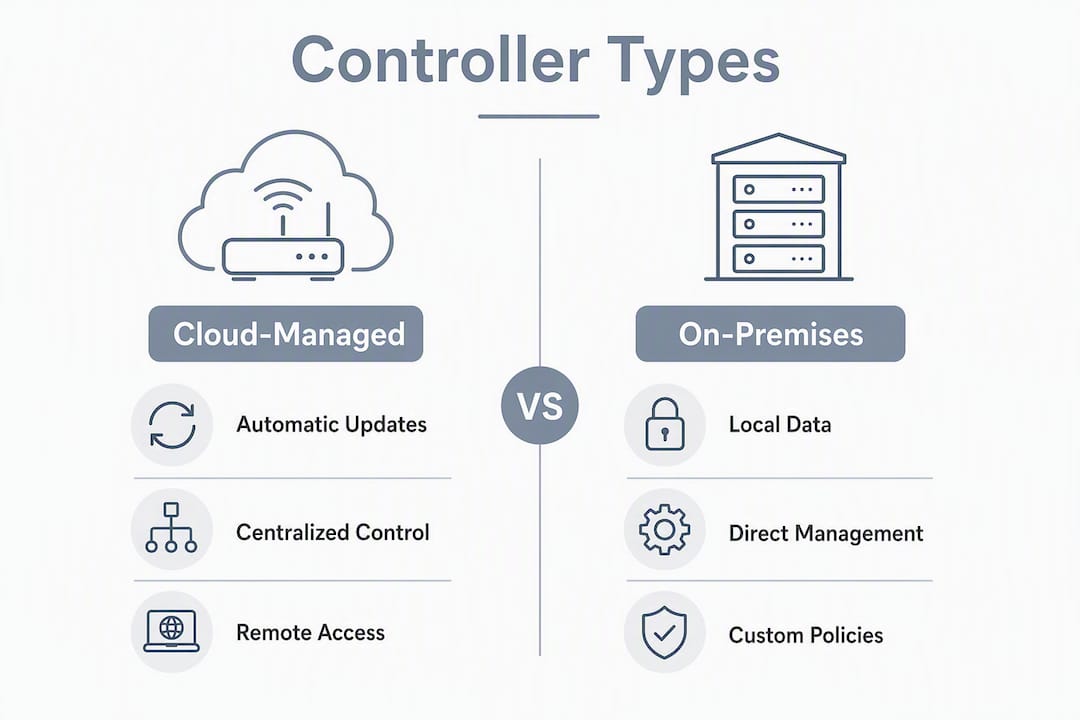
| Dimension | Cloud-managed | On-premises controller |
|---|---|---|
| Firmware updates | Automatic, vendor-pushed | Manual or scheduled; IT-managed |
| Visibility/analytics | Full telemetry via vendor portal | Dependent on local server uptime |
| Failover | APs operate in standalone mode if cloud unreachable | Controller failure can disrupt roaming |
| Licensing cost | Annual per-AP subscription | One-time license, hardware refresh cycle |
| Vendor lock-in | High (portal-dependent) | Moderate (hardware-dependent) |
On-premises controllers make sense when a property has strict data-residency requirements or an existing IT team that manages the server stack. For most South Florida property managers without dedicated IT staff, cloud-managed wins on simplicity and remote visibility.
Pro Tip: Ask every bidder to show you their controller redundancy documentation and their firmware update SLA in writing. “We push updates regularly” is not a contract term.
How to choose devices and what to write into your RFP
The single most important technical spec is the combination of capacity planning, PoE budget, and controller compatibility. Get those three wrong and no vendor name on the AP saves you.
Numbered checklist for your RFP technical spec:
- Wi-Fi generation: Wi-Fi 6E minimum for all new installs; Wi-Fi 6E is the sweet spot for most 2026 commercial deployments, with Wi-Fi 7 available but rarely cost-justified for standard MDU or office use cases.
- AP throughput and client density: require the bidder to document concurrent client capacity per AP, not just theoretical throughput.
- PoE power per port: 802.3bt (PoE++) for Wi-Fi 6E/7 APs; 802.3at (PoE+) is the floor for legacy units.
- Environmental rating: IP66 minimum for outdoor South Florida installs; specify corrosion-resistant hardware for coastal proximity.
- VLAN and 802.1X support: multi-tenant MDU architectures require SSID-to-VLAN mapping and RADIUS-backed 802.1X authentication for tenant isolation.
- Firmware lifecycle: require a documented patching SLA and end-of-support date for every AP model quoted.
- Analytics/telemetry: specify that the management platform must provide per-device client history and anomaly alerts.
Questions to ask bidding contractors:
- What site survey methodology do you use, and will you deliver Ekahau RF heat maps?
- How do you validate switch power budget before ordering hardware?
- What is the pilot scope (number of APs, duration, acceptance criteria)?
- What warranty does the hardware carry, and who handles RMA logistics?
Cost transparency items to demand in every bid: per-AP hardware price by model, annual licensing cost per AP, switch upgrade line items, cabling specification (Cat6 vs. Cat6A), and the Ekahau site survey as a separate line item. For network performance optimization, AP density and design quality matter more than brand alone.
Which enterprise vendors should you name in an RFP?
These six platforms cover the range of commercial use cases. None is universally “best”; fit depends on your property type, existing infrastructure, and management model preference.
- Cisco Meraki MR series: Cloud-managed by default, strong analytics dashboard, per-AP annual licensing. Best fit for multi-site portfolios where centralized visibility across properties matters. High-density indoor and outdoor models available.
- HPE Aruba Instant/AP series: Flexible between cloud (Aruba Central) and on-premises (Mobility Controller). Strong in high-density amenity spaces and MDU common areas. Known for granular RF management.
- CommScope Ruckus R series: Consistently strong outdoor and high-interference performance. BeamFlex adaptive antenna technology reduces co-channel interference in dense MDU environments. Good fit for properties with challenging RF environments like concrete high-rises.
- Juniper Mist APs: AI-driven telemetry and anomaly detection built into the platform. Best for properties where proactive fault detection and detailed client-level analytics are priorities. Cloud-managed with Mist AI.
- Cambium Networks: Competitive on per-unit cost while maintaining enterprise management features. Often specified for budget-conscious MDU projects or outdoor point-to-multipoint backhaul. cnMaestro cloud management included.
- Fortinet FortiAP: Tightly integrated with FortiGate firewalls and FortiSwitch. Best fit when the property already runs Fortinet security infrastructure or when integrated wireless security policy enforcement is a priority.
For outdoor pool and parking coverage, Ruckus and Aruba outdoor units are frequently specified in South Florida due to their IP67 ratings and heat tolerance. High-rise MDU common areas often use Meraki or Aruba for their cloud dashboards. Fortinet fits properties where the wireless and security stack need to share a single management pane.
PoE, cabling, and South Florida installation factors
Verify PoE class and total switch power budget before ordering any APs. A switch with 24 PoE ports rated at 370W total cannot power 24 Wi-Fi 6E APs drawing 25W each simultaneously. That math fails silently until APs start dropping.
- IEEE 802.3af (legacy, 15.4W): Insufficient for Wi-Fi 6E or 7 APs. Acceptable only for legacy Wi-Fi 5 units in low-priority areas.
- IEEE 802.3at (PoE+, 30W): Minimum for most current-generation APs.
- IEEE 802.3bt (PoE++, up to 60W): Required for Wi-Fi 6E/7 APs with full radio chains active and for outdoor units with integrated heaters.
For cabling, Cat6A is the correct spec for Wi-Fi 6E and above. Cat6 works at shorter runs but limits headroom for future upgrades. In retrofit jobs, document every existing pathway before quoting; conduit availability in older South Florida buildings is often the real cost driver.
South Florida-specific factors that belong in every outdoor AP spec:
- Marine-grade or salt-fog-rated enclosures for properties within a mile of the coast
- UV-stabilized housings (Florida sun degrades standard ABS plastic in 18–24 months)
- Surge protection and proper grounding on every outdoor run (lightning strike density in South Florida is among the highest in the country)
- Sealed conduit entries to prevent moisture ingress during hurricane-season rain events
Pro Tip: Require Fluke-certified cable test reports for every drop and a switch power-budget line item in the final quote. Both are standard deliverables from qualified contractors; their absence is a red flag.
For more on how wired infrastructure underpins wireless performance in South Florida properties, the cabling decisions made at install time shape what wireless can deliver for the life of the system.
Security, compliance, and firmware lifecycle
Require 802.1X (RADIUS) and WPA3-Enterprise support for any tenant-facing or isolation use case. WPA2-PSK with a shared password is not appropriate for multi-tenant environments where one compromised credential exposes all tenants on that SSID.
Security checklist for your RFP:
- Per-SSID/VLAN mapping with dynamic VLAN assignment via RADIUS
- Guest captive portal with strict isolation from tenant and IoT VLANs
- Per-device certificate-based authentication for managed devices
- Periodic security audits (at minimum annually) included in the maintenance contract
Firmware and lifecycle management, in order of priority:
- Documented patch schedule: monthly for routine updates, 48-hour SLA for critical CVEs.
- Emergency patching procedure: who initiates, who approves, what is the rollback plan.
- Certificate renewal process: TLS certificates for captive portals and RADIUS servers expire; require a renewal calendar in the contract.
- Log retention: specify minimum 90-day retention for authentication and anomaly logs.
Operational telemetry matters beyond security. Require that the management platform supports per-device client history, signal quality trends, and automated anomaly alerts. Platforms like Juniper Mist and Cisco Meraki surface these natively; others require third-party integrations. For a detailed look at wireless security protocols and VLAN segmentation, that guidance maps directly to what belongs in your RFP security section.
What do enterprise wireless deployments actually cost?
The cost drivers, in order of impact: AP generation (Wi-Fi 6E costs more per unit than Wi-Fi 6), cabling spec (Cat6A runs cost more than Cat6), PoE switch upgrades, controller licensing model, Ekahau site survey, labor, and post-deployment validation testing.
Major cost drivers:
- AP hardware (Wi-Fi 6E units carry a premium over Wi-Fi 6)
- Annual per-AP cloud licensing (varies by vendor; budget this as a recurring OPEX line)
- PoE switch upgrades if existing switches cannot meet 802.3bt requirements
- Cabling: Cat6A materials and labor in retrofit buildings
- Ekahau site survey (a separate, non-negotiable line item)
- Post-deployment RF validation and client-density testing
| Deployment size | Typical duration | Key phases |
|---|---|---|
| Small (5 APs) | 1–2 weeks | Survey, install, basic tuning |
| Mid (25 APs) | 3–5 weeks | Survey, phased install, VLAN config, validation |
| Large (50+ APs) | 8 weeks | Survey, pilot (10 APs), full deploy, RF optimization, sign-off |
The survey-to-install gap is where most projects slip. Building access coordination, conduit discovery, and switch procurement lead times each add days. Build buffer into your schedule, especially for occupied MDU buildings where after-hours work is required.
What must your installation and maintenance contract include?
The three non-negotiable SLA items: documented response time (remote and on-site), remote monitoring with firmware management, and warranty/MTTR commitments tied to specific hardware models.
Contract checklist:
- Response windows: remote response within 4 hours, on-site within 24 hours for critical failures.
- Escalation matrix: named contacts at each tier, not just a general support number.
- Remote monitoring scope: what is monitored, at what polling interval, and what triggers an alert.
- Firmware management: scheduled update windows, emergency patch SLA (48 hours for critical CVEs), and rollback procedure.
- Parts and labor warranty: minimum 1-year labor warranty on all installed work; hardware warranty pass-through from manufacturer.
- Renewal and exit terms: 30-day written notice minimum; data export and configuration backup on termination.
- Liability and insurance: contractor must carry general liability and E&O; require certificates of insurance before work begins.
- Proof of certifications: Ekahau ECSE or equivalent for survey work; vendor certifications (Meraki, Aruba, Ruckus) for installation.
Red flags in vendor proposals:
- No line-item breakdown (lump-sum bids hide scope gaps)
- SLA language that says “best effort” rather than stating specific time windows
- No mention of firmware management or patch schedule
- Warranty limited to hardware only, excluding labor for replacements
For reference on how maintenance workflows and SLA structures apply across low-voltage systems, security camera repair workflows for property managers illustrate the same contract principles.
When should you repair vs. replace wireless hardware?
The clearest replacement signal is end-of-support status. An AP that no longer receives firmware updates is a security liability regardless of whether it still connects clients.
Decision flow:
- Check vendor end-of-support date. If within 12 months or already passed, budget replacement now.
- Run a client-density test. If APs consistently exceed 30–40 concurrent clients and performance degrades, the hardware is undersized for current load.
- Verify PoE compatibility. If existing switches cannot supply 802.3bt to new APs, a switch upgrade is part of the replacement cost.
- If issues persist after firmware updates and RF re-tuning, move to a pilot replacement of the highest-load APs first.
Annual review checklist:
- Pull vendor EOL/EOS notices for every AP model in the install
- Review client-density logs for APs consistently over capacity
- Check PoE utilization reports on switches for headroom
- Confirm firmware is current on every device in the inventory
Wi-Fi 4 (802.11n) hardware is past end-of-support across most vendor lines. Wi-Fi 5 (802.11ac) units are approaching EOL on several platforms. Wi-Fi 6 hardware has several years of support remaining; Wi-Fi 6E is current generation.
What are the recommended next steps for procurement?
Three steps, in order:
- Commission an Ekahau site survey — No RFP should go out before you have RF heat maps, a confirmed AP count, and a switch power-budget estimate. This is the document that separates qualified bids from guesswork.
In the first 30–60 days after signing, expect: a kickoff meeting to confirm scope and building access, the Ekahau survey (typically 1–3 days on-site depending on property size), pilot AP installation and tuning, and a written pilot report before full deployment authorization.
Lowvoltagecorp handles every phase of this process for South Florida properties. Site surveys, PoE switch specification, AP installation, VLAN configuration, and ongoing maintenance agreements are all in scope. If you are managing a multi-unit residential or commercial property in South Florida and need a line-item transparent quote, reach out to Lowvoltagecorp before your next RFP goes out.
Key Takeaways
Enterprise wireless procurement for South Florida properties requires controller-managed Wi-Fi 6E APs, 802.3bt PoE++ switches, VLAN/RADIUS security, coastal-rated outdoor hardware, and a signed maintenance SLA with explicit response times and firmware management terms.
| Point | Details |
|---|---|
| Start with a site survey | Ekahau-certified surveys can significantly reduce AP count and labor costs; never issue an RFP without one. |
| Specify PoE++ switches | Wi-Fi 6E APs often require 802.3bt (up to 60W per port); verify total switch power budget before ordering. |
| Require VLAN and 802.1X | Multi-tenant MDUs need per-SSID VLAN mapping and RADIUS authentication to isolate tenant, IoT, and guest traffic. |
| Demand SLA specifics | Contracts must state response windows, firmware patch schedules, and warranty terms explicitly, not “best effort.” |
| Use Lowvoltagecorp | Lowvoltagecorp provides site surveys, installation, PoE switching, and maintenance agreements for South Florida properties. |
Why consumer gear in commercial properties is a costly mistake
The property managers who call about remediation projects share a pattern: someone specified consumer-grade hardware to save money upfront, and 8–12 months later the network is saturated, tenants are complaining, and the cost to rip and replace exceeds what a professional design would have cost from day one.
Wireless is mission-critical building infrastructure, comparable to power and HVAC. Treating it as a commodity purchase, the way you might buy light bulbs, is the framing that leads to those remediation calls. Enterprise hardware combined with proper network design preserves asset value and reduces long-term security risk in ways that consumer equipment structurally cannot match.
The detail most managers miss is the Ekahau survey. It is not a sales tool; it is an engineering document. A proper RF heat map tells you exactly how many APs you need and where to place them. Without it, contractors guess, and guesses in concrete high-rises with elevator shafts and pool equipment rooms are expensive.
Professional design costs more on day one. Remediation costs more on month ten. The math is not close.
Lowvoltagecorp serves South Florida properties from survey to maintenance
South Florida property and facility managers need a contractor who understands coastal corrosion, hurricane-season surge events, and the specific density challenges of high-rise MDUs and resort-style amenity spaces. Lowvoltagecorp brings all of that to every wireless project, from the initial Ekahau site survey through AP installation, PoE switch configuration, VLAN setup, and long-term maintenance agreements.

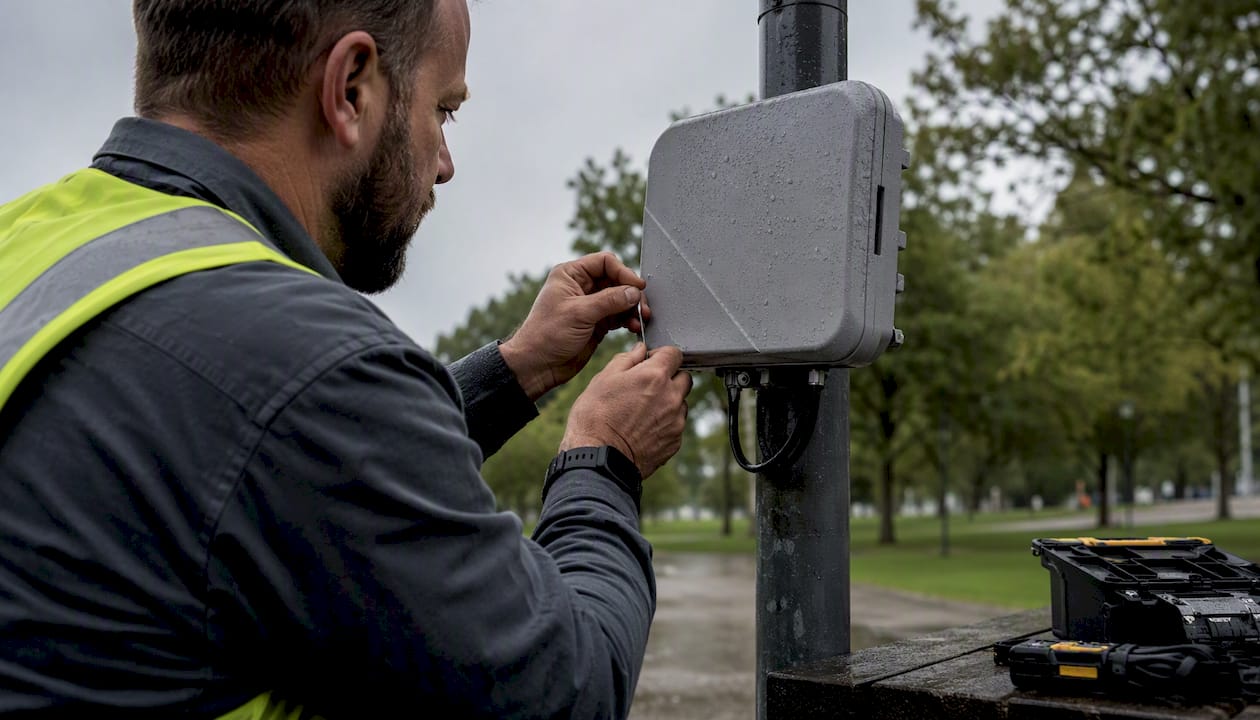
Services include: Ekahau-certified pre-deployment site surveys, enterprise AP installation (indoor and outdoor-rated), PoE switch specification and installation, VLAN and RADIUS configuration, firmware management, and monitoring and alerting under a signed maintenance SLA. Every quote is line-item transparent: hardware, licensing, cabling, labor, and survey costs broken out separately.
For properties also evaluating cost-saving wireless upgrades or bundled low-voltage system contracts, Lowvoltagecorp handles security cameras, motorized gates, and cell boosters under the same service agreement. Contact Lowvoltagecorp for a no-obligation Ekahau survey and a line-item quote before your next RFP goes out.
Useful sources and references
The claims and specifications in this guide draw from the following primary sources. Procurement teams should also request vendor-specific datasheets and Ekahau RF maps from every bidder as part of the RFP response.
| Source | What it covers |
|---|---|
| Auvik: Enterprise Wi-Fi Guide | Controller architecture, capacity, and central management requirements |
| Purple: Office Wi-Fi Setup Guide | Professional design rationale and mission-critical framing |
| Purple: Business vs. Consumer Wi-Fi | Enterprise hardware asset value and security gap analysis |
| Purple: MDU Multi-Tenant Architecture | VLAN segmentation, 802.1X, and tenant isolation for MDUs |
| WCC Tech Group: Commercial Wi-Fi Installation Cost | Ekahau survey ROI, Wi-Fi 6E recommendation, PoE budgeting |
| Wireless Solutions: Best Wi-Fi for Commercial Buildings | Enterprise switching and cabling impact on wireless performance |
| Ekahau: Wi-Fi Design Best Practices | Survey methodology, RF design, and deployment planning |
| Grandmetric: Enterprise Wi-Fi Security Design | 802.1X, RADIUS, and enterprise security architecture |
- Require Ekahau RF heat maps and a switch power-budget spreadsheet as mandatory RFP deliverables