Ethernet cabling is defined as a physical wired medium that transmits network data between devices using standardized twisted-pair copper cables and the IEEE 802.3 protocol. Property and facility managers who understand what is ethernet cabling gain a direct advantage when planning network upgrades, security camera installations, or access control systems. The most common categories you will encounter are Cat5e, Cat6, and Cat6a, each with distinct speed and distance ratings that affect your infrastructure decisions. Choosing the wrong category costs money twice: once during installation and again when you have to replace it.
What is ethernet cabling and how do the cable types differ?
Ethernet is a data transmission protocol, not just a cable. The cable is the physical medium that carries the signal. That distinction matters because facility managers who treat “Ethernet” and “cable category” as the same thing often spec the wrong product for their building.
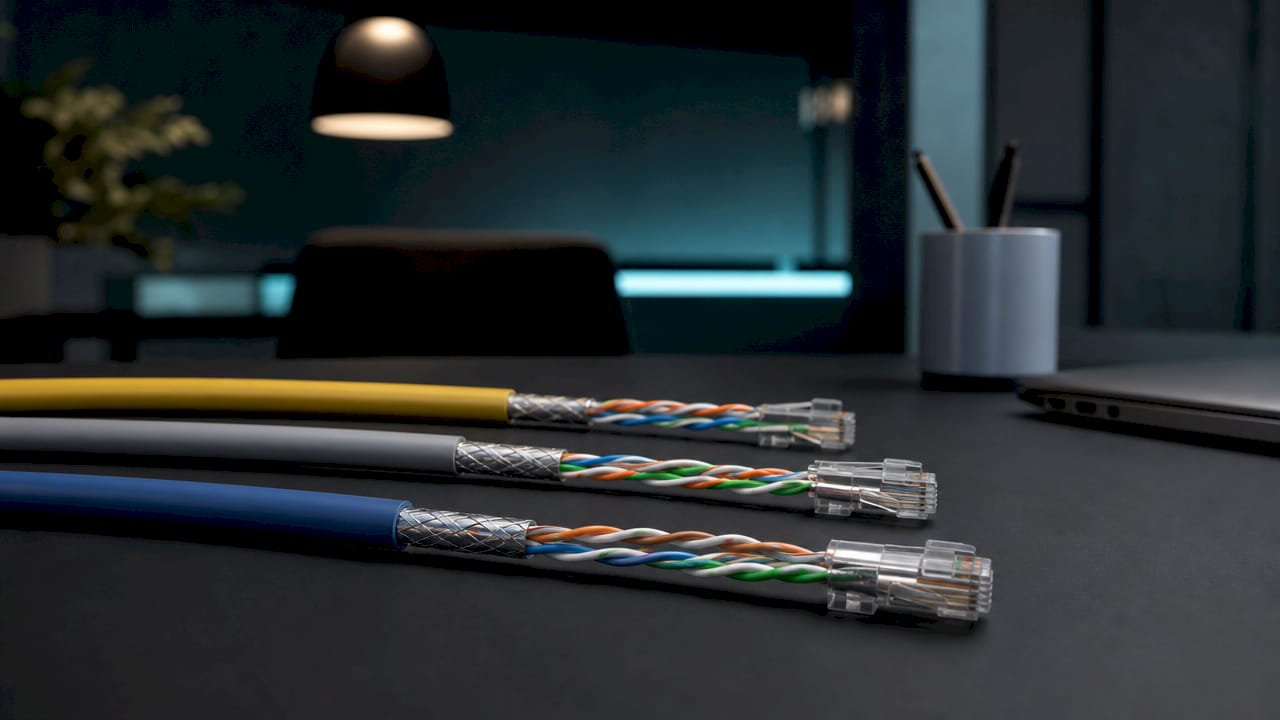
The three categories you will realistically use in commercial and multi-tenant buildings are Cat5e, Cat6, and Cat6a.
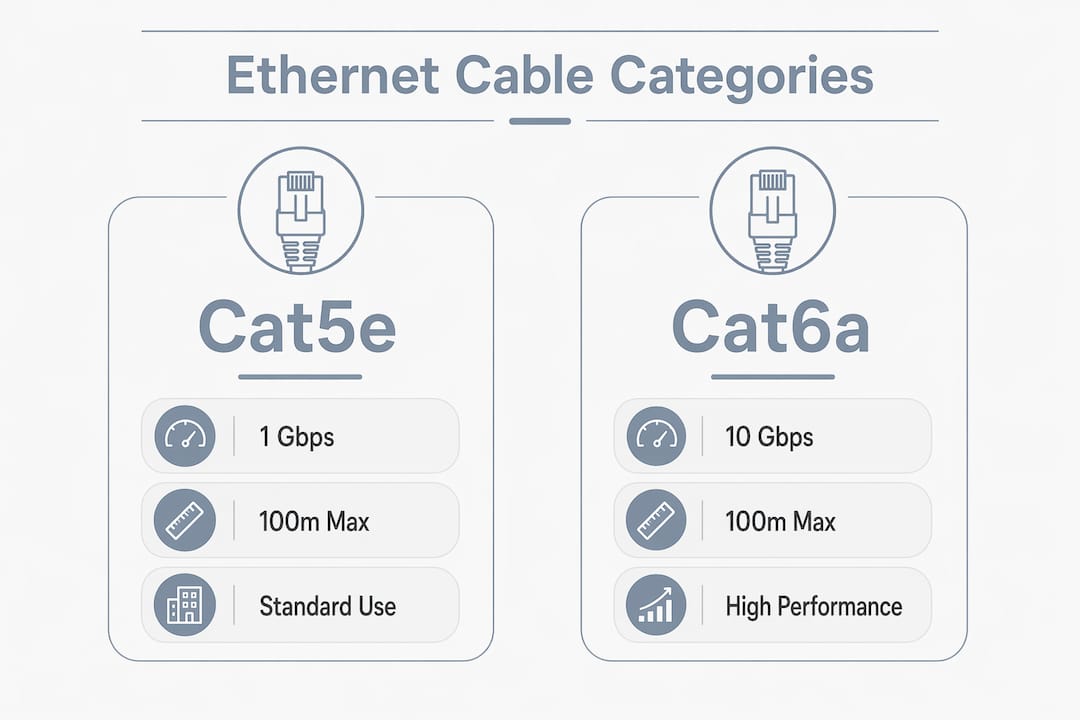
Cat5e supports speeds up to 1 Gbps at 100 meters. It works fine for standard office drops and low-demand tenant units, but it has no headroom for future speed upgrades.
Cat6 runs at 250 MHz bandwidth and handles 1 Gbps reliably across 100 meters. It also supports 10 Gbps up to 55 meters, which covers most in-room or short-run applications. Cat6 is the practical choice for most small to mid-size office retrofits today.
Cat6a runs at 500 MHz and maintains full 10 Gbps over 100 meters. That full-distance 10 Gbps capability makes Cat6a the right choice for new construction or any building where you expect to support Wi-Fi 7 access points, high-resolution security cameras, or dense tenant networks within the next decade.
| Category | Max Speed | Bandwidth | Max Distance at Top Speed | Best Use Case |
|---|---|---|---|---|
| Cat5e | 1 Gbps | 100 MHz | 100 m | Basic office drops, low-demand units |
| Cat6 | 10 Gbps | 250 MHz | 55 m (10G), 100 m (1G) | SMB offices, general tenant wiring |
| Cat6a | 10 Gbps | 500 MHz | 100 m | New builds, high-density environments |
| Cat7 | 10 Gbps | 600 MHz | 100 m | Not recommended for buildings |
| Cat8 | 25–40 Gbps | 2,000 MHz | 30 m | Data center only |
Two categories worth avoiding in building wiring are Cat7 and Cat8. Cat7 uses proprietary connectors incompatible with standard RJ45 jacks, which creates compatibility headaches across your entire patch panel and device ecosystem. Cat8 tops out at 30 meters, making it useless for standard building runs.
Shielding is the other variable. Unshielded twisted pair (UTP) works in most office environments. Shielded cables, labeled STP or FTP, protect against electromagnetic interference in environments near heavy machinery, elevator shafts, or industrial equipment. If your building has significant EMI sources, shielding is not optional.
Pro Tip: Selecting the highest category number does not mean better performance for your building. Match the cable to your actual environment and speed requirements.
How does ethernet cabling work physically?
Ethernet cables carry data through twisted pairs of copper wire. Each cable contains four pairs, and the twisting of each pair is what separates Ethernet from simple parallel wiring. The twist creates balanced differential signaling, where each wire in a pair carries an equal and opposite signal. Network equipment reads the difference between the two signals, which cancels out noise picked up along the run. That is why Ethernet handles interference far better than older coaxial or flat telephone cable.
The maximum standard run length is 100 meters, as defined by IEEE 802.3. Beyond that distance, signal degradation causes packet loss and speed drops. For buildings where runs exceed 100 meters, you need a network switch or access point at an intermediate point to regenerate the signal.
Key physical facts every facility manager should know:
- RJ45 connectors terminate each end of the cable. Proper termination to TIA-568A or TIA-568B wiring standards is required for the cable to perform at its rated speed.
- Star topology is the standard layout. Each device connects back to a central switch, not daisy-chained to other devices.
- Power over Ethernet (PoE) uses the same copper pairs to deliver electrical power alongside data. This powers security cameras, Wi-Fi access points, and door access readers without a separate power outlet at each device.
- Signal degradation begins before 100 meters if the cable is kinked, stapled too tightly, or terminated poorly.
Pro Tip: Always test every run with a cable certifier after installation. A cable that looks correct can still fail certification if the termination is even slightly off-spec.
What are the advantages of ethernet cabling for property and facility managers?
Wired Ethernet connections deliver consistent, measurable performance that wireless cannot match in high-density buildings. A Wi-Fi signal degrades with distance, wall penetration, and interference from neighboring networks. A properly installed Cat6a run delivers the same speed on day one as it does five years later.
The advantages that matter most to property and facility managers are:
- Reliability. Wired connections do not drop during peak usage hours or when a tenant adds more wireless devices. Security systems and access control panels need that consistency.
- Low latency. Ethernet latency is measured in fractions of a millisecond. That matters for IP security cameras, video intercoms, and real-time access control systems where delays create security gaps.
- PoE device support. A single Cat6 or Cat6a run powers and connects a security camera, a Wi-Fi access point, or a door reader. You eliminate the cost of running separate electrical circuits to each device.
- Future-proofing. Cat6a supports Wi-Fi 7 backhaul and 10 Gbps speeds, which means the cable you install today will not limit your network for the next 10 to 15 years.
- Easier troubleshooting. A wired network has a physical path you can test and trace. Diagnosing a wireless issue requires spectrum analysis tools and often involves variables outside your control.
For network wiring in property management, the return on a proper Cat6a installation shows up in reduced service calls, fewer tenant complaints, and a network that supports every device you add without redesigning the infrastructure.
What installation considerations should property and facility managers know?
Installation quality determines whether your cable performs at its rated specification or falls short. High-spec cable with poor termination fails performance targets. That is the single most important fact to carry into any cabling project.
Cable length and routing
Every run must stay within 100 meters from the network switch to the end device. That 100-meter limit includes patch cables at both ends, not just the in-wall run. A 90-meter wall run with a 6-meter patch cable at the switch and a 6-meter patch cable at the desk exceeds the limit. Plan your telecom room locations before you finalize floor plans.
Physical installation factors
Cat6a cables are thicker and less flexible than Cat6. That stiffness affects conduit fill calculations and increases labor time, especially in tight bends or crowded conduit runs. Budget for the added labor when specifying Cat6a in a retrofit project.
Shielded cable requires shielded RJ45 connectors and grounded equipment to work correctly. Installing shielded cable without proper grounding can actually make interference worse by turning the shield into an antenna.
Common mistakes to avoid
- Specifying Cat7 for building wiring because of the higher category number, then discovering the proprietary connectors are incompatible with standard patch panels.
- Running cables parallel to electrical conduit for long distances without separation, which introduces interference even in UTP installations.
- Skipping post-installation testing, which means problems only surface after tenants move in.
- Ignoring future upgrade paths by installing Cat5e in new construction where Cat6a costs only marginally more per foot.
Pro Tip: On new construction projects, the cost difference between Cat6 and Cat6a per foot is small. The labor cost to replace cable later is not. Spec Cat6a from the start.
Proper adherence to TIA-568 wiring standards also protects your warranty on the cable and the connected equipment. Installers who skip standards compliance often void manufacturer warranties without realizing it. For guidance on testing wired connections after installation, Lowvoltagecorp provides practical resources built specifically for property owners.
Key Takeaways
Ethernet cabling performance depends on matching the right cable category to your building’s speed requirements, run lengths, and environment, then installing and terminating it correctly.
| Point | Details |
|---|---|
| Cat6a is the standard for new builds | It supports 10 Gbps over 100 meters and handles Wi-Fi 7 backhaul without replacement. |
| Termination quality determines performance | High-grade cable with poor termination fails its rated speed targets. |
| PoE simplifies property systems | One cable run powers and connects cameras, access readers, and Wi-Fi access points. |
| Cat7 and Cat8 are wrong for buildings | Proprietary connectors and short run limits make both categories unsuitable for standard wiring. |
| Shielding requires proper grounding | Shielded cable without grounded connectors and equipment can amplify interference instead of blocking it. |
What I have learned from years of cabling installations
Property managers often ask me whether they should just install Cat6 to save money on a new build. My honest answer is almost always no. The per-foot cost difference between Cat6 and Cat6a is small enough that it disappears inside the total project budget. The cost to pull new cable through finished walls five years later is not small.
The other thing I see consistently is managers who specify shielded cable because they heard it was “better,” then skip the grounded connectors and grounded patch panels. Shielded cable without a proper ground path does not protect your signal. It creates a new problem.
My strongest recommendation for any property or facility manager is to run a network audit before you start any upgrade. Know what you have, where the runs are, and what devices you plan to add over the next five to seven years. That audit changes the conversation from “what cable should I buy” to “what infrastructure do I actually need.” Lowvoltagecorp approaches every installation with that audit-first mindset, and it consistently prevents expensive rework.
— Aaron
Professional ethernet cabling support for property managers
Property and facility managers who want reliable network infrastructure need more than the right cable. They need proper planning, correct installation, and post-installation testing that confirms every run performs at spec.

Lowvoltagecorp specializes in wired and wireless network installation, repair, and maintenance for commercial properties and multi-tenant buildings. From selecting the right cable category to terminating, testing, and documenting every run, the team handles the full project. Managers dealing with aging Cat5e infrastructure, PoE camera systems, or access control upgrades can find detailed service information and contact options at the wired network setup guide. For properties with existing low-voltage issues across gates, cameras, or networks, the low voltage repair guide covers fast-track solutions.
FAQ
What is ethernet cabling in simple terms?
Ethernet cabling is a system of twisted-pair copper cables that physically connects devices in a network and transmits data between them. The cable carries signals defined by the IEEE 802.3 Ethernet protocol.
What cable category should I use for a commercial building?
Cat6a is the recommended choice for new commercial installations because it supports 10 Gbps over 100 meters and provides headroom for future upgrades. Cat6 works for retrofits where 1 Gbps is sufficient.
How far can an ethernet cable run before signal loss?
The IEEE 802.3 standard sets 100 meters as the maximum run length for twisted-pair Ethernet. Runs beyond that distance require a switch or access point to regenerate the signal.
Can ethernet cables power devices like security cameras?
Yes. Power over Ethernet (PoE) delivers both data and electrical power over the same cable pairs. This eliminates the need for a separate power outlet at each camera, access reader, or Wi-Fi access point.
Is ethernet cabling better than Wi-Fi for property systems?
Wired Ethernet delivers lower latency, consistent speeds, and no interference from neighboring networks. For security cameras, access control, and critical building systems, a wired connection is more reliable than wireless.