Wireless networks are defined as communication systems that connect devices without physical cables, using radio frequency signals to transmit data across a facility. For property and facility managers, why wireless networks matter comes down to one fact: they are now the primary infrastructure layer that determines whether a building runs efficiently or falls behind. Wireless connectivity supports everything from security cameras and access control to tenant Wi-Fi and smart building controls. The Marconi Society classifies Wi-Fi as critical digital infrastructure, placing it alongside utilities like power and water in terms of operational necessity.
What benefits do wireless networks offer to property and facility managers?
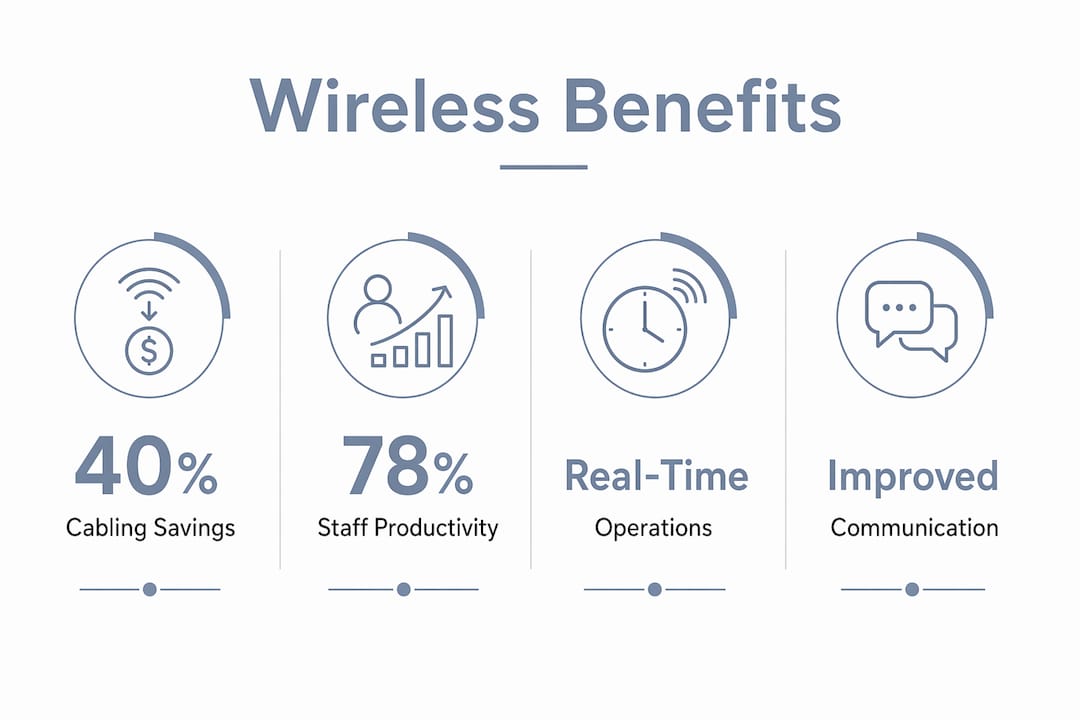
The benefits of wireless connectivity go well beyond convenience. Wireless networks reduce cabling expenses by up to 40% compared to fully wired installations. That cost reduction matters most during renovations or tenant buildouts, where running new cable through finished walls is expensive and disruptive.
Staff productivity is the second major gain. Wireless enables staff mobility so technicians, leasing agents, and maintenance crews can work from anywhere within the facility without returning to a desk. Response times drop, and collaboration between teams improves because everyone stays connected in real time.

The numbers from enterprise deployments confirm this. A Cisco survey of more than 6,000 professionals found that 78% of organizations reported operational efficiency gains after strategic wireless investments, and 75% reported improved employee productivity. Those figures translate directly to property operations: fewer delays, faster issue resolution, and lower labor costs per task.
Tenant satisfaction follows the same pattern. Reliable wireless access is now a baseline expectation in commercial and residential properties alike. Tenants who experience consistent connectivity renew leases at higher rates and generate fewer service complaints.
Key wireless benefits for property and facility managers:
- Cost reduction: Eliminating physical cabling cuts installation and renovation expenses significantly.
- Staff mobility: Teams move freely across the property without losing connectivity or access to work systems.
- Tenant experience: Reliable guest and tenant Wi-Fi reduces complaints and supports lease retention.
- Context-aware access: Identity-based access control lets you assign different network rights to staff, tenants, and visitors without manual configuration.
- AI automation: Wireless platforms with AI assistance reduce management overhead and free staff for higher-value tasks.
How do wireless networks impact operational efficiency in property management?
Wireless connectivity changes how a facility operates at the process level, not just the technology level. Real-time data flows from security cameras, HVAC sensors, and access control systems reach your management dashboard without delay. That visibility lets you catch problems before tenants notice them.
The most effective facilities use a hybrid wired and wireless approach. Wired connections handle mission-critical systems like servers, security camera recording equipment, and fire alarm panels. Wireless handles flexible zones: common areas, conference rooms, leasing offices, and tenant spaces. This split prevents network congestion and keeps critical systems stable even when wireless traffic spikes.
Practical use cases where wireless directly drives efficiency:
- Security camera integration: Wireless cameras can be installed in locations where running cable is impractical, expanding coverage without major construction.
- Smart building controls: Wireless sensors manage lighting, temperature, and energy use across zones, reducing utility costs automatically.
- Guest and tenant Wi-Fi: Separate wireless networks for visitors protect your operational systems while delivering a quality tenant experience.
- Mobile work orders: Maintenance staff receive, update, and close work orders from anywhere on the property using wireless-connected devices.
- Access control: Wireless door readers and gate systems integrate with identity management platforms, giving you real-time entry logs.
Pro Tip: Segment your wireless network into at least three separate SSIDs: one for operations and staff, one for tenants, and one for guests. This keeps sensitive facility data isolated from public traffic without requiring additional hardware.
Wireless also improves communication between on-site teams. A maintenance supervisor in the parking structure and a leasing agent in the lobby stay connected through the same network, reducing the phone tag and delays that slow down daily operations.
What are the challenges and how can facility managers ensure reliable wireless performance?
Poor wireless network design leads to coverage gaps, interference, and congestion, and these problems directly undermine the productivity gains you are trying to achieve. A single access point placed in the wrong location can leave entire floors or outdoor areas without usable signal. High-density environments like apartment lobbies, conference centers, and parking garages require careful channel allocation and access point placement to avoid interference.
Security is the second major challenge. Wireless networks expose your facility to unauthorized access and IoT device vulnerabilities. Unmanaged security risks can result in significant financial loss and data breaches. Every device connected to your network, from a wireless thermostat to a tenant’s laptop, represents a potential entry point if the network is not properly secured.
Common pitfalls to address before deployment:
- Coverage mapping: Survey the entire property before placing access points. Walls, elevators, and mechanical rooms all block signal.
- Channel planning: Overlapping channels between access points cause interference. Use a network design tool or hire a specialist to assign channels correctly.
- Network segmentation: Keep operational systems on a separate network from tenant and guest traffic.
- Firmware and patch management: Outdated firmware on access points and IoT devices is the most common entry point for attackers.
- Monitoring: Deploy a system that alerts you to unusual traffic patterns or unauthorized devices in real time.
Pro Tip: AI-driven network management tools can flag coverage gaps, detect unauthorized devices, and predict congestion before it affects tenants. Organizations using AI automation save over three hours per person daily on network management tasks. That time goes back to your team for higher-priority work.
The goal is not just to deploy wireless access points. The goal is to design a network that performs consistently under real-world conditions, including peak usage, physical obstructions, and security threats.
Why is wireless connectivity considered critical infrastructure today?
The Marconi Society’s expert panel concluded that Wi-Fi now carries the majority of end-user data traffic globally. That shift means wireless is no longer a supplementary layer. It is the primary connection method for most devices in a modern facility, and its failure has the same operational impact as a power outage.
“Wi-Fi has evolved from a convenience layer into foundational infrastructure essential for facility resilience and innovation. Treating it as anything less creates operational risk that compounds over time.”
Wide spectrum allocations, particularly the 6 GHz band, now improve throughput, reduce latency, and support the growing number of devices connecting to facility networks. A property built or upgraded with 6 GHz capable equipment handles more simultaneous connections without degradation. That capacity matters as smart building systems, tenant devices, and security equipment all compete for bandwidth.
The table below shows how wireless connectivity supports different facility functions and why each one depends on reliable network performance.
| Facility function | Wireless dependency | Impact of network failure |
|---|---|---|
| Security cameras | Live feed transmission | Blind spots, no recorded evidence |
| Access control | Real-time entry authorization | Doors fail open or locked |
| Tenant Wi-Fi | Continuous data access | Tenant complaints, lease risk |
| Smart HVAC and lighting | Sensor data and commands | Energy waste, comfort issues |
| Staff communication | Mobile device connectivity | Delayed response, coordination breakdown |
Wireless also supports public safety. Emergency responders increasingly rely on building wireless infrastructure for communication during incidents. A facility with strong wireless coverage gives first responders better situational awareness and faster coordination. That is a direct benefit to tenant safety that no amount of physical signage can replace.
Key Takeaways
Wireless networks are the operational backbone of modern properties, and the facilities that treat them as infrastructure rather than convenience consistently outperform those that do not.
| Point | Details |
|---|---|
| Cost and efficiency gains | Wireless cuts cabling costs by up to 40% and boosts staff efficiency by up to 30%. |
| Productivity at scale | 78% of organizations report efficiency gains after strategic wireless investment. |
| Hybrid networks win | Wired handles critical systems; wireless handles flexible and tenant-facing zones. |
| Security requires design | Coverage gaps, interference, and IoT vulnerabilities demand planned deployment, not ad hoc setup. |
| Wi-Fi is critical infrastructure | The Marconi Society classifies Wi-Fi alongside utilities, and its failure carries equivalent operational risk. |
What I have learned from wiring facilities the right way
Property managers often ask me whether wireless is “good enough” or whether they should stick with wired. That question misses the point entirely. The real question is whether your network is designed for the way your building actually operates.
The biggest mistake I see is treating wireless as a simple plug-and-play addition. Managers buy a few access points, scatter them across floors, and wonder why tenants still complain about dead zones. Wireless network design is a discipline. Channel allocation, access point placement, and load balancing all require deliberate planning. Skipping that work costs more in tenant complaints and staff downtime than the design work would have cost upfront.
The second mistake is ignoring the hybrid network approach. I have seen facilities run security cameras over wireless and then lose footage during a congestion event. Critical systems belong on wired connections. Wireless belongs where flexibility matters. That distinction protects your operations and your liability.
AI-driven management tools are worth the investment for any property above a certain size. The time savings are real, and the proactive alerts prevent the kind of slow-building problems that turn into tenant crises. Wireless networks managed reactively always underperform. Managed proactively, they become a genuine competitive advantage for your property.
— Aaron
Lowvoltagecorp wireless and security solutions for property managers
Reliable wireless infrastructure does not happen by accident. It requires proper design, professional installation, and ongoing support from people who understand how facilities actually operate.

Lowvoltagecorp specializes in wired and wireless network installation, repair, and maintenance for property and facility managers. The team also handles security camera systems that depend on your network to function correctly, along with motorized gates, cell boosters, and low voltage electrical work. Whether you are upgrading an existing property or wiring a new one, Lowvoltagecorp brings the technical depth to get it right the first time. Contact Lowvoltagecorp to discuss your facility’s network and security needs.
FAQ
Why do wireless networks matter for property management?
Wireless networks are the primary connectivity layer for staff mobility, tenant services, security cameras, and smart building controls. Without reliable wireless, daily operations slow down and tenant satisfaction drops.
What is the biggest risk of a poorly designed wireless network?
Coverage gaps and interference are the most common problems, and they directly reduce productivity and tenant experience. Security vulnerabilities from unmanaged IoT devices add financial and legal risk on top of that.
Should a facility use wired or wireless networking?
Neither is superior on its own. A hybrid network uses wired connections for critical systems and wireless for flexible, tenant-facing zones. That combination delivers the best performance and reliability.
How does AI improve wireless network management for facilities?
AI-driven tools monitor network performance in real time, flag anomalies, and predict congestion before it affects users. Organizations using AI automation save more than three hours per person daily on network management tasks.
What is the 6 GHz band and why does it matter for facilities?
The 6 GHz band is a spectrum allocation that delivers higher throughput and lower latency than older Wi-Fi bands. Facilities equipped with 6 GHz capable hardware handle more simultaneous device connections without performance loss.