Yes, surge protection is worth it for most homeowners. It stops instant, catastrophic damage from massive voltage spikes and it slows the quiet, cumulative wear that eventually kills electronics that “still work fine.” Surges and electrical noise cause roughly half of all electronic equipment failures, and most of that damage never shows up as a dramatic pop or a burned outlet.
Here’s what surge protection actually buys you:
- Device survival during the surge itself, not just afterward.
- Slower hidden degradation in appliances, HVAC boards, and networking gear.
- Lower fire risk from overheated wiring and failing components.
In 2024 alone, U.S. homeowners filed more than 50,000 surge-related insurance claims totaling over $1.04 billion, and a substantial share of those came from surges traveling through home wiring, not lightning strikes hitting the house directly.
Key Takeaways
Surge protection matters because it stops both instant device destruction and the slow, invisible degradation that shortens the life of everyday electronics.
| Point | Details |
|---|---|
| Surges cause real losses | U.S. homeowners filed over 50,000 surge-related claims totaling more than $1.04 billion in 2024. |
| Most surges start inside your home | HVAC cycling and appliance motors cause more damage than lightning strikes. |
| Layer your protection | Combine whole-house, panel-mounted, and point-of-use SPDs for full coverage. |
| Check the specs before buying | Confirm joule rating, clamping voltage, and UL 1449 listing every time. |
| Get expert help for critical systems | Lowvoltagecorp coordinates surge and UPS protection for security cameras and networked equipment across South Florida properties. |
Table of Contents
- What Is a Power Surge, and What Causes One?
- How Does Surge Protection Actually Work?
- Types of Surge Protection and Where Each One Fits
- How Do You Choose the Right Surge Protector?
- What Surge Protectors Can’t Do (And Myths to Drop)
- What Do Surge Protectors Cost, and When Do You Need a Pro?
- Protecting Security Cameras and Network Gear from Surges
- Frequently Asked Questions
- Sources
What Is a Power Surge, and What Causes One?
A power surge is a brief spike in voltage that exceeds what your home’s electrical system is built to carry. It can last a fraction of a second, but that’s long enough to fry a circuit board or shorten the life of a compressor motor.
Most homeowners picture lightning when they hear “surge,” but that’s actually the rare case. The Institution of Engineering and Technology’s consumer guidance treats surge exposure as a risk-based problem, not just a storm problem, and for good reason. Common culprits include:
- Indirect lightning strikes on nearby lines, not your roof.
- Utility grid switching, like when the power company reroutes load.
- HVAC compressors and other large motors cycling on and off.
- Major appliances (dryers, well pumps, garage door openers) kicking on.
- Backup generator transfer switches engaging or disengaging.
Internal surges from your own appliances happen far more often than external ones. That’s part of why whole-home protection matters even in areas with mild weather.
How Does Surge Protection Actually Work?
A surge protective device (SPD) monitors the voltage running through your wiring and diverts anything above a safe threshold to the ground wire before it reaches your electronics. It’s less “wall” and more “escape hatch.”
Inside most SPDs sits a component called a metal oxide varistor, or MOV. It stays passive during normal voltage and clamps down hard the instant voltage spikes, redirecting the excess. MOVs are sacrificial: they degrade a little every time they absorb a surge, and enough small hits over time can wear one out even without a single dramatic event. Response times are measured in nanoseconds, fast enough to react before sensitive circuitry gets fried.
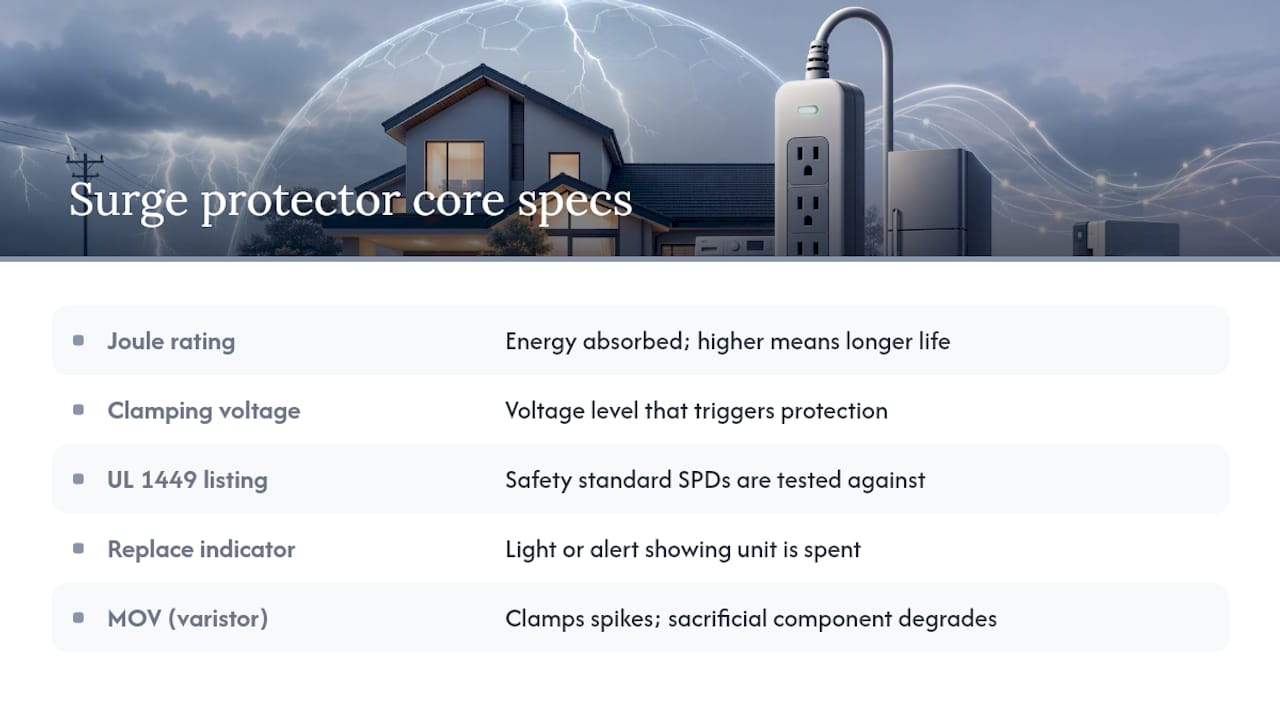
When you shop for one, you’ll run into a few core specs: joule rating (how much energy it can absorb over its life), clamping voltage (the voltage level that triggers protection), UL 1449 listing (the safety standard SPDs are tested against), and replace indicators (lights or alerts showing when the unit is spent).
Pro Tip: Keep the cable between your SPD and the device it’s protecting as short as possible. Longer cable runs add impedance, which can let more voltage through before the surge gets clamped.
Types of Surge Protection and Where Each One Fits
Not every surge protector does the same job, and mixing them up is one of the most common mistakes homeowners make.
- Whole-house / point-of-entry SPDs install where power enters the home and catch large surges before they spread through your wiring. This is your first line of defense.
- Panel-mounted (Type 2) SPDs sit inside or near your breaker panel and protect everything downstream, filling gaps a point-of-entry unit might miss.
- Point-of-use power strips and surge bars protect individual devices, like a TV or computer, and are the cheapest but most limited option.
- UPS units with surge suppression combine surge protection with battery backup, buying time for a graceful shutdown during an outage.
Whole-house units handle the biggest hits but can’t fine-tune protection for one sensitive gadget. Strips are precise but overwhelmed quickly and often lack repeat-event capacity. Layering them, entry-level plus panel plus point-of-use, is standard practice for a reason: each catches what the others miss.
One thing homeowners often skip: signal lines. Cable, phone, and coax lines carry surges too, and a power-only SPD won’t touch them. If you’ve got a modem, security system, or landline plugged into the wall, those lines need their own protection.
How Do You Choose the Right Surge Protector?
Start with one question: what are you actually protecting? A single home office setup needs something different than a whole property with security cameras, networking equipment, and major appliances all riding the same electrical service.
- Check the joule rating. Higher joules mean more absorption capacity before the unit wears out. Whole-house and panel units should carry substantially higher ratings than a strip protecting a lamp and a TV.
- Look at clamping voltage. Lower numbers mean the device reacts sooner, which is better for sensitive electronics like computers and AV equipment.
- Confirm UL 1449 listing. This is the baseline safety and performance standard for SPDs sold in the U.S., and skipping it means you’re gambling on an unverified product.
- Check response time and indicators. A unit with a visible or audible replace alert saves you from relying on a device that’s quietly stopped protecting anything.
- Read the connected equipment warranty. Reputable manufacturers back their SPDs with coverage for what’s plugged into them, which tells you how much they trust their own product.
Pro Tip: Before installing anything at the panel or service entrance, have a licensed electrician confirm your grounding and bonding are solid. An SPD with a weak ground path won’t perform anywhere near its rated capacity.
What Surge Protectors Can’t Do (And Myths to Drop)
Surge protection has limits, and pretending otherwise sets you up for disappointment.
- Myth: A power strip is the same as a surge protector. Fact: Many strips offer zero surge protection; check the label for a joule rating.
- Myth: Circuit breakers stop surges. Fact: Breakers respond to overcurrent, not the fast voltage spikes that damage electronics.
- Myth: An SPD guarantees safety from a direct lightning strike. Fact: A direct hit can overwhelm any residential SPD; dedicated lightning protection systems exist for that specific scenario.
Think of surge protection as one layer in a broader safety strategy, not a single fix for every electrical risk.
What Do Surge Protectors Cost, and When Do You Need a Pro?
Costs vary widely depending on scope. Point-of-use strips typically run $15 to $60. Panel-mounted SPDs installed at the breaker box generally land between $150 and $400 including labor. Whole-house, service-entrance units run higher, often $300 to $700 installed, and UPS units with surge suppression range from $100 for small desktop models to several hundred dollars for units capable of protecting networking racks.
An SPD’s lifespan depends on how many surge events it absorbs, not just its age. Check indicator lights periodically, and always inspect the unit after a major storm or utility work, since a silent failure means you’ve been unprotected without knowing it.
Call a licensed electrician when you’re dealing with panel-level installation, questionable grounding, multiple SPDs that need coordinating, or protection for critical systems like security cameras and network gear. A documented risk assessment beats guessing every time.
Protecting Security Cameras and Network Gear from Surges
Low-voltage systems, cameras, NVRs, and PoE-powered devices, are especially vulnerable because they sit on both a power line and a data line, doubling the paths a surge can travel. Surge protective devices remain the only equipment specifically designed to stop transient overvoltages before they reach that gear.
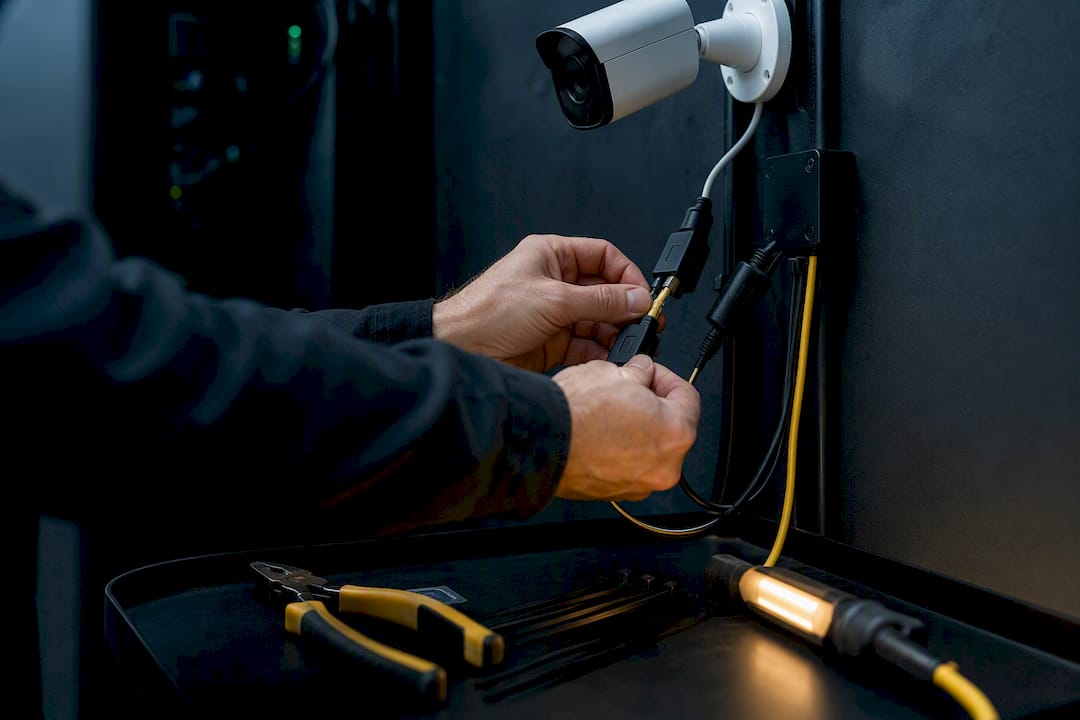
Place SPDs as close to the load as possible, protect power and data lines separately, and pair critical recording equipment with a UPS for graceful shutdown during outages. Multi-zone coordination and grounding audits are jobs for a specialist, not a weekend project.
Pro Tip: A mistake we see often: installers protect the power line to a camera but skip the Ethernet run entirely. A surge riding the data cable can take out a PoE switch just as easily as one riding the power line.
A homeowner’s practical priority list
Protect your most critical loads first, security systems, networking, major appliances, then expand coverage outward. After any major storm or utility switching event, check your SPD indicators and don’t assume silence means protection.
Get a Professional Surge Protection Assessment
There’s a real gap between a $20 power strip and a properly coordinated system protecting your cameras, network, and whole-home wiring. Lowvoltagecorp specializes in exactly that gap: installing and maintaining the low-voltage systems, security cameras, wired and wireless networks, that suffer the most when surge protection is an afterthought.

If you’re running security cameras or networked equipment anywhere in South Florida, a proper security camera wiring installation accounts for surge exposure from day one instead of bolting on protection after a failure. Pricing and scope depend on your property’s panel setup and equipment load, and any work at the service entrance or breaker panel should go through a licensed electrician. Reach out to schedule a system assessment and find out what your property actually needs.
Frequently Asked Questions
Do surge protectors actually prevent house fires?
They reduce the risk. By stopping transient overvoltage before it overheats wiring or components, SPDs address one of several fire risk factors in a home’s electrical system, though they aren’t a substitute for proper wiring and circuit maintenance.
How long does a surge protector last?
It depends on how many surge events it absorbs, not calendar age. A unit that takes a big hit during a storm can be spent immediately, while one in a quiet electrical environment might last years. Check the replace indicator regularly.
Can I install a whole-house SPD myself?
No. Whole-house and panel-mounted units connect directly to your service panel or breaker box, and that work should go through a licensed electrician who can also verify your grounding and bonding.
Do I need surge protection if I already have a UPS?
Usually yes. A UPS protects against outages and provides limited surge suppression, but a dedicated SPD offers stronger, more consistent surge handling for the rest of your home’s circuits.
Is a power strip enough for a home office?
Only if it’s rated as a true surge protector with a listed joule rating, not just a basic strip with extra outlets. Check the packaging for a UL 1449 listing before assuming it offers any protection at all.
Sources
- Guidelines for Providing Surge Protection
- Surge Protective Devices (SPD) – Protect home & electronics from power surges (IET)
- Benefits of surge protective devices (ESFI)