Structured cabling is a standardized, modular approach to building network infrastructure — one organized system of cables, hardware, and cross-connects that supports data, voice, video, security, and wireless across an entire building or campus. Unlike ad hoc wiring that connects one device directly to another, a structured cabling system uses a defined hierarchy so any port, panel, or pathway can be traced, tested, and changed without touching the rest of the network.
Three reasons it matters immediately:
- Scalability. Adding a workstation, access point, or camera means patching a port, not pulling new cable across the building.
- Interoperability. Standards like ANSI/TIA-568 mean components from different manufacturers work together, which prevents vendor lock-in and keeps future upgrades open.
- Simplified troubleshooting. Every run is labeled, documented, and tested, so faults are isolated in minutes rather than hours of tracing mystery wire.
Table of Contents
- What does structured cabling look like in practice?
- What are the six subsystems of a structured cabling system?
- What cables and hardware will you encounter?
- Which U.S. standards shape structured cabling design?
- How do you plan and design a structured cabling project?
- What happens during installation and acceptance testing?
- How does scale change things? Small office vs. campus deployment
- How do you maintain a cabling plant and when should you upgrade?
- When should you hire a professional installer?
- What installers know that the spec sheet doesn’t say
- Key Takeaways
- The part most guides skip
- Lowvoltagecorp brings structured cabling expertise to South Florida properties
- Useful sources for further reading
What does structured cabling look like in practice?
Walk into a well-built commercial network closet and you will see patch panels mounted in a rack, cables bundled and routed through cable managers, and every port labeled with a number that matches a floor plan. That is the visible result of structured cabling. Behind the panel, horizontal runs of copper cable fan out to wall jacks at every desk, conference room, and access point location. Above the ceiling, those cables travel through conduit or cable tray back to the closet. Connecting closets on different floors, or buildings across a campus, is a backbone of fiber or high-count copper that ties the whole plant together.
Point-to-point wiring looks nothing like that. A device gets a cable run directly to a switch or router, usually without a patch panel in between, and often without labels or test documentation. It works for a single device on day one. By year three, after moves, adds, and changes, the closet is a tangle of unlabeled cables, and no one is sure which one to pull without risking an outage.
The practical benefits of a standards-based approach are real: moves and changes happen at the patch panel rather than in the ceiling, upgrades to faster equipment do not require re-cabling the whole floor, and multiple manufacturers’ components stay compatible. The risks of skipping structured cabling are just as concrete. Poor design leaves no room for growth. Bad labeling turns a 15-minute troubleshooting call into a half-day project. Incomplete testing means hidden faults that surface at the worst possible moment, usually when a tenant moves in or a critical system goes down.
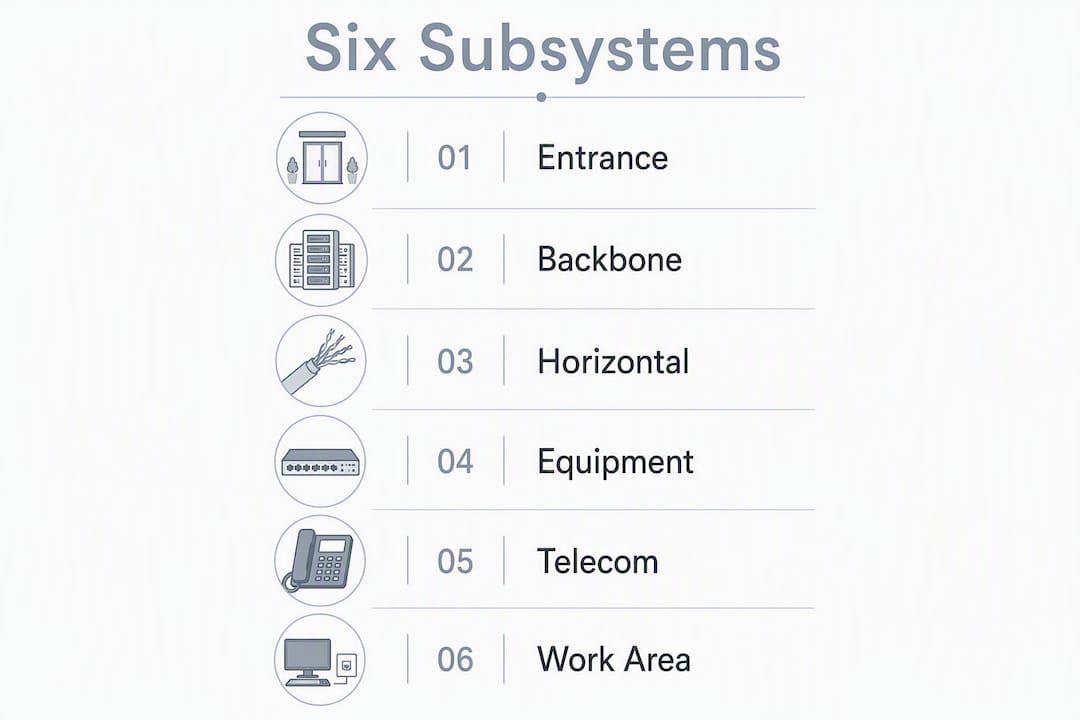
What are the six subsystems of a structured cabling system?
A complete structured cabling system is organized into six distinct subsystems. Each one has a defined role, a physical location, and specific equipment. Together they form the hierarchy that makes the whole plant manageable.
- Entrance Facilities (EF). The point where the service provider’s network meets the building. This is where the demarc lives — the physical handoff between the carrier and the building owner’s infrastructure. Protectors, grounding hardware, and the first cross-connect typically sit here.
- Equipment Rooms (ER). Centralized spaces that house major network equipment: core switches, servers, PBX hardware, and the backbone cross-connects that tie the building together. Equipment rooms serve the whole building or a major section of it.
- Backbone Cabling. The cabling that connects entrance facilities, equipment rooms, and telecommunications rooms to each other. Backbone runs handle the heaviest traffic — floor-to-floor and building-to-building — and fiber is the standard choice for those longer, higher-capacity links.
- Telecommunications Rooms (TR). Floor-level or zone-level closets that house the horizontal cross-connects, patch panels, and active equipment serving the work areas on that floor. Most buildings have at least one per floor.
- Horizontal Cabling. The runs from the telecommunications room out to each work area outlet. This is the largest volume of cable in any installation — typically copper twisted pair — and it follows a star topology from the TR to each jack.
- Work Area (WA). Everything from the wall jack to the device: the outlet, patch cord, and the equipment it connects. Work area components are the most frequently changed part of the system.
| Subsystem | Typical Location | Common Equipment |
|---|---|---|
| Entrance Facilities | Building entry point, basement, or utility room | Demarc hardware, protectors, grounding, carrier terminations |
| Equipment Room | Dedicated room, central to building | Core switches, servers, backbone cross-connects, UPS |
| Backbone Cabling | Risers, conduit between floors/buildings | Fiber cable, high-count copper, splice enclosures |
| Telecommunications Room | Per-floor or per-zone closet | Patch panels, horizontal cross-connects, floor switches |
| Horizontal Cabling | Above ceiling, in conduit to wall outlets | Copper twisted pair (Cat6/Cat6A), conduit, cable tray |
| Work Area | Desk, conference room, AP location | Wall jacks, faceplates, patch cords, end devices |
What cables and hardware will you encounter?
Copper twisted pair and optical fiber are the two cable families in any structured cabling installation, and they serve different parts of the system.
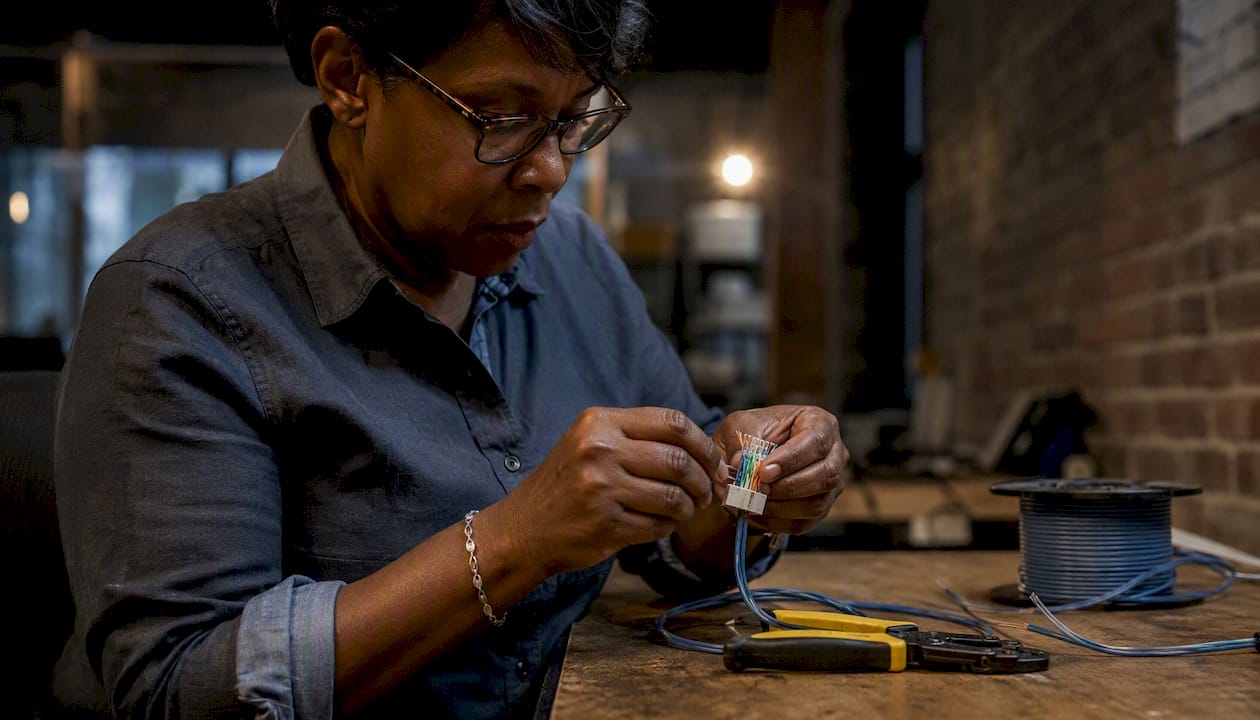
Copper twisted pair categories
Category grading tells you the performance tier. Cat5e handles Gigabit Ethernet and remains common in older installations, but it is rarely specified for new work. Cat6 supports 10 Gigabit Ethernet at shorter distances and is the current baseline for most commercial projects. Cat6A — the augmented version — supports 10 Gigabit at the full 100-meter horizontal run length and is the right choice for high-density wireless access points, PoE+ devices, and any run where you want headroom for the next equipment refresh. For a deeper look at Ethernet category comparisons, the differences in shielding and bend radius matter as much as the speed rating on the box.
Fiber types and where they go
Multimode fiber (OM3, OM4, OM5) is the standard for backbone runs within a building — shorter distances, lower cost transceivers, and enough bandwidth for most enterprise applications. Singlemode fiber (OS2) is the choice for campus runs between buildings, longer distances, and any link where you want maximum future bandwidth without re-pulling cable. Modern structured cabling designs increasingly specify singlemode even for intra-building backbones to accommodate Wi-Fi 6/7 uplinks and IoT growth without a future fiber replacement.
Hardware checklist
Connectors and termination quality affect signal integrity as much as the cable itself. When reviewing a proposal or inspecting an installation, expect to see:
- Patch panels (copper and/or fiber) mounted in a rack or wall enclosure
- Keystone jacks at every work area outlet, properly rated for the cable category
- Cable management (horizontal and vertical) to keep patch cords organized and bend radii maintained
- Racks or cabinets with adequate depth and airflow for active equipment
- Conduit, cable tray, or J-hooks as the pathway system through walls and ceilings
- Fiber splice enclosures or pre-terminated cassettes at backbone termination points
- Labeled faceplates and patch panel ports that match the documentation
Pro Tip: Insist that patch panels and jacks carry the same category rating as the cable. Mixing a Cat6A cable with a Cat6 jack drops the whole channel to Cat6 performance — a common and avoidable mistake.
For a full breakdown of cable types and their use cases, the differences in shielding, connector types, and bend radius tolerances are worth understanding before you review bids.
Which U.S. standards shape structured cabling design?
Standards are what make structured cabling “structured.” Without them, you have organized wiring. With them, you have a system that any qualified installer can build, any certifier can test, and any future contractor can extend.
The key standards in the U.S.:
- ANSI/TIA-568 (the 568 family): The primary voluntary standard for commercial building telecommunications cabling. It covers general requirements, copper cabling specifications, and optical fiber cabling specifications. This is the standard your installer should reference for channel performance limits, cable categories, and connector requirements.
- TIA-569: Covers pathways and spaces — the physical routes (conduit, cable tray, telecommunications rooms) that the cabling runs through. It sets minimum room sizes, bend radius requirements, and pathway fill ratios.
- TIA-606: The administration standard. It defines how to label, document, and record the cabling plant — port IDs, link records, and as-built drawings. A system installed to TIA-568 but documented to TIA-606 is a system someone else can actually manage.
- ISO/IEC 11801: The international equivalent of TIA-568, used outside the U.S. and sometimes referenced in multinational projects. The performance classes largely align with TIA categories.
One distinction that matters: TIA standards are voluntary interoperability standards, not law. They define what a compliant system looks like and what it must perform. The National Electrical Code (NEC) and local fire codes are mandatory — they govern how cables are rated for plenum or riser spaces, how pathways penetrate fire-rated assemblies, and how low-voltage wiring is installed relative to power. When your project involves penetrating fire-rated walls, running cable in plenum air spaces, or coordinating with electrical conduit, you need a licensed electrician and a conversation with the local authority having jurisdiction (AHJ), not just a TIA reference.
TIA guidance is sufficient for specifying performance, labeling, and testing requirements in your contract. Code compliance is a separate, mandatory layer that your installer must address regardless of which TIA standard they follow.
How do you plan and design a structured cabling project?
Good cabling design starts with a few principles that hold at any scale: keep the backbone and horizontal subsystems separate, plan for more capacity than you need today, and document everything before the first cable goes in.
Core design principles
Modularity is the goal. Each subsystem should be independently manageable — you can reconfigure the horizontal without touching the backbone, and you can upgrade the backbone without re-terminating every work area outlet. That separation is what makes structured cabling worth the upfront investment.
Labeling and documentation are not afterthoughts. Every port, panel, and pathway gets a unique identifier before the project closes. TIA-606 defines the format; your contract should require it. A cabling plant with no documentation is worth less than one with mediocre cable and complete records, because at least the documented one can be managed.

Spare capacity is cheap at installation time and expensive to add later. Plan for more outlets than you need today, pull extra conduit while walls are open, and leave slack in the backbone fiber count to allow for future expansion.
Planning questions to ask before design begins
- How many work area outlets does the space need today, and what is the realistic growth over five years?
- Where will telecommunications rooms be located, and are they within the 90-meter horizontal cable limit from the farthest outlet?
- What active equipment (switches, wireless controllers, cameras, access control) will terminate in each TR, and does the room have adequate power, cooling, and rack space?
- What backbone capacity connects each TR to the equipment room, and is fiber the right medium for those runs?
- Are there existing pathways (conduit, cable tray) that can be reused, or does pathway work need to be scoped separately?
- What other systems — AV, security cameras, access control, cell boosters — share the same pathways or termination spaces?
Pro Tip: Pull your conduit one size larger than the current design requires. The cost difference at installation is small; the cost of adding conduit after walls are closed is not.
For residential or mixed-use projects, coordinating cabling with the broader renovation workflow early prevents the most common delays. A residential project workflow guide can help homeowners and property managers sequence trades so the low-voltage rough-in happens before drywall, not after.
Pre-installation checklist
- Obtain current floor plans with room dimensions and ceiling heights marked.
- Confirm the demarc location and service provider termination point.
- Identify all telecommunications room locations and verify power and cooling availability.
- Coordinate pathway routing with the general contractor, electrician, and any AV or security subcontractors.
- Confirm cable ratings required for each space (plenum, riser, or general-purpose).
- Define labeling conventions and documentation format before installation begins.
- Specify acceptance testing requirements in the contract, including who performs tests and what reports are delivered.
What happens during installation and acceptance testing?
Installation follows a logical sequence, and understanding it helps you manage the project and evaluate the deliverables.
Pathway work comes first: conduit is run, cable tray is hung, and J-hooks are placed before a single cable is pulled. Then cable pulling begins, working from the telecommunications room outward to each work area location. Cables are pulled with enough slack at both ends for proper termination, bundled and supported at regular intervals, and never bent tighter than the manufacturer’s minimum bend radius.
Termination follows: cables are dressed into patch panels at the TR end and terminated into keystone jacks at the work area end. Rack and cabinet work happens in parallel — panels are mounted, cable management is installed, and active equipment is positioned. Labeling is applied at every termination point before testing begins.
Acceptance tests you should expect
| Test | Purpose | Typical Tool |
|---|---|---|
| Wiremap | Verifies correct pin-to-pin continuity and no crossed, split, or shorted pairs | Copper cable certifier |
| Length | Confirms horizontal runs are within the 90-meter permanent link limit | Copper cable certifier |
| Insertion loss / attenuation | Measures signal loss across the channel | Copper cable certifier |
| NEXT (Near-End Crosstalk) | Checks interference between pairs at the near end | Copper cable certifier |
| Return loss | Measures signal reflected back toward the source | Copper cable certifier |
| OTDR trace | Maps fiber link length, splice points, and reflections | Optical Time Domain Reflectometer |
| Optical loss (OLTS) | Measures end-to-end fiber insertion loss | Optical Loss Test Set |
Acceptance test reports for copper and fiber are standard deliverables. A complete handover package includes printed or digital certifier results for every copper link, OTDR traces and loss measurements for every fiber strand, cable labels that match the test records, and as-built drawings showing outlet locations, panel assignments, and pathway routes. If an installer cannot produce all of that, the project is not complete.
Pro Tip: Specify in your contract that test reports must be in the certifier’s native format (not a summary spreadsheet) and that every link must pass — not “most links.” A single failing link is a defect, not an acceptable variance.
How does scale change things? Small office vs. campus deployment
The six subsystems exist in every installation. What changes with scale is how many of each you have and how complex the backbone becomes.
Small office scenario
A small office typically has one telecommunications room, no backbone cabling to speak of (the equipment room and TR are the same space), and horizontal copper runs to every outlet. The demarc is usually a small wall-mounted enclosure near the entry. Testing takes a few hours; documentation fits in a single spreadsheet and a one-page floor plan.
Campus or large office scenario
A multi-floor office building or campus deployment has an equipment room at the core, telecommunications rooms on each floor or in each wing, and a fiber backbone connecting them all. Backbone cabling carries the inter-floor and inter-building traffic, and redundant fiber paths are common for critical links. The horizontal layer on each floor mirrors the small office model but is multiplied across dozens of TRs. Documentation becomes a database, not a spreadsheet. Testing takes days, not hours, and the acceptance package runs to hundreds of test records.
What changes with scale:
- More telecommunications rooms, each requiring its own power, cooling, and rack infrastructure
- Fiber backbone with redundant paths between TRs and the equipment room
- Higher documentation burden (TIA-606 administration becomes critical at this scale)
- Longer project timelines and more coordination with other trades
- Greater importance of phased testing and milestone sign-offs during construction
How do you maintain a cabling plant and when should you upgrade?
A structured cabling plant is not install-and-forget. Routine maintenance keeps it performing and extends its useful life.
The most common maintenance tasks are also the most overlooked: verifying that patch cord connections are seated properly, cleaning fiber connectors before every insertion, confirming that labels have not been removed or overwritten during moves, and updating documentation when ports are reassigned. A cabling plant where the physical connections no longer match the records is a troubleshooting liability waiting to happen.
Copper cabling in a well-maintained installation has a long service life — the cable itself rarely fails. What drives upgrades is bandwidth demand. When the active equipment moves from Gigabit to 10 Gigabit, Cat5e installations hit their limit. When wireless access points move to Wi-Fi 6 or Wi-Fi 6E, the backhaul cable needs to support the full throughput those radios can generate, which often means Cat6A. The cable category becomes the bottleneck before the cable physically wears out.
Fiber backbone upgrades are less common because fiber installed today — especially singlemode — has effectively unlimited bandwidth headroom. The transceivers and active equipment change; the fiber stays. That is one reason specifying singlemode fiber for backbone runs, even when multimode would technically work today, is a sound long-term decision.
Upgrade triggers to watch for: a planned equipment refresh to higher-speed switching, a building renovation that opens walls and ceilings, a significant increase in device density (new camera systems, access control, high-density wireless), or a manufacturer’s end-of-life announcement for the cable category in use. Manufacturer warranties on structured cabling systems typically run 15–25 years when installed and tested to standard, but those warranties require documentation of the original installation and test records — another reason to insist on complete acceptance deliverables at project close.
When should you hire a professional installer?
Any installation that involves more than a handful of runs, penetrates fire-rated assemblies, or needs to meet a warranty or compliance standard requires a qualified low-voltage contractor. The questions you ask during the bid process determine whether you get a system that performs or one that looks finished but fails under load.
Questions to ask prospective installers
- Which TIA standards does your installation comply with, and will you provide test results to those limits?
- What certifier equipment do you use for copper testing, and what OTDR do you use for fiber?
- What does your acceptance package include? (Ask specifically for certifier printouts, OTDR traces, labeled as-built drawings, and a port schedule.)
- Can you provide references from comparable projects — similar building type, similar outlet count?
- Are your technicians certified (BICSI RCDD, BICSI Technician, or manufacturer-certified)?
- What is your warranty on labor and materials, and what does it cover?
- Do you carry general liability and workers’ compensation insurance?
Red flags that should give you pause
- No mention of acceptance testing, or testing described as “we’ll check it works” rather than certifier-based pass/fail results
- Vague deliverables (“we’ll give you a report”) with no specifics on format or content
- Pricing that excludes documentation or testing as line items
- Inability to name the TIA standard their installation follows
- No references from comparable projects
Pro Tip: Ask to see a sample acceptance package from a previous project before you sign. An installer who produces clean, complete test reports on past jobs will produce them on yours. One who cannot show you an example probably does not generate them.
Cost drivers in structured cabling are straightforward: outlet density (more ports means more cable, more terminations, more test records), pathway complexity (new conduit in finished spaces costs more than open construction), fiber backbone count and type, and the documentation and testing scope. A bid that is significantly lower than others is usually lower because it excludes testing, documentation, or pathway work — not because the installer is more efficient.
For network cabling considerations specific to South Florida properties, humidity, conduit fill in outdoor pathways, and coordination with hurricane-rated construction details add project-specific factors worth discussing with your installer before design begins.
What installers know that the spec sheet doesn’t say
The gap between a technically compliant installation and one that actually performs well over time comes down to a handful of practices that experienced installers do without being asked — and that less experienced ones skip.
Poor labeling is the most common problem in existing installations. Labels applied with a hand-written marker fade, peel, or get covered during subsequent work. Printed labels that match the documentation system and are applied to both ends of every cable are the baseline. Anything less creates a management problem within two years.
Inadequate slack at termination points is the second most common issue. A cable pulled too tight to reach the patch panel without strain will fail mechanically before it fails electrically. Installers should leave enough slack at both ends for a clean dress into the panel and at least one re-termination if a connector fails.
Insufficient conduit fill margin is the third. A conduit filled to capacity on day one cannot accept additional cables when the next project adds outlets or a new system. The TIA-569 fill ratios exist for a reason; installers who exceed them are borrowing against future flexibility.
Best practices from the field:
- Document every cross-connect at the time of installation, not after the project closes.
- Include spare capacity in every patch panel and fiber cassette — at least 20% unused ports.
- Schedule acceptance testing with a neutral third party when the project is large enough to warrant it, or at minimum require the installer to test every link, not a sample.
Pro Tip: Request that the installer photograph each rack and panel before active equipment is installed. Those photos become the baseline record for every future change, and they cost nothing to take.
Key Takeaways
A structured cabling system built to TIA-568 standards, tested to acceptance, and documented to TIA-606 is the only cabling infrastructure that can be reliably managed, upgraded, and handed off to a new contractor without starting over.
| Point | Details |
|---|---|
| Six subsystems define the system | Every installation has Entrance Facilities, Equipment Room, Backbone, Telecom Rooms, Horizontal Cabling, and Work Area. |
| Standards prevent lock-in | ANSI/TIA-568 compliance means components from any manufacturer work together and upgrades stay open. |
| Testing is non-negotiable | Insist on certifier-based pass/fail results for every copper link and OTDR traces for every fiber strand. |
| Documentation outlasts the hardware | As-built drawings, port schedules, and test records are what make a cabling plant manageable for its full lifecycle. |
| Lowvoltagecorp handles the full scope | For South Florida properties, Lowvoltagecorp delivers standards-driven installation, acceptance testing, and complete documentation from site survey through handover. |
The part most guides skip
The conventional wisdom on structured cabling focuses on the technical spec: get Cat6A, follow TIA-568, test everything. That is all correct. What gets less attention is the documentation gap — the difference between a system that was installed correctly and one that can be proven to have been installed correctly, years later, by someone who was not there.
Property managers change. Contractors change. The person who accepted the original installation may be gone by the time the first major upgrade is needed. Without complete test records, labeled as-builts, and a port schedule that matches the physical plant, the next contractor starts from scratch. That is not a cabling problem; it is a documentation problem that the original project created.
The practical priority is this: treat the acceptance package as the deliverable, not the cable. The cable is in the wall. The documentation is what you own and what protects your investment. Insist on it with the same specificity you apply to the cable category or the fiber type. An installer who resists producing complete records is telling you something important about how they work.
Lowvoltagecorp brings structured cabling expertise to South Florida properties
Property managers who just worked through this guide know what a properly installed, tested, and documented structured cabling system looks like. Lowvoltagecorp delivers exactly that for commercial and residential properties across South Florida — from the initial site survey and pathway design through standards-compliant installation, certifier-based acceptance testing, and a complete handover package that includes labeled as-built drawings, test reports, and a port schedule.

Every project covers the full scope: copper and fiber termination, rack and cabinet work, labeling to TIA-606, and coordination with security cameras, access control, and wireless systems that share the same infrastructure. If your property needs a wired network installation or a full structured cabling build-out, contact Lowvoltagecorp to schedule a site survey. The team serves commercial and residential properties throughout South Florida and delivers the documentation that protects your investment long after the installation crew leaves.
Useful sources for further reading
The standards and references below are the authoritative starting points for anyone specifying, evaluating, or managing a structured cabling project.
- Fiber Optic Association — Uncle Ted’s Guide to Communications Cabling: A practitioner-level reference covering fiber and copper cabling, standards, testing, and installation practices. One of the most thorough free resources available.
- TechTarget — What are the 6 components of structured cabling?: A concise reference for the six-subsystem model used by network teams and standards bodies.
- EC&M — The Basics of Structured Cabling: Covers demarc, pathways, cross-connects, and connector quality from an electrical contractor’s perspective.
- Wikipedia — Structured Cabling: A solid overview of the system definition, subsystems, and standards landscape for readers building foundational knowledge.