Power over Ethernet (PoE) is a technology that delivers both electrical power and network data over a single standard Ethernet cable, eliminating the need for separate power supplies at each device location. IEEE standards 802.3af, 802.3at, and 802.3bt define the three main tiers of PoE, covering power outputs from 15.4W up to 90W per port. For IT professionals managing IP cameras, Wi-Fi access points, VoIP phones, and IoT sensors, understanding PoE is the difference between a clean, scalable deployment and a costly rework. This article covers the technical mechanics, standards, deployment hardware, and real-world limitations you need to make informed decisions.
How does Power over Ethernet work?
PoE works by using the twisted-pair copper conductors inside a standard Cat5e, Cat6, or Cat6A Ethernet cable to carry DC power alongside network data simultaneously. Two delivery methods exist under the IEEE specification. Alternative A sends power over the same wire pairs used for data transmission, using a technique called phantom power. Alternative B uses the spare wire pairs in the cable that carry no data traffic, dedicating them entirely to power delivery.
Before any power flows, the Power Sourcing Equipment (PSE), which is the switch or injector, runs a safety detection handshake by applying a low test voltage below 10V to check resistance at the Powered Device (PD). If the PD presents the correct IEEE-specified signature resistance, the PSE proceeds to a classification stage, where it determines how much power the device needs. Only after both checks pass does the PSE ramp up to full operating voltage, typically in the 44V to 57V DC range. This process protects non-PoE devices from accidental power injection.

The detection and classification handshake
The classification stage assigns the PD to one of several power classes, from Class 0 (default, up to 15.4W) through Class 8 (up to 90W under 802.3bt). This negotiation happens at startup and can repeat dynamically under some implementations. The PSE allocates port power based on the negotiated class, not on what the device actually draws in real time. That distinction matters when you are calculating total switch power budgets.
- PSE applies test voltage below 10V to the cable.
- PD responds with a valid IEEE signature resistance (typically 25k ohms).
- PSE reads the PD’s power class via current draw during classification.
- PSE enables full voltage and begins delivering power.
- PSE monitors the port continuously and cuts power if the PD disconnects.
Pro Tip: Never assume a device is IEEE-compliant just because it has an RJ45 port. Always verify the PD’s PoE class in its datasheet before connecting it to a managed PoE switch.
What are the main IEEE PoE standards?
Three IEEE standards define the PoE ecosystem, and knowing which one your infrastructure supports determines which devices you can power reliably.
IEEE 802.3af is the original PoE standard, delivering up to 15.4W at the PSE port, with roughly 12.95W available at the PD after cable losses. This covers IP cameras with fixed lenses, basic VoIP phones, and low-power wireless access points. Most legacy PoE infrastructure runs at this level.
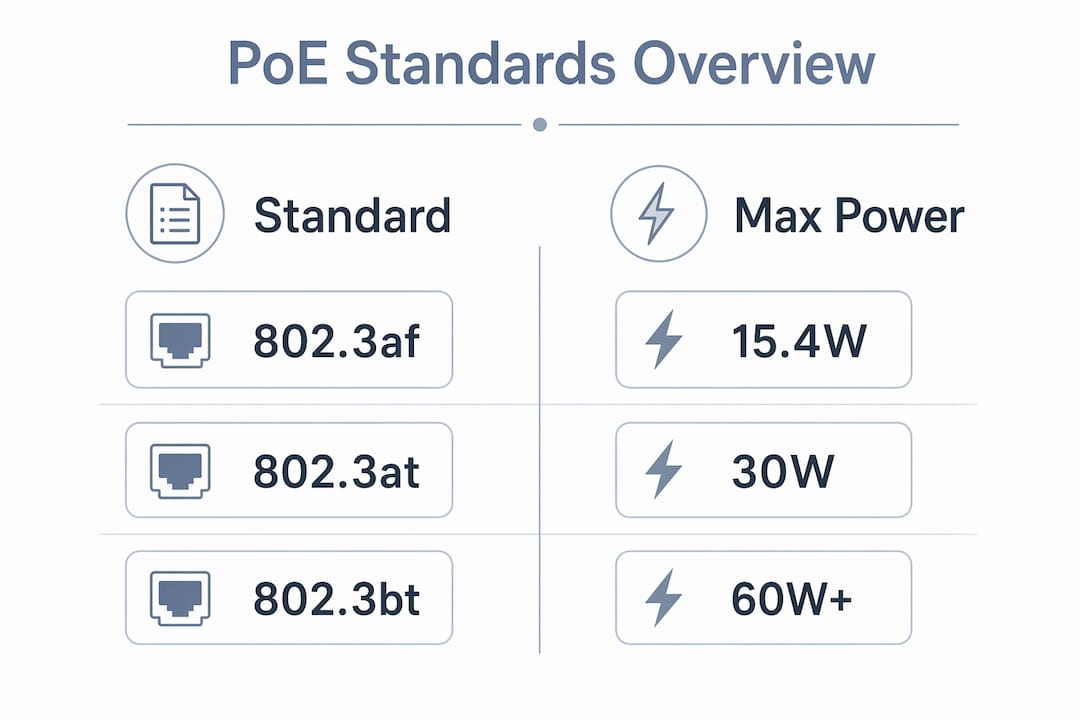
IEEE 802.3at, commonly called PoE+, doubles the output to 30W at the PSE port and approximately 25.5W at the PD. This standard supports dual-band Wi-Fi 5 access points, PTZ cameras, and video conferencing endpoints that need more headroom than 802.3af provides.
IEEE 802.3bt, known as PoE++ or 4PPoE, uses all four wire pairs in the cable rather than two. 802.3bt supports up to 60W at Type 3 and up to 90W at Type 4, making it viable for Wi-Fi 6 access points, high-end PTZ cameras, thin clients, and digital signage displays. This standard requires Cat5e minimum, but Cat6A is strongly recommended for runs approaching 100 meters.
| Standard | Max PSE Output | Typical Devices |
|---|---|---|
| IEEE 802.3af (PoE) | 15.4W | Fixed IP cameras, basic VoIP phones |
| IEEE 802.3at (PoE+) | 30W | PTZ cameras, dual-band access points |
| IEEE 802.3bt Type 3 (PoE++) | 60W | Wi-Fi 6 APs, video conferencing units |
| IEEE 802.3bt Type 4 (PoE++) | 90W | Thin clients, high-power PTZ, digital signage |
All three standards are backward compatible. A PoE++ switch port will negotiate down to 802.3af with a legacy IP camera. The PSE always follows the PD’s class negotiation, so mixing device generations on the same switch is safe as long as the total power budget is managed correctly.
Pro Tip: When specifying a new PoE switch, buy one tier above your current device requirements. Upgrading to Wi-Fi 6 or adding PTZ cameras later will not force a switch replacement if you planned for 802.3bt from the start.
PoE switches vs. injectors: which deployment fits your project?
Two hardware options deliver PoE to devices: PoE switches and PoE injectors. Choosing the wrong one for your deployment scale creates either unnecessary cost or management headaches.
A PoE switch integrates power delivery directly into each port. Every port on the switch can supply power up to the switch’s rated standard, and a managed PoE switch lets you monitor per-port power draw, remotely cycle power to a frozen access point, and set port priority so critical devices stay online if the total budget is approached. For three or more devices, a PoE switch is the correct choice because centralized management and reduced cable runs outweigh the higher upfront cost.
A PoE injector is a mid-span device that sits between a non-PoE switch and a single powered device. It adds power to the cable without replacing existing infrastructure. Injectors make sense when you need to power one or two devices off a non-PoE core switch, or when you are adding a single IP camera to an existing run without replacing the upstream switch.
Common deployment mistakes with PoE switches include:
- Underestimating the total power budget. A 24-port switch rated at 370W does not deliver 370W per port. That is the aggregate ceiling across all ports simultaneously.
- Ignoring port priority settings. On an unmanaged switch, all ports share the budget equally. On a managed switch, configure security cameras and access points as high-priority ports.
- Skipping power headroom. Administrators should reserve roughly 20% headroom in the total power budget to absorb startup surges and future device additions without triggering port shutdowns.
- Mixing passive PoE injectors with IEEE-compliant switches. Passive PoE applies fixed voltage without negotiation, which can damage IEEE-compliant PDs if the voltages do not match.
What are the benefits and limitations of Power over Ethernet?
The practical case for PoE in enterprise and commercial deployments is strong, but it comes with real constraints that affect design decisions.
Key advantages
Placement flexibility is the primary benefit. Devices can be mounted anywhere a Cat5e or better cable can reach, without requiring an AC outlet nearby. For IP cameras on exterior walls, access points on high ceilings, or VoIP phones in open-plan offices, this removes a major installation constraint and reduces electrician costs.
Centralized backup power is a significant operational advantage. When all devices connect to a single PoE switch, one UPS unit backs up every device on that switch simultaneously. Replacing individual power adapters and wall-wart supplies with a single UPS-protected switch dramatically improves site resilience during power outages. This matters most for security cameras and access control systems that must stay online when the grid fails.
Reduced installation complexity lowers labor costs on new builds and retrofits. Running one cable instead of two per device cuts both materials and time. For a 20-camera deployment, that difference is measurable in hours of installation labor.
Real limitations to plan around
- 100-meter cable length limit. Standard Ethernet distance limits apply to PoE runs. Beyond 100 meters, you need a PoE extender or an intermediate switch, both of which add cost and complexity.
- Cable quality affects power delivery. Thin, low-quality Cat5e with high resistance delivers less usable power at the PD end. For 802.3bt deployments, bundling cables tightly increases heat and resistance, causing energy loss and potential cable damage over time. Follow cable spacing guidelines for high-wattage runs.
- Total switch power budget is finite. Adding devices without tracking cumulative power draw causes port shutdowns during peak loads.
- Device compatibility requires verification. Not every device with an RJ45 port supports IEEE PoE. Connecting a non-PoE device to a PoE port is safe because of the detection handshake, but connecting a passive PoE device to an active IEEE port without a splitter can cause permanent equipment failure.
Which devices use PoE and what compatibility issues should you know?
PoE-powered devices, called Powered Devices (PDs) in IEEE terminology, span a wide range of categories in modern network deployments.
Common PoE device categories:
- IP security cameras: Fixed-lens cameras typically draw 5W to 12W, fitting within 802.3af. PTZ cameras with pan, tilt, and zoom motors draw 15W to 25W and require 802.3at. High-resolution PTZ units like the Amcrest 4MP PTZ camera are rated for 802.3at specifically.
- Wireless access points: Wi-Fi 5 APs typically need 802.3at. Wi-Fi 6 and Wi-Fi 6E APs with multiple radio chains require 802.3bt Type 3 at 60W.
- VoIP phones: Standard desk phones draw 3W to 6W. Conference room units with displays draw up to 15W.
- IoT sensors and smart lighting: Low-power sensors often draw under 5W. PoE-powered LED lighting fixtures are an emerging category under 802.3bt.
- Thin clients and digital signage: These require 802.3bt Type 3 or Type 4 for reliable operation.
Matching PSE capabilities with PD power classes is critical. A mismatch causes device reboots, erratic behavior, and in some cases startup failures when the device draws more power than the port is configured to supply. Always cross-reference the PD’s IEEE class against the PSE’s per-port rating before deployment.
Passive PoE applies fixed voltage without negotiation and risks damaging non-PoE devices if mixed incorrectly. Some budget IP camera brands and older wireless equipment use passive PoE at 24V or 48V. These devices are incompatible with IEEE active PoE ports unless a passive-to-active splitter is used. Mixing them without a splitter can cause permanent equipment failure. For a reliable 4K PoE camera option that is fully IEEE-compliant, the Reolink 4K PoE camera is a well-documented example of proper 802.3af/at compatibility.
Key takeaways
PoE deployments succeed when power budgets, cable quality, and device class matching are treated as first-class design constraints, not afterthoughts.
| Point | Details |
|---|---|
| Standards define power limits | 802.3af delivers 15.4W, 802.3at delivers 30W, and 802.3bt delivers up to 90W per port. |
| Detection handshake protects devices | PSE tests resistance before applying full voltage, making IEEE PoE safe for mixed-device environments. |
| Power budget headroom is mandatory | Reserve at least 20% of total switch power budget to prevent port shutdowns during peak loads. |
| Cable quality affects high-power runs | Bundled cables in 802.3bt deployments generate heat and resistance that reduce usable power at the PD. |
| Passive PoE requires splitters | Mixing passive PoE devices with active IEEE ports without splitters risks permanent equipment failure. |
Why power budgeting is the part most deployments get wrong
I have seen PoE deployments fail in ways that had nothing to do with the hardware quality or the cable runs. The failure was always the same: someone added up the port count, bought a switch with enough ports, and never once looked at the aggregate power budget. Three months later, cameras start rebooting at 2 AM when the HVAC system kicks on and the building’s electrical load spikes. The switch hits its power ceiling, drops the lowest-priority ports, and the security footage has gaps.
The fix is not complicated. Before specifying any PoE switch, total the maximum power draw of every device you plan to connect, add 20% overhead, and then check whether the switch’s rated power budget covers that number. A 24-port 802.3at switch rated at 370W sounds like plenty until you run the math on 20 PTZ cameras drawing 25W each. That is 500W before overhead. The switch fails silently under load.
Cable bundling is the second issue I see consistently underestimated. For 802.3bt deployments, tightly bundled cables generate heat that increases conductor resistance and reduces the power actually reaching the device. The Department of Energy has published guidelines on cable spacing for high-wattage PoE runs, and most installers have never read them. Spacing cables properly and avoiding tight conduit packing is not optional at 60W or 90W per port.
The UPS backup advantage of centralized PoE is real, but only if the UPS is sized for the switch’s full load, not just the switch itself. I have seen UPS units installed that could power the switch chassis but not the full port power budget. During an outage, the switch draws more than the UPS can supply and shuts down anyway. Size the UPS for the switch’s maximum rated power output, not its idle draw.
— Aaron
Let Lowvoltagecorp handle your PoE network installation
Lowvoltagecorp specializes in wired and wireless network installation across South Florida, including full PoE deployments for IP security cameras, access points, and structured cabling. Whether you are building out a new site or upgrading an existing network to support higher-power 802.3bt devices, the team at Lowvoltagecorp handles cable runs, switch configuration, power budget planning, and device commissioning from start to finish.

For property managers and IT teams looking to reduce installation costs while improving camera coverage and network reliability, Lowvoltagecorp’s PoE security upgrades service covers everything from site assessment to final testing. You can also review the network wiring guide for a detailed look at structured cabling best practices before your next deployment.
FAQ
What is Power over Ethernet in simple terms?
Power over Ethernet is a technology that sends both electrical power and network data through a single Ethernet cable. It eliminates the need for a separate power outlet at each networked device location.
How far can PoE deliver power over a cable?
PoE follows standard Ethernet distance limits, meaning the maximum cable run is 100 meters from PSE to PD. Beyond that distance, a PoE extender or intermediate switch is required to maintain both data and power delivery.
Is Power over Ethernet safe for non-PoE devices?
Yes. IEEE PoE uses a detection handshake that tests the device’s resistance signature before applying full voltage. If the device does not present a valid PoE signature, the PSE does not deliver power, protecting non-PoE equipment from damage.
What is the difference between active and passive PoE?
Active PoE follows IEEE standards and negotiates power class with the device before delivering voltage. Passive PoE applies fixed voltage without negotiation, which can permanently damage devices that are not designed for that specific voltage level.
Which PoE standard do Wi-Fi 6 access points require?
Wi-Fi 6 and Wi-Fi 6E access points typically require IEEE 802.3bt Type 3, which delivers up to 60W per port. Earlier Wi-Fi 5 access points generally operate within the 802.3at (PoE+) 30W limit.