A consumer-grade signal booster for your own condo or house generally needs no city permit, just registration with your carrier. A building-wide system, a bidirectional amplifier (BDA), or anything touching public-safety radio bands is a different story: Miami‑Dade requires sealed engineering plans and Fire Rescue’s sign-off before you power it on. Know which category you’re in before you buy anything.
TL;DR:
- Consumer-grade FCC-certified boosters for individual homes usually do not require a permit or detailed approval; registration with your carrier suffices.
- Installing a booster that touches shared structures, rooftop antennas, or public-safety bands demands a formal Miami‑Dade permit, engineering plans, and Fire Rescue approval.
- Public-safety systems like BDAs or DAS installed in buildings above certain thresholds must undergo Miami‑Dade’s review process, which can take three to eight weeks and cost several hundred dollars.
- Proper registration with your carrier and FCC, including FCC ID documentation and written consent, is crucial to avoid interference issues and legal violations.
- Mistakes such as installing equipment before permits, using uncertified devices, or ignoring interference complaints frequently lead to fines, shutdowns, or rework.
Table of Contents
- Three Questions That Decide If You Need a Cell Booster Permit in Miami
- When Does Miami Actually Require a Permit for a Cell Booster?
- How Do You Register a Cell Booster With Your Carrier and the FCC?
- What Does Miami-Dade’s Permitting Process Look Like for a BDA or DAS?
- What Documents and Tests Does Your Permit Package Need?
- How Long Does Permitting Take and What Does It Cost in Miami?
- What Mistakes Cause Cell Booster Permits to Get Rejected or Shut Down?
- How a Local Installer Handles Miami’s Permit and AHJ Process
- An Editorial Take on Miami’s Cell Booster Permit Maze
- Sources
Three Questions That Decide If You Need a Cell Booster Permit in Miami
Most of the confusion around a cell booster permit in Miami comes down to scale, not the technology itself. Before you call a contractor or fill out a single form, run through these three questions.
- Is the unit consumer-grade and FCC-certified under Part 20? If you bought it off a retail shelf or a manufacturer’s site and it carries an FCC label, it’s built for personal use in a single home or unit.
- Will the install touch structure, rooftop, the public right-of-way, or shared building systems? Running a new rooftop antenna mount, penetrating a fire-rated wall, or tying into shared electrical panels changes the equation fast.
- Will the system serve multiple tenants, a whole floor, or public-safety frequencies (450 or 800 MHz)? Anything designed to cover common areas, parking structures, or emergency responder radios stops being a personal gadget and becomes a life-safety system.
Answer “no” to all three and you’re almost certainly in consumer-booster territory, meaning carrier registration and a properly FCC-certified booster are your only real obligations. Answer “yes” to even one, and you’re heading toward a formal AHJ review. If you’re not sure which bucket your project falls into, a short site visit from someone who’s pulled these permits before will save you weeks of guessing.
When Does Miami Actually Require a Permit for a Cell Booster?
The line the FCC draws is straightforward, even if the reasoning behind it isn’t always obvious to someone shopping for better cell coverage in a condo. Consumer boosters are treated as personal electronics. Public-safety systems are treated as building infrastructure with life-safety consequences.
The FCC’s consumer handbook confirms that a properly certified consumer booster generally doesn’t require a local permit, provided it’s registered with your wireless carrier and paired with the antennas and cables the manufacturer specifies. That covers the vast majority of single-family homes and individual condo units chasing better bars on their phones.
Commercial and public-safety equipment operates under an entirely different rulebook. Part 90 devices, including Class B boosters used for 800 MHz public-safety radio, aren’t consumer products. They’re industrial-grade systems designed to guarantee coverage for police and fire radios inside a structure, and Miami‑Dade treats them accordingly.
Local triggers that pull a project into AHJ review include:
- New construction or major renovation projects above the thresholds set in the Florida Building Code.
- Buildings with elevator critical areas, stairwells, or below-grade spaces where first-responder radio coverage historically fails.
- Any building-wide distributed antenna system (DAS) or BDA intended to serve tenants or public-safety bands across multiple floors.
The distinction matters because a BDA or ERCES (Emergency Responder Communication Enhancement System) installed without a permit isn’t just a paperwork gap. It’s a life-safety system that Miami‑Dade Fire Rescue has no record of, which becomes a serious liability the day an inspector or a real emergency exposes it.
How Do You Register a Cell Booster With Your Carrier and the FCC?
Registration is the step almost everyone skips, and it’s the one the FCC actually checks when interference complaints come in. Here’s the order that avoids headaches later.
- Record your device’s identifying information. Write down the model number, serial number, and FCC ID from the compliance label before you mount anything.
- Gather your installation details. You’ll need the install address and a working contact number, since carriers use this to flag your booster if it ever causes network issues nearby.
- Register through your carrier’s booster portal. Every major carrier maintains one specifically for this, and the FCC’s Signal Boosters FAQ walks through what information they typically ask for.
- If your system is Part 90 or Class B, register directly with the FCC. These aren’t consumer devices, so they require federal registration in addition to carrier consent, often formalized through a retransmission agreement.
- Keep your confirmation records. Save the registration confirmation email or portal screenshot; you’ll need it if you ever apply for a Miami‑Dade permit or respond to a complaint.
If a carrier denies consent, or you receive an interference notice, don’t argue over the phone and hope it resolves itself. Document the date, the specifics of the complaint, and your device’s registration status, then respond in writing. Carriers and the FCC both expect a paper trail, not a verbal explanation.
Pro Tip: Keep a folder, physical or digital, with your booster’s FCC label photo, registration confirmation, and carrier consent letter. If a neighbor’s carrier ever flags interference, you’ll resolve it in one email instead of a week of phone tag.
What Does Miami-Dade’s Permitting Process Look Like for a BDA or DAS?
Miami handles public-safety booster permits through a specific chain of review, and knowing the sequence upfront saves real time. The process runs through the county’s dedicated Radio Enhancement System Installations permit category, where your application first lands.
From there, GSA Communications reviews the initial RF readings and technical submission, and Miami Fire Prevention (working alongside Miami‑Dade Fire Rescue as the Authority Having Jurisdiction) reviews the plans against NFPA 1225 and Florida Building Code requirements before signing off. Only after both reviews clear does the county issue the permit and clear you to begin installation.
Several conditions trigger this full review:
- New construction or major renovation of buildings above the county’s size and height thresholds.
- Elevator critical areas, stairwells, and parking structures, where NFPA 1225 sets minimum coverage benchmarks for first-responder radios.
- Any building-wide DAS or BDA installation, regardless of whether the building is new or existing.
One nuance worth knowing: Florida’s SB-1000 preempts local siting control for small wireless facilities like 5G micro-cells, but Miami‑Dade still reviews those installations for ADA sidewalk clearance and clear-zone compliance, so “preempted” doesn’t mean “unregulated.”
For the actual public-safety booster package, Miami‑Dade’s own 800 MHz radio coverage guidelines spell out exactly what they want: stamped design plans, a pre-construction RF baseline survey, an AHJ-witnessed grid test after installation, and copies of your FCC registration and retransmission agreement.
Plan review for these projects commonly takes 3 to 8 weeks, longer than most property managers budget for. Building that timeline into your renovation or leasing schedule from day one avoids the scramble that happens when someone assumes a booster permit moves as fast as an electrical inspection.
What Documents and Tests Does Your Permit Package Need?
Miami‑Dade’s review process isn’t looking for a sales brochure. It wants engineering proof that the system will actually work when a firefighter needs it to. Your permit package should include:
- Sealed design plans from a Florida-registered PE. Every BDA or DAS submission needs an engineer’s stamp, not just a contractor’s sketch, as explained in Electrical compliance and electrician services.
- Shop drawings and equipment specifications for every antenna, amplifier, and enclosure in the system.
- A pre-installation RF baseline survey documenting existing signal levels before any equipment goes in.
- Before-and-after floor plans with signal-level maps, showing exactly how coverage improved once the system was live.
- FCC registration paperwork for Class B equipment, plus the signed retransmission agreement where a carrier’s frequencies are involved.
Testing standards follow NFPA 1225 and the amplifier provisions referenced in the Florida Building Code and International Fire Code Section 510. Inspectors are typically looking for a minimum downlink signal around negative 95 dBm and a delivered audio quality (DAQ) rating of 3.4 or better across covered areas, verified during a grid test the AHJ physically witnesses. Once the system passes, expect an annual functional test requirement and a five-year re-certification cycle.
Contractor experience matters more here than in almost any other low-voltage trade. An installer who’s already run several BDA deployments through Miami‑Dade’s review knows which readings the AHJ scrutinizes and rarely gets sent back for rework, while a first-timer’s plans often bounce twice before approval.
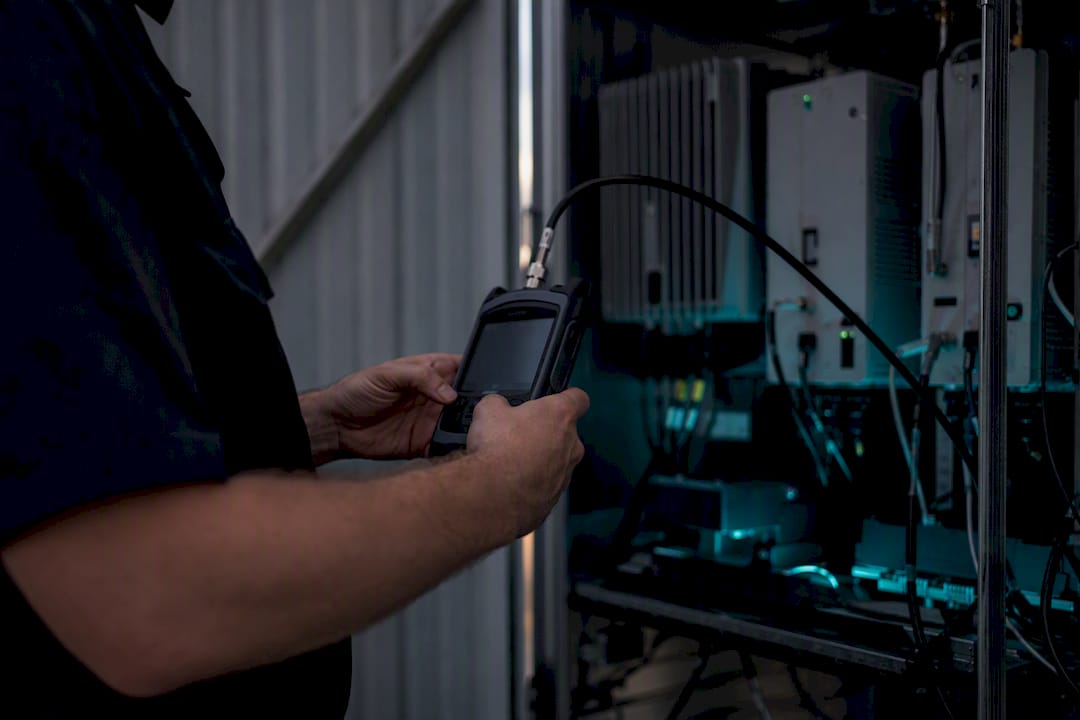
Pro Tip: Ask any contractor bidding on your BDA project to show you a previous Miami‑Dade grid test report, not just a résumé. If they can’t produce one, they haven’t actually closed out a system with this AHJ before.
How Long Does Permitting Take and What Does It Cost in Miami?
Budget both time and money more generously than you would for a standard electrical permit. These are engineered life-safety systems, and the review reflects that.
- Plan review typically runs 3 to 8 weeks for ERCES and BDA projects in the Miami‑Dade area, depending on submission completeness and current AHJ workload.
- Permit fees commonly range from $400 to $1,800, scaling with system size and building complexity rather than a flat rate.
- Retrofit projects usually cost more in review time than new construction because existing walls, ceilings, and electrical runs complicate antenna placement and enclosure design.
- Sealed plans and antenna enclosures add both cost and lead time, since they require licensed engineering work before anything reaches the county.
The fastest path through this process is early contact with the AHJ and a pre-submittal RF baseline survey completed before you ever file paperwork. Property managers who wait until the permit application to start coordinating carrier consent routinely add weeks to their own timeline.
What Mistakes Cause Cell Booster Permits to Get Rejected or Shut Down?
A handful of avoidable mistakes account for most of the fines, shutdowns, and rework property managers deal with on booster projects.
- Starting BDA or DAS installation before plans are approved and the permit is issued, one of the most common violations Miami‑Dade inspectors flag.
- Installing a non-FCC-certified device, or one mislabeled for a different frequency band than it’s actually operating on.
- Skipping documented carrier consent for a Part 90 system, leaving you with no paper trail if a dispute arises later.
- Ignoring an interference complaint instead of shutting the system down, documenting it, and contacting the carrier and AHJ immediately.
| Mistake | Consequence | Fix |
|---|---|---|
| Installing before permit issuance | Stop-work order, potential fines | Wait for written AHJ approval |
| Using uncertified or mislabeled equipment | Forced removal, carrier interference flag | Verify FCC ID before purchase |
| No documented carrier consent | Denied registration, unresolved complaints | Get written consent before install |
| Ignoring interference complaints | Escalation, possible shutdown | Shut down, document, contact carrier/AHJ same day |
How a Local Installer Handles Miami’s Permit and AHJ Process
Lowvoltagecorp approaches a booster project the way Miami‑Dade Fire Rescue expects it handled: survey first, paperwork second, install last. That sequence sounds obvious, but it’s the one most DIY attempts and unqualified contractors skip.
A proper engagement typically covers:
- An on-site RF baseline survey before any equipment is ordered or specified.
- Sealed design plans prepared with a Florida-registered PE for BDA and DAS projects.
- Permit filing and direct coordination with GSA Communications and Miami Fire Prevention through the review cycle.
- The AHJ-witnessed grid test at closeout, plus final reports documenting before-and-after coverage.
Local experience with this specific AHJ shortens review cycles because the plans arrive formatted the way reviewers already expect to see them. For property managers weighing tenant coverage against a full commercial BDA build, a signal-boosting guide built for South Florida buildings is a useful starting point before committing to a system size.
Pro Tip: Ask any proposal to explicitly include AHJ coordination as a line item, not an assumed extra. If it’s not written into the scope, it’s not guaranteed to happen.
An Editorial Take on Miami’s Cell Booster Permit Maze
The conventional advice on this topic treats “do I need a permit” as a yes-or-no question, and that’s exactly what causes property managers to either over-comply on a simple bedroom booster or under-comply on a building-wide system that legally required an engineer’s stamp from day one. The real answer always hinges on scale and frequency band, not on how big or small the box on your wall looks.
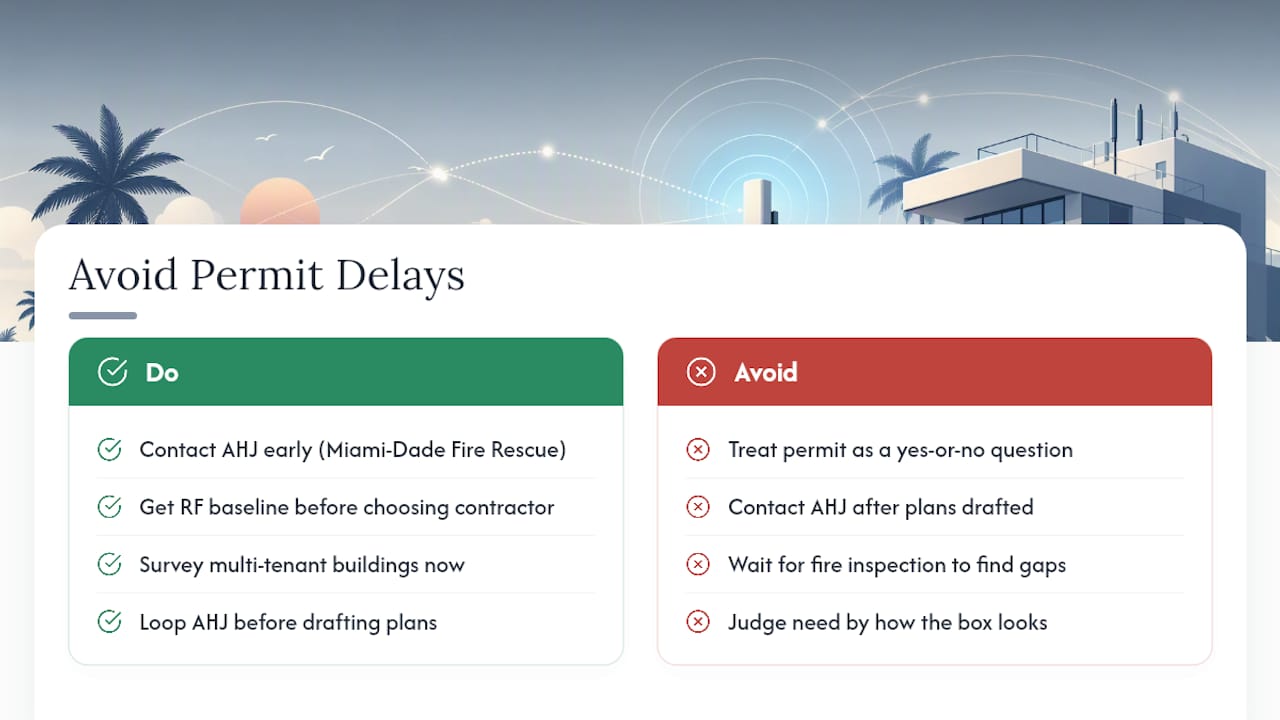
What’s underrated here is timing. Property managers who loop in the AHJ and get an RF baseline survey done before they’ve picked a contractor consistently move through review in weeks, not months. That single habit, contacting Miami‑Dade Fire Rescue early instead of after plans are drafted, does more to prevent delays than any amount of paperwork perfection.
If you manage a multi-tenant building, don’t wait for a fire inspection to discover your coverage doesn’t meet NFPA 1225 benchmarks. Get the survey done now, while you still control the timeline.
— Aaron
Sources
- Consumer’s Guide to Wireless Devices — FCC
- Miami‑Dade County permit portal — Radio Enhancement System Installations
- Miami guidelines for BDA (Highland Wireless copy of municipal guidance)