A cell booster, also called a cellular signal amplifier, is a device that captures weak outdoor cellular signals, amplifies them, and rebroadcasts stronger signals indoors or inside vehicles. The core cell booster advantages are clear: fewer dropped calls, faster data speeds, and reliable coverage for multiple devices at once. For homeowners dealing with dead zones and businesses running operations across large buildings, these benefits translate directly into productivity and peace of mind. Brands like weBoost, SureCall, Cel-Fi, and HiBoost have made FCC-certified boosters the standard benchmark for reliable signal improvement in 2026.
1. What are the primary cell booster advantages for voice and data?
Cell boosters reduce dropped calls, increase data speeds, and stabilize coverage across multiple devices. They can convert weak 1-bar reception into reliable 4–5 bars indoors and in vehicles. That improvement is not cosmetic. Stronger signal means your phone spends less energy searching for a tower, which directly extends battery life.
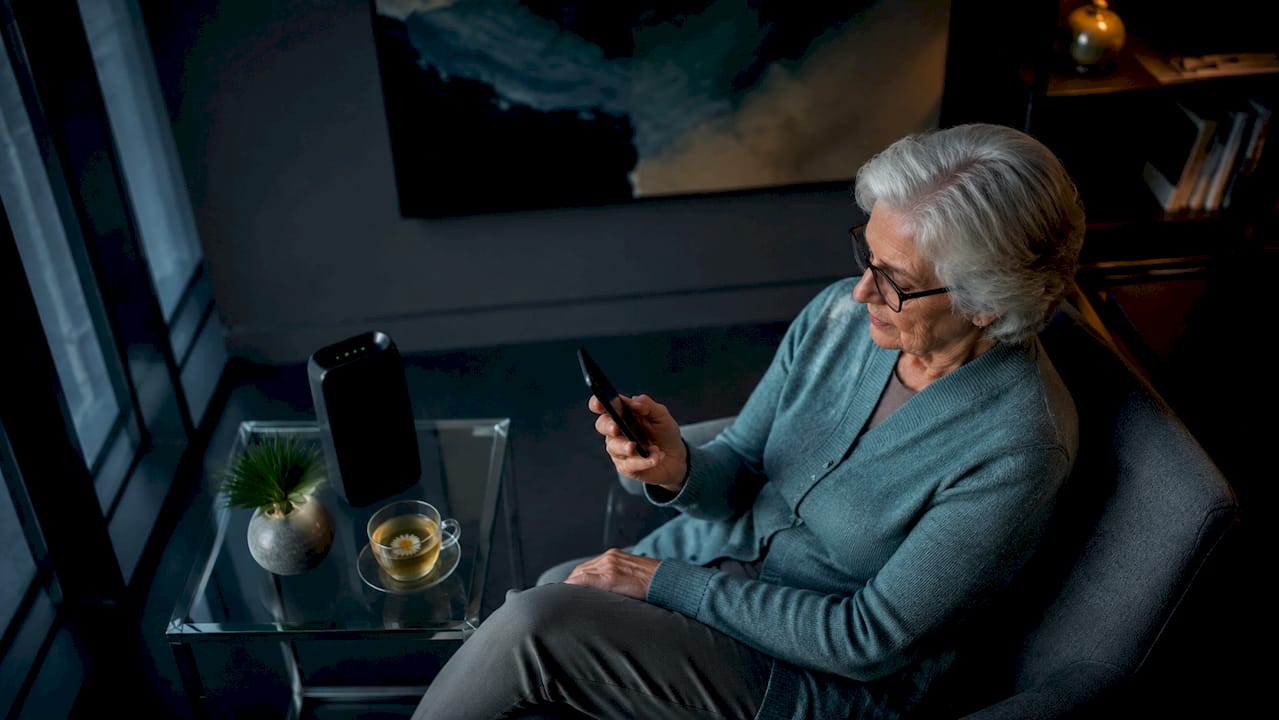
The voice quality gains are immediate. Calls that previously cut out mid-sentence stay connected. Video calls on Zoom or FaceTime hold their resolution instead of dropping to a pixelated freeze. For anyone working from home or managing remote teams, that reliability is not optional.
Data performance follows the same pattern. Upload and download speeds improve because your device is no longer fighting for a weak signal. Streaming, browsing, and cloud backups all run faster when the signal is stable.
- Fewer dropped calls and clearer voice conversations
- Faster upload and download speeds for streaming and video calls
- Simultaneous support for multiple devices on one booster
- Extended battery life from reduced signal-searching power drain
Pro Tip: Run a speed test on your phone before and after installation using Speedtest by Ookla. The before-and-after numbers give you a concrete measure of improvement and help confirm the booster is working correctly.
2. How do cell boosters improve data performance in real scenarios?
Real-world data gains depend on your starting signal and your carrier’s network conditions. In a rural home, a typical installation improves signal from 1–2 bars outside to consistent 3–4 bars inside, delivering reliable 4G LTE speeds and eliminating dropped calls. That kind of improvement turns a frustrating work-from-home setup into a functional one.
In offices and warehouses, the gains show up differently. Building materials like concrete, metal framing, and low-emission glass block cellular signals. A booster cuts through that interference and delivers usable signal to every corner of the floor plan. Employees stop walking to windows to make calls.
Vehicle boosters serve a different but equally practical purpose. Fleet drivers, delivery teams, and road warriors get consistent LTE coverage on highways and in rural corridors where signal fades in and out.
| Environment | Common Problem | Booster Outcome |
|---|---|---|
| Rural home | 1–2 bars, dropped calls | 3–4 bars, stable LTE |
| Office building | Signal blocked by materials | Full floor coverage |
| Vehicle/fleet | Signal drops on rural roads | Consistent in-vehicle LTE |
| Warehouse | Dead zones in interior | Reliable IoT and voice |
One important limit: boosters do not add capacity to an overloaded cell tower. They maintain connectivity where signal is weak but usable. If your tower is congested during peak hours, a booster stabilizes your connection but cannot manufacture extra bandwidth.
3. What factors influence cell booster effectiveness?
The single biggest factor in booster performance is the quality of the outdoor donor signal. A clean and usable outdoor signal is critical. Boosters cannot fix dead zones with no usable signal outside. If the outdoor signal is noisy or extremely weak, the booster amplifies that noise along with the signal, resulting in poor performance despite showing full bars on your device.
Antenna placement is the second major factor. The outdoor antenna must point toward the nearest cell tower for maximum gain. Directional Yagi antennas consistently outperform omnidirectional antennas in weak-signal rural environments because they focus all their gain in one direction.
Sufficient separation between antennas prevents feedback loops that cause automatic gain reduction or booster shutdown. This is the most common installation mistake. Too little physical distance between the outdoor and indoor antennas creates oscillation, and the booster’s automatic gain control kicks in to protect the network.
- Verify outdoor signal strength before purchasing any booster
- Use a directional Yagi antenna in rural or weak-signal areas
- Maintain at least 15–20 vertical feet of separation between antennas
- Choose FCC-certified boosters with Automatic Gain Control
Pro Tip: Use your phone’s field test mode (dial 3001#12345# on iPhone) to read signal in dBm rather than bars. A reading of -70 dBm is strong; -110 dBm is very weak. This tells you whether a booster will actually help before you spend a dollar.
4. How do cell boosters support multiple devices and business applications?
Cell boosters support many devices simultaneously, making them practical for homes, businesses, warehouses, mobile offices, and vehicle fleets. A single commercial booster can serve dozens of smartphones, tablets, and IoT devices at the same time. That capacity matters in environments where every connected device is tied to a business function.
Here is how boosters deliver value across common business settings:
- Retail stores: Customers get reliable signal for mobile payments and browsing. Staff stay connected to inventory systems without Wi-Fi dependency.
- Warehouses: Barcode scanners, handheld devices, and supervisor phones all maintain signal across large floor areas where Wi-Fi alone falls short.
- Commercial buildings: Property managers eliminate tenant complaints about dead zones on upper floors or in parking structures.
- Mobile offices and fleet vehicles: Drivers and field technicians stay connected for dispatch, navigation, and real-time reporting.
- Medical and emergency facilities: Reliable cellular backup ensures communication when wired networks fail.
Future-proofing is another real advantage. Higher 5G frequencies have lower building penetration, making boosters critical infrastructure for indoor 5G coverage. As carriers continue rolling out millimeter wave and mid-band 5G, buildings without boosters will see growing indoor coverage gaps.
5. Comparing common types and cost considerations
Residential and vehicle boosters range from $100 to $700 depending on coverage area and features. Standard home systems typically cover 2,000–4,000 square feet. Premium models extend coverage to 7,500 square feet or more. Installation costs vary based on mounting complexity, cable runs, and antenna placement requirements.
| Booster Type | Coverage | Price Range | Best For |
|---|---|---|---|
| Vehicle booster | Single vehicle | $100–$300 | Drivers, fleet vehicles |
| Residential (standard) | 2,000–4,000 sq ft | $200–$500 | Homes, small offices |
| Residential (premium) | 7,500+ sq ft | $500–$700+ | Large homes, offices |
| Commercial | Entire building | $700+ | Warehouses, retail, multi-floor |
Top brands in the 2026 market include Cel-Fi, HiBoost, SureCall, and weBoost. All four support major U.S. carriers including AT&T, T-Mobile, and Verizon. Cel-Fi products use a different amplification architecture called Carrier-Specific technology, which allows higher gain without FCC interference concerns. SureCall and weBoost offer broader carrier compatibility in a single unit.
FCC certification is non-negotiable. Uncertified devices risk being disabled by carriers and can cause network interference for everyone on the tower. Always verify the FCC ID before purchasing any booster. You can check any device at fccid.io.
For South Florida homeowners and property managers, understanding why cell signal is weak in your specific building is the first step before selecting a booster type or brand.
Key takeaways
Cell boosters deliver reliable signal improvements only when the outdoor donor signal is usable, the antennas are correctly placed, and the device carries FCC certification.
| Point | Details |
|---|---|
| Core benefit | Boosters convert 1–2 bars into 3–5 bars for voice, data, and IoT devices. |
| Outdoor signal first | No usable outdoor signal means no improvement indoors, regardless of booster quality. |
| FCC certification matters | Only certified boosters with Automatic Gain Control are legal and reliable on U.S. networks. |
| Multi-device capacity | One commercial booster can serve dozens of simultaneous devices across a building or fleet. |
| Cost range | Residential units run $200–$700; commercial systems start higher based on coverage needs. |
What I’ve learned from installing boosters in South Florida buildings
The most common mistake I see is buyers skipping the outdoor signal check. They purchase a $500 booster, mount it, and get disappointing results because the outdoor signal at their location is -115 dBm with heavy noise. A booster cannot fix that. It amplifies whatever is there, noise included.
The second mistake is antenna placement. I have seen installs where the outdoor and indoor antennas were mounted on the same wall with three feet of separation. The booster went into automatic gain reduction immediately and delivered almost no improvement. Physical separation is not a suggestion. It is a technical requirement.
My honest recommendation: do a site survey before you buy anything. Walk the perimeter of your building with your phone in field test mode. Find the spot with the strongest, cleanest signal. That is where your outdoor antenna goes. If you cannot find a reading above -100 dBm anywhere outside, a booster is not your solution. You need a different approach, such as a small cell or a Wi-Fi calling setup.
For businesses, the ROI on a properly installed booster is real. Employees stop losing calls. Customers can complete mobile transactions. IoT devices stay connected. The signal boosting guide for South Florida property managers covers the specific building challenges in this region, including hurricane-rated glass and concrete construction that blocks signal more aggressively than standard materials.
Buy certified products from Cel-Fi, SureCall, HiBoost, or weBoost. Hire someone who knows how to run a site survey. The difference between a good install and a bad one is not the hardware. It is the planning.
— Aaron
Professional cell booster installation with Lowvoltagecorp
Lowvoltagecorp specializes in cell booster installation, repair, and maintenance for South Florida homes and commercial properties. Getting the outdoor antenna placement right, running clean cable, and verifying post-install signal levels are not DIY tasks for most buildings.

If you manage a multi-unit property, retail space, or warehouse, Lowvoltagecorp provides a full site assessment before recommending any hardware. The team handles everything from antenna mounting to carrier compatibility checks. For homeowners and property managers looking at the full picture of connectivity and security upgrades, the South Florida security and connectivity guide covers how boosters fit alongside cameras, networks, and gate systems. Contact Lowvoltagecorp directly to schedule an assessment for your property.
FAQ
What does a cell booster actually do?
A cell booster captures an existing outdoor cellular signal, amplifies it, and rebroadcasts it indoors or inside a vehicle. It improves voice quality, data speeds, and device connectivity without requiring a new carrier plan.
Can a cell booster work if I have no signal outside?
No. Boosters amplify existing signals and cannot create coverage where none exists outdoors. A usable outdoor signal, even a weak one, is required for any improvement indoors.
Do cell boosters work with 5G?
Yes, but with limits. Boosters improve indoor 5G and LTE signal penetration, which is weaker due to building materials and higher frequency bands. Not all boosters support every 5G band, so verify band compatibility with your carrier before purchasing.
How much does a cell booster cost to install?
Residential boosters range from $200 to $700 for the hardware. Installation costs vary based on cable runs, antenna mounting complexity, and building type. Commercial installations for warehouses or multi-floor offices run higher.
Do I need an FCC-certified booster?
Yes. The FCC requires all consumer signal boosters sold in the United States to be certified. Uncertified devices can interfere with carrier networks and may be remotely disabled by your carrier.