Picture this: it’s a busy Tuesday morning, and three tenants have already called the front desk complaining about dropped calls. Your building has a cell booster system installed, but something is clearly wrong. Every minute of poor signal frustrates occupants, damages your building’s reputation, and potentially interrupts critical business communications. The good news is that many cell booster failures follow predictable patterns, and with the right troubleshooting approach, property and facility managers in South Florida can restore reliable service quickly, often without waiting days for a service call.
Table of Contents
- Understanding common cell booster issues
- Essential tools and information before you start
- Step-by-step cell booster troubleshooting
- Verification and confirming restored signal
- Why proactive troubleshooting beats waiting for complaints
- When to call an expert for cell booster support
- Frequently asked questions
Key Takeaways
| Point | Details |
|---|---|
| Quick diagnosis steps | Issues such as dropped calls can often be traced to interference, outdated firmware, or the need to simply reset the booster. |
| Preparation matters | Gather all tools, plans, and system info before troubleshooting for a faster, safer process. |
| Follow a proven sequence | Start with basic fixes like resets and escalate if needed, always keeping records of what was changed. |
| Verify for long-term success | Always test and confirm improved signal in multiple building spots after making repairs. |
| Know when to call experts | Persistent or complex signal problems often require certified professionals to avoid service gaps. |
Understanding common cell booster issues
Before you start pulling cables or rebooting equipment, you need to understand what you are actually dealing with. Cell booster systems in large commercial buildings are multi-component setups. They include an outdoor donor antenna, signal amplifier, distribution cabling, and multiple indoor antennas. When something breaks down, the symptom you see at the occupant level, which is a dropped call or weak bar count, may originate from any one of those components.
The most common complaints facility managers receive include:
- Dropped calls in specific zones but not others
- Overall weak signal across the entire floor or building
- One carrier working while others do not
- The booster unit showing error lights or no indicator lights at all
- Signal that was fine yesterday but suddenly degraded today
It is important to distinguish between a booster malfunction and a coverage gap. A malfunction means the equipment itself is failing. A coverage gap may mean the system was never designed to reach certain areas, or building modifications like new metal partitions have blocked signal paths. Knowing which problem you face saves significant time.
One often overlooked cause of sudden signal loss is interference. New electronics installed nearby, HVAC equipment changes, or even a neighboring business adding wireless devices can degrade booster performance overnight. Equally important is your carrier’s network. Carriers regularly update their frequencies, and an older booster that hasn’t had a firmware update may no longer be compatible with those changes.
As the SureCall Troubleshooting Guide notes, you should “reset booster by unplugging 30 seconds; update firmware; check for interference from other devices or carrier network changes.” This three-step logic covers the majority of sudden performance failures in commercial installations.
Understanding these failure categories upfront means you approach the problem methodically rather than randomly swapping components and hoping something works.
Essential tools and information before you start
Walking into a mechanical room to troubleshoot a cell booster without the right information is like trying to fix a car with no manual and no tools. Preparation cuts your troubleshooting time in half and prevents you from making things worse.
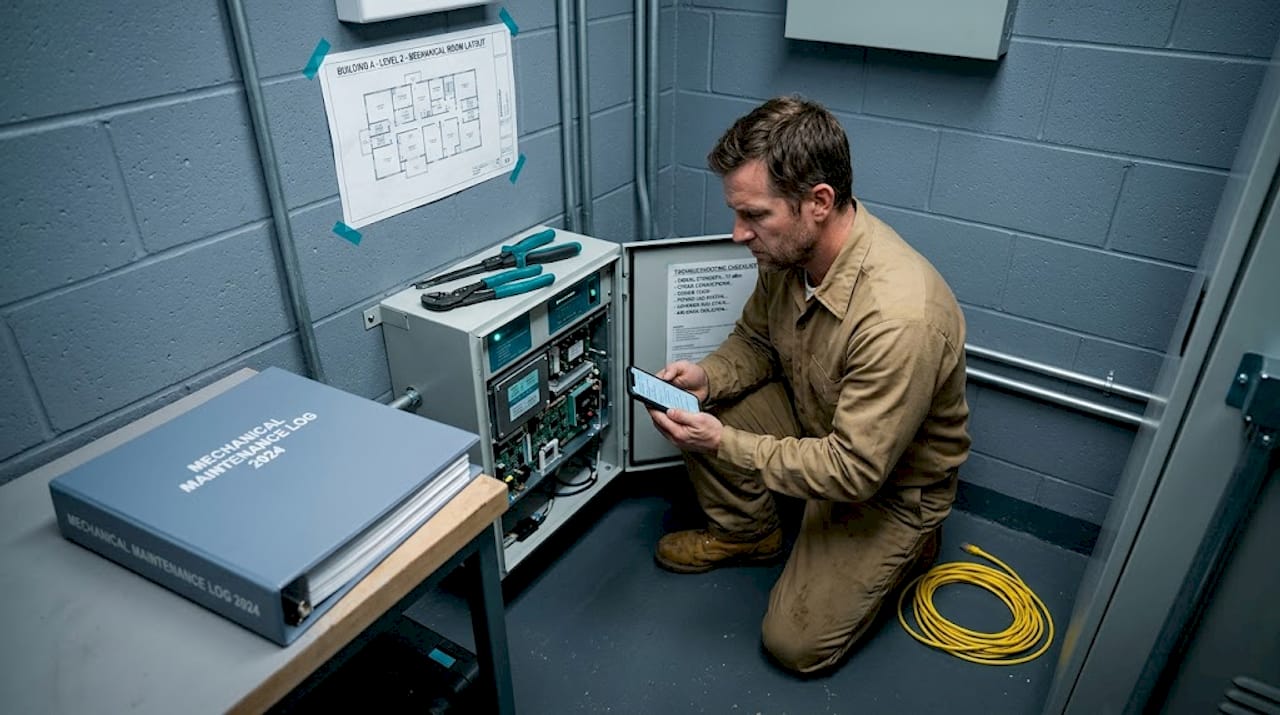
Here is what you should have ready before you touch anything:
| Item | Why you need it |
|---|---|
| Booster model number and serial number | Required for firmware lookup and vendor support |
| Original installation documentation | Shows cable runs, antenna locations, and design specs |
| Vendor or installer contact information | For escalation if basic steps fail |
| Smartphone with a signal meter app | Gives you decibel readings instead of vague bar counts |
| Ladder or roof access key | Donor antenna checks often require roof access |
| Screwdrivers and cable tester | For inspecting coaxial connections |
| Building floor plan | Helps map which zones are affected |
Beyond tools, gather specific information about the problem before touching equipment:
- When did the problem start? Was it sudden or gradual?
- Which carrier or carriers are affected? Is it all of them or one specific network?
- Which floors or zones have the worst signal?
- Have there been any recent construction, equipment installs, or building changes?
- Has the carrier made any recent network announcements in your area?
South Florida’s building stock presents unique challenges. Concrete construction, reflective glass facades common in Miami and Fort Lauderdale, and dense urban environments with competing RF (radio frequency) signals all contribute to more complex troubleshooting scenarios than you might find in other regions.
Pro Tip: Before you move or disconnect anything, take photos of every component, cable connection, and indicator light. If a repair does not fix the issue, these photos give a technician an accurate baseline and save diagnostic time during a service visit.
Knowing the firmware update process before you arrive at the equipment is also useful. Some booster models update via a web interface, others via USB. Having that knowledge ready prevents delays.
Step-by-step cell booster troubleshooting
Now that you have your tools, documentation, and information ready, work through the following steps in order. Skipping ahead wastes time and can make problems harder to diagnose.
-
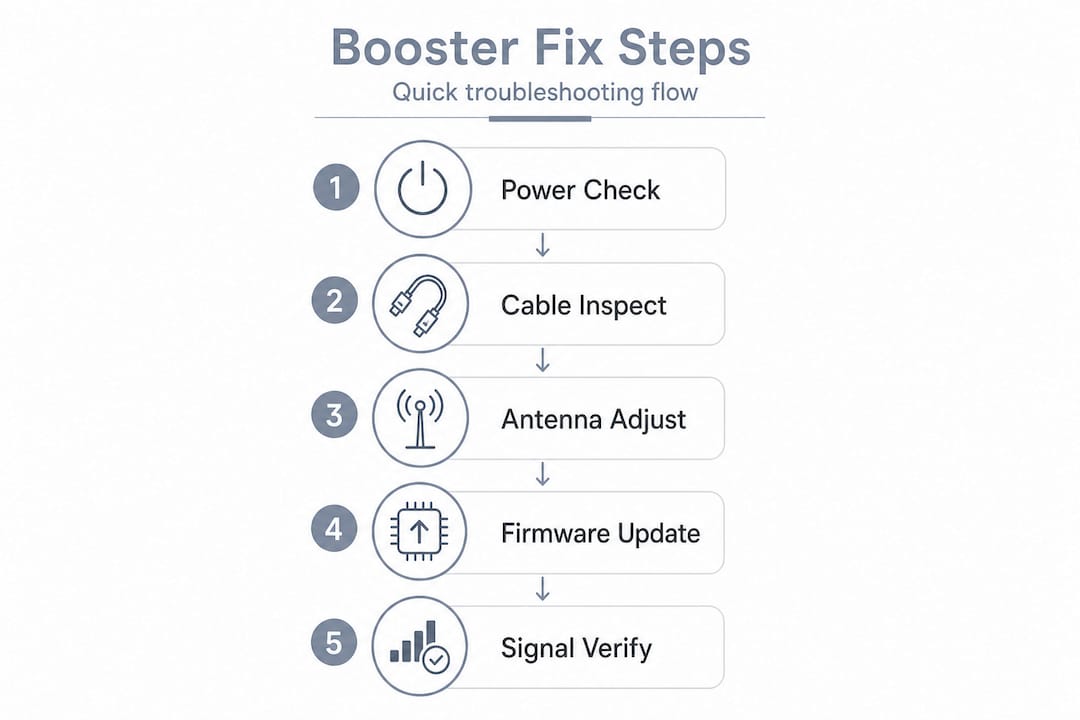
Perform a full power reset. Unplug the booster from its power source and leave it unplugged for at least 30 seconds. This clears any software fault states and forces the unit to reinitialize. Plug it back in and wait two full minutes before testing signal.
-
Check all physical cable connections. Inspect every coaxial cable connection at the amplifier, at the donor antenna port, and at each indoor antenna. Loose or corroded connectors are one of the leading causes of signal degradation in coastal South Florida installations because humidity accelerates corrosion.
-
Inspect indicator lights on the amplifier. Most commercial boosters use colored LEDs to communicate status. Red or amber lights typically indicate a fault. Consult your model’s manual to decode what each light pattern means before proceeding.
-
Update the firmware. Per the SureCall Troubleshooting Guide, updating firmware is a critical step after a reset. Manufacturers release updates specifically to address compatibility with carrier frequency changes. An outdated booster may amplify the wrong frequencies entirely.
-
Check for interference sources. Walk the area around the amplifier and donor antenna. Note any new equipment added since the problem started. Common interference sources include newer Wi-Fi 6 routers, DECT phones, microwave equipment, and certain LED lighting systems.
-
Test the donor antenna signal. Use your signal meter app on the roof or highest accessible point near the donor antenna. If you’re not getting at least a usable outdoor signal there, the problem may be a carrier tower issue in your area rather than your equipment.
-
Contact your carrier. If outdoor signal has dropped significantly, call your carrier’s business support line to ask whether there are known outages or network changes affecting your address. Carriers in South Florida occasionally retune towers, and this can drop booster performance quickly.
Here is a quick reference for deciding when to handle issues in-house versus when to escalate:
| Issue type | In-house action | Time to escalate |
|---|---|---|
| Booster not powering on | Check power outlet, reset breaker | After 15 minutes with no power |
| Weak signal in one zone | Check cable to that antenna | If cable is intact and signal is still weak |
| Error lights on amplifier | Consult manual, reset, update firmware | If lights persist after firmware update |
| All carriers affected | Reset, check outdoor signal | If outdoor signal is also weak |
| One carrier affected | Firmware update, carrier contact | After firmware and carrier confirm no outage |
| Physical cable damage | Document and temporary patch | Immediately for permanent repair |
Pro Tip: While inspecting cables and antennas, label every cable with numbered tape and note it on your floor plan. Future troubleshooting sessions, including ones handled by outside technicians, become dramatically faster when cables are clearly identified.
Verification and confirming restored signal
Fixing a problem is only half the job. Confirming the fix works across the entire building and documenting what you did is equally important, especially in multi-tenant commercial properties where a recurring issue can escalate into lease complaints.
After completing your troubleshooting steps, run through this verification checklist:
- Test signal at a minimum of three locations per floor, including corners and interior spaces
- Test each carrier separately using phones on different networks
- Make and complete at least two test calls from the previously affected zones
- Check data speeds as well, not just voice calls, since LTE and 5G data signal can behave differently than voice
- Record decibel readings using your signal meter app and compare them to any baseline readings from the original installation
Monitoring for recurring problems is something most managers skip, and that is a mistake. A booster that required a reset today may be showing early signs of component failure. Keep a simple log that includes the date, symptom, action taken, and result. A pattern of monthly resets tells you the system needs a deeper look before a full outage occurs.
The SureCall Troubleshooting Guide reinforces that carrier network changes can require ongoing adjustment, meaning a booster that performs well today may need attention again after a carrier’s next infrastructure update. Building this expectation into your maintenance calendar prevents surprises.
Documenting your fixes serves another purpose. When you eventually work with an outside technician, a clear history of what was tried and when shortens diagnostic time and reduces your service bill. Store your documentation in your building management system or a shared digital folder accessible to your facility team.
Why proactive troubleshooting beats waiting for complaints
Here is a view that many building managers do not hear often enough: relying on tenant complaints as your signal monitoring system is one of the most expensive mistakes you can make in facility management.
By the time a tenant contacts your office about poor cell signal, the problem has likely existed for days. Multiple people have already been frustrated. Some may have started shopping alternative spaces. The reputational damage and the pressure to fix the issue immediately, often at premium emergency service rates, all result from a single failure: not finding the problem first.
Proactive maintenance for cell booster systems does not require much time. A monthly walk-through that takes 20 minutes to check indicator lights, test signal in a few key spots, and review the amplifier’s status interface catches the majority of developing issues before they become outages. Schedule these checks alongside your routine fire safety or HVAC inspections so they become habitual.
There is also a financial argument here. An emergency service call to diagnose and repair a cell booster in a large commercial building in South Florida can run two to three times the cost of a scheduled maintenance visit. Firmware updates missed over 12 months can render a system partially incompatible with carrier networks, requiring more complex reconfiguration work than a simple update would have needed.
The SureCall Troubleshooting Guide points out that interference from other devices is a dynamic problem, meaning new electronics in your building can introduce interference at any time. That is exactly why a static installation should never be treated as a set-and-forget solution.
Pro Tip: Schedule a brief monthly check of your booster system on the same day you review your building’s energy consumption or security camera logs. Grouping low voltage system checks together creates a consistent habit and surfaces problems before tenants ever notice them.
The managers who get the most out of their building infrastructure are the ones who treat it as a living system that needs regular attention, not a one-time installation. Cell boosters are no different.
When to call an expert for cell booster support
Even thorough in-house troubleshooting has limits. If you have completed every step in this guide and signal quality remains poor or inconsistent, that is a clear indicator that the problem goes beyond what a facility manager should handle without specialized equipment or expertise.
Signs that a qualified technician is needed include persistent error lights after a firmware update, physical damage to the donor antenna or coaxial cabling, signal loss affecting multiple carriers simultaneously with no carrier-side explanation, or a system that is more than five years old showing declining performance. Large buildings with complex distributed antenna systems (DAS) in particular require someone with RF testing equipment to diagnose effectively.
Our team at Low Voltage Electrician specializes in the installation, repair, and maintenance of cell booster systems in commercial and multi-tenant properties across South Florida. We understand the specific challenges of high-rise construction, coastal humidity, and dense carrier environments in this region. Whether you need a full system inspection, a targeted repair, or a complete redesign of your building’s coverage layout, our cell booster service experts are ready to help you restore reliable signal for every occupant in your building.
Frequently asked questions
What should I do if my cell booster still does not work after a reset?
Check for firmware updates and possible interference from newly added devices or recent carrier network changes, as all three often work together to cause persistent signal failures per the SureCall Troubleshooting Guide.
How can I identify interference affecting my cell booster?
Look for new electronics, HVAC changes, or recently added wireless devices near both the amplifier and the antennas, since interference sources can appear at any time after new equipment is introduced.
Are there regular maintenance steps for cell boosters?
Yes, managers should periodically check physical connections, confirm firmware is current, monitor carrier announcements, and log any changes per ongoing adjustment recommendations for booster systems.
When is the right time to call a professional for cell booster issues?
If you have completed a full reset, firmware update, interference check, and carrier consultation without restoring service, contact a qualified technician experienced with large building booster systems for advanced RF diagnostics.