Yes, color night vision cameras are real, and they split into two working categories: starlight sensors that pull ambient light into visible color, and full-color or spotlight-assisted models that force color with added illumination. Buy one when you need to identify a person, a vehicle color, or a specific detail after dark. Skip the upgrade for pure perimeter coverage in total darkness, where standard infrared still does the job. Either way, installation and lighting decide whether that color footage actually turns out usable.
TL;DR:
- Larger sensors and wider apertures significantly improve color night vision performance, especially in low-light conditions below 0.001 lux.
- Spotlight-assisted cameras provide the best color rendering in near-total darkness but can alter scene appearance and attract attention.
- Motion performance often deteriorates in low light, with moving subjects appearing as color smears or blurs, which can impact identification accuracy.
- Correct installation and lighting, such as avoiding glare and reflective surfaces, are crucial for capturing usable color footage at night.
- Budget options around $100 to $200 typically offer basic color features, while midrange models in the $200 to $400 range deliver more reliable low-light color imaging.
Table of Contents
- How Does Color Night Vision Technology Actually Work?
- What Should You Look For in a Night Vision Camera?
- Getting the Installation and Lighting Right
- How Well Do These Cameras Actually Perform at Night?
- Matching Camera Class to Your Actual Situation
- An Installer’s Take on Whether Color Is Worth It
- Sources
- FAQ
How Does Color Night Vision Technology Actually Work?
There’s no single “color night vision” chip. There are two different engineering paths, and they solve the light problem in almost opposite ways.
Starlight sensors work by cranking sensitivity to the point where they can pull color out of light levels a normal camera sensor would render as gray mush. They use larger photosites, better analog gain, and aggressive image-signal-processor noise reduction to keep color visible as ambient light drops. The catch: once ambient light falls below a certain threshold, usually somewhere in the range of 0.001 to 0.01 lux depending on the sensor, even starlight cameras give up and switch to monochrome infrared. Moonlight, streetlights, and porch lighting matter more than most buyers expect.
Full-color designs take a more brute-force approach. They pair a large-aperture lens (a low f-number, often f/1.0 to f/1.6) with a bigger sensor and either a warm LED array or a motion-triggered spotlight. The lens lets in more light per unit of sensor area, and the built-in light source fills in whatever the environment doesn’t provide. This is why full-color cameras can render color in near-total darkness while starlight models can’t: they’re not waiting for ambient light, they’re generating it.
Researchers have also demonstrated a genuinely different method in the lab: an infrared imaging system that outputs in color by mapping heat wavelengths to visible colors using quantum-dot detectors layered with OLED emitters. It’s a real breakthrough, but it’s a research prototype, not something you’ll find in a consumer camera in 2026. Don’t let marketing copy imply otherwise.
Reading a spec sheet gets a lot easier once you know what these numbers actually mean for nighttime color:
- Sensor size (like 1/1.2", 1/1.8", or 1/2.8"): bigger physically means more light-gathering area per pixel, and it’s the single biggest driver of color performance at night.
- Pixel size: larger individual pixels absorb more photons, which matters more for low-light color than raw megapixel count.
- Aperture (f-number): lower is better here. An f/1.0 lens lets in roughly four times the light of an f/2.0 lens at the same settings.
- Minimum lux rating for color: this is the ambient light floor where the camera can still render color; manufacturers test this in controlled labs, so treat it as a best-case number.
- WDR (wide dynamic range): helps balance bright headlights against dark shadows in the same frame, which matters at dusk and dawn.
- 3D DNR (noise reduction): cleans up the grain that shows up in low light, but overly aggressive settings can smear moving subjects.
One manufacturer example puts this in perspective. The eufy explainer on color night vision describes both approaches side by side, and a product page for the Annke NC800 lists a 1/1.2-inch sensor with an f/1.0 aperture rated for color imaging down to roughly 0.0005 lux with LED assistance, an extreme spec example that shows how far hardware has pushed the low end.
What Should You Look For in a Night Vision Camera?
Not every spec matters equally. Some determine whether you get usable footage; others are marketing noise.
Start with the big three: sensor size, aperture, and rated minimum lux for color. These three specs, working together, determine whether a camera renders color at 2 a.m. under a quarter moon or gives up and switches to gray. A camera with a small sensor and an f/2.0 lens might advertise “color night vision,” but it’s often relying on a spotlight to do the work, which is fine, just know what you’re buying.
Resolution versus field of view is a real tradeoff, not just a spec to maximize. A 4K camera covering a 110-degree field of view spreads those pixels thin across a wide scene. If you need to read a face or a license plate, a narrower field of view concentrates resolution where you need it. Wide-angle coverage is great for detecting that something moved; it’s often useless for identifying who moved it.
Motion handling gets overlooked constantly, and it’s arguably more important than any static lux rating. A camera can look fantastic in a still product photo and still smear a walking person into a colored blur. This comes down to exposure time and how the image processor handles it: longer exposure pulls in more light (good for static color) but blurs anything moving (bad for identification). Vendor and reviewer feedback consistently flags this as an underreported failure mode, since many buyers never test with a moving subject before installing.
Lighting choice changes the whole character of your footage. A built-in spotlight forces full color even in pitch dark, but it announces the camera’s presence and can wash out reflective surfaces. Standard infrared stays invisible to the naked eye and tends to freeze motion better in low light, but you lose color entirely. There’s also a legal angle: some municipalities have rules about bright, motion-triggered lighting aimed at neighboring properties, so it’s worth checking local ordinances before you install a spotlight camera facing a shared fence line.
Beyond the sensor, check how footage gets stored (local NVR versus cloud), whether analytics run on-device or require a subscription, and whether the camera will actually integrate with an existing video management system instead of forcing you into a standalone app.
Here’s a simple way to prioritize, based on what you’re actually trying to accomplish:
- Identification priority (front door, cash register, gate entry): sensor size and aperture first, motion performance second, wide field of view last.
- Deterrence priority (visible presence, scare off casual trespassers): spotlight or visible IR array, decent resolution, field of view matters more than color fidelity.
- Wide coverage priority (large lot, parking area, perimeter fence): field of view and camera count first, accepting that color and fine detail will be secondary.
- Budget-conscious priority: spend on one well-placed camera with a good sensor rather than spreading a fixed budget across several mediocre ones.
Pro Tip: Before you buy anything, check your existing camera’s spec sheet against a walking test in your actual driveway at night. A $50 difference in aperture rating matters more than an extra 2 megapixels of resolution.
Getting the Installation and Lighting Right
Color night footage lives or dies on lighting decisions made during installation, not on the camera model number.
Ambient light sources, porch lamps, streetlights, even a neighbor’s security light, do more to determine your color quality than most people assume, especially when integrated with a connected home system. Warm, directional lighting preserves natural skin tones and clothing color far better than a single harsh floodlight straight overhead, which tends to blow out highlights and crush shadow detail into black. Mounting height matters just as much: a camera at 8 to 10 feet angled slightly downward captures faces without the fisheye distortion you get from mounting too high, and it keeps the lens out of casual reach.
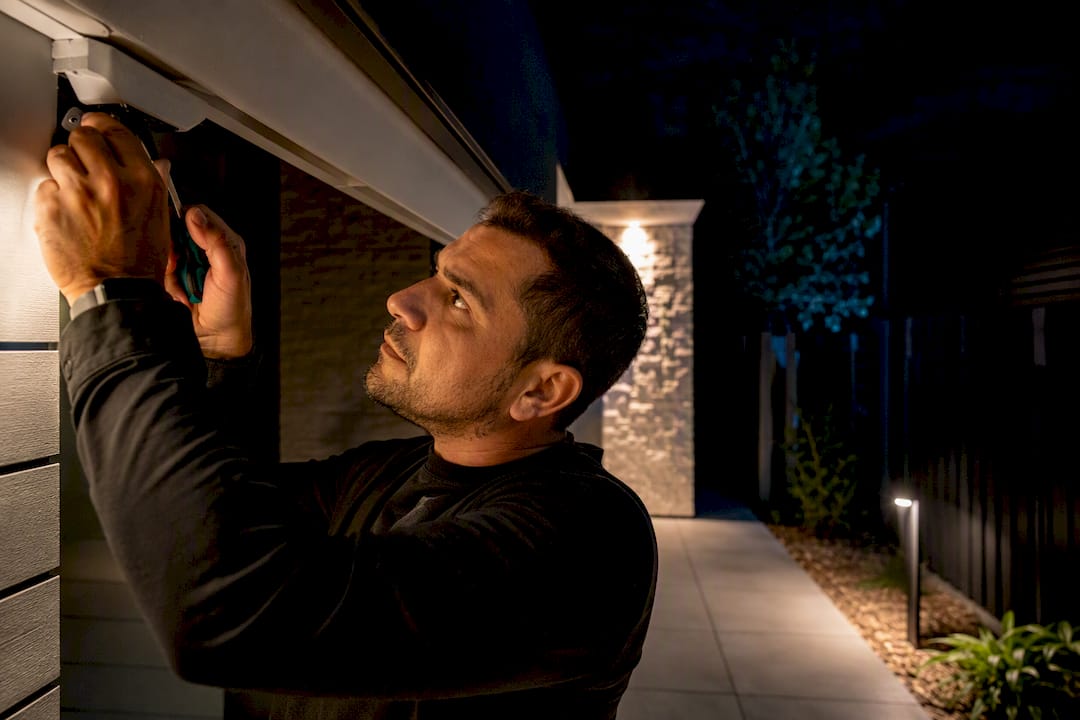
Power is where a lot of DIY installs go wrong. A continuous spotlight or a bank of warm LEDs draws considerably more current than an infrared array that only activates on motion. If you’re running multiple cameras with active lighting off a single PoE switch, you need to calculate total wattage per port and per switch, not just per camera, or you’ll get intermittent dropouts you’ll swear are a camera defect. Battery-powered cameras avoid the wiring headache but pay for it in shorter spotlight runtime and more frequent charging, especially once temperatures drop.
A few installation mistakes show up constantly:
- Overhead glare: mounting directly under a bright light source creates a halo that blows out the top of the frame and darkens everything below it.
- Reflective surfaces: pointing a spotlight-equipped camera at a white wall, glass door, or car windshield bounces light straight back into the lens.
- Wrong angle for the goal: a camera angled for wide perimeter coverage will almost never capture a usable face, even with perfect color rendering.
- Ignoring seasonal light changes: a camera tuned for summer dusk timing can end up shooting into direct winter sun at the same hour.
Fixing most of these takes about twenty minutes of adjustment once you know to look for them, but figuring out what’s wrong from a support call is a lot harder than seeing it in person.
Multi-camera installations, especially ones combining spotlight-assisted cameras with standard infrared units on the same property, get complicated fast. If you’re wiring more than two or three cameras, coordinating PoE switch capacity, or trying to figure out where local lighting or surveillance ordinances apply, that’s the point where it makes sense to bring in a low-voltage electrician rather than troubleshoot it yourself. Having your property’s layout, existing wiring diagram, and a list of what you want each camera to capture ready before that call saves a lot of back-and-forth.
How Well Do These Cameras Actually Perform at Night?
Field testing tells a more honest story than spec sheets do, and the pattern is consistent across independent reviews.
Cameras with larger sensors (1/1.2-inch models, specifically) and low f-number lenses reliably outperform smaller-sensor competitors on color rendering as light drops, according to comparative field testing across multiple PoE cameras. That much tracks with the specs. What’s more useful is what the same testing found about motion: static-scene performance and moving-subject performance don’t correlate the way you’d expect. A camera that nails a parked car’s color under streetlight can turn a walking person into a colored smear the moment they move, because exposure settings tuned for low-light brightness often sacrifice shutter speed.
Spotlight-assisted cameras and starlight cameras behave differently enough that side-by-side comparison matters. A spotlight forces color in absolute darkness but changes how the scene looks the instant it triggers, sometimes spooking whatever you’re trying to capture before the camera gets a clean shot. Infrared, by contrast, stays invisible and tends to freeze motion more cleanly in low light, but you’re back to monochrome.
You can run a version of this test yourself with almost any camera before committing to a purchase or a full installation:
- Set up a static target (a chair, a sign, a parked car) at 10, 25, and 50 feet and check color accuracy and clarity at each distance.
- Have someone walk across the frame at a normal pace and watch for blur or color smear.
- Test once with some ambient light (porch light, streetlight) and once with it turned off entirely.
- Write down the camera’s settings for each test so you can replicate or compare results later.
If the moving-subject test produces a blur you can’t identify clothing color or a face from, that camera isn’t going to hold up as evidence, regardless of how good its still shots look.
Matching Camera Class to Your Actual Situation
Front doors and porches need face capture at close range, where a midrange color camera with a solid aperture rating usually gets the job done without a spotlight.
Driveways and license plates demand a different setup: resolution and motion performance matter more than color richness, and plates need the camera mounted lower with a narrower angle pointed directly at the passage point, not a wide establishing shot.
Large lots and open perimeters force a real tradeoff. Wide-angle cameras catch motion across the whole area but can’t identify anyone in it; pairing a couple of wide detection cameras with one or two high-sensitivity units aimed at chokepoints (gates, walkways) tends to work better than trying to make one camera do both jobs.
On budget, buyer guides tracking 2026 pricing put entry-level color features around $100 to $200 and reliable midrange color performance in the $200 to $400 range. Past that point, you’re often paying for a bigger sensor and better ISP tuning, not necessarily image quality you’ll notice without a side-by-side comparison. Professional installation frequently delivers a bigger improvement in usable footage than the jump from a $150 camera to a $350 one.
An Installer’s Take on Whether Color Is Worth It
Color night vision earns its cost when you need to identify something, not just detect that something happened. If your goal is a general perimeter alert, standard infrared and good motion analytics will serve you fine for less money.
If identification matters, three things to do this week: run the static-and-motion test outlined above on whatever camera you’re considering, walk your property at night to see where your current lighting actually falls short, and gather your camera goals and property layout before calling a professional installer. The lighting fix is usually cheaper than the camera upgrade, and it usually matters more.
— Aaron
Sources
- See the heat: an infrared imaging system that outputs in color — Ars Technica
- Color Night Vision Cameras – The Hook Up
- Understanding Color Night Vision of Security Cameras — eufy blog
FAQ
Are There Color Night Vision Cameras?
Yes. Consumer cameras use either starlight sensors that pull color from ambient light or full-color designs that use large apertures and spotlights to force color in near-total darkness.
Which Security Camera Has the Best Color Night Vision?
Cameras with larger sensors (1/1.2-inch and up) and low f-number lenses (f/1.0 to f/1.6) consistently perform best in independent testing, but always check motion performance alongside static color quality before buying.
Is Color Night Vision Worth It?
It’s worth the added cost when you need to identify a person, vehicle, or specific detail, such as clothing color or a license plate. For general perimeter detection, standard infrared usually covers the need for less money.
Is Colored Night Vision a Thing?
Yes, it’s a real and established category of security camera technology, not a marketing gimmick, though it relies on bigger sensors and supplemental lighting rather than any exotic optical trick.