A property or facility manager dealing with a dead camera or a gate that won’t cycle needs to know two things fast: what tools a competent tech should bring to site, and which ones are worth keeping on hand for triage. The short answer is ten categories: network testers, PoE testers, cable certifiers, digital multimeters, crimping and termination kits, Wi-Fi analyzers, camera-specific diagnostic tools, gate diagnostic tools, packet-capture software, and vulnerability and configuration scanners. For procurement, buy a multimeter, a PoE tester, and a basic cable tester for first-call checks. Require contractors to bring everything else, including automated remediation workflows backed by tools like Tenable Nessus and continuous-testing platforms that follow CIS benchmark standards.
- Network testers (handheld wired + Wi-Fi combined)
- PoE testers (inline load testers, not just LED indicators)
- Cable certifiers (pass/fail cert reports for every new run)
- Digital multimeters and clamp meters (voltage, current, continuity)
- Crimping and termination kits (RJ45, coax, punchdown)
- Wi-Fi analyzers (hardware-grade spectrum + channel view)
- Camera diagnostic tools (ONVIF Device Manager, VLC RTSP)
- Gate diagnostic tools (sensor testers, loop detectors, relay testers)
- Packet-capture software (Wireshark, WinMTR, NetScanTools Pro)
- Vulnerability and config scanners (Nessus, Ansible, Batfish)
Pro Tip: Require any contractor quoting a repair to state which certifier model they carry and confirm they can produce a before-and-after cert report. A tech who can’t name their certifier is likely doing visual checks only.
Table of Contents
- Top repair tools for security networks: categories, examples, and tiers
- How to vet contractors and decide what to buy yourself
- Why continuous testing and SCM cut your repair costs over time
- What to check and record before the tech arrives
- Key Takeaways
- What the tool list gets wrong if you stop there
- Lowvoltagecorp brings the tools, the workflow, and the documentation
- Useful sources and further reading
Top repair tools for security networks: categories, examples, and tiers
The table below maps each tool category to the problem it solves, a U.S.-available example, typical price tier, required skill level, and what output you should expect from a contractor.
| Category | What problem it solves | U.S. example tools | Typical price tier | Skill level | Output type |
|---|---|---|---|---|---|
| Handheld network tester | Wired link + Wi-Fi root-cause in one device | NetAlly EtherScope nXG | Professional range | Tech II / certified | Detailed link + Wi-Fi report |
| Cable certifier | Certifies Cat5e/6/6A runs to TIA/ISO spec | Fluke Networks DSX CableAnalyzer | Professional/enterprise range | Certified installer | Pass/fail cert report |
| Basic cable tester / VDV kit | Continuity, miswires, opens on existing runs | Klein Tools VDV Scout Pro | Entry-level range | Tech I | Pass/fail |
| Digital multimeter / clamp meter | Voltage, current, continuity at camera or gate | Fluke, Klein Tools | Professional range | Tech I / Tech II | Live readings |
| Wi-Fi analyzer hardware | Channel, client, and spectrum view for wireless cameras | Ekahau Sidekick 2 | Professional range | Tech II | Survey + heatmap report |
| Packet-capture software | Intermittent drops, VLAN issues, stream errors | Wireshark (free), NetScanTools Pro | Free to professional range | Tech II | .pcap file, hop-loss report |
| Continuous traceroute | Pinpoints which hop loses packets in real time | WinMTR (free) | Free | Tech I | Live hop stats |
| ONVIF / RTSP tester | Confirms camera stream and device discovery | ONVIF Device Manager, VLC (free) | Free | Tech I | Stream pass/fail |
| Vulnerability scanner | CVE exposure, prioritized remediation guidance | Tenable Nessus | Professional subscription | Security tech | Prioritized remediation report |
| Config automation | Automated remediation with pre/post backups | Ansible (open source), Batfish | Varied from free to enterprise | Senior tech / engineer | Config diff, audit log |
| Crimping and termination kit | Field terminations, re-terminations, coax ends | Klein Tools VDV kit | Entry-level range | Tech I | Physical connection |
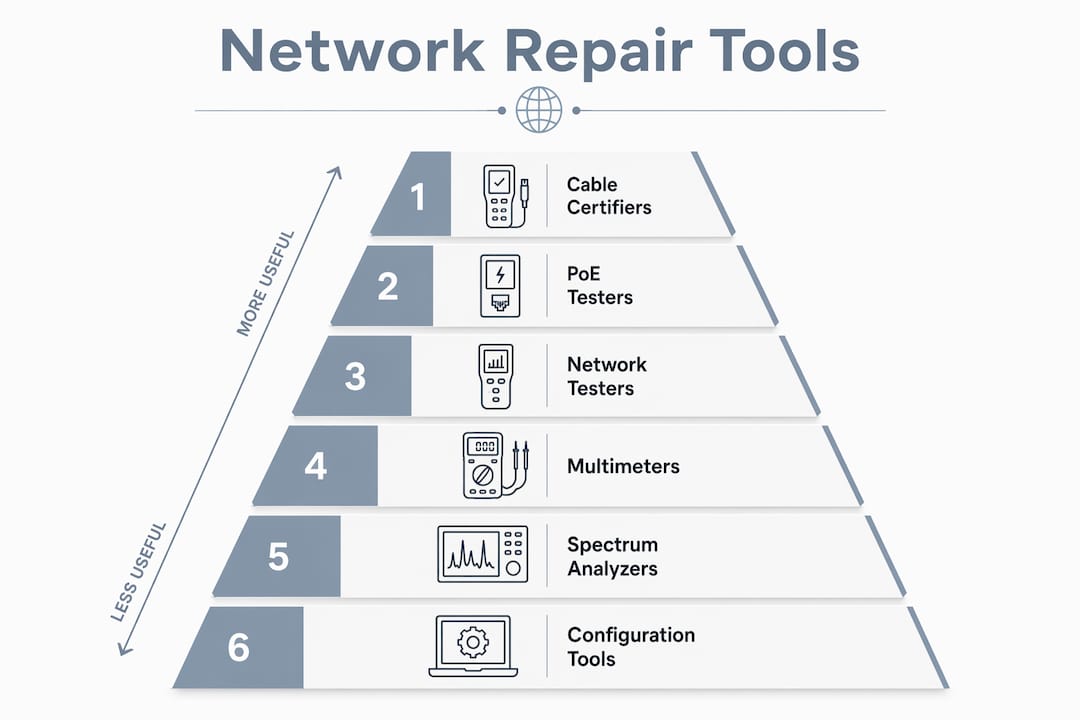
A few notes on field use. The NetAlly EtherScope nXG and Ekahau Sidekick 2 are the field standards for hybrid networks where wireless cameras sit alongside wired PoE runs. Wireshark is free and powerful, but reading a .pcap file requires a Tech II or higher. WinMTR is a portable Windows app that shows live hop-by-hop packet loss and is simple enough for a manager to run before the tech arrives.
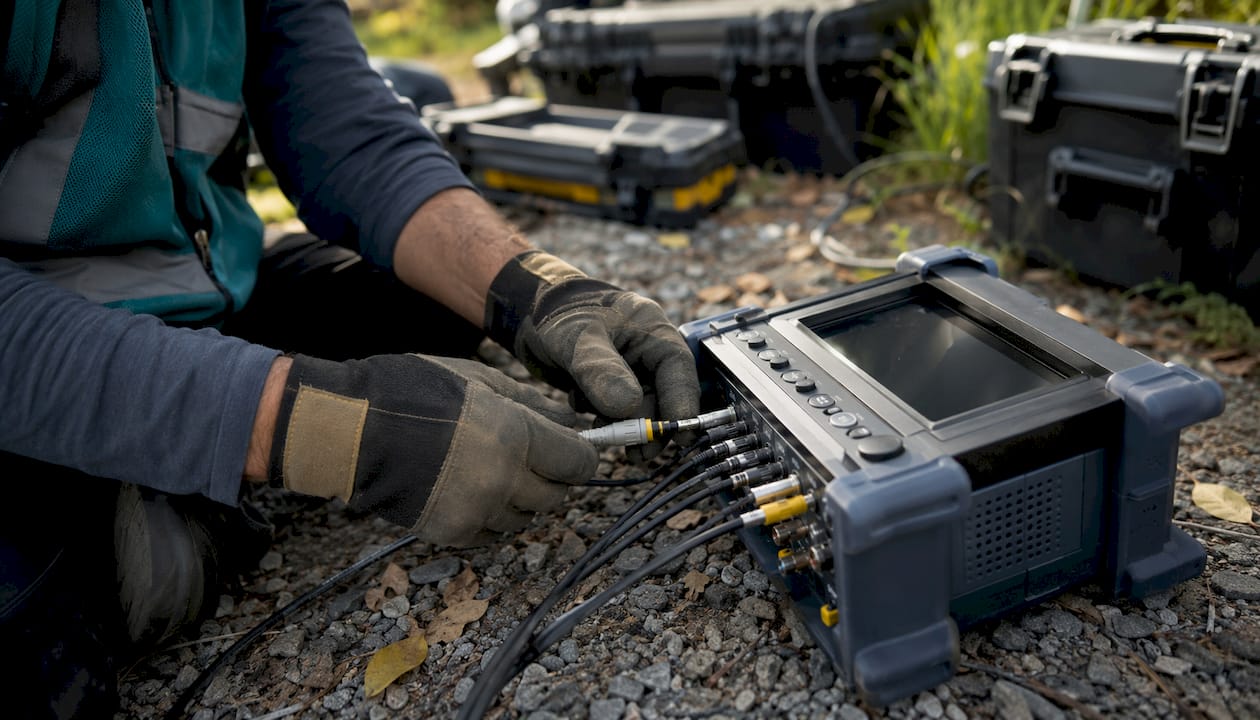
Safety and calibration. Gate work involving relay panels or motor enclosures requires a licensed low-voltage electrician and appropriate PPE (insulated gloves, voltage-rated tools). Fluke certifiers and clamp meters should be calibrated annually per manufacturer spec; an out-of-calibration certifier can pass a marginal run that will fail under load. Ask contractors for a current calibration certificate, not just the tool itself. For ongoing security equipment maintenance, a documented calibration schedule is a reasonable contract requirement.
Pro Tip: For any new cable run, require a Fluke Networks or equivalent certifier report, not just a continuity pass. A continuity pass only tells you the wires are connected; a cert report tells you the run will actually carry PoE+ at full load without degrading the camera feed.
How to vet contractors and decide what to buy yourself
Before you sign a service contract or dispatch a tech, run this checklist.
- Ask for the certifier model and a sample report. A legitimate contractor names their certifier (Fluke DSX, Versiv, or equivalent) and can produce a PDF cert report from a recent job within minutes.
- Confirm PoE testing under load. Inline PoE testers measure actual wattage draw. A tech who only checks the switch LED is not testing PoE; they’re guessing.
- Request evidence of backup and config management. For any work touching switch configs, gate controllers, or camera firmware, ask for a pre/post configuration diff and a backup timestamp.
- Verify vulnerability scan capability. For networked camera systems, ask whether the contractor runs Nessus or an equivalent scanner and can deliver a prioritized remediation report.
- Check calibration certificates. Certifiers and clamp meters need annual calibration. Ask to see the sticker or certificate.
- Confirm insurance and safety training. Gate motor and electrical enclosure work requires licensed personnel. Verify the contractor’s low-voltage license and liability coverage before any gate repair.
Red flags to watch for:
- Can’t name the certifier they use or refuses to provide cert reports
- Quotes only visual inspection for intermittent camera drops
- No mention of pre-repair backups for config changes
- Flat hourly rate with no line item for diagnostic testing (very low quotes often omit cert and packet-capture steps entirely)
- No safety protocol for gate mechanical work
Timeline and cost signals. Urgent camera or gate failures in South Florida typically draw a same-day or next-day response from a qualified contractor. Diagnostic-only fees for advanced testing (packet capture, cert runs, vulnerability scan) usually run separately from repair labor. A quote that bundles everything into a single flat fee with no diagnostic line item is a signal the advanced testing may not happen.
Sample RFP checklist you can paste into a ticket:
- Certifier model and calibration date
- Sample cert report from a comparable job
- PoE load-test method
- Config backup and diff process for any firmware or switch changes
- Vulnerability scan tool and sample output
- Safety training and license documentation
Why continuous testing and SCM cut your repair costs over time
The maintenance model is shifting from reactive monitoring to continuous testing that treats configuration as code, enabling repeatable, automated validation of security posture. That shift matters to property managers because it directly reduces mean time to remediate (MTTR), which translates to fewer repeat service calls and shorter camera or gate outages.
Closed-loop remediation works like this: a test detects a misconfiguration or CVE exposure, the system runs a controlled remediation workflow with a pre-repair backup, applies the fix, takes a post-repair backup and diff, then automatically re-runs the original test to confirm the fix held. Manual fixes without those guardrails create configuration drift. A tech who patches a camera VLAN by hand without a diff has no documented proof the change didn’t break something else.
Key insight: Automating remediation workflows with pre/post backups and automatic re-testing reduces the risk of introducing new misconfigurations and ensures fixes are repeatable and auditable, not dependent on one technician’s memory.
Security configuration management (SCM), as Tripwire describes it, focuses on maintaining a known, secure baseline and automating compliance checks, which cuts manual audit cycles. For camera and gate controller firmware, that means a documented baseline config that gets compared against the running state after every service visit. Proactive organizations automate SCM to cut audit costs and prevent repeat failures.
What to require in your scope-of-work documents:
- Pre/post configuration backups for any firmware or switch change
- Automated re-test confirming the fix before the tech leaves site
- Exportable evidence (cert report, .pcap, config diff) for your records
- Vulnerability scan output with prioritized remediation steps, per Tenable Nessus guidance
What to check and record before the tech arrives
Running these steps before calling in a repair cuts diagnostic time and gives the tech a head start.
- Confirm power at the device. Check the PoE switch port LED and the camera or gate controller power indicator. Note whether the LED is solid, blinking, or off.
- Reboot the device and record the result. Note whether it comes back online, partially, or not at all.
- Record exact timestamps and error messages. Pull any alert emails or NVR error logs and screenshot them.
- Test the RTSP stream via VLC. If the camera partially streams, open VLC, enter the camera’s RTSP URL, and note whether the stream loads, freezes, or errors. This tells the tech whether the issue is network-layer or camera-layer.
- Run WinMTR to a known good host. If you suspect a network-level issue, run a continuous traceroute to 8.8.8.8 for two minutes and save the output. If loss appears only at the first hop, the problem is likely local device configuration, not the ISP.
- Record the device inventory. Model, firmware version, last maintenance date, recent changes, and any recent storms or power events. South Florida power surges are a common root cause for intermittent PoE faults.
- For gate issues: record sensor status, do not open the enclosure. Note which sensors are lit, whether the gate responds to the remote, and whether the loop detector LED is active. Keep residents clear of the gate travel path. Do not attempt mechanical or electrical repairs inside the gate enclosure without a licensed technician on site.
Pro Tip: Ask the tech to produce a before-and-after cert report, packet capture, or configuration diff when they complete work. That document is your proof the repair was done correctly and your baseline for the next service call. Lowvoltagecorp’s camera repair workflow includes this as a standard deliverable.
Key Takeaways
The single most effective thing a property manager can do is require contractors to deliver documented, before-and-after diagnostic evidence, not just a verbal confirmation that the issue is resolved.
| Point | Details |
|---|---|
| Ten tool categories to expect | Network testers, PoE testers, cable certifiers, multimeters, crimping kits, Wi-Fi analyzers, camera tools, gate tools, packet-capture software, and config/vulnerability scanners. |
| Minimum tools to buy for triage | A digital multimeter, an inline PoE tester, and a basic cable tester cover most first-call checks. |
| Top contractor vetting question | Ask which certifier they use and request a sample cert report; inability to answer is a red flag. |
| Closed-loop remediation reduces MTTR | Requiring pre/post backups, config diffs, and automatic re-tests prevents configuration drift and repeat failures. |
| Lowvoltagecorp for South Florida | Lowvoltagecorp handles on-site diagnostics, cert reporting, and remediation evidence for cameras, gates, and networks across South Florida. |
What the tool list gets wrong if you stop there
Most guides hand you a tool list and call it done. The part they skip is that a tool is only as useful as the workflow around it. A tech who carries a Fluke DSX certifier but doesn’t run it before and after a repair is carrying an expensive paperweight. The cert report is the deliverable, not the device.
The same logic applies to vulnerability scanning. Tenable Nessus doesn’t reduce your risk by existing on a laptop. It reduces risk when someone runs it, reads the prioritized output, and actually remediates the flagged items in order of severity, with a config backup before and a re-test after. That closed-loop discipline is what separates a contractor who reduces your MTTR from one who just bills hours.
For gate work specifically, the tool conversation often misses the safety layer entirely. Relay panels and motor enclosures carry real voltage. No diagnostic tool substitutes for a licensed technician and proper PPE. If a contractor quotes gate electrical work without mentioning safety protocols, that’s a more serious red flag than a missing cert report.
One more thing worth saying: calibration matters more than brand. A well-maintained Klein Tools VDV kit from a careful tech beats an uncalibrated Fluke certifier every time. Ask for the calibration date, not just the brand name.
Lowvoltagecorp brings the tools, the workflow, and the documentation
When a camera goes dark or a gate stops responding at your South Florida property, the last thing you need is a tech who shows up with a tone generator and a hunch. Lowvoltagecorp specializes in installation, repair, and maintenance of security cameras, motorized gates, wired and wireless networks, and cell boosters for commercial and residential properties. Every service visit includes on-site diagnostics with pro-grade certifiers, packet capture when warranted, and exportable evidence you can keep on file.

The service covers PoE load testing, ONVIF and RTSP stream verification, configuration backups before any firmware change, and a post-repair re-test so you know the fix held. For managers who want ongoing coverage, Lowvoltagecorp offers maintenance schedules that include calibration checks and security system monitoring aligned with the continuous-testing practices described above. Good outdoor lighting around camera positions also reduces false alerts and improves image quality, which is worth coordinating alongside any camera repair.
Request a repair dispatch or get an estimate for your property at lowvoltagecorp.com/security-camera-repair-workflow-for-property-managers.
Useful sources and further reading
These references are organized by who they’re most useful for: managers handling procurement and policy, or technicians running the tools.
- Network Remediation, Netpicker — For managers and senior techs. Explains the closed-loop remediation workflow (detect, backup, remediate, diff, re-test) and why it matters for contractor accountability.
- Network Security Automation, Netpicker — For managers writing scope-of-work documents. Covers continuous validation against CIS benchmarks, NIS2, and PCI-DSS; useful for requiring evidence of compliance checks in contracts.
- Nessus, Tenable — For managers and security-aware techs. The product page explains how vulnerability scanners produce prioritized remediation reports, not just audit snapshots.
- Security Configuration Management, Tripwire — For managers. Explains SCM as distinct from monitoring and why automating baseline comparisons cuts repeat failures.
- WinMTR — For managers and Tech I staff. A free, portable Windows app that runs continuous traceroute and shows per-hop packet loss; useful for pre-tech-arrival triage.
- NetworkOptimizer, Ozark-Connect (GitHub) — For technicians. An open-source repo that analyzes firewall rule logic for shadowed rules and misconfigurations; useful for site-specific security audits.
- NetScanTools Pro — For technicians. A Windows-based suite combining 70+ diagnostic utilities including packet capture, DNS tools, port discovery, and traceroute; runs without agents, making it suitable for sensitive environments.
- Network wiring best practices, Lowvoltagecorp — For managers. Covers when to require cable certification for new runs and what wiring standards apply to camera and gate installations.
- Network troubleshooting tips, Lowvoltagecorp — For managers and techs. Practical steps for diagnosing network issues on security systems, including when to escalate to packet capture.