A wireless intercom is defined as a cable-free communication system that connects multiple stations using radio frequencies for two-way voice interaction. Unlike traditional wired setups, these systems transmit audio signals across license-free frequency bands such as 900 MHz, 2.4 GHz, 5.8 GHz, and DECT 1.9 GHz. Indoor range typically reaches around 800 feet, while outdoor line-of-sight coverage can extend to 2,600 feet. Every unit still requires a local power source, whether that is a hardwired transformer, rechargeable batteries, or solar trickle-charging. Lowvoltagecorp installs and services these systems for both residential and commercial clients across South Florida, making this explainer grounded in real field experience.
How does a wireless intercom system work?
Wireless intercoms transmit voice using radio frequency signals between a base station and one or more substations. The technology falls into two broad categories: analog FM transmission and digital protocols such as DECT (Digital Enhanced Cordless Telecommunications) or proprietary encrypted formats. Each approach handles audio differently, and the choice affects sound quality, range, and security.

The most practical distinction for buyers is full-duplex vs. half-duplex operation. Full-duplex systems allow both parties to speak and listen at the same time, just like a phone call. Half-duplex systems require one person to finish speaking before the other can respond, similar to a walkie-talkie. Full-duplex is the standard for professional and most modern consumer systems.
Hardware in a typical setup includes:
- Base station: The primary control unit, usually mounted at an entry point or reception desk
- Substations: Secondary units placed throughout a building or property
- Belt packs: Portable units used in production, hospitality, or large-venue environments
- Repeaters: Signal boosters that extend coverage across floors or dense structures
Most systems operate entirely on their own radio network and do not need an internet connection. However, IP-based and cellular-enabled models use Wi-Fi or a cellular bridge to support remote access features like smartphone alerts or video feeds.
Security is a real concern with wireless transmission. Non-encrypted systems risk signal interception by anyone with a compatible receiver on the same frequency. Modern DECT and digital systems address this with built-in authentication and AES encryption, which blocks unauthorized listening.
Pro Tip: If you are installing a wireless intercom near a commercial kitchen, warehouse, or server room, choose a DECT 1.9 GHz model. That band avoids the crowded 2.4 GHz spectrum where microwaves, Bluetooth devices, and Wi-Fi routers all compete for airspace.
What are the benefits and limitations of wireless intercoms?
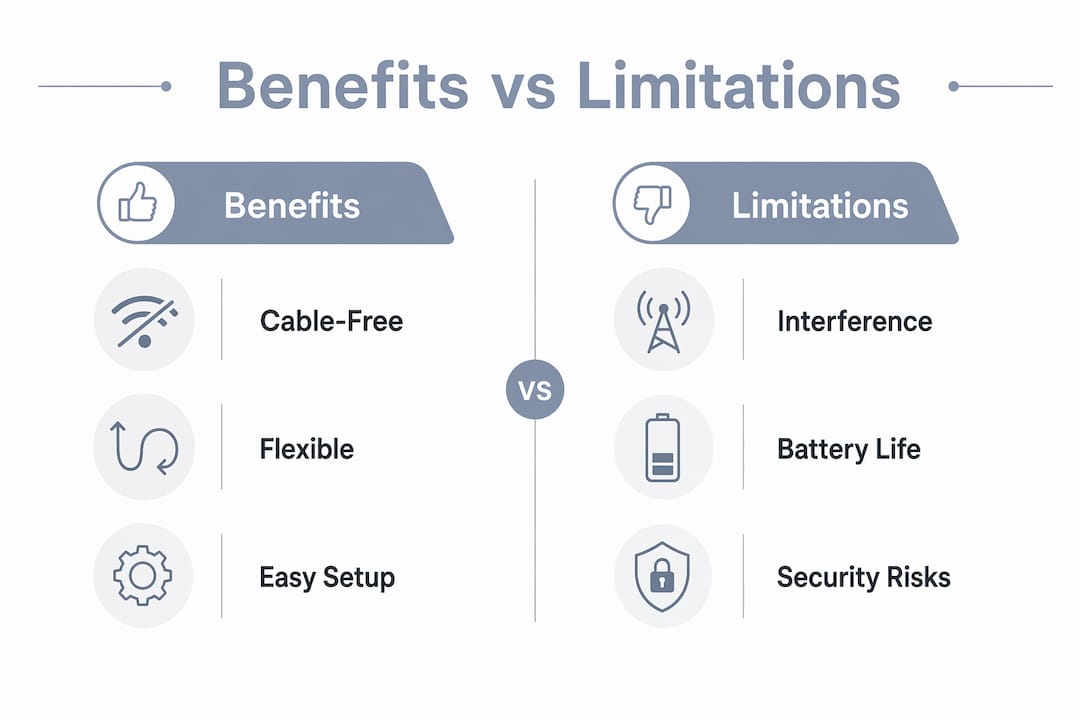
Wireless intercom systems offer one clear advantage over wired alternatives: no cable runs. That single fact changes the entire installation picture for retrofit projects, rental properties, and temporary setups where cutting into walls is not practical. Lowvoltagecorp regularly installs wireless systems in older South Florida buildings where running new conduit would cost more than the intercom itself.
Key benefits
- No wiring required: Units mount with minimal hardware and relocate easily when layouts change
- Fast installation: A basic two-unit system can be operational in under an hour
- Mobility: Portable substations and belt packs move with the user
- Scalability: Standard systems support 8–16 units; professional digital hubs can expand beyond 30
- Cost entry point: Consumer-grade analog systems start around $60 to $160, making them accessible for small properties
Practical limitations
Wireless systems have real constraints that buyers often underestimate. Interference from household electronics and dense building materials degrades signal quality and voice clarity. Concrete and brick walls are the biggest culprits. Signal range drops 30–40% per concrete or brick wall, which means a system rated for 800 feet indoors may only reach 400 feet in a concrete block building.
Battery life is another constraint. Battery-only units deliver 12–24 hours of active operation per charge. For a front gate or entry point that runs all day, that uptime is not enough without a hardwired power backup or solar supplement.
Security risk is the third limitation. Older FM analog systems broadcast on open frequencies. Anyone with a scanner can listen in. Encrypted digital systems solve this, but they cost more and require compatible hardware across all units.
Pro Tip: Before buying, check whether the system uses AES encryption or a proprietary digital protocol. If the product listing only says “digital,” ask the manufacturer directly. “Digital” does not automatically mean encrypted.
What types of wireless intercom systems are available?
Choosing the right system starts with understanding what each technology actually does. The four main categories serve different needs, budgets, and environments.
-
FM analog systems. These are the most affordable option, typically priced in the $60–$160 range. They work well for simple home use with two to four units. The drawback is open-frequency transmission, which creates privacy risk, and susceptibility to interference from other devices on the same band.
-
DECT 1.9 GHz systems. DECT is the standard for modern cordless phones and professional wireless intercoms. DECT systems offer superior noise rejection, automatic channel selection, built-in authentication, and full-duplex audio. The 1.9 GHz band is less congested than 2.4 GHz, which translates to cleaner audio in dense environments like apartment buildings or office complexes.
-
IP and cellular-based systems. These systems connect over a local network or a cellular carrier instead of a dedicated RF band. Cellular-enabled intercoms operate independently of local Wi-Fi and work well for remote properties, gated communities, or locations with unreliable broadband. The trade-off is dependence on carrier coverage and potential monthly data costs.
-
Professional digital audio intercoms. Used in broadcast studios, large venues, and industrial facilities, these systems use proprietary digital protocols with high channel counts, low latency, and advanced routing. They scale well beyond what consumer systems can handle and integrate with existing security and AV infrastructure.
How to choose the right system
The right choice depends on five factors: coverage area, number of units needed, building materials, power availability, and security requirements. A single-family home with two entry points needs a very different solution than a 20-unit apartment building with a gated parking structure.
For multi-floor or multi-building deployments, hybrid systems combining a wired backbone with wireless last-meter connectivity are emerging as the most reliable approach. The wired backbone handles long runs between buildings or floors, while wireless handles the final connection to individual units. This design avoids the signal degradation problems that plague purely wireless setups in large or complex properties.
What are the best practices for wireless intercom installation?
Good installation decisions made before you mount a single unit will determine whether the system performs well for years or becomes a constant source of frustration. These are the practices that matter most.
-
Assess power availability first. Decide whether each unit location has access to a hardwired power source. Battery-only operation works for low-traffic locations, but entry points and gates need wired or solar-supplemented power for reliable all-day uptime.
-
Conduct a wireless site survey. Walk the property with a signal meter or a test unit before committing to final mounting locations. Identify dead zones, interference sources, and areas where signal drops below usable levels. This step prevents the most common post-installation complaints.
-
Choose encrypted systems. For any application beyond casual home use, select a system with AES or equivalent encryption. This is especially critical for security system installations where intercom access controls entry to a building or gate.
-
Minimize obstructions between units. Place units with a clear line of sight where possible. Avoid mounting on opposite sides of concrete elevator shafts, metal filing cabinets, or HVAC equipment. Each obstruction costs you range and audio quality.
-
Plan for multi-floor coverage. If the property has more than two floors or multiple buildings, budget for repeaters or consider a hybrid IP solution. Expecting a single base unit to cover a three-story concrete building is a setup for failure.
-
Schedule regular maintenance checks. Test battery levels quarterly on battery-powered units. Clean speaker grilles to prevent audio muffling. Verify that firmware is current on IP-based systems to close security vulnerabilities.
-
Check compatibility with existing systems. If the property already has a doorbell transformer, security panel, or motorized gate, confirm that the intercom integrates cleanly. Mismatched voltage or trigger signals create integration headaches that are expensive to fix after installation. Lowvoltagecorp handles these compatibility checks as part of every installation assessment.
Pro Tip: For cellular-connected intercoms, check carrier signal strength at the exact mounting location before purchasing. A unit that needs 4G LTE to function will not perform reliably in a spot with one bar of service. Pair it with a cell signal booster if coverage is marginal.
Key Takeaways
Wireless intercoms deliver flexible, cable-free communication across license-free RF bands, but performance depends on encryption choice, power planning, and site-specific signal management.
| Point | Details |
|---|---|
| Frequency bands determine performance | DECT 1.9 GHz outperforms FM analog in noise rejection, security, and full-duplex audio quality. |
| Power planning is non-negotiable | Battery-only units last 12–24 hours; hardwired or solar backup is required for entry points and gates. |
| Encryption protects your communication | Non-encrypted FM systems are vulnerable to interception; always choose AES or digital protocol encryption. |
| Building materials cut range significantly | Concrete and brick walls reduce signal range by 30–40% per wall; plan for repeaters or hybrid IP solutions. |
| Site surveys prevent most failures | Testing signal strength before installation eliminates the majority of post-install performance complaints. |
What I’ve learned after years of wireless intercom installs
The biggest mistake I see buyers make is treating wireless intercoms like plug-and-play consumer electronics. They read the box range, assume it applies to their building, and skip the site survey. Then they call us six weeks later wondering why the gate unit cuts out every afternoon.
Concrete is the enemy of wireless range. A system rated for 2,600 feet outdoors might struggle to reach 300 feet through three poured-concrete floors. That is not a defective product. That is physics. The fix is either a repeater, a hybrid wired-to-wireless design, or a cellular-connected unit that bypasses the RF problem entirely.
The security angle is where I think the industry has been too quiet. Most consumer-grade FM systems sold at big-box stores broadcast on open frequencies. Your neighbors, and anyone with a $30 scanner, can listen to every conversation at your front door. For a home, that is uncomfortable. For a business, it is a liability. Encrypted DECT or IP-based systems are not a luxury upgrade. They are the baseline for any property where access control actually matters.
My honest recommendation for 2026: if you are managing more than one building or more than four units, skip the consumer-grade FM systems entirely. The price gap between a $100 FM unit and a $300 DECT system is real, but the performance and security gap is larger. Lowvoltagecorp has seen too many properties rip out cheap systems after 18 months and spend more on the replacement than they would have on the right system from day one. Buy once, buy right, and get a professional site survey before you commit to a location.
— Aaron
Lowvoltagecorp can help you get it right
Choosing and installing a wireless intercom system involves more variables than most buyers expect. Power sourcing, frequency selection, encryption standards, and building-specific signal behavior all affect whether a system performs or frustrates.

Lowvoltagecorp specializes in low-voltage installation, repair, and maintenance across security cameras, motorized gates, wired and wireless networks, and cell boosters. That cross-discipline experience means we catch integration problems before they become expensive fixes. If you are weighing cost-effective security upgrades for a South Florida property, our team can assess your site, recommend the right system, and handle the full installation. Reach out to Lowvoltagecorp to schedule a site evaluation.
FAQ
What is a wireless intercom system?
A wireless intercom is a cable-free communication system that transmits voice between two or more stations using radio frequencies. Common bands include 900 MHz, 2.4 GHz, 5.8 GHz, and DECT 1.9 GHz.
How far can a wireless intercom reach?
Indoor range averages around 800 feet, while outdoor line-of-sight coverage can reach up to 2,600 feet. Concrete and brick walls reduce that range by 30–40% per wall.
Do wireless intercoms need Wi-Fi to work?
Most wireless intercoms operate on their own dedicated radio frequency and do not require Wi-Fi. IP-based and cellular models use a network connection only for remote access features like smartphone integration.
Are wireless intercoms secure?
FM analog systems are not secure and can be intercepted with basic equipment. DECT and digital systems with AES encryption significantly reduce eavesdropping risk and are the recommended choice for any access-control application.
How many units can a wireless intercom system support?
Standard consumer systems support 8–16 units depending on the protocol. Professional digital systems can scale beyond 30 units with hub expansion, making them suitable for larger commercial or multi-building properties.