Backup power in security is the independent electrical source, whether a battery, generator, or hybrid setup, that keeps your alarms, cameras, and network gear running the moment utility power cuts out. It covers everything from small UPS units sitting in a panel closet to whole-property generators and battery/solar hybrids. Without it, a blackout doesn’t just dim your lights. It blinds your cameras, silences your alarm panel, and disconnects the cellular communicator that’s supposed to call for help.
The practical move: make sure your security panel, primary cameras, NVR or DVR, and network gateway or cellular communicator all have at least short-duration backup, plus a plan for outages that stretch past a few hours. That’s the baseline. Beyond it, you’re deciding how much resilience you can afford and how long you need to stay operational.
A few things worth knowing before you buy anything:
- Code and resilience guidance already exists. NFPA 70 sets transfer-time standards for emergency and standby systems requiring rapid load transfer, and CISA’s resilient power guidance frames planning around multi-day resilience levels.
- Not every device needs the same backup tier. Life-safety and communications gear come first; decorative lighting and non-critical devices come last.
- The weakest link usually isn’t the camera. It’s the router, modem, or PoE switch that nobody thought to plug into the backup circuit.
Key Takeaways
Reliable security backup power comes down to matching the right power source to your load, prioritizing life-safety and communications equipment first, and testing the system before an actual outage does it for you.
| Point | Details |
|---|---|
| Definition | Backup power is an independent electrical source (UPS, battery, generator, or hybrid) keeping security gear running during utility failure. |
| Match type to outage length | UPS and batteries handle short outages; generators and solar/ESS hybrids handle multi-day events. |
| Prioritize by tier | Protect life-safety and communications loads first, auxiliary devices last, when capacity is limited. |
| Size with real math | Total load wattage, add 20% overhead, multiply by runtime hours to get required capacity. |
| Test on a schedule | Monthly visual checks, quarterly load tests, and annual full-load runs catch failures before an outage does. |
| Professional integration | Lowvoltagecorp designs backup power into full security, network, and gate installations, not as a separate add-on. |
Table of Contents
- Common Types of Backup Power for Security Systems
- What Security Components Actually Need Backup?
- How to Calculate Backup Power Runtime
- How Backup Power Gets Installed and Integrated
- Maintenance, Testing, and Code Guidance You Should Know
- Safety, Environmental Risks, and Mistakes That Break Backup Systems
- When to Hire a Professional vs. DIY
- An Installer’s View on Backup Power Tradeoffs
- How Lowvoltagecorp Keeps Your Security System Running Through Outages
- Frequently Asked Questions
- Sources
Common Types of Backup Power for Security Systems
Every backup power solution trades off speed, runtime, cost, and complexity differently, and picking the wrong one for your situation is the single most common mistake property managers make. A UPS that’s perfect for a small camera cluster will fall flat trying to run a whole building through a multi-day outage. A generator sized for a warehouse is overkill for a four-camera residential setup.
Uninterruptible power supplies (UPS) come in three flavors: offline (cheapest, small delay on switchover), line-interactive (better voltage regulation, still budget-friendly), and online/double-conversion (zero transfer time, best for sensitive electronics). For security panels and network gear, line-interactive or online units are the standard because even a half-second gap can drop a camera stream or reboot a router mid-recording.
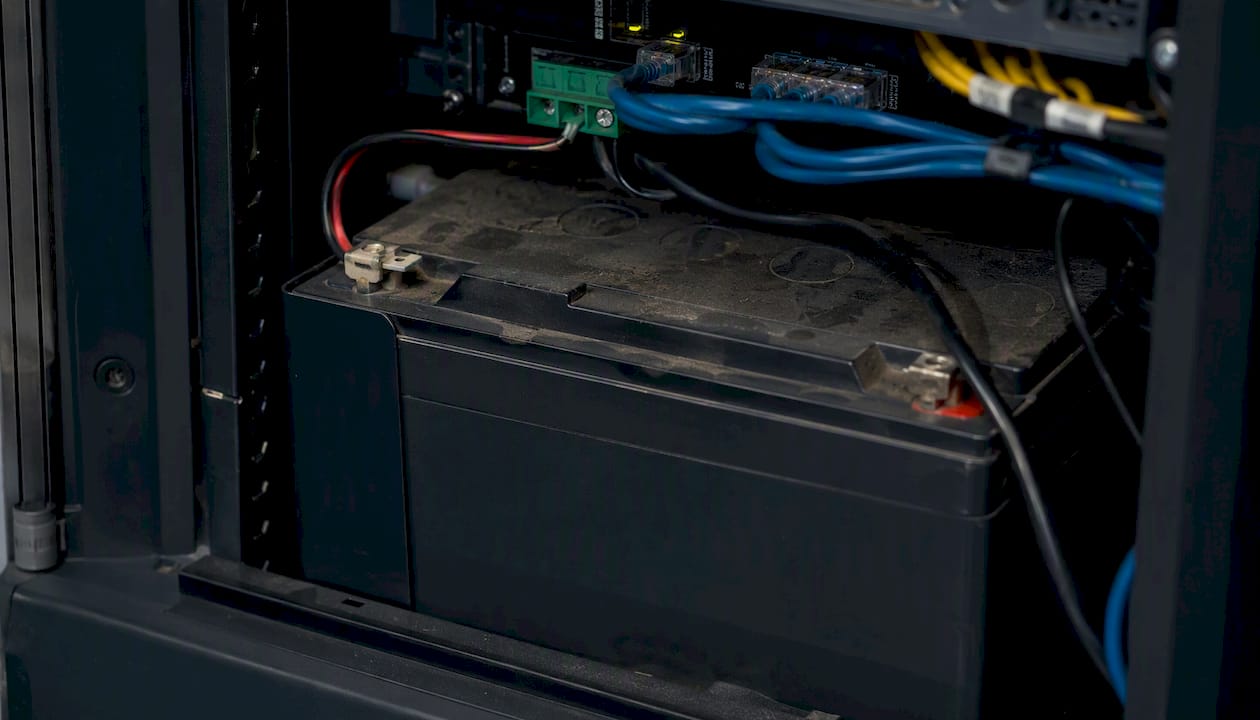
Dedicated battery banks, sealed lead-acid or lithium, sit inside or near the security panel and exist purely to keep the alarm and communicator alive. Modern charging systems can restore sealed lead-acid or gel batteries in a relatively short time, which matters a lot if your area sees repeated short outages rather than one long one.
Portable power stations are the flexible, no-installation option. Good for temporary setups or as a supplement, not a primary solution for a fixed commercial system.
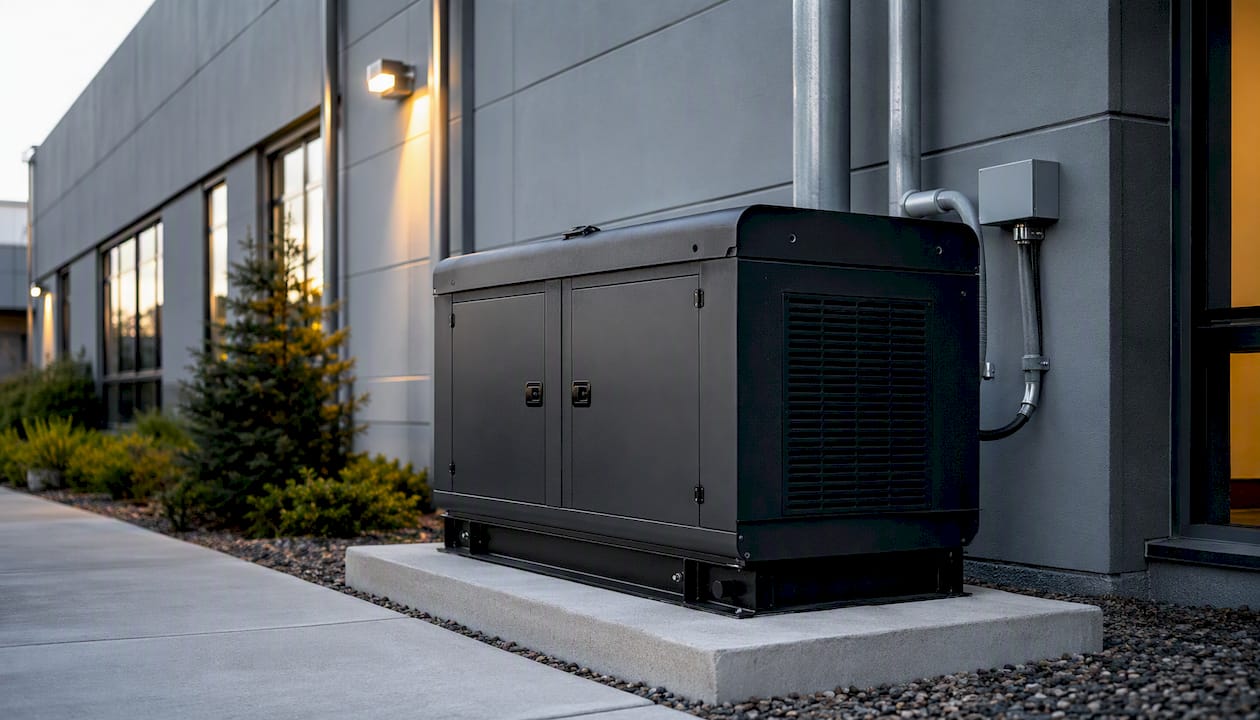
Standby generators (diesel, natural gas, propane) handle extended outages that batteries can’t. Generator-level backup requires attention to fuel logistics, ventilation, and ongoing maintenance, which is why they’re rarely a DIY install for commercial properties.
Solar plus battery (ESS) hybrids combine renewable charging with storage, giving you resilience that doesn’t run out of fuel. CISA specifically recommends hybrid renewable systems as an option to improve power system redundancy without relying solely on fuel supply.
| Backup Type | Typical Runtime | Best For | Key Tradeoff |
|---|---|---|---|
| UPS (line-interactive/online) | Minutes to a few hours | Panels, cameras, network gear | Limited runtime, needs recharge |
| Dedicated battery bank | 4 to 6 hours | Alarm panel, communicator | Requires periodic replacement |
| Portable power station | 2 to 10 hours | Temporary or supplemental use | Not built for permanent install |
| Standby generator | Days (with fuel supply) | Whole-property, extended outages | Fuel logistics, ventilation, cost |
| Solar + battery (ESS) | Ongoing, weather-dependent | Long-term resilience, remote sites | Higher upfront cost, sizing complexity |
Experts generally frame the choice around outage type: short, frequent blips call for battery-based solutions, while multi-day grid failures call for generation capacity or a hybrid system that doesn’t run dry.
What Security Components Actually Need Backup?
Not every device deserves equal protection when your backup capacity is limited, and figuring out the pecking order before an outage hits saves you from discovering the hard way that your cameras kept recording while your alarm panel went dark.
Think in three tiers:
Tier 1: life-safety and emergency systems. Alarm panels, fire and life-safety integrations, and anything tied to occupant safety. This is what code-required emergency power is built to protect, and NFPA 70 requires these circuits to transfer quickly, typically within seconds.
Tier 2: surveillance, access control, and communications. Cameras, NVR/DVR, access control panels, network switches, routers, modems, and cellular communicators. This tier is where most security failures during outages actually happen, because it’s easy to protect the panel and forget the network path around it.
Tier 3: auxiliary and non-critical loads. Decorative lighting, non-essential displays, secondary monitors. These can go dark without compromising security.
Here’s how to work through prioritization on your own property:
- Inventory every powered device tied to your security system, including things people forget: PoE switches, wireless access points, and cellular signal boosters.
- Estimate power draw for each device (check nameplate wattage or PoE class ratings).
- Map communications dependency. Trace the path from camera to NVR to switch to router to modem or cellular communicator. If any link in that chain loses power, the whole system goes dark even if the camera itself has backup.
- Rank by tier, then match available backup capacity to Tier 1 and Tier 2 loads first.
- Cut unnecessary draw before adding capacity. Lowering camera resolution or disabling non-essential zones during an outage can meaningfully extend runtime.
Pro Tip: Most people size backup power around cameras and forget the PoE switch feeding them. If that switch loses power, every camera downstream goes dark even with a fully charged UPS sitting next to the panel. Always trace the full power path before finalizing your setup.
How to Calculate Backup Power Runtime
Sizing backup power isn’t guesswork. It’s arithmetic, and doing it wrong is how people end up with a UPS that dies two hours into a six-hour outage.
Here’s the process:
- List every load in watts. Check nameplate ratings or PoE class (a typical PoE camera draws 6 to 15 watts; a PoE switch adds its own baseline draw plus what it delivers to each port).
- Total the wattage, then add 15 to 20% overhead for inverter losses and startup surges.
- Multiply by desired runtime in hours to get total watt-hours needed.
- Convert to battery amp-hours by dividing watt-hours by system voltage (commonly 12V for security applications).
- Adjust for depth of discharge. Lead-acid batteries shouldn’t be drained past 50% regularly without shortening their lifespan; lithium batteries tolerate deeper discharge.
Worked example: A small commercial setup with a security panel (10W), four PoE cameras (10W each = 40W), a PoE switch (20W baseline), and a router (10W) totals 80W. For a 6-hour runtime target, that’s 576 watt-hours. On a 12V system, that’s 48 amp-hours of usable capacity, which means sizing a battery closer to 96Ah if you’re using lead-acid and staying within safe discharge limits.
A few rules of thumb worth keeping handy:
- PoE cameras typically draw 6 to 15 watts depending on resolution, IR illuminators, and heaters.
- Inverter losses typically run 10 to 15% for offline units and less for online double-conversion UPS systems.
- Lithium battery banks generally allow 80 to 90% usable capacity versus roughly 50% for sealed lead-acid.
If the math feels like more than you want to handle for a commercial property, a UPS sized correctly for low-voltage systems removes most of the guesswork.
How Backup Power Gets Installed and Integrated
Installation is where the theory meets your actual electrical panel, and this is usually where DIY plans run into trouble.
Automatic Transfer Switches (ATS) handle the handoff between utility power and a generator without anyone flipping a switch. Code-required emergency systems must transfer within about 10 seconds, while legally required standby systems get up to 60 seconds. For security applications, that gap matters. A camera that drops for even a few seconds can miss the exact moment you needed it recording.
UPS integration protects electronics against the seconds it takes any transfer switch to engage, and against the everyday sags and surges utility power throws at sensitive equipment even when the grid stays up.
Where equipment lives matters as much as what you buy:
- Battery banks and UPS units for panels typically sit inside the security panel cabinet or an adjacent equipment closet with ventilation.
- Larger battery systems or standby generators need outdoor enclosures or dedicated mechanical rooms, away from living or working spaces.
- Network gear backup (router, modem, switch) should live on its own protected circuit, not share a UPS output already stretched thin by cameras.
Installation details that separate a reliable system from a fragile one: correct grounding, dedicated surge protection ahead of sensitive electronics, and separating critical loads onto their own circuits so a fault on one device doesn’t take down the whole chain. CISA’s guidance on network resilience makes the point that backup power design and network security aren’t separate conversations. If your router isn’t on backup, your entire security system’s connectivity depends on the same grid power that just failed.
Pro Tip: Ask any installer where the network gear sits in the backup plan before you sign anything. If the answer is vague, that’s a gap you’ll discover during the next outage, not before it.
If you’re weighing a full security camera wiring project, build backup power into the design from day one rather than retrofitting it later.
Maintenance, Testing, and Code Guidance You Should Know
A backup system nobody tests is a backup system you can’t trust, and this is the step most properties skip.
The routine that actually works: check battery health and terminal connections monthly, run a load test quarterly to confirm the system carries real demand (not just a trickle), and do a full-load annual test that mimics an actual outage from start to finish. Generators need weekly no-load exercise cycles and regular fuel checks, since stale fuel is one of the most common reasons a standby generator fails to start when it’s actually needed.
| Task | Suggested Cadence | Notes |
|---|---|---|
| Visual battery inspection | Monthly | Check for corrosion, swelling, loose connections |
| Load test | Quarterly | Confirms battery carries real system demand |
| Full-load run (generator) | Annually | Simulates an actual extended outage |
| Sealed lead-acid replacement | Every 3 to 5 years | Capacity degrades even with proper charging |
| Lithium battery replacement | Every 8 to 10 years | Longer lifespan, higher upfront cost |
| Generator fuel check | Weekly to monthly | Prevents stale fuel and start failures |
Remote telemetry that tracks battery voltage, AC loss events, and charger health supports proactive maintenance to prevent failures during outages. A battery that’s silently degrading looks fine right up until the moment it’s actually asked to work.
On the code side, FEMA P-1019 summarizes NFPA 70 requirements for emergency and standby transfer timing, while CISA’s resilient power framework organizes planning around resilience levels: roughly 3 days for Level 1, 7 days for Level 2, 30 days for Level 3, and beyond 30 days for Level 4 critical sites. Most commercial security systems don’t need Level 4 resilience, but knowing where your property falls helps you decide how much backup capacity is actually worth the investment.
A regular maintenance rhythm doesn’t just catch failures. It’s also the difference between a security system that stays reliable year over year and one that quietly degrades until the day it’s tested by a real outage.
Safety, Environmental Risks, and Mistakes That Break Backup Systems
Backup power introduces its own hazards, and the mistakes that compromise a system are almost always about placement and neglect, not the equipment itself.
Fuel-based generators need real ventilation. Carbon monoxide buildup from an improperly placed unit is a genuine hazard, which is why generators belong outdoors, away from windows and air intakes, never in a garage or enclosed space regardless of how bad the weather is outside. Flood-prone areas need elevated placement for both generators and battery banks. Battery chemistries carry their own handling and disposal requirements, and lithium batteries in particular need proper containment to avoid thermal runaway risks.
The most common installation mistakes that quietly wreck an otherwise good backup plan:
- Undersized cables between the battery or UPS and the load, causing voltage drop that starves equipment even when the battery itself is healthy.
- No automatic transfer switch, meaning someone has to manually intervene during an outage, which rarely happens fast enough at 3 a.m.
- Router and modem left off the backup circuit, so cameras have power but nothing to transmit through.
- No remote monitoring, so a failing battery or a generator that won’t start goes undetected until the exact moment it’s needed.
A UPS with a dead battery looks identical to a working one right up until the power actually goes out. Choosing the wrong battery or UPS for cameras, PoE switches, and NVRs is one of the most common reasons surveillance systems go dark during outages, and it’s almost always discoverable ahead of time with basic testing.
Don’t place batteries near heat sources or in direct sun. Don’t run a generator without adequate clearance and ventilation. Don’t assume a battery holds its rated capacity forever. Lead-acid batteries lose capacity even when properly maintained, and a battery that tested fine a year ago may not carry the same load today.
When to Hire a Professional vs. DIY
A basic UPS on a single camera setup is a reasonable DIY project. Everything past that point starts introducing risks that justify bringing in a licensed installer.
Hire a professional when you’re dealing with:
- Multi-circuit integration across panels, cameras, access control, and network gear.
- Generator or fuel-based systems, which involve electrical code compliance, fuel storage regulations, and often permitting.
- Code-required emergency circuits, where transfer timing and load segregation have to meet NFPA 70 standards rather than best-guess wiring.
- Rooftop or remote installations where access and safety are genuine concerns.
- Warranty-sensitive equipment, where a DIY install can void manufacturer coverage on cameras, NVRs, or panels.
When you’re getting quotes, ask these questions and compare answers side by side:
- What certifications does your team hold for electrical and low-voltage work?
- What’s the expected transfer time between utility failure and backup engagement?
- Does the quote include a maintenance plan, and what’s the testing cadence?
- Is remote monitoring included, or is it a separate add-on?
- What warranty applies to the batteries, UPS units, or generator, and for how long?
- Who handles permitting if the installation requires it?
- What’s the expected lead time from signed quote to completed installation?
A professional quote typically breaks down into equipment costs, labor, permitting (if applicable), and an optional ongoing maintenance agreement. Common upgrades worth asking about include remote monitoring add-ons and battery replacement scheduling built into the service contract, so you’re not caught off guard three years later. If you’re still deciding on scope, a security system installation guide can help you figure out where DIY ends and professional work should begin.
An Installer’s View on Backup Power Tradeoffs
The mistake I see most often isn’t choosing the wrong backup type. It’s stopping the plan at the security panel and forgetting the network path that makes the whole system actually work. A property manager will install a solid battery backup for their alarm panel, feel confident the job is done, and never realize the router feeding their cameras to the cloud has no backup at all. The panel stays alive. The footage stops.
Balanced resilience usually beats maximum resilience. A UPS covering the critical Tier 1 and Tier 2 loads, paired with a short-run generator or a hybrid system for properties that genuinely need multi-day coverage, handles the vast majority of real-world outages without the cost and complexity of over-engineering a system for a scenario that happens once a decade. The properties that get this right treat backup power as part of the initial design, not an afterthought bolted on after the first outage exposes the gap. That’s also why remote monitoring matters more than people expect. A battery that’s quietly failing looks fine until the exact moment it’s tested by a real event, and by then it’s too late to do anything but explain what went wrong.
How Lowvoltagecorp Keeps Your Security System Running Through Outages
Lowvoltagecorp handles backup power the same way it handles the rest of your security system: as one integrated design, not an afterthought bolted onto a panel after the fact. For property and facility managers in South Florida, where outages come with hurricane season rather than as a rare surprise, that distinction is the real advantage over piecing together a UPS from a big-box store and hoping it covers everything.

A typical engagement starts with a site survey and full load inventory, walking through every camera, switch, panel, and communicator that needs protection, followed by a straightforward quote and installation that accounts for transfer timing, ventilation, and code-required circuits. Lowvoltagecorp installs and maintains security cameras, motorized gates, wired and wireless networks, and cell signal boosters, and integrates UPS or generator backup into all of it so the whole chain, not just the panel, stays powered. Ongoing maintenance agreements cover the battery testing and load checks that catch a failing component before it fails during an actual storm.
If your current setup has never had a real load test, that’s the place to start. Request a site survey to get a clear picture of what’s protected, what isn’t, and what a properly sized backup power upgrade would cost for your property.
Frequently Asked Questions
What is backup power in security systems, exactly?
It’s an independent electrical source, a UPS, dedicated battery, generator, or hybrid system, that keeps your alarm panel, cameras, and network equipment operating when utility power goes out.
How long should backup power last for a security system?
It depends on your resilience needs. A UPS covering a few hours handles most short outages, while properties in storm-prone areas often plan for CISA’s resilience-level framework, which starts around 3 days for baseline resilience.
Does backup power cover Wi-Fi and internet, or just the cameras?
Only if you design it that way. Routers, modems, and PoE switches need to be on the same backup circuit as your cameras, or the footage has nowhere to go even with a fully charged battery.
How often should I test my backup power system?
Visual checks monthly, load tests quarterly, and a full-load run annually. Generators also need weekly no-load exercise cycles to keep fuel systems from degrading.
Can I install backup power myself, or do I need a professional?
A single UPS on one camera is manageable DIY work. Anything involving generators, automatic transfer switches, or code-required emergency circuits should go to a licensed low-voltage installer.
Sources
- Designing for Uptime | Security Info Watch
- FEMA P-1019
- CISA Resilient Power Best Practices for Critical Facilities and Sites
- How to choose the best backup power when the lights go out | AP News