Power reliability is something most property and facility managers in South Florida think about in terms of generators and main electrical panels. But the low voltage systems running your security cameras, access control, and network infrastructure are just as exposed, and often far less protected. A single voltage sag lasting less than a second can reboot a network switch, drop security camera feeds, or corrupt access control logs. This article breaks down exactly how uninterruptible power supplies (UPS) work with low voltage systems, what types are best for your setup, and how to deploy them effectively across your South Florida property.
Table of Contents
- Why low voltage systems need UPS protection
- How UPS works: Core concepts and types explained
- AC vs DC UPS: Choosing the right backup for your setup
- Implementation for South Florida: Best practices and real risks
- Why most UPS strategies fall short and what really works
- Protect your property with proven UPS solutions
- Frequently asked questions
Key Takeaways
| Point | Details |
|---|---|
| Critical shield for security | A UPS prevents power interruptions from compromising sensitive security and network devices. |
| Pick the right UPS type | Choosing between offline, line-interactive, and online models affects both reliability and protection for your low voltage systems. |
| DC UPS for efficiency | Direct DC UPS units cut out conversion losses and improve backup for cameras and alarms. |
| Maintenance is essential | Quarterly battery tests and timely replacement ensure your UPS functions during storms and outages. |
| Layering protects uptime | Using UPS and generators together provides seamless power continuity even in hurricane-prone regions. |
Why low voltage systems need UPS protection
Low voltage systems operate on circuits that typically run between 12 and 50 volts. That category covers a wide range of critical infrastructure: IP security cameras, network video recorders (NVRs), wireless access points, managed network switches, access control panels, and intercoms. These devices may draw less power than HVAC units, but they are just as critical to daily operations and far more sensitive to power inconsistencies.
South Florida’s grid environment is uniquely brutal for electronics. During storm season, the region sees hurricane power protection challenges that include not just full outages but rolling brownouts, voltage surges from nearby lightning strikes, and momentary sags when large loads disconnect. Any one of these events can cause a camera system to go offline, lock an access control panel in a failed state, or corrupt a network device’s firmware.
Here is why the stakes are higher than most people realize:
- A security camera feed dropping for 30 seconds during an unauthorized access event means that footage is gone permanently.
- A network switch rebooting mid-transmission can disrupt cloud-based access control systems that require constant connectivity.
- Power surges can silently degrade hardware over time, leading to premature failure you do not trace back to power quality until devices start dying unexpectedly.
- Access control systems that lose power may default to either locked or unlocked states depending on how they are configured, creating either a security gap or a lockout emergency.
As noted by UPS manufacturers, a UPS provides both backup power and power conditioning for low voltage systems like security cameras, access control, and networking equipment including routers and switches, preventing downtime during outages, sags, and surges. That dual function of conditioning and backup is what separates a UPS from a simple battery backup strip.
For larger facilities, understanding the coordination between UPS and backup generators is equally important because UPS devices fill the gap between grid failure and generator startup, which typically takes 10 to 30 seconds. Without a UPS, that gap is enough to drop every low voltage system on the property.
How UPS works: Core concepts and types explained
Not all UPS devices are created equal, and selecting the wrong topology for your low voltage infrastructure is one of the most common mistakes facility managers make. There are three primary UPS topologies to understand: Offline/Standby, Line-Interactive, and Online/Double-Conversion. Each one handles power disruptions differently.
Here is a quick breakdown of how they compare:
| UPS type | Transfer time | Voltage regulation | Best fit for low voltage |
|---|---|---|---|
| Offline/Standby | 4 to 10 ms | None | Basic battery backup only |
| Line-Interactive | 2 to 4 ms | Automatic Voltage Regulation (AVR) | Network switches, cameras |
| Online/Double-Conversion | 0 ms (zero) | Full isolation and conditioning | NVRs, access control servers |
Offline/Standby UPS is the entry-level option. It passes utility power through directly until a failure is detected, then switches to battery. The 4 to 10 millisecond transfer time sounds fast, but certain network hardware and access control systems are sensitive enough to register that gap as a full power loss and reboot.
Line-Interactive UPS adds automatic voltage regulation, meaning it actively corrects brownouts and overvoltages without switching to battery. This is a strong choice for IP cameras and PoE (Power over Ethernet) network switches in South Florida because it handles the frequent voltage swings that occur during storm season without draining the battery unnecessarily.
Online/Double-Conversion UPS runs your devices off battery power 100% of the time, regenerating clean AC from the battery through an inverter. There is zero transfer time because the load never touches utility power directly. This is the right choice for NVRs storing critical footage, access control servers, and any network hardware managing security operations.
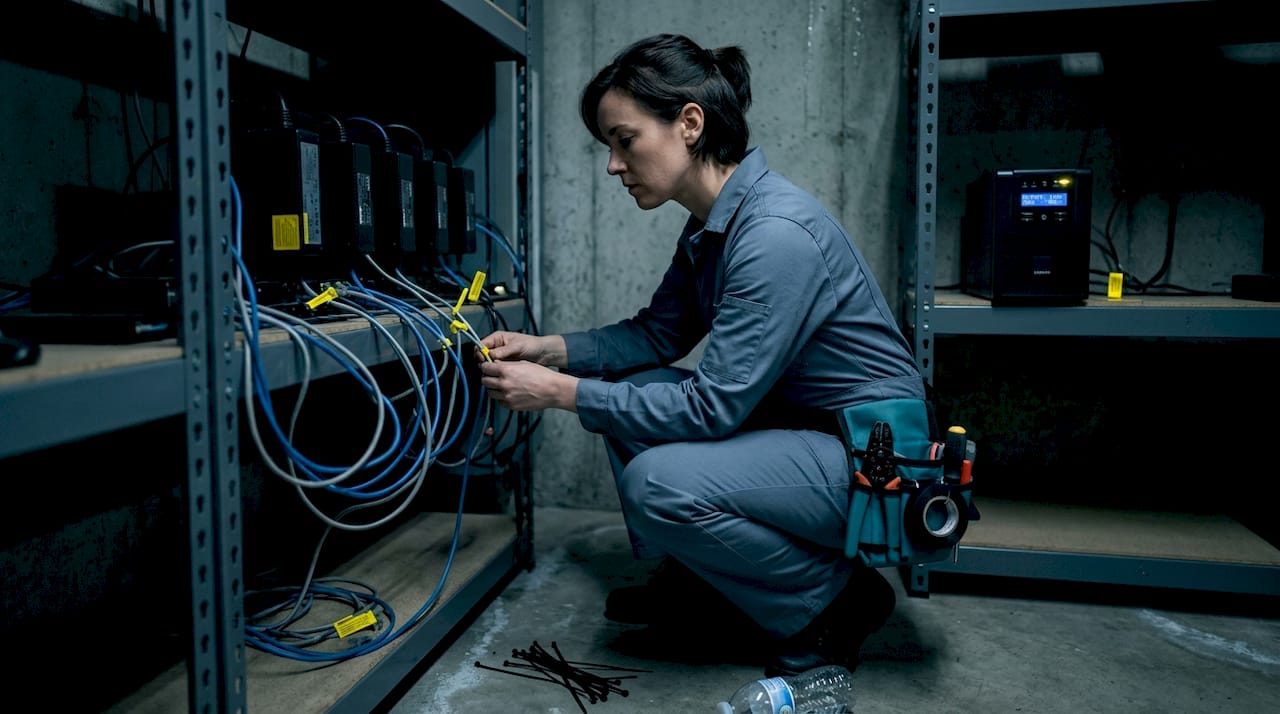
Pro Tip: For sensitive low voltage devices like managed switches and NVRs, always specify a UPS with a pure sine wave output. Modified sine wave units can cause overheating, audible buzzing, and premature failure in devices with switching power supplies, which includes almost all modern network and security hardware.
The numbered decision process for choosing your UPS type should follow this logic:
- Identify which devices need protection and how sensitive they are to power interruptions.
- Determine whether you need zero-transfer protection (Online/Double-Conversion) or if Line-Interactive coverage is sufficient.
- Calculate total wattage of connected devices, then size your UPS at 20 to 25% above that figure for safe headroom.
- Confirm the UPS provides pure sine wave output if any devices contain motor loads or sophisticated switching power supplies.
- Factor in the runtime you need to bridge to generator startup or to outlast typical local outages.
AC vs DC UPS: Choosing the right backup for your setup
Here is where many installation decisions go sideways. Most facility managers default to AC UPS devices because they are familiar and widely available. But when your systems are primarily DC-powered, that choice introduces unnecessary energy conversion and potential inefficiencies.
DC UPS units are specifically designed for low voltage DC systems like CCTV cameras, alarm panels, and PoE devices. They supply 12V or 24V DC directly from battery, avoiding the AC-to-DC conversion losses you get with a standard AC UPS feeding a camera system. Modern DC UPS units with LiFePO4 (lithium iron phosphate) batteries in the 100 to 120W range can fully recharge in as little as five hours, which matters a lot during back-to-back tropical weather events.
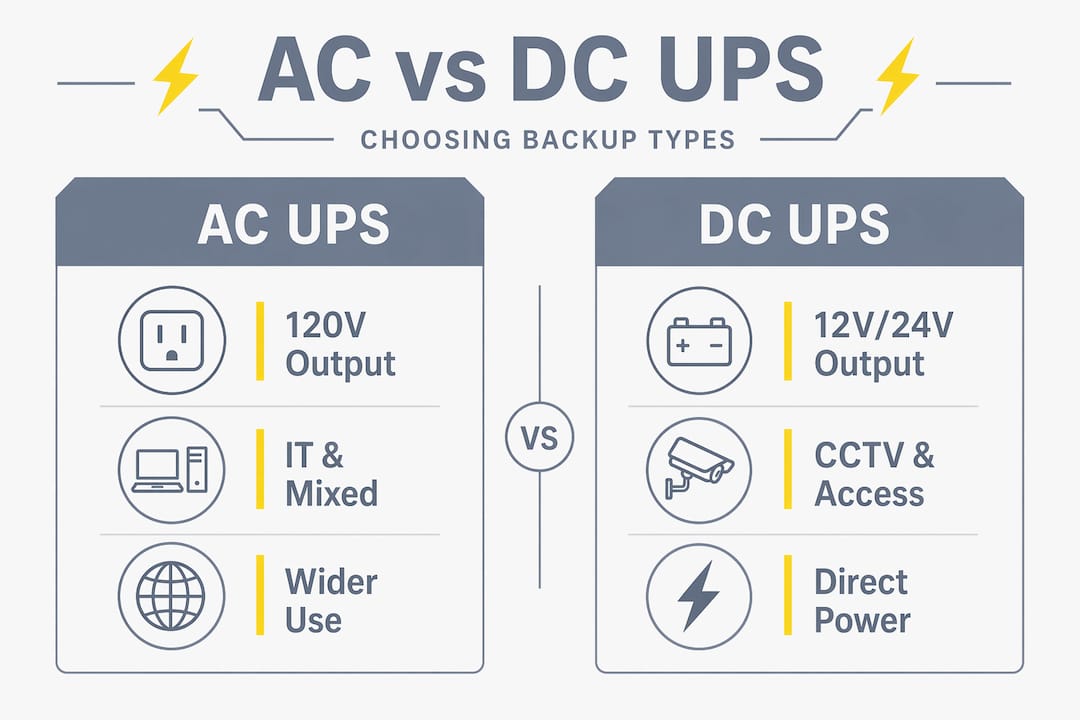
| Feature | AC UPS | DC UPS |
|---|---|---|
| Output type | AC 120V | DC 12V/24V |
| Best fit | IT racks, mixed device panels | CCTV, alarms, PoE injectors |
| Efficiency | Moderate (conversion losses) | High (direct DC supply) |
| Battery technology | VRLA, AGM | LiFePO4, AGM |
| Recharge time | 4 to 8 hours | 3 to 5 hours (LiFePO4) |
| Cost | Lower upfront | Higher upfront, lower long-term |
As industry analysis confirms, AC UPS provides broader device coverage but is less efficient for pure DC low voltage applications. DC UPS is the more direct and efficient option, while Online UPS (full double-conversion) remains the best for noise-contaminated power environments but comes with higher cost and heat output.
For most South Florida commercial properties, a hybrid strategy works best:
- Use DC UPS for dedicated camera runs, alarm panels, and PoE switches that power IP devices.
- Use Line-Interactive AC UPS for NVRs, DVRs, and network core equipment.
- Use Online/Double-Conversion AC UPS for your most critical infrastructure: access control servers, security management workstations, and core network switches.
Pro Tip: Always match your UPS battery runtime to your generator startup time plus a safety buffer. If your generator takes 15 seconds to come online, you need a UPS with at least a 5 to 10 minute runtime at full load to avoid any risk of load drop. For extended hurricane events, evaluate whole-property backup solutions that integrate generator systems with your UPS strategy.
Implementation for South Florida: Best practices and real risks
South Florida is not a typical operating environment. High ambient temperatures, persistent humidity, salt air near the coast, and an aggressive hurricane season create conditions that age UPS batteries significantly faster than manufacturers’ standard ratings assume. Most VRLA (valve-regulated lead acid) batteries are rated under temperature conditions of around 77 degrees Fahrenheit. Operating consistently above 90 degrees, which is common in equipment rooms without dedicated cooling, can cut battery life nearly in half.
Regional electrical experts confirm that in hurricane-prone areas like South Florida, UPS must bridge to generators for security and networking continuity. Battery degradation in heat and humidity requires quarterly testing and replacement every three to five years, sometimes sooner in poorly ventilated equipment closets.
“Facilities that implement layered UPS-plus-generator protection report dramatically reduced downtime during storm events, while battery failure remains the most common point of failure, easily mitigated with predictive maintenance programs.” Facility Gateway
Here is a practical quarterly UPS maintenance checklist for South Florida facility managers:
- Run a self-test on each UPS and review the logged results for abnormal battery behavior.
- Check ambient temperature in each equipment room. Target 65 to 75 degrees Fahrenheit for maximum battery life.
- Inspect battery terminals for corrosion, especially in coastal properties where salt air accelerates oxidation.
- Verify runtime under simulated load by checking the UPS management software or panel readings.
- Review event logs for any voltage anomalies, sags, or brief outages that were silently absorbed by the UPS.
- Confirm all alarm notifications are active so staff is alerted immediately if a UPS switches to battery.
- Test the transfer to generator power at least once per quarter, not just during actual storm events.
Consider a real-world scenario: a mid-size commercial complex in Broward County experienced three separate security camera outages during a single summer storm season. After a site review, the root cause was not the storm itself but rather a series of voltage sags caused by nearby load switching on the same utility circuit. A line-interactive UPS with AVR installed at the NVR rack eliminated the issue entirely. That is the kind of targeted protection that prevents false alarms, preserves footage continuity, and protects you from liability exposure after incidents.
Layering UPS with generators requires careful coordination to avoid overlap issues or transfer delays. Your UPS handles the first 10 to 30 seconds of grid failure, your generator takes over, and your UPS smooths the transition back when the grid restores. For large property backup strategies, the design of this handoff sequence is as important as the hardware itself.
Why most UPS strategies fall short and what really works
Here is something we have seen repeatedly in the field: facility managers invest in UPS hardware, feel confident their systems are protected, and then discover two years later that their cameras dropped during a storm because the UPS battery had silently degraded to 40% capacity. The hardware was there. The strategy was not.
The most common gap is treating UPS as a “set it and forget it” device. It is not. It is a living part of your infrastructure that requires the same scheduled attention as your generators and HVAC systems.
The second major oversight is ignoring power quality in favor of runtime. A cheap UPS with 4 hours of battery but modified sine wave output can actually damage the very equipment it is protecting. As electrical engineering guidance makes clear, a UPS functions as an electrical firewall and poor-quality UPS devices can pass harmonics and electrical noise directly to sensitive low voltage equipment. Choosing a unit with clean sine wave output and automatic voltage regulation is not an upgrade. It is a baseline requirement.
We also see the myth that any UPS is better than none. In reality, an undersized UPS running at 90% load constantly will overheat, cycle its fan continuously, and fail its battery in half the expected time. A properly sized UPS running at 50 to 60% of its rated load will last longer, run cooler, and deliver the runtime you calculated when you designed the system.
Invest in proper UPS monitoring software. Most commercial-grade units support SNMP or USB management, which lets you track battery health remotely. For a property manager overseeing multiple buildings, centralized UPS monitoring is a genuine operational advantage.
Protect your property with proven UPS solutions
Power disruptions in South Florida are not a question of if but when. Your security cameras, access control panels, and network infrastructure deserve the same serious protection planning that you give your generators and main panels.
At Low Voltage Corp, we specialize in designing and installing UPS solutions built specifically for the low voltage systems that keep South Florida properties secure and connected. From security cameras and motorized gates to wired and wireless networks, we understand the full picture of what needs to stay online when the grid goes down. We offer on-site assessments, system design, and ongoing maintenance programs tailored to your property’s actual risk profile. Reach out today to schedule your site evaluation and build a power protection plan that holds up when it matters most.
Frequently asked questions
How does a UPS prevent security downtime during hurricanes?
A properly installed UPS keeps security cameras and access control systems running during grid failures, acting as a seamless bridge to generator power as confirmed by regional electrical best practices.
How often should UPS batteries be tested or replaced in South Florida?
Test batteries quarterly and replace every three to five years. Heat and humidity accelerate battery degradation significantly beyond standard manufacturer ratings.
What is the difference between AC and DC UPS for low voltage installations?
AC UPS covers a broader range of devices but is less efficient for pure DC systems. DC UPS is more direct and better suited for CCTV cameras, alarm panels, and PoE hardware.
Why is power conditioning important when choosing a UPS?
Clean sine wave output and automatic voltage regulation prevent harmonics and electrical noise from reaching sensitive equipment. A UPS without these features can act as a passive noise conductor rather than a true electrical firewall.
Can a UPS fully replace the need for a backup generator?
No. A UPS provides instant protection and covers short outages, but it is designed to bridge to generator power for extended events rather than replace generator capacity entirely.