A facility communications upgrade is the process of modernizing your building’s network infrastructure, life-safety systems, and tenant connectivity to meet current reliability, compliance, and performance standards. The PSTN network retires by January 31, 2027, which means every copper-dependent system in your building — fire alarms, elevator emergency phones, intercoms, and fax lines — needs a replacement plan now. This facility communications upgrade guide walks property and facility managers through every phase: technology selection, planning, execution, troubleshooting, and tenant communication strategy.
What critical systems does a facility communications upgrade cover?
A facility communications upgrade targets every system that depends on a physical phone line or legacy copper infrastructure. That list is longer than most managers expect when they first audit their building.
Legacy systems at risk
Plain Old Telephone Service (POTS) lines currently power fire alarm communicators, elevator emergency phones, entry intercoms, fax machines, and in some older buildings, tenant voice lines. POTS-based fire alarm communicators require upgrades between 2026 and 2029 as copper infrastructure is retired, and POTS line costs have already increased sharply enough to justify early migration. The risk is not just cost. A failed communicator during an emergency is a life-safety failure.
Technology replacement options
| Legacy System | Replacement Option | Typical Cost Range |
|---|---|---|
| POTS fire alarm communicator | Cellular LTE/5G communicator | $300–$800 per unit |
| Elevator emergency phone | SIP/VoIP or cellular line | $500–$1,500 per elevator |
| Building intercom | IP/PoE, 2-wire reuse, or cellular | $6,000–$40,000 per entrance |
| Tenant internet (MDU) | Fiber or managed Wi-Fi (e.g., Quantum Wi-Fi) | Varies by building size |
Intercom retrofits deserve special attention. Retrofit intercom costs range from $6,000 to $40,000 per entrance depending on wiring condition, system type, and disruption tolerance. A site survey before committing to any option saves significant rework cost.
Pro Tip: Cellular communicators are the most practical replacement for fire alarm and elevator POTS lines. They install in a single technician visit and require no new wiring, which minimizes tenant disruption and speeds up compliance.
Life-safety replacements must use UL-listed, code-compliant equipment. Generic SIP trunks do not meet elevator phone code requirements in most jurisdictions. Verify compliance with your local authority having jurisdiction (AHJ) before ordering equipment.
How to plan and prepare for a facility communications upgrade
Planning separates a smooth cutover from a compliance failure. The preparation phase should take as long as the installation itself.
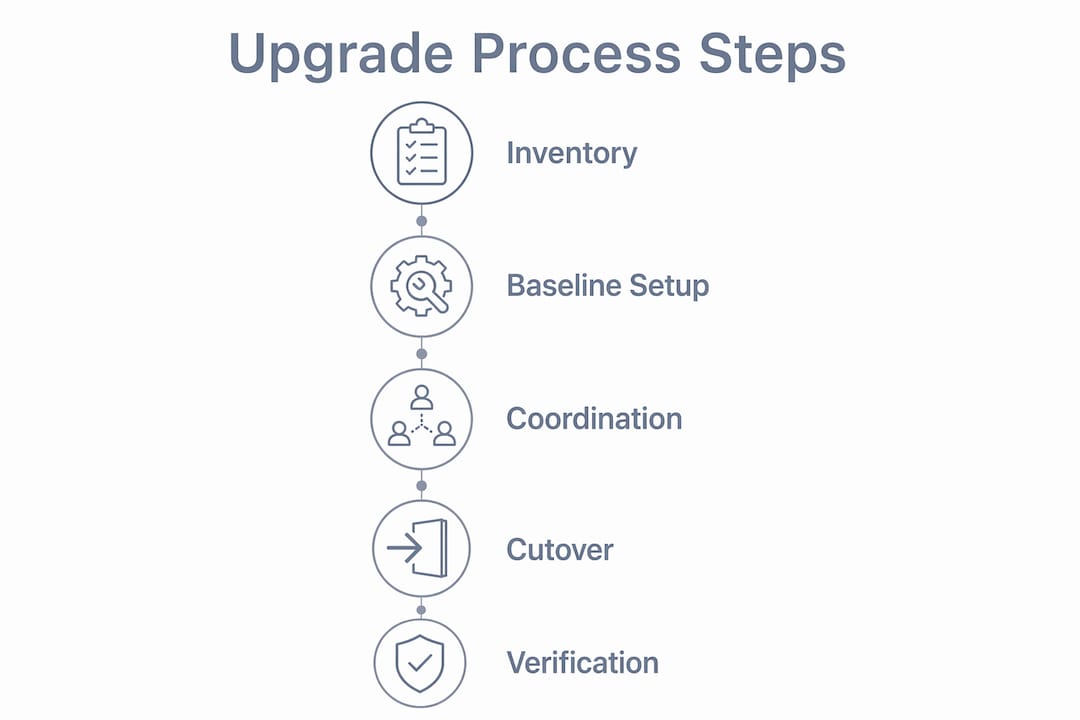
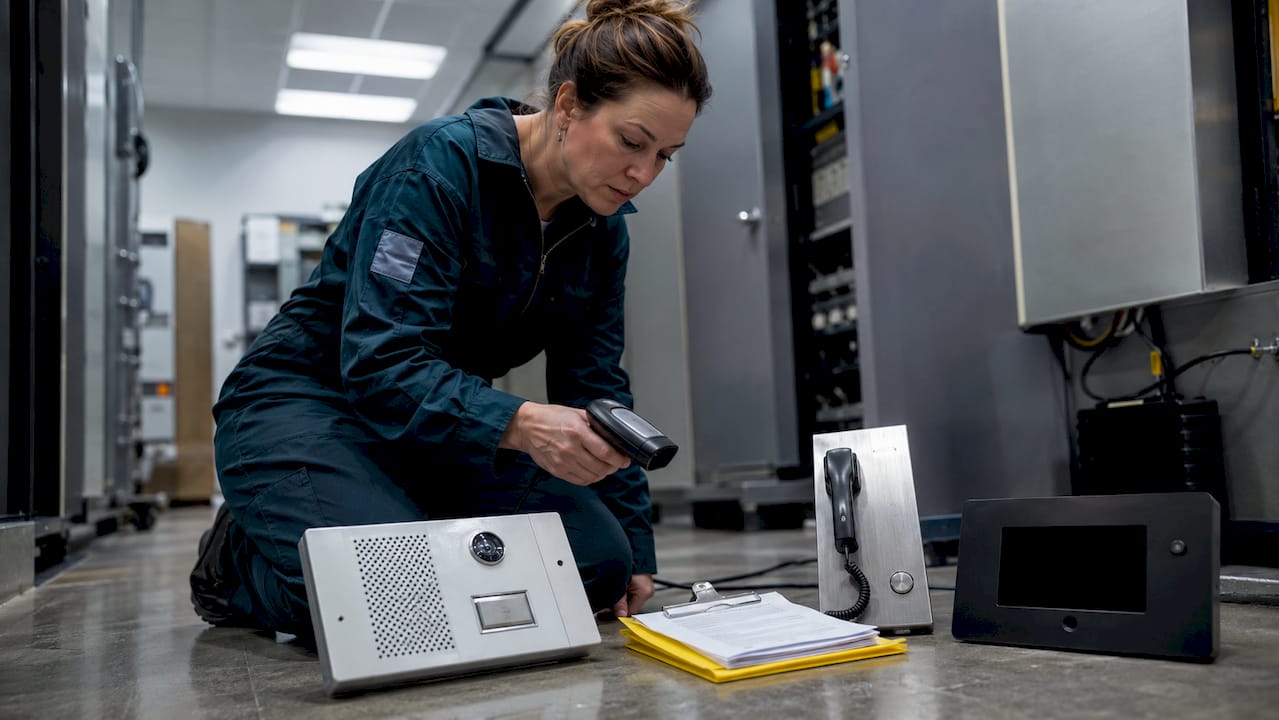
Start with a full inventory. Walk every floor and mechanical room and document every communication-dependent device: fire alarm panels, elevator phones, intercoms, fax lines, tenant routers, and any building automation systems that use phone lines. Assign each device a priority level based on life-safety risk. Migration should be sequenced by prioritizing life-safety circuits like elevator phones and fire alarms first, then voice and fax lines later.
Next, document your baseline. Capture IP addresses, network protocols, VLAN configurations, and device credentials for every system before touching anything. Missing network configuration documentation is one of the most common upgrade failure modes. Losing these settings mid-upgrade means hours of rediscovery work and potential service gaps.
Coordinate with your central monitoring station early. Central station acceptance testing and account registration must happen before installing fire alarm communicators, not after. Many managers schedule the field installation first and then discover the monitoring station needs two to three weeks to configure the new communicator account. That sequencing error creates a compliance gap.
Align your timeline with your service providers, your AHJ, and your elevator maintenance contractor. Life-safety inspections and certifications take time. Build that time into your project schedule, not as an afterthought. For a deeper look at network infrastructure planning in managed buildings, Lowvoltagecorp has published guidance specifically for facility managers.
Pro Tip: Create a one-page cutover summary for each system that lists the device, its current line number, the replacement technology, the responsible technician, and the rollback procedure. This document alone prevents most upgrade-day surprises.
What are the step-by-step execution phases for upgrading communications infrastructure?
Execution follows a fixed sequence. Skipping steps to save time creates the compliance failures and tenant complaints that make upgrades expensive.
-
Signal and site assessment. For cellular replacements, test signal strength at the device location before ordering equipment. LTE signal that looks adequate at the building entrance may be poor inside a concrete mechanical room. Use a signal meter or a temporary test device.
-
Equipment procurement and account setup. Order UL-listed cellular communicators or IP equipment. Simultaneously, submit your central station account setup request. Coordinate account setup and ID registration with monitoring stations ahead of installation to avoid delays in end-to-end signal verification.
-
Installation. Mount the new communicator or IP device. Connect power and backup battery. Label every cable and connection point clearly. For elevator phones, verify that the new line meets ASME A17.1 code requirements before proceeding.
-
Parallel operation. Run the new system alongside the existing copper line. Do not disconnect the POTS line yet. Rushing to disconnect copper lines before verifying replacements causes compliance failures and operational gaps. Parallel operation is mandatory, not optional.
-
Testing and certification. Conduct a full end-to-end test: trigger the alarm or emergency call, confirm the signal reaches the monitoring station or emergency responder, and document the result with a pass/fail record. For fire alarms, this test must be witnessed and signed off by your AHJ.
-
Cutover and decommission. Once certification is complete and documented, disconnect the copper line. Update your device inventory, notify your telecom provider to cancel the POTS account, and file the updated compliance records.
-
Post-cutover monitoring. Monitor the new system for 30 days. Check cellular signal logs, confirm monthly test signals are received by the central station, and update your maintenance schedule.
A standardized cutover plan with readiness reviews, rollback procedures, and objective pass/fail criteria reduces tribal knowledge risk and creates consistent approval cycles across all facility areas.
How to troubleshoot and avoid common pitfalls during facility communications upgrades
Most upgrade failures are predictable. The same four problems appear repeatedly across facility types and building sizes.
-
Disconnecting copper before certification. This is the most dangerous error. Parallel operation and certification periods are mandatory before decommissioning legacy lines for life-safety devices. No exceptions. If your contractor suggests cutting the POTS line before the AHJ signs off, stop the work.
-
Poor tenant communication. Tenants do not complain about the upgrade. They complain about the surprise. Communication surprise leads to tenant complaints more than the upgrade work itself. A tenant who receives three days’ notice of a four-hour internet outage reacts very differently from one who receives three weeks’ notice with a clear explanation and a contact number.
-
Missing configuration backups. Capturing device and network settings before any work begins is non-negotiable. Baseline communication device settings must be documented to avoid rediscovery issues during commissioning. This applies to fire alarm panels, network switches, access control systems, and any IP-based intercom.
-
Underestimating inspection cycles. Life-safety inspections are not scheduled on your timeline. AHJ availability, elevator inspection boards, and fire marshal offices operate on their own calendars. Add four to six weeks of buffer to any life-safety cutover date.
“The buildings that complete upgrades without incident are the ones that treat the planning phase as the real project. Installation is just execution.”
What best practices ensure a successful upgrade and better tenant experience?
The difference between a facility that retains tenants through a major communications upgrade and one that loses them comes down to a handful of consistent practices.
Maintain parallel systems until every tenant confirms connectivity. Proactive tenant communication weeks in advance with clear instructions and parallel system operation prevents complaints and service gaps. Do not declare the upgrade complete until you have confirmation from every unit or suite, not just a sample.
Treat this upgrade as a business continuity project. The PSTN retirement is not a technology refresh. It is a business continuity issue that affects every copper-dependent system simultaneously. Buildings that plan for it now avoid emergency replacements in 2027 under deadline pressure.
Combine wired and wireless infrastructure for best results. Fiber backbone with managed Wi-Fi access points delivers the reliability tenants expect for remote work and smart building applications. Lowvoltagecorp’s guidance on wired network benefits for property managers covers how to structure this combination without disrupting existing tenants.
Update your documentation and staff training after every phase. A completed upgrade that no one on your team knows how to maintain or troubleshoot creates the next crisis. Schedule a one-hour walkthrough with your maintenance staff after each system cutover.
Pro Tip: Send tenant notices in three waves: four weeks out (awareness), one week out (reminder with specifics), and day-of (confirmation with a contact number). This sequence alone reduces complaint volume significantly.
Key takeaways
A successful facility communications upgrade requires sequencing life-safety systems first, maintaining parallel operation through certification, and communicating with tenants weeks before any work begins.
| Point | Details |
|---|---|
| PSTN deadline is fixed | All copper-dependent systems need replacement plans before January 31, 2027. |
| Sequence by risk | Upgrade fire alarms and elevator phones before voice and fax lines. |
| Document everything first | Capture all device settings and network configurations before any work starts. |
| Parallel operation is mandatory | Never disconnect a POTS line before the replacement is certified and signed off. |
| Tenant communication drives satisfaction | Notify tenants three to four weeks in advance to prevent complaints during cutover. |
What I’ve learned from watching upgrades go wrong
Most facility managers I talk to underestimate one thing: how much of a communications upgrade is coordination work, not technical work. The wiring and equipment are the easy part. Getting your AHJ, your central station, your elevator contractor, and your telecom provider to move on the same schedule is where projects stall.
The other consistent surprise is how much tenants care about being informed. I have seen buildings complete technically flawless upgrades and still generate a flood of complaints because no one sent a notice. Tenants’ perception is shaped more by how they are informed than by the technical work itself. That insight from Quantum Wi-Fi’s MDU upgrade research matches what I see in practice every time.
My honest recommendation: build your cutover plan before you order a single piece of equipment. Know your rollback procedure for every system before the technician arrives. And never let a contractor disconnect a life-safety line without a signed certification in hand. The buildings that follow that discipline finish upgrades on time, within budget, and with tenants who barely noticed the change. That outcome is achievable for any property manager willing to treat planning as the actual work.
— Aaron
How Lowvoltagecorp helps property managers upgrade facility communications
Lowvoltagecorp specializes in the low-voltage systems that sit at the center of every facility communications upgrade: wired and wireless networks, security cameras, motorized gates, and cell signal boosters. Property managers in South Florida rely on Lowvoltagecorp for installations and upgrades that meet life-safety compliance requirements while minimizing tenant disruption.

Whether you are replacing a POTS-dependent fire alarm communicator, upgrading your building’s network infrastructure, or installing a new IP intercom system, Lowvoltagecorp builds a phased plan around your building’s specific systems and tenant schedule. Explore cost-saving upgrade options for South Florida property owners, or contact Lowvoltagecorp directly to schedule a site assessment and get a project-specific recommendation.
FAQ
What is a facility communications upgrade?
A facility communications upgrade is the process of replacing legacy copper-based systems, including fire alarm communicators, elevator phones, and tenant networks, with modern IP, cellular, or fiber-based alternatives to meet current reliability and compliance standards.
When do POTS lines need to be replaced in commercial buildings?
The PSTN network retires by January 31, 2027, and POTS-based fire alarm communicators typically require replacement between 2026 and 2029. Buildings should begin planning and procurement now to avoid emergency replacements under deadline pressure.
Do cellular fire alarm communicators meet code requirements?
Yes, UL-listed cellular communicators meet fire alarm code requirements in most jurisdictions. Generic SIP trunks do not meet elevator phone code requirements, so verify compliance with your local AHJ before selecting a replacement technology.
How far in advance should tenants be notified of a communications upgrade?
Tenants should receive the first notice four weeks before any planned work, a reminder one week out, and a day-of confirmation with a contact number. This three-wave approach reduces complaint volume and shifts tenant focus from disruption to transition.
How long does a facility communications upgrade take?
Cellular fire alarm communicator replacements typically complete in a single technician visit, with the full process including central station setup taking two to four weeks. Larger projects involving intercom retrofits or full network upgrades require phased timelines of one to three months depending on building size and inspection schedules.