A single failed switch in the wrong location can knock out a building’s entire camera network, leave a motorized gate unresponsive, and cut wireless coverage to a dead zone across multiple floors. For property managers and facility managers in South Florida, that kind of outage is not just an inconvenience. It is a liability. The good news is that most network failures are entirely preventable with structured maintenance routines, documented processes, and a clear understanding of what you are responsible for managing. This article lays out exactly how to do that.
Table of Contents
- Understand network infrastructure essentials
- Prepare for preventive network maintenance
- Execute maintenance: step-by-step workflow
- Monitor, measure, and improve operational efficiency
- What property managers often miss about network maintenance
- Connect with expert support for your facility
- Frequently asked questions
Key Takeaways
| Point | Details |
|---|---|
| Preventive maintenance matters | Scheduled inspections and documented routines are essential for keeping network systems reliable and avoiding costly outages. |
| Measure performance with MTTR | Tracking MTTR helps property managers benchmark and improve response times after network incidents. |
| Redundancy boosts reliability | Eliminating single points of failure and planning for concurrent maintainability enhances uptime for security and operational systems. |
| Holistic maintenance avoids pitfalls | Assessing all network dimensions, not just hardware, prevents bottlenecks and ensures seamless integration. |
Understand network infrastructure essentials
Having set the stakes, let’s clarify what a facility’s network infrastructure actually includes and why each part matters.
Most commercial properties and multi-tenant facilities run on a combination of managed switches, routers, structured cabling (typically Cat5e or Cat6), wireless access points, and fiber uplinks. Each of these components carries a specific role. Managed switches distribute traffic between devices on the local network. Routers connect your facility to the internet and segment internal traffic. Wireless access points provide coverage to devices that cannot be hardwired. Cabling is the backbone that connects everything. Ignore one layer, and the entire system can degrade.
Network reliability for facilities depends on treating each of these components with equal attention, not just replacing hardware when something breaks. As noted in the network switch maintenance checklist, maintenance for network hardware and switching should be treated as part of a preventive maintenance program with documented processes and scheduled inspection to reduce outage risk and performance degradation. That standard applies to every component in the chain.
Here is a quick reference for the core components every facility manager should have on their maintenance radar:
| Component | Maintenance frequency | Criticality |
|---|---|---|
| Managed switches | Monthly inspection, quarterly config review | High |
| Routers/firewalls | Quarterly firmware updates, monthly log review | High |
| Structured cabling | Annual physical inspection, re-test after renovations | Medium |
| Wireless access points | Monthly performance check, firmware quarterly | Medium-High |
| Fiber uplinks/patch panels | Semi-annual inspection | High |
| UPS/power backup units | Monthly battery test, annual load test | Critical |
Consequences of neglecting maintenance:
- Unplanned outages disrupt security cameras, gate access, and tenant communications simultaneously
- Firmware vulnerabilities go unpatched, creating cybersecurity exposure across the building
- Cable degradation causes intermittent failures that are difficult and expensive to diagnose
- Wireless dead zones develop as access points drift from optimal configuration without active management
- Emergency repair costs routinely exceed the cost of a full year of preventive maintenance
When you have a documented inventory tied to a maintenance schedule, you stop reacting to failures and start preventing them. That shift alone is the biggest operational upgrade most facilities can make.
Prepare for preventive network maintenance
Once you understand what must be maintained, it’s time to establish reliable routines and support systems.
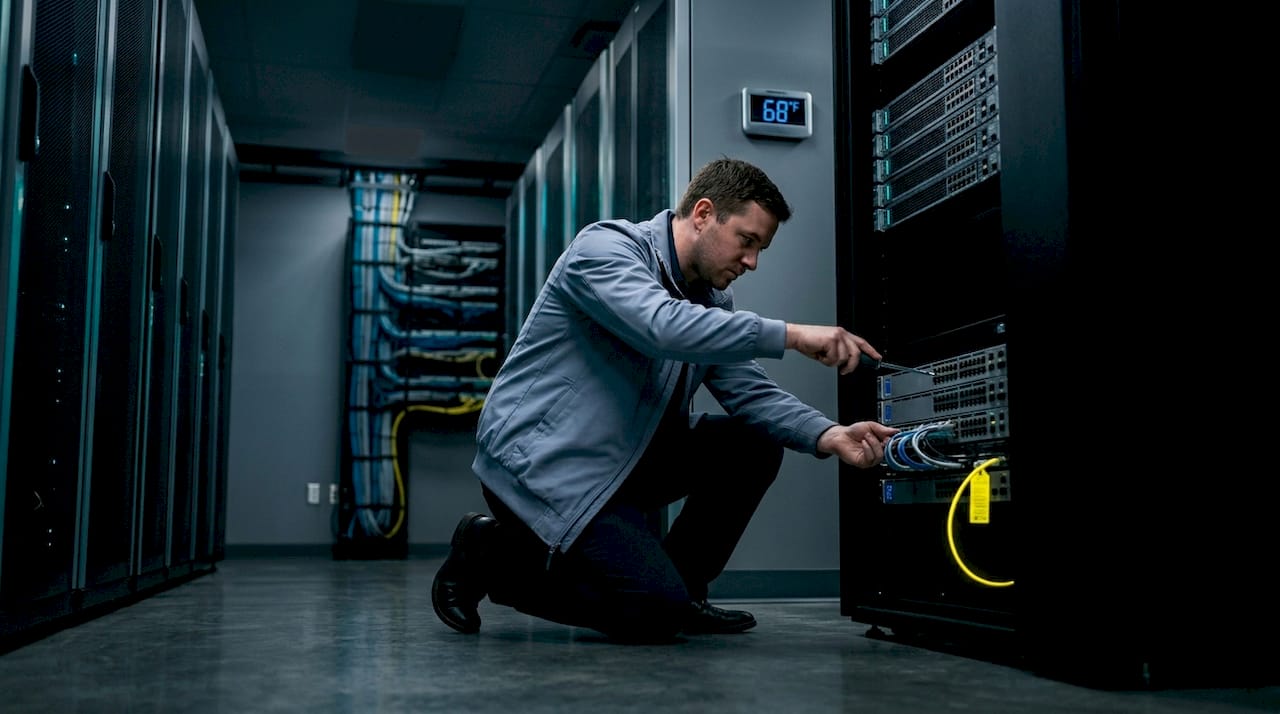
One of the most important decisions you will make is whether your team handles maintenance manually or moves toward automated scheduling and monitoring. Both have a place, but the comparison matters:
| Factor | Manual scheduling | Automated scheduling |
|---|---|---|
| Cost | Lower upfront | Higher setup, lower long-term |
| Accuracy | Depends on staff discipline | Consistent, timestamp-verified |
| Scalability | Difficult across large properties | Scales easily |
| Error rate | Higher with team turnover | Reduced human dependency |
| Documentation | Manual log entry required | Auto-generated records |
The clearest change management best practices are built around consistency, not perfection. You do not need a fully automated platform to run an effective maintenance program. You need a schedule that is actually followed.
Here is a practical monthly and quarterly checklist that works for most mid-size to large facilities:
Monthly tasks:
- Inspect all accessible switch and router hardware for physical damage, overheating, or indicator light errors
- Review traffic logs for unusual spikes or drops that may signal hardware degradation
- Test UPS backup systems to verify battery health and automatic failover
- Confirm all security cameras, gate controllers, and cell boosters are reporting to the network as expected
- Check wireless access point signal levels and roaming behavior across common areas
Quarterly tasks:
- Apply firmware and software updates to switches, routers, and wireless controllers during an approved maintenance window
- Pull and review configuration backups to verify accuracy and completeness
- Audit user accounts and access credentials on managed network devices
- Run a cable and port utilization review to identify unused or overloaded infrastructure
- Test failover and redundancy paths to confirm backup routes activate correctly
Following digital access control maintenance standards, it’s equally important to synchronize your network maintenance schedule with your physical security maintenance. A firmware update on a network switch that also supports your access control system should not be scheduled in isolation.
Strong preventive maintenance and change management practices require configuration backups before every change, approved maintenance windows that minimize tenant impact, and rollback procedures for every update applied.
Pro Tip: Every change to a production network device should be preceded by a verified configuration backup and a written rollback procedure. If the update fails, your team should be able to restore the prior configuration in under 15 minutes. If that is not realistic right now, make it a priority before your next maintenance cycle.
Execute maintenance: step-by-step workflow
Now that your maintenance schedule and tools are in place, let’s walk through a typical workflow, including how to minimize disruptions.
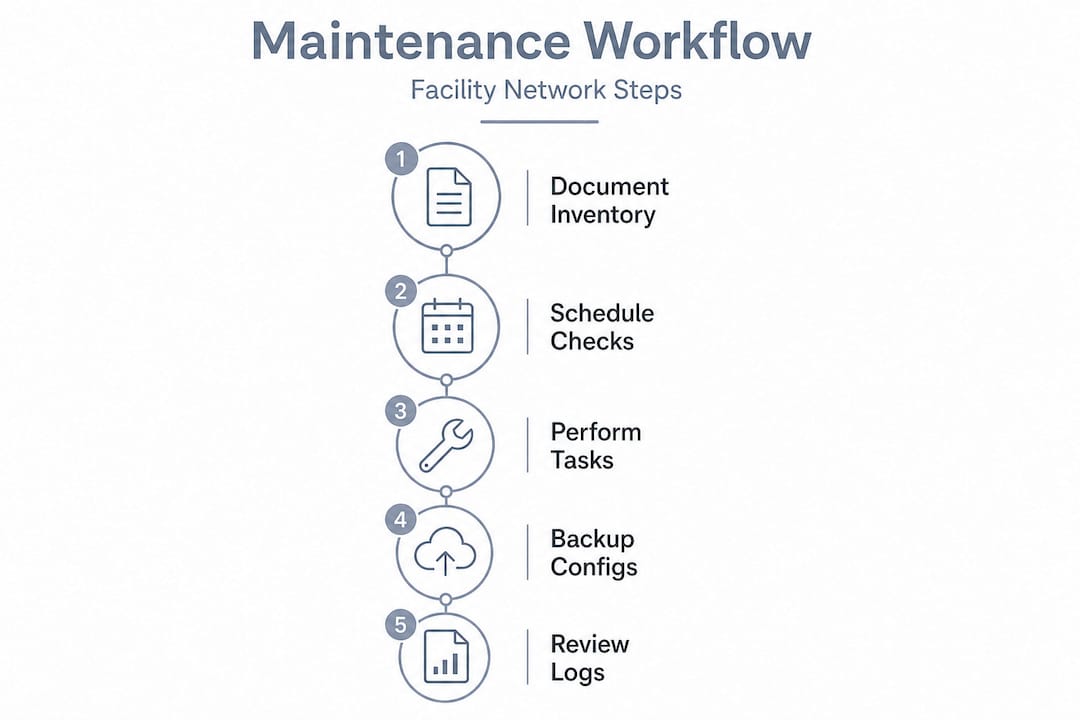
A consistent workflow removes guesswork from execution and gives every team member a repeatable process to follow. Here is how a standard preventive maintenance cycle should run for a South Florida facility:
- Schedule and communicate the maintenance window at least 48 hours in advance, notifying tenants and relevant staff of any expected service impacts
- Pull a full configuration backup from all in-scope devices before touching anything
- Verify connectivity baseline by running speed tests and latency checks on critical segments, including cameras and gate access points
- Inspect physical hardware for dust accumulation, loose connections, overheating components, and environmental damage (South Florida humidity and heat accelerate hardware aging)
- Apply firmware updates in sequence, starting with core infrastructure (routers, then switches, then access points) and verify stability at each step
- Test critical systems after each update, confirming that security cameras reconnect, gate controllers respond, and cell boosters are operating normally
- Document all changes with timestamps, technician names, and outcome notes in your maintenance log
- Confirm rollback readiness before closing the window, verifying that your backup configuration is accessible if issues emerge after the maintenance period
Facilities that achieve consistent uptime do not rely on hardware quality alone. They eliminate single points of failure through design, redundancy, and disciplined maintenance execution. Any device or cable run that, if it fails, takes down an entire segment of the building, is a liability that needs to be addressed before the next outage happens.
The concept of concurrent maintainability means your network is designed so that maintenance on one segment does not require taking down another. For example, a ring topology or dual-uplink switch configuration allows one path to go offline for maintenance while traffic reroutes automatically. As noted in always-on infrastructure guidance, high-availability targets require infrastructure and procedures that remove single points of failure and support concurrent maintainability, particularly for facilities operating continuous digital services.
For South Florida properties with motorized gates and 24/7 surveillance, that is not a nice-to-have. It is the baseline standard. Redundancy and 99.999% uptime goals become achievable when the infrastructure design supports them from the start.
Pro Tip: Systems supporting security cameras, gate access, and cell boosters should be flagged in your maintenance documentation as always-on critical. Any maintenance activity on network segments that serve these systems should be scheduled last, tested first, and have a dedicated rollback plan separate from your general network procedures.
For incident response for security systems in multi-tenant housing, coordinating network maintenance with your security vendor is essential to avoid gaps in coverage during update windows.
Monitor, measure, and improve operational efficiency
After completing each maintenance cycle, managers must measure results and continuously refine their approach.
Maintenance without measurement is just activity. The metric most directly tied to network reliability is MTTR, which stands for Mean Time to Repair. It measures the average time it takes your team to diagnose and fix a network issue from the moment it is reported. According to MTTR benchmarking guidance, lower MTTR means faster diagnosis, faster repair, and less total downtime across your facility.
Every property manager should track a core set of KPIs that directly reflect the health of their network infrastructure:
- MTTR (Mean Time to Repair): your recovery speed benchmark
- Network uptime percentage: tracked per segment, not just as a single building-wide number
- Incident frequency: how often failures occur in a rolling 90-day window
- Configuration drift rate: how often devices are found out of sync with documented baselines
- Patch compliance rate: percentage of devices running current, approved firmware
Here is a practical example of how MTTR readings translate into real operational impact:
| MTTR reading | Monthly downtime (est.) | Operational impact |
|---|---|---|
| Under 30 minutes | Under 2 hours | Minimal disruption, security maintained |
| 1 to 2 hours | 4 to 8 hours | Camera gaps, gate delays, tenant complaints |
| 4 or more hours | 16 or more hours | Significant liability, potential lease violations |
| Over 8 hours | Critical disruption | Emergency repair costs, possible regulatory review |
Incident logs are often skipped when teams are short-staffed, but they are one of the most valuable tools available. Every logged incident creates a data point that reveals patterns. If the same switch port fails three times in six months, that pattern in a log becomes the justification for a hardware replacement before the fourth failure. Logging and tracking for security systems should follow the same rigor as your physical security records.
Connecting your maintenance data to operational efficiency improvements gives you a clear feedback loop. When MTTR drops after a new maintenance practice is introduced, you have proof that it is working. When incident frequency rises after a period of deferred maintenance, you have the data to justify budget reinvestment.
What property managers often miss about network maintenance
Most facility managers who experience repeat network problems share a common pattern. When something fails, the instinct is to replace the hardware. New switch, new router, new access point. Problem solved. Except it usually is not.
The uncomfortable reality is that swapping hardware without addressing the underlying issues transfers the problem onto new equipment. Why enterprise LAN refreshes fail comes down to exactly this: avoid refreshing around hardware swaps without using current traffic and performance data to assess all five network dimensions. If your old switch was overwhelmed because of poor traffic segmentation or an overloaded uplink, the new switch will hit the same wall within months.
The second blind spot is budget-driven deferral of preventive maintenance. It feels like a cost-saving decision in the short term. But as highlighted in telecom maintenance tradeoffs, deferring preventive work directly increases failure rates and emergency repair costs, and should be escalated rather than silently absorbed into the maintenance backlog.
In our experience working with commercial properties across South Florida, the facilities that run the most reliably are not necessarily the ones with the newest hardware. They are the ones with the most consistent maintenance discipline. A five-year-old switch that is patched, monitored, and documented performs more predictably than a brand-new device that nobody is watching.
Network maintenance guidance should always start with a traffic and performance audit before any hardware investment. Understand where your bottlenecks actually live before spending money. That single shift in approach saves most facilities more than the cost of the audit itself.
Pro Tip: Before budgeting for any hardware refresh, pull 90 days of traffic data, review your incident logs, and map every network segment against the systems it supports. You will almost always find that targeted maintenance and configuration changes solve 70% of the problems you were about to buy your way out of.
Connect with expert support for your facility
For managers ready to take the next step, reliable support and solutions are readily available.
Maintaining the network infrastructure behind your security cameras, motorized gates, and wireless coverage is a specialized discipline. It requires both low-voltage expertise and network knowledge, and most facilities benefit from having a dedicated partner who understands how these systems connect. When one system goes down, they all feel it.

At Low Voltage Electrician, we specialize in exactly this intersection, installing, repairing, and maintaining the wired and wireless networks, security camera systems, motorized gates, and cell boosters that South Florida facilities depend on. Whether you need a structured maintenance program, a network reliability assessment, or rapid response when something fails, our team brings the hands-on expertise to keep your facility running. Explore our facility network solutions and connect with us to build a maintenance plan that matches your property’s real operational demands.
Frequently asked questions
How often should network maintenance be scheduled for multi-tenant properties?
Monthly and quarterly preventive maintenance cycles are best practice, as scheduled inspections reduce outage risk and prevent the performance degradation that leads to emergency repairs.
What is MTTR and why is it important for property managers?
MTTR is the average time to diagnose and repair network issues. Lower MTTR scores mean faster recovery and improved reliability for security systems, gate operations, and tenant communications.
What are the risks of skipping preventive network maintenance?
Skipping preventive maintenance raises failure rates and emergency costs, and creates unplanned downtime that directly impacts security coverage and building operations.
How should property managers document and track network maintenance?
Managers should maintain logs of scheduled work, configuration backups, and incident responses, as configuration backups and change records support both business continuity and regulatory compliance.